
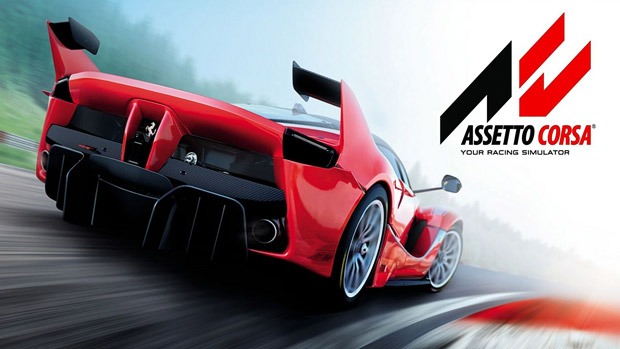
📅 Game released: 2014
Assetto Corsa is a realistic circuit-racing and driving simulator built around detailed vehicle physics, laser-scanned tracks, and everything from road cars to historic racing machines. This PC guide covers official Steam purchase and download options, the Ultimate Edition and its DLC, Content Manager and Custom Shaders Patch, VR and steering-wheel setup, system requirements, and practical performance considerations for the original game.
 By Editor Zero — independently researched, edited, and maintained.
Last updated: 29 October 2026
Last reviewed: 29 October 2026
Table of Contents
- Quick Facts
- Official PC Stores, Download & Installation
- Assetto Corsa Review
- Pros & Cons
- PC System Requirements
- Frequently Asked Questions
- Similar Games
Assetto Corsa Quick Facts
Official PC Stores, Download & Installation
👇 Compare the official Steam base-game and Ultimate Edition options below before purchasing, downloading, or installing Assetto Corsa, especially if you intend to use DLC-dependent tracks, cars, or community mods.
- Official PC store: The original Assetto Corsa is available for Windows through Steam. This is the verified official PC purchase and installation route. The original game should not be confused with the separate Assetto Corsa Competizione or Assetto Corsa EVO products.
- Standard Edition: The base game provides its original licensed cars and circuits, single-player events, career mode, customizable races, multiplayer, and supported driving controls. It does not automatically include the separately sold premium DLC packs.
- Ultimate Edition: The Steam Ultimate Edition bundle combines the base game with all 11 official DLC packs: Dream Pack 1, 2 and 3; Japanese Pack; Red Pack; Tripl3 Pack; Porsche Pack I, II and III; Ready To Race; and Ferrari 70th Anniversary. Steam describes the complete package as containing 178 vehicles and 19 circuits with 40 track configurations.
- Choosing an edition: The base game is sufficient for learning the simulator and exploring its original tracks and vehicles. Ultimate Edition is the more comprehensive choice for players who want the complete official car and circuit selection, particularly for community servers or mods that depend on DLC assets.
- Avoid duplicate DLC: Ultimate Edition already includes the listed premium packs. Check the contents of your Steam library and the bundle’s ownership information before purchasing individual DLC or another edition. Mods do not automatically grant access to paid licensed content.
- Steam installation: Purchase the selected edition, open the Steam Library, select Assetto Corsa, and click Install. Allow Steam to finish downloading the game and owned DLC, then start the original game at least once before configuring third-party launchers or modifications.
- Content Manager: The optional Content Manager is a community-developed alternative launcher that simplifies car and track management, race configuration, mod installation, and many advanced settings. Its Lite version is available through the developer’s website; additional features can be unlocked separately. It is not an official Kunos launcher or a replacement for owning Assetto Corsa on Steam.
- Custom Shaders Patch: The optional Custom Shaders Patch extends the PC game with additional lighting, weather-related functionality, visual effects, optimizations, and other features. The project is separate from Content Manager, although Content Manager can simplify its installation and configuration. Some advanced effects or preview features can require additional components or access.
- Mod safety and compatibility: Download Content Manager and Custom Shaders Patch from their actual developers, and obtain car, track, and graphics mods from established creators or communities. Verify dependencies and required DLC before installing. Back up important configurations and use a clean base-game installation to troubleshoot incompatible modifications.
- VR and wheel support: The Windows version supports SteamVR/Oculus PC, compatible steering wheels, gamepads, keyboards, and multi-monitor configurations. Configure steering, pedals, force feedback, and display output before driving. VR headset compatibility and performance depend on the headset software, graphics hardware, and any installed community modifications.
- Multiplayer and ownership: Steam supports online racing through PC multiplayer sessions and community-hosted servers. Different servers may require particular official DLC, modified cars, circuits, or configuration files. Steam ownership does not grant the separate PlayStation or Xbox editions, and modded PC content should not be assumed compatible with the console versions.
- Offline use and Steam Deck: The simulator includes offline single-player driving modes, while purchasing, downloading, updating, and joining online servers require the appropriate network access. Valve rates the Steam version Unsupported on Steam Deck, so a handheld installation should be treated as experimental rather than guaranteed.
 Buy Assetto Corsa Ultimate Edition on Steam
 Visit the Official Assetto Corsa Website

Assetto Corsa Review
Its richest competition is with the car, not the career around it.
A clean lap can be more satisfying than a race win in Assetto Corsa. Kunos Simulazioni’s circuit simulator is less interested in making every driver feel fast than in showing why a lap was fast, or why it fell apart. Braking a fraction too late, asking too much of the front tires, or opening the throttle before the rear has settled produces consequences that make sense once the car’s behavior becomes familiar. That consistency is what gives practice its appeal.
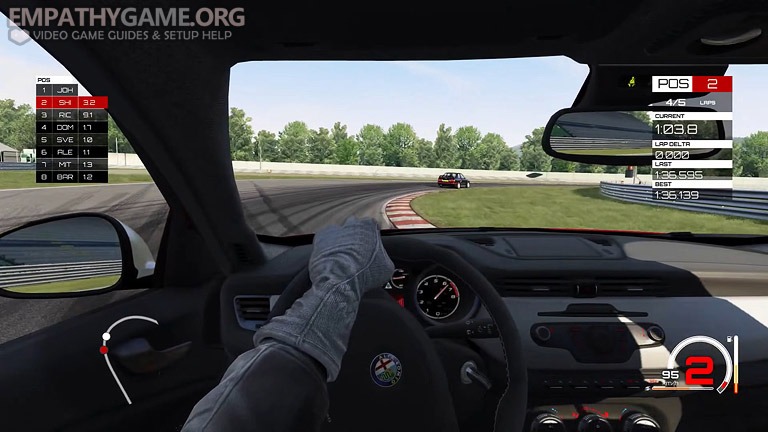
The range of road cars, historic racers, and modern competition machinery makes those lessons surprisingly varied, especially across faithfully reproduced circuits. Yet the surrounding game is less assured. Career progression is basic, AI competition can be uneven, and the menus rarely make getting onto the track as satisfying as being there. It is a simulator for people who enjoy learning machinery and improving their own technique. Anyone expecting a polished motorsport campaign or effortless controller racing may find the reward structure unusually thin.
Different Cars Change the Meaning of a Corner
The strongest argument for Assetto Corsa is how much a change of vehicle alters a familiar piece of road. In a Toyota GT86, keeping momentum through a medium-speed bend matters more than relying on horsepower to repair a poor exit. The Ferrari F40 is a very different proposition: its turbocharged delivery makes an impatient right foot particularly costly, and a corner that felt comfortable in the Toyota demands a more careful balance of braking, steering, and acceleration.
Historic machinery makes the contrast even clearer. A Lotus 49 asks the driver to manage a powerful, lightweight Formula car without modern electronic aids. An older BMW M3 E30 demands another rhythm. Modern GT cars, meanwhile, bring aerodynamic grip, specialized tires, and electronic systems appropriate to the vehicle. Learning one does not mean mastering another; even familiar braking markers change.
The range is approachable in short sessions but demanding over time. A modest road car gives space to learn; a faster racer reveals how much depends on anticipation rather than reflexes. Those differences emerge through driving, not artificial performance rankings.
Grip and Weight Transfer Make Errors Understandable
Much of the handling model’s value is concentrated in the moments before a corner goes wrong. Arrive too quickly and the front tires begin to push wide; release the brakes carelessly while turning and the car’s balance changes; apply power before the rear can accept it and a promising exit can turn into a correction or a spin. These mistakes require different responses. Steering harder into understeer rarely helps; the useful adjustment may have been needed at the start of braking.
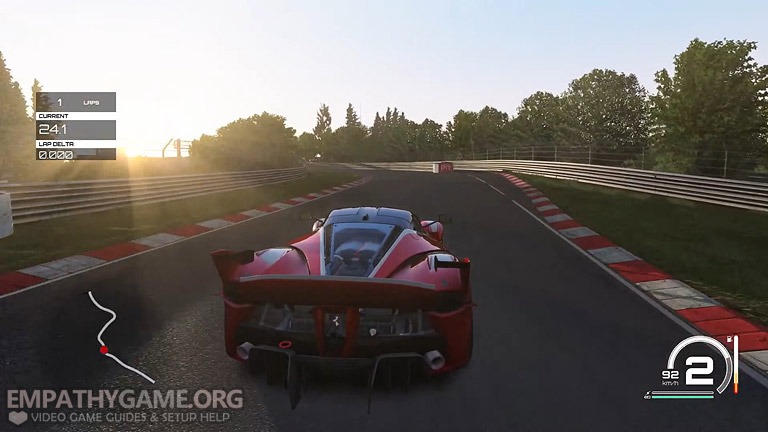
Tire temperature, pressure, wear, fuel load, suspension behavior, and aerodynamic force add more variables without replacing that basic logic. Grip changes with the situation. A tire that is not yet working comfortably behaves differently from one under repeated stress, while changes to alignment or balance can trade stability in one phase of the corner for responsiveness in another. These interactions also make it easy to blame the setup for inconsistent technique.
A well-calibrated force-feedback wheel makes the relationship easier to read. Steering resistance changes as the front tires load up, and the loss or return of that resistance can help a driver judge when a correction is useful. With a gamepad, the same underlying behavior remains, but small steering movements and progressive pedal inputs require more deliberate control without the physical information of a wheel. Both require practice.
Circuits Reveal the Mistakes You Keep Making
Assetto Corsa’s real-world circuits are more than recognizable names behind a starting grid. Monza puts braking stability under pressure: a small error approaching a heavy chicane can spoil both the corner and the acceleration that follows. Mugello encourages a different discipline, connecting faster turns so that one poorly judged entry can compromise the next. At Laguna Seca, the Corkscrew combines a blind change of direction with a downhill drop, demanding commitment without rewarding reckless speed.
The Nürburgring Nordschleife expands that problem across a long sequence of crests, compressions, and bends that are difficult to memorize in isolation. Knowing that a corner exists is not the same as remembering how the car will be loaded when it reaches it. Laser-scanned tracks help communicate elevation and surface character, but their real value lies in exposing how speed, positioning, and confidence change from lap to lap. A cleaner lap may mean sacrificing speed in one corner to control the next three.
Drifting and Manual Shifting Expose Another Layer of Timing
Drifting turns the usual pursuit of maximum grip into a different lesson in balance. Initiating oversteer is only the beginning. Holding a slide asks for continuous coordination between throttle and counter-steering, and the more difficult task is often leaving one corner with enough control to enter the next. Release the steering too slowly or carry the wrong speed out of the first slide, and the weight transfer needed for a smooth transition happens at the wrong moment. A spectacular isolated drift is not necessarily a well-connected run.
That physical consistency also benefits drifting. A rear-wheel-drive car responds to changes in throttle and load in ways that can be practiced, rather than relying on a dedicated arcade-style drift button. Too much angle can become a spin; an aggressive correction can snap the car the other way. The challenge lies in coordinating small movements, not one dramatic input.
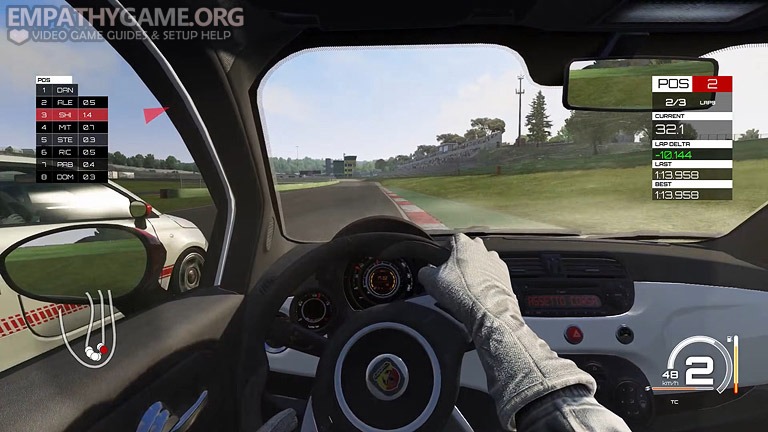
Manual transmissions introduce a related distinction. Driving an H-pattern car with a separate shifter and clutch involves timing the gear change as part of the vehicle’s balance. Using wheel paddles in that same car can involve different automatic assistance and shifting behavior, so pressing a clutch pedal while operating the paddles does not necessarily reproduce the feel of a fully manual setup. In an older BMW M3 or a Lotus Elise SC, the control method can therefore change the experience as much as the car’s specifications do. Simulation fidelity also depends on the controls communicating it.
AI Racing Is Less Convincing Than Driving Alone
Practice and Hotlap modes make the handling the entire point, but wheel-to-wheel racing exposes weaker parts of the design. A race weekend adds qualifying, traffic, overtaking decisions, and the need to choose a line that is not simply the fastest one in isolation. Even a familiar corner changes when following a rival or defending a position.
The AI does not always support that tension naturally. Opponents can be inconsistent in their pace and awareness, particularly in close traffic. In some career races, a leader can seem difficult to catch while cars already overtaken offer little pressure unless the player makes a mistake. That does not establish a universal rubber-banding system; car combinations, circuit layout, and AI settings all affect the pattern. The practical consequence is that the opening lap can sometimes feel disproportionately decisive, with less evolving competition afterward than a well-balanced race should produce.
It remains possible to create entertaining races, especially with suitably matched machinery and settings. But there is a noticeable gap between the care given to the car’s response and the apparent intelligence of the field around it. That gap matters most to drivers seeking convincing championship opponents.
Career and Challenges Do Not Provide a Smooth Learning Path
The career arranges races and challenges into an escalating sequence, using results to open later events. It encourages sampling different machines, but lacks garage economics, team decisions, or contracts. Cars and tracks are also accessible through the broader driving modes without waiting for a campaign unlock. That freedom is generous, though it leaves the career feeling more like a guided series of exercises than a journey with lasting stakes.
Special Events are more interesting as discrete tests, but their difficulty is not always progressive. A demanding Lamborghini Countach hotlap can take far more adjustment than a comparatively accessible Lotus challenge, even when both sit in the same collection of medal targets. Car handling, circuit demands, and medal targets combine to create those spikes. Experienced drivers get specific goals; newcomers can hit abrupt walls.
Time Attack deserves separate treatment from straightforward Hotlap driving. Hotlap makes the objective immediately legible: find a cleaner, faster lap. Time Attack uses checkpoints and a countdown, rewarding the ability to keep the run alive and build a score rather than presenting one simple fastest-lap target. That scoring structure can feel opaque when similarly paced attempts produce different results. It is not always the clearest measure of improvement. For learning a circuit, an ordinary practice or Hotlap session often communicates progress more directly.
Cockpit Atmosphere Is Convincing, Even When the World Is Not
There is no story or cast to carry Assetto Corsa. Its character comes from a recognizable dashboard, a stripped-out competition cockpit, the sound of an engine climbing through its rev range, and the changing view toward an approaching apex. Gear changes, tire squeal, road noise, and occasional scraping are not only decoration; they give another stream of information about what the vehicle is doing. The car effectively becomes the main character.
That focus has limits. The original game’s trackside scenery, sparse environmental activity, and restricted weather and lighting variety are less persuasive than its car models and circuit geometry. More importantly, even excellent steering feedback cannot reproduce the bodily forces of hard acceleration, braking, and lateral movement or the physical stakes of getting a real corner wrong. A simulated BMW may convey the recognizable way it steers and breaks traction without fully conveying how forceful its acceleration feels from the driver’s seat. Assetto Corsa is a convincing model of vehicle behavior, not a substitute for every sensation involved in driving.
Freedom, Multiplayer, and the Value of a Better Lap
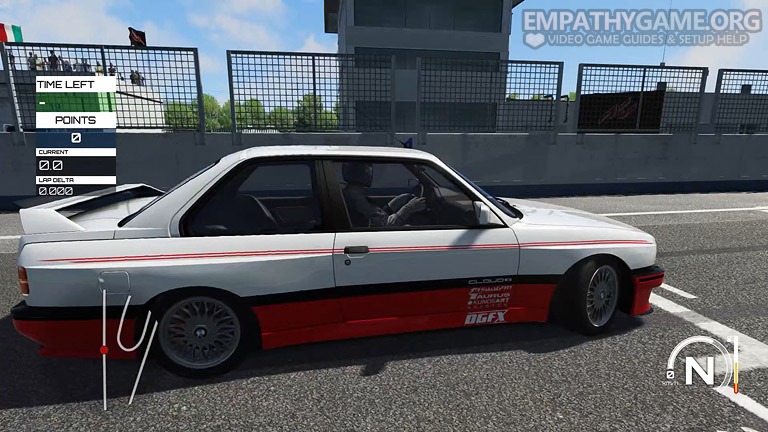
The real progression is often personal. A driver can return to Magione with the same car, improve braking consistency, then begin looking at tire pressures, suspension, or alignment only after lap times have stabilized. Making one change at a time is more meaningful than adjusting several settings and guessing which one helped. That relationship gives tuning its purpose, but demands patience.
Multiplayer adds another kind of freedom. Organized races can supply the competitive pressure missing from AI sessions, but they are not the only worthwhile use of the simulation. Informal sessions with friends can become relaxed drives, pace-matching exercises, or playful contests between a slower well-driven car and something much faster. What matters is the shared ability to drive machines with understandable strengths and limitations, whether anyone is watching the clock or not.
The official cars and circuits already support many combinations, and community-created vehicles and locations enlarge that range. Quality and physical accuracy vary; more content is not automatically better. Still, the freedom to set an unusual driving challenge, change machinery, or approach the same corner with a new goal gives Assetto Corsa staying power that its career structure cannot provide on its own.
Final Verdict
Assetto Corsa earns its reputation through the part of racing games that is easiest to describe and hardest to get right: the relationship between a car, its tires, the road, and the person trying to find their limit. Its best moments are modest on paper. A braking point moves a little later. A difficult exit becomes repeatable. A car that initially felt unpredictable begins to explain itself through weight transfer, sound, and steering feedback. Those victories matter because they are earned through understanding rather than handed out by progression systems.
The limitations are equally clear. AI races cannot always sustain the quality of the driving model, medal challenges can feel uneven, and neither the career nor the presentation offers the breadth of a more elaborate motorsport game. A gamepad can work, but a suitable wheel makes the central communication more immediate; even then, the simulation cannot recreate physical acceleration or risk. These compromises matter to anyone seeking cinematic racing or varied race-day conditions.
For a driver who enjoys learning cars, connecting difficult corners, experimenting with setups, drifting, or sharing an unstructured session with friends, the depth is unusually durable. Assetto Corsa does not need to make every lap a spectacle. Its achievement is making an ordinary corner worth getting right.
Assetto Corsa Pros & Cons
Assetto Corsa PC System Requirements
The following are the official Windows specifications published on Steam for the original Assetto Corsa. They describe the base PC simulator, not the additional performance demands of high-resolution community tracks, visual modifications, large multiplayer grids, or VR.
MINIMUM:
OS: Windows 7 SP1 / Windows 8 / Windows 8.1 / Windows 10 (historical game listing)
CPU: AMD Athlon X2 2.8 GHz or Intel Core 2 Duo 2.4 GHz
RAM: 2 GB
GPU: DirectX 10.1-compatible graphics card, such as AMD Radeon HD 6450 or Nvidia GeForce GT 460
DirectX: Version 11
Storage: 15 GB available space
Network: Broadband Internet connection (listed by Steam)
Sound Card: Integrated
RECOMMENDED:
OS: Windows 7 SP1 / Windows 8 / Windows 8.1 / Windows 10 (historical game listing)
CPU: AMD six-core CPU or Intel quad-core CPU
RAM: 6 GB
GPU: DirectX 11-compatible graphics card, such as AMD Radeon 290X or Nvidia GeForce GTX 970
DirectX: Version 11
Storage: 30 GB available space
Network: Broadband Internet connection (listed by Steam)
Sound Card: Integrated
Additional PC Performance and Setup Notes
Windows compatibility: Steam’s published requirements retain older Windows versions, but the Steam client itself supports Windows 10 and newer rather than Windows 7, 8, or 8.1. Windows 10 or 11 is therefore the practical operating-system choice for a normal new Steam installation. Compatibility with individual drivers, wheels, and third-party utilities can vary.
Storage and mods: The official 15 GB minimum and 30 GB recommended storage figures are base-game specifications, not a realistic ceiling for a heavily modified installation. Ultimate Edition content, custom circuits, car packs, graphics extensions, and downloaded server assets can substantially increase disk usage. An SSD and generous free space are sensible for a large mod library, although Steam does not list an SSD as a mandatory requirement for the original game.
Steering wheel and force feedback: Before starting a serious driving session, select the correct wheel preset or manually bind steering, throttle, brake, clutch, gear changes, and force-feedback controls. Calibrate wheel rotation and pedal axes, then adjust force-feedback gain to avoid excessive clipping. Wheel-specific driver software may also be needed.
Controller and driving assists: Assetto Corsa supports keyboard, gamepad, and wheel input, but realistic steering and throttle control are generally easier with a calibrated wheel and pedals. Gamepad users can begin with appropriate steering sensitivity and assists, then adjust them gradually. Available driving-assist profiles provide a more approachable starting point for learning car behavior.
VR and triple screens: Steam lists SteamVR and Oculus PC support, while Kunos also documents triple-monitor compatibility. VR increases rendering demands because the game must generate a view for each eye at a suitable refresh rate. Start with moderate graphics settings and a simple circuit session before adding demanding visual effects, traffic mods, or large grids.
Content Manager and Custom Shaders Patch: Establish that the unmodified Steam game launches successfully before installing third-party tools. Add Content Manager first if you want easier mod management, then configure Custom Shaders Patch only if you need its features. Keep the original game, graphics drivers, supporting runtimes, and mod dependencies compatible. If problems appear after modification, temporarily disable the added components and verify the Steam installation.
Official Trailer
Note: This official Assetto Corsa 1.0-era teaser showcases the simulator’s licensed cars, track environments, and driving presentation. The written guide explains the full PC release, Steam editions, modding options, and hardware setup that are not covered by the video.
Frequently Asked Questions
Can you drive freely around an open world with traffic in Assetto Corsa?
Yes, through community-created maps and traffic systems. The original game focuses on circuits rather than an official open world, but PC projects such as Shutoko Revival Project recreate extensive public-road environments for cruising and traffic driving. These experiences require compatible mods, and some servers need additional cars or Custom Shaders Patch features.
What is the best car and track for beginners in Assetto Corsa?
The Toyota GT86 at Magione is a sensible starting combination because the car has manageable power and the circuit offers varied corners without being excessively complicated. Begin with practice laps, learn braking points, and concentrate on smooth steering and throttle inputs before moving to faster GT3 or Formula cars.
Does Assetto Corsa have a career mode, and do you need to unlock cars?
Yes, the original game includes a career mode with progressively organized racing events and challenges. However, most of the driving experience is not locked behind career progression: practice, hotlap, and custom race modes allow you to use installed cars and tracks independently of career completion.
Why do tire temperature and pressure matter in Assetto Corsa?
The tire simulation accounts for temperature, pressure, wear, and changing grip, so a car can behave differently during the opening laps and after its tires have warmed up. Use the in-game tire information display to monitor their condition and adjust pressures when necessary. Ideal settings depend on the vehicle, tires, circuit, and driving conditions rather than one universal value.
Can you play Assetto Corsa with an Xbox or PlayStation controller instead of a steering wheel?
Yes. Gamepads are supported, although precise steering, braking, and throttle control generally take more practice than with a suitable wheel-and-pedal setup. Adjust steering sensitivity, speed sensitivity, and other controller settings gradually; optional community gamepad-assist scripts can also make analog-stick steering more manageable.
Do you need Content Manager, Custom Shaders Patch, and Pure to play Assetto Corsa?
No. The original Steam game works without any of them. Content Manager is an alternative launcher and mod manager, Custom Shaders Patch adds graphics and gameplay extensions, and Pure is a separate weather and lighting system designed to work with CSP. Install only the components needed for your intended driving experience or required by particular mods.
Can Assetto Corsa have realistic rain, nighttime driving, and changing weather?
Yes, with suitable PC modifications, but the original game does not provide the complete advanced weather and nighttime simulation seen in heavily modded videos. Custom Shaders Patch adds dynamic lighting and weather extensions, Pure expands environmental presentation, and CSP’s RainFX feature is associated with its preview builds. Visual rain effects and simulated wet-road grip are not necessarily equivalent across every mod or configuration.
Does Assetto Corsa support Steam Workshop mods?
No. Despite offering extensive PC modding possibilities, the original game does not use Steam Workshop for distributing community cars and tracks. Mods are generally installed manually or through Content Manager, with downloads supplied by individual creators and established modding communities.
Why does Assetto Corsa say “Missing Content” when joining a multiplayer server?
The server may use a car, track, DLC pack, or community extension that your installation lacks or has installed in an incompatible version. Check the server’s content requirements, confirm that you own any necessary official DLC, and install the exact compatible community files. Having Content Manager alone does not automatically provide every required server asset.
How do you play Assetto Corsa online with friends or create a private server?
You can join an existing multiplayer server or configure a private PC dedicated server for races, practice, and track-day sessions. The game includes dedicated-server software, and appropriately configured local-network play is also possible. Each participant needs a compatible game installation and the same required cars and tracks; there is no cooperative story campaign.
Does Assetto Corsa have split-screen or local multiplayer on PC?
The unmodified game does not include a standard built-in split-screen mode. However, Custom Shaders Patch provides an unofficial split-screen racing option on PC, allowing two local drivers to use separately configured controls. Availability and reliability depend on the installed CSP version and setup, so this should not be confused with officially supported couch multiplayer.
Does Assetto Corsa support crossplay between PC, PlayStation, and Xbox?
No. The original game’s Windows, PlayStation, and Xbox multiplayer environments are separate, so players cannot join the same race across those platforms. PC community servers and their custom cars or tracks are not accessible through the console editions.
Can you play Assetto Corsa in VR using a Meta Quest headset?
Yes, a compatible Meta Quest can be used as a PC VR headset through an appropriate PC connection and supported VR runtime. The Windows version supports Oculus PC and SteamVR, but Assetto Corsa is not a standalone Quest game. VR performance depends on your graphics hardware, connection method, render resolution, and installed modifications.
Why does Assetto Corsa display “CPU Occupancy > 99%” when Windows shows lower CPU usage?
The warning indicates that the game is struggling to complete its processing workload in time, not necessarily that every CPU core is running at 99%. Large AI grids, demanding traffic mods, extensions, or occasionally wheel and force-feedback software can contribute. Try a simple practice session with one car, reduce opponent counts, and disable unnecessary extensions to identify the cause.
What should you do if Assetto Corsa does not recognize your steering wheel or pedals?
First confirm that Windows and the wheel manufacturer’s software detect the device and its steering and pedal inputs. Then select the correct controller configuration in Assetto Corsa or Content Manager and manually rebind any missing axes. If detection remains inconsistent, disconnect conflicting controllers, check the device drivers, and test the original game’s controls without additional modifications.
What is the difference between Assetto Corsa, Assetto Corsa Competizione, and Assetto Corsa EVO?
Assetto Corsa is the original broad driving simulator, with road cars, racing vehicles, circuits, and extensive PC modding. Assetto Corsa Competizione is a separate title concentrating on licensed GT racing, while Assetto Corsa EVO is a newer standalone entry built around updated simulation technology. Buying one does not unlock the others, and their DLC, installations, and mod compatibility should not be treated as interchangeable.
Still have questions? Check the Assetto Corsa Reddit community, Steam Discussions, or 505 Games Support for additional setup help, multiplayer questions, and community troubleshooting.
Sources & References
Key factual and technical information in this guide was checked against relevant official and established sources, including:
- Official Assetto Corsa Website — Kunos Simulazioni — driving physics, officially supported features, racing modes, licensed cars, tracks, and customization.
- Assetto Corsa on Steam — official Windows availability, release date, system requirements, VR and controller features, Steam Deck rating, and user reception.
- Assetto Corsa Ultimate Edition on Steam — complete official DLC bundle contents, vehicle selection, and circuit information.
- Content Manager — Developer Website — optional alternative launcher, content management, installation options, and distinctions between Lite and expanded features.
- Custom Shaders Patch — Developer Website — unofficial visual, weather, physics, and graphics extensions, together with their dependencies.
- Assetto Corsa PC Reviews — Metacritic — PC critical reception and applicable professional review scores.
Similar Games Like Assetto Corsa
Found something worth playing through DecideGame?
DecideGame.com is an independent gaming project run by Editor Zero. If this guide helped you discover a game, solve a problem, or find useful information, you can support DecideGame.com and help keep new and updated game guides coming.
DecideGame — PC Game Guides, Reviews & Setup Help