
Use this updated 2026 GRID 2 PC guide to understand the game’s delisted Steam status, install an existing legitimate copy, compare the base game with Reloaded Edition content, and check offline play, retired online services, system requirements, Steam Deck support, split-screen, mods, and modern PC setup.
 By Editor Zero — independently researched, edited, and maintained.
Last updated: 14 September 2026
Last reviewed: 14 September 2026
Table of Contents
- Quick Summary
- Quick Facts
- Official PC Stores, Download & Installation
- GRID 2 Review
- Pros & Cons
- PC System Requirements
- Frequently Asked Questions
- Similar Games
GRID 2 Quick Summary
✔ Fast circuit, street, mountain-road, drift, and point-to-point racing built around Codemasters’ accessible TrueFeel handling rather than a strict simulation model
✔ The World Series Racing career sends the player across North America, Europe, and Asia while building fans, recruiting racing clubs, unlocking cars, and mastering several event types
✔ Similar to Race Driver: GRID through its aggressive AI, damage, Flashback system, cinematic presentation, mixed motorsport disciplines, and balance between arcade accessibility and believable driving
✔ Reloaded Edition expanded the original game with Spa-Francorchamps, Bathurst, and a large collection of additional cars and racing packs
✔ GRID 2 is no longer sold through Steam, but legitimate existing Steam owners retain access to the game in their libraries and can install the version attached to their account
✔ The original online services have been retired, while the single-player career and local shared/split-screen racing remain the most useful ways to play the PC version
GRID 2 Quick Facts
Official PC Store Status, Download & Installation
👇 Use the notes below to understand the current official PC availability status for GRID 2, install an existing legitimate Steam copy, and avoid unsafe or unofficial acquisition options.
- Steam delisting: GRID 2 is no longer available for normal purchase through Steam. The archived official store page remains online, but it clearly states that the game is no longer available on the Steam store.
- Existing owners: Players who already hold a legitimate GRID 2 Steam license can continue using the game through the Steam library and install the Windows build associated with their account.
- Reloaded Edition: This package combined the full game with a substantial set of additional content, including the Spa-Francorchamps and Bathurst circuits and 25 extra cars across several car and performance packs.
- DLC ownership: Reloaded Edition historically included the McLaren Racing, IndyCar, GTR Racing, Headstart, Super Modified, Peak Performance, Drift, Spa-Francorchamps, Bathurst, and Classic GRID packs. Check the DLC attached to your Steam account rather than assuming every GRID 2 license includes the same extras.
- Online retirement: EA has retired GRID 2’s original online services. Features that depended on its old multiplayer infrastructure, RaceNet services, online progression, or leaderboards should not be treated as active parts of the present PC experience.
- Offline & local play: The single-player World Series Racing career remains the core playable mode. Steam also lists Shared/Split Screen and Remote Play Together, which are separate from the game’s retired original online services.
- Steam activation: Windows releases use Steam ownership and activation. Old retail copies or activation keys should not be assumed to work unless the license can still be legitimately redeemed; unofficial key marketplaces, abandonware pages, and file-sharing sources are not safe substitutes for official ownership.
- Steam Deck: Valve rates GRID 2 as Playable. The default graphics setup performs well according to its compatibility test, but the native display resolution may need to be selected manually and external Bluetooth or USB controllers can require changing controller order through the Quick Access Menu.
 View GRID 2 on Steam — Delisted

GRID 2 Review
Explosive speed, slide-heavy handling and inventive race formats make GRID 2 thrilling, even when its physics push too hard toward oversteer.
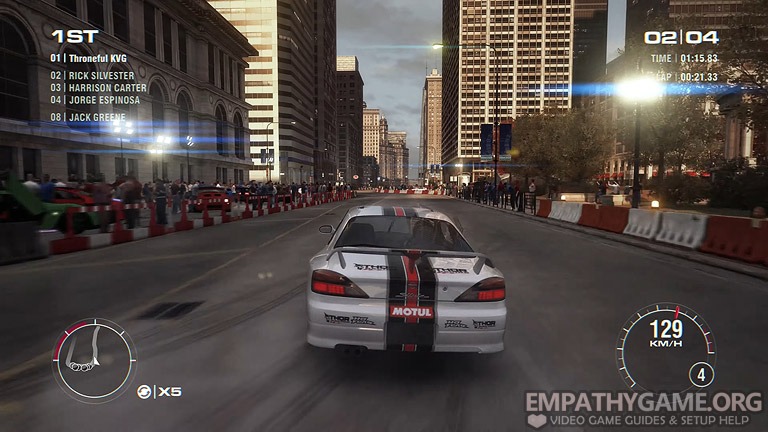
GRID 2 is a racing game built around momentum. It wastes little time on engineering menus or a complicated economy; instead, it keeps throwing new cars, disciplines and locations at the player while the World Series Racing career grows from a small American series into a global spectacle. That directness is its greatest strength. A downtown Chicago race in a heavy muscle car can lead to a California sprint along cliffside roads, then to Paris at night or a changing street route through Dubai. The campaign rarely stays in one rhythm for long.
Its defining choice is the TrueFeel handling model, which sits between arcade racing and simulation but leans much harder toward theatrical oversteer than the first GRID. Cars have weight, traction can be lost through bad throttle control, and different drivetrains do matter, yet the game clearly wants drivers to live near the limit of grip. That produces fast, expressive racing on a controller and makes narrow road events unusually exciting. It can also make high-powered cars feel nervous and overly eager to rotate. Players who enjoy controlling a slide are likely to find a distinctive racer here; anyone looking for planted, precision-first circuit driving may find the same physics exhausting.
Handling Makes Every Corner a Controlled Risk
The best way to understand GRID 2 is to stop treating every slide as a mistake. Braking loads the front tyres, the rear begins to loosen, and careful throttle can hold the car at an angle without turning the corner into a full drift contest. The steering reacts quickly enough that small corrections can catch the rear before it becomes a spin, which gives the game a sharp, immediate feel rather than the slower weight transfer of a dedicated simulator.
That approach is especially effective with powerful rear-wheel-drive cars. On the California coast, a fast car can move from stable to tail-happy as soon as too much throttle arrives near the edge of the road. The useful habit is to finish most of the braking before turn-in, let the car rotate, and feed the power back in rather than simply flooring it at the apex. The game rewards that rhythm with an exaggerated but satisfying sense of speed: the car feels as though it is being balanced on the edge of a mistake rather than guided around a perfect racing line.
The garage still has meaningful differences. A car such as the Audi RS5 encourages a cleaner, more secure approach, while the KTM X-Bow R is light enough that abrupt inputs can make it feel far less forgiving. Those contrasts stop the handling model from collapsing into one universal drift technique. Even so, the underlying bias never disappears. Faster tiers can expose the weakness most clearly, because higher speeds amplify the quick rotation and make some cars feel twitchier than their real-world character suggests. There are difficulty options, but no deep set of assists that fundamentally transforms this behaviour, so adapting to it is part of learning the game.
LiveRoutes and Touge Turn Variety Into More Than a Track List
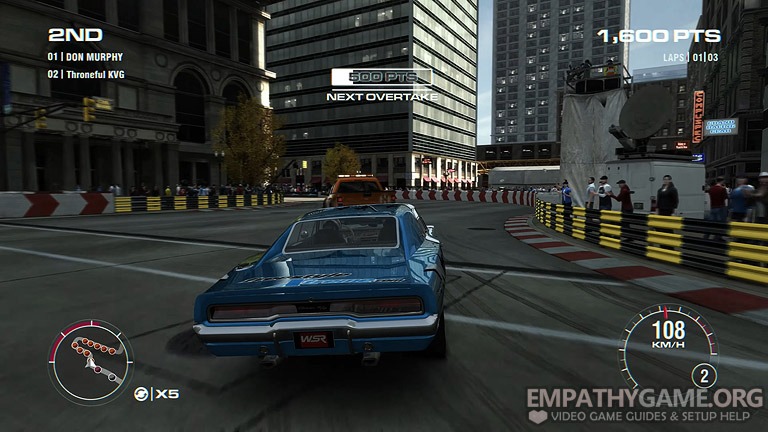
The event design is where GRID 2 makes its handling philosophy useful. Standard races, elimination, time attack and drift events are mixed with more distinctive formats, preventing the career from becoming a sequence of nearly identical circuit championships. Two modes in particular give the game its own personality: LiveRoutes and Touge.
LiveRoutes take city environments and change the sequence of junctions during the race. In a conventional event, repeated laps gradually become a memory test: learn the braking point, remember the apex, repeat. A LiveRoute in Dubai or Chicago removes much of that advantage. With no fixed route to memorise, the driver has to read the road as it appears, pay attention to barriers and corner direction, and leave a little margin for the next unknown turn. The system works because GRID 2 already rewards quick steering corrections. It turns reaction itself into the skill being tested.
Touge does almost the opposite. Two cars are placed on a narrow mountain road where space is scarce and meaningful contact can mean disqualification. The usual temptation to lean on a rival suddenly becomes dangerous. A late dive that might work in a street race can throw away the entire run, while getting alongside without enough road left creates a problem that cannot be solved by simply pushing the other car wide. These events are at their best when the road is fast enough to invite aggression but narrow enough to punish it. They also show why the game’s slide-friendly handling fits fictional roads and mountain routes better than a purely circuit-focused structure would.
Aggressive AI, Damage and Flashbacks Keep Races Unpredictable
Rivals are not passive moving markers. They defend, squeeze for position, make contact and occasionally create problems of their own, which gives crowded races a rough touring-car character. In Chicago, that aggression can turn the first few corners into a fight for road space rather than a clean procession. It is exciting when a minor nudge forces a correction at speed; it is less convincing when several cars converge on the same narrow section and the result feels more like surviving traffic than out-racing opponents.
Mechanical damage gives that contact consequences. A hard impact can leave a car pulling away from a straight line or performing poorly enough that the rest of the event becomes damage limitation. That matters because it changes the value of aggression: gaining one position is not always worth hitting a barrier hard enough to compromise every corner that follows. The damage model is also visually expressive, with bent bodywork and battered cars making late-race grids look as rough as the racing feels.
Flashbacks prevent that volatility from becoming exhausting. A limited rewind can erase a catastrophic braking error or a crash without removing the pressure to drive well. The mechanic works best as insurance for the mistakes that would otherwise waste an entire event, not as a button to perfect every corner. Saving one for a late-race collision is often more valuable than spending it to recover a small early mistake, especially on point-to-point routes where there may be no later lap to make up the lost time.
The Career Trades Garage Management for Constant Momentum
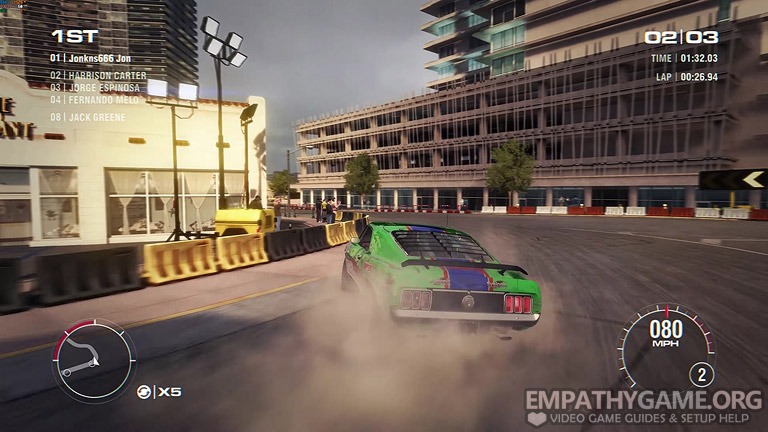
Patrick Callahan’s World Series Racing gives the campaign a simple objective: attract fans, challenge established clubs and turn the WSR into an international championship. The player is its public face rather than an anonymous rookie buying an entry-level car. That framing explains why progression is based on reputation and exposure instead of a conventional motorsport budget.
There is no elaborate single-player economy asking the player to purchase engines, suspension parts or incremental upgrades. Cars arrive through career milestones and Vehicle Challenges, and progress is measured primarily through fans. The benefit is pace. A new car feels like permission to learn a different handling problem immediately rather than the end of a shopping process. The drawback is ownership. With little mechanical tuning and no need to save money for the next build, the garage feels more like a curated toolbox than a collection shaped by personal investment.
That simplicity also makes vehicle choice more important than the progression system first suggests. Raw power does not automatically make a car ideal for every event; stability, rotation and the player’s comfort with a particular chassis can matter more on a narrow route. Learning which cars tolerate aggressive throttle and which reward cleaner inputs provides much of the campaign’s mechanical growth. The player improves through familiarity rather than through a long list of statistical upgrades.
The WSR Story Is Thin, but the Racing World Has Personality
The narrative never becomes much more than a framework. Callahan wants to build a new global racing attraction, clubs need to be recruited, fans need to be won, and the driver’s success makes the series more prominent. There are no character arcs strong enough to carry the campaign on their own, and the story is unlikely to be the reason anyone remembers GRID 2.
The atmosphere around that story is much more successful. Broadcast-style presentation, commentary, crowds, lighting and location changes create the feeling that the WSR is becoming larger as the career advances. Paris at night feels different from the sunlit California coast; Dubai’s broad modern streets create a cleaner visual rhythm than Chicago’s enclosed urban routes. The constant movement between street racing, mountain roads and licensed circuits gives the campaign a deliberately exaggerated motorsport-tour quality. It may not tell a compelling story, but it does a convincing job of making each stage feel like part of an expanding event.
Strong Presentation Cannot Hide the Missing Cockpit View
GRID 2 sells speed well. Engine noise, tyre scrub, impacts and rapid environmental movement all reinforce what the handling is trying to achieve, while the damage system makes collisions visually legible instead of cosmetic. The environments are designed for readability as much as scenery: barriers, road width and lighting generally make it possible to interpret a corner quickly, which matters enormously when LiveRoutes remove memorisation from the equation.
The obvious omission is the cockpit camera. For a series that had already used an in-car view, losing it narrows the ways players can connect with the cars and is particularly noticeable in a game so concerned with speed and immersion. External, bonnet and bumper perspectives still communicate the action clearly, but none fully replaces the sense of sitting inside the car. It remains one of the sequel’s strangest compromises.
Final Verdict
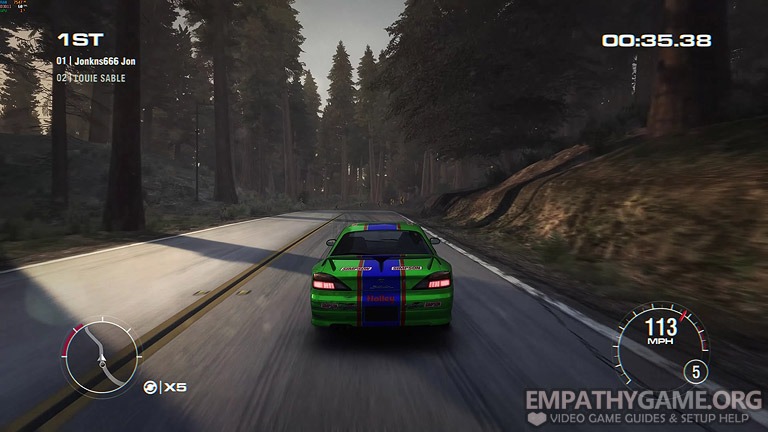
GRID 2 succeeds because nearly every major system serves the same idea: keep the driver moving quickly, close to the limit and one mistake away from a spectacular recovery or crash. Its TrueFeel handling is not subtle, but the willingness to let cars rotate and slide gives the racing a distinctive identity. LiveRoutes turn unfamiliar corners into reaction tests, Touge makes clean positioning more important than contact, mechanical damage gives collisions weight, and Flashbacks keep aggressive racing from becoming needlessly punishing.
The compromises are just as clear. The physics can feel too eager to oversteer, particularly as speeds rise; the career sacrifices tuning and garage ownership for a faster unlock structure; aggressive AI occasionally crosses from exciting pressure into messy congestion; and the missing cockpit view is a genuine loss. The WSR storyline is little more than connective tissue, even if the surrounding presentation gives the championship plenty of atmosphere.
For players who prefer fictional roads, city racing, mountain duels and controlled slides to painstaking setup work, those weaknesses do not erase what makes the game memorable. GRID 2 is at its best when there is no time to calculate the perfect corner—only enough time to read the road, catch the rear and commit. That makes it a more divisive sequel than the original GRID, but also a racer with a personality strong enough to remain recognisable long after the chequered flag.
GRID 2 Pros & Cons
GRID 2 PC System Requirements
Important: These are the original official Windows requirements preserved on GRID 2’s Steam page. The listed operating systems reflect the game’s 2013 release; the modern Steam client itself now requires Windows 10 or later.
MINIMUM:
OS: Windows Vista / Windows 7 / Windows 8
CPU: Intel Core 2 Duo @ 2.4 GHz / AMD Athlon X2 5400+
RAM: 2 GB
GPU: Intel HD Graphics 3000 / AMD Radeon HD 2600 / NVIDIA GeForce 8600
DirectX: Version 11
Storage: 15 GB available space
Internet: Broadband Internet connection listed in the original requirements
Sound Card: DirectX-compatible sound card
RECOMMENDED:
OS: Windows Vista 64-bit / Windows 7 64-bit / Windows 8 64-bit
CPU: Intel Core i7 / AMD Bulldozer
RAM: 4 GB
GPU: Intel Graphics 5200 / AMD Radeon HD 6000 Series / NVIDIA GeForce GTX 500 Series with at least 1 GB VRAM
DirectX: Version 11
Storage: 15 GB available space
Internet: Broadband Internet connection listed in the original requirements
Sound Card: DirectX-compatible sound card
Additional PC Performance and Setup Notes
- The Steam specifications are historical. Steam’s desktop client no longer supports the Windows Vista/7/8 operating systems listed in GRID 2’s original requirements, so existing owners should use a currently supported Windows installation.
- Current Steam compatibility metadata does not flag GRID 2 as requiring a permanent internet connection for single-player. Internet access is still needed for normal Steam account, library, download, cloud, and synchronization functions.
- GRID 2 is Steam Deck Playable. Valve reports good performance with the default configuration, readable interface text, working controller glyphs, and successful SteamOS operation; native resolution may need to be set manually.
- External controllers connected to Steam Deck or SteamOS may require changing the active controller order through Steam’s Quick Access Menu.
- The game supports full controller input, while older racing wheels and force-feedback hardware may need model-specific configuration or community troubleshooting on modern systems.
- The unofficial modding scene is relatively small. Back up configuration and save files before installing camera, controller-prompt, ReShade, or other community modifications, especially when combining several changes.
Official Trailer
Note: Official GRID 2 launch trailer shows the game’s mix of supercars, touring cars, city streets, licensed circuits, California roads, close-contact racing, and cinematic presentation, while the written guide adds the present delisting status, Reloaded Edition information, retired online services, Steam Deck support, requirements, and PC setup guidance.
Frequently Asked Questions
Is GRID 2 worth playing in 2026?
Yes. GRID 2 remains an enjoyable choice if you want fast, aggressive racing with strong damage effects, varied road and circuit events, Flashbacks, and handling that sits between arcade accessibility and simulation. The biggest limitations are its delisted PC release, retired official online services, missing cockpit view, and occasional compatibility quirks on modern systems.
Can you still buy GRID 2 on PC?
Not through the normal Steam storefront. GRID 2 is delisted, but players who already own a legitimate Steam license can still find the game in their library and install it from there.
What is GRID 2 Reloaded Edition?
Reloaded Edition bundled the base game with a large selection of previously released additional content, including the Spa-Francorchamps and Bathurst circuits plus extra cars from several DLC packs. Existing owners should check the DLC attached to their own Steam account because not every GRID 2 license includes the same content.
Can GRID 2 be played offline?
Yes. The single-player career does not require GRID 2’s retired online services, and Valve’s Steam Deck compatibility metadata does not flag an internet requirement for single-player. You still need normal Steam access when downloading the game, synchronizing cloud data, or using Steam-dependent features.
How does the World Series Racing career work in GRID 2?
The career follows your rise through World Series Racing after entrepreneur Patrick Callahan recruits you to help unite different racing clubs. Winning events earns fans, brings new disciplines and drivers into the WSR, and gradually opens faster cars and more demanding events across North America, Europe, and Asia.
What is TrueFeel handling in GRID 2?
TrueFeel is Codemasters’ handling approach designed to make each car feel recognizable while remaining more approachable than a strict racing simulator. Weight transfer, throttle control and controlled oversteer matter heavily, which is why GRID 2 often feels more slide-friendly than traditional circuit simulators.
What are LiveRoutes in GRID 2?
LiveRoutes dynamically change the sequence of corners while you race through supported city locations, reducing the advantage of memorizing a fixed layout. Instead of learning one exact route, you need to read upcoming turns and react to the changing course.
How do Flashbacks work in GRID 2?
Flashbacks let you rewind a short section of a race after a mistake, crash or poor corner and resume from an earlier point. The number available can depend on the event and settings, so they are best treated as a limited recovery tool rather than something to use after every small error.
What should I try if Flashback stops working on PC?
First confirm that the Flashback control is still correctly bound and verify the game files through Steam. Some GRID 2 players have also reported that enabling V-Sync or limiting unusually high frame rates restored broken or abnormally fast Flashbacks, but that is a community-reported workaround rather than an official guaranteed fix.
Does GRID 2 have a cockpit or interior camera?
No. Codemasters deliberately omitted the traditional fully modeled cockpit view from GRID 2, although bonnet, bumper and external cameras remain available. Unofficial camera modifications exist on PC, but they are not equivalent to an official modeled cockpit for every car.
Does GRID 2 support split-screen on PC?
Yes. The Steam version still lists Shared/Split Screen, allowing two players to race locally on one PC without relying on GRID 2’s retired official online infrastructure.
Why can I not find the split-screen option when I first start GRID 2?
The option may not be visible immediately during the opening portion of the career. Community reports consistently indicate that completing the introductory race and early career setup opens the Events area where the Split Screen option becomes available.
Can GRID 2 use Steam Remote Play Together?
Yes. Steam still lists Remote Play Together for GRID 2, allowing Steam’s streaming system to extend the game’s local multiplayer session to another player over the internet. This is a Steam feature built around local play rather than GRID 2’s retired original matchmaking services.
Does GRID 2 have a dedicated LAN mode?
No dedicated offline LAN mode is provided. GRID 2’s network multiplayer was built around its online infrastructure, while split-screen is the practical built-in option for two-player offline racing on one PC.
Are GRID 2’s official online servers still available?
GRID 2’s official online services have been retired, including RaceNet-connected functionality. Community projects and player-organized methods may attempt to restore parts of the old experience, but these are unofficial and should not be confused with supported Codemasters or EA servers.
Can you still earn every GRID 2 Steam achievement?
Not necessarily through the original official infrastructure. Achievements tied to retired multiplayer or RaceNet functionality may no longer be obtainable normally, even though single-player achievements remain available; community restoration projects are unofficial and can behave differently.
What is Touge racing in GRID 2?
Touge events are head-to-head races on narrow mountain roads where contact and mistakes can be especially costly. They reward clean positioning, controlled speed and maintaining enough pressure to beat the opponent without relying on the door-to-door aggression that works in some circuit races.
Why does GRID 2 feel so drift-heavy compared with the original GRID?
GRID 2’s TrueFeel handling places more emphasis on controllable oversteer and weight transfer, particularly with powerful rear-wheel-drive cars. Beginners usually improve faster by braking before the corner, easing back onto the throttle and allowing the car to rotate naturally instead of forcing a full drift through every turn.
Does car damage affect handling in GRID 2?
It can. GRID 2 supports mechanical damage that can affect vehicle performance as well as visual-only damage in modes where that option is selected, so heavy crashes can have consequences beyond scratched bodywork.
Does GRID 2 support controllers and racing wheels on PC?
Yes. Steam lists full controller support, and GRID 2 was designed to work with a range of wheels and gamepads. Older officially supported wheels tend to be easier to configure, while newer or unusual DirectInput devices may require manual control mapping and may not expose every advanced wheel option correctly.
Why is my steering wheel not detected correctly in GRID 2?
GRID 2 can treat some modern or unsupported wheels as generic controllers, which may hide advanced steering settings or produce unusual pedal and menu behavior. Install the wheel manufacturer’s normal Windows driver first, then try manual in-game bindings before considering community configuration changes.
Does GRID 2 work on Windows 10 and Windows 11?
Many existing owners run GRID 2 on modern Windows systems, but the game’s original official requirements predate both Windows 10 and Windows 11, so flawless compatibility is not guaranteed. Steam itself now requires Windows 10 or later, and current community discussions still report occasional launch, overlay and controller issues on newer PCs.
What should I try if GRID 2 will not launch or shows a black screen?
Start with Steam’s Verify integrity of game files option, restart Steam, update the graphics driver, and temporarily disable third-party overlays or monitoring software. Because several different legacy-PC issues can produce similar symptoms, avoid replacing executables or downloading unknown fix files and change one troubleshooting step at a time.
Does GRID 2 work on Steam Deck?
Yes, with caveats. Valve rates GRID 2 as Playable: its default graphics configuration performs well, controller functions are accessible and it runs successfully on SteamOS, but the native display resolution may need to be selected manually and external controllers can require changing the active controller order.
Can GRID 2 be modded, and does it support Steam Workshop?
GRID 2 has basic PC mod support and a small community scene covering cameras, visuals, interface changes and other tweaks, but it does not use Steam Workshop. Codemasters’ mod-support system can keep modified progress in a separate save and disables features such as achievements for protected-data modifications, so back up files and follow each mod’s instructions carefully.
Still have questions? Check the GRID Reddit community, GRID 2 Steam Discussions, or GRID 2 Steam Support page for additional technical help and community discussion.
Sources & References
Key factual and technical information in this guide was checked against relevant official and community sources, including:
- Steam — GRID 2 — official archived PC listing used to verify the delisted store status, gameplay features, Steam functionality, Metacritic score, and original Windows system requirements
- EA Service Updates — official confirmation that GRID 2’s online services were retired
- Steam — GRID 2 Reloaded Edition announcement — Reloaded Edition contents, additional circuits, extra cars, and package positioning
- SteamDB — GRID 2 app metadata — retired-app status, Steam Deck Playable metadata, controller behavior, SteamOS compatibility, depots, and current Steam package information
- PCGamingWiki — GRID 2 — EGO 3.0 engine identification, Steam DRM, legacy Windows compatibility information, input notes, technical issues, and community modification references
- Metacritic — GRID 2 PC Critic Reviews — PC Metascore and IGN review score used in Quick Facts
Similar Games Like GRID 2





Found something worth playing through DecideGame?
DecideGame.com is an independent gaming project run by Editor Zero. If this guide helped you discover a game, solve a problem, or find useful information, you can support DecideGame.com and help keep new and updated game guides coming.
DecideGame — PC Game Guides, Reviews & Setup Help