
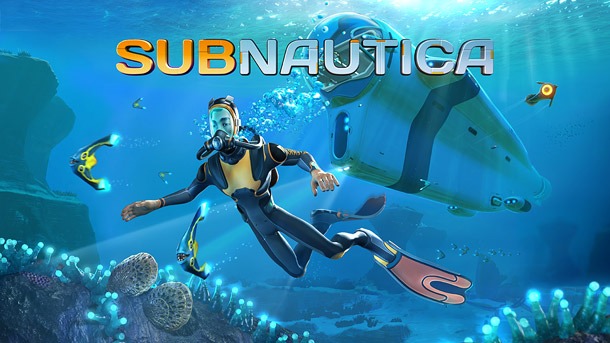
📅 Game released: 2018
Use this updated 2026 Subnautica PC guide to compare official Steam, Epic Games Store, and Xbox download and installation options, check system requirements and Steam Deck compatibility, and understand VR support, Nitrox co-op mods, survival modes, and game editions before diving into Planet 4546B.
 By Editor Zero — independently researched, edited, and maintained.
Last updated: 22 October 2026
Last reviewed: 22 October 2026
Table of Contents
- Quick Summary
- Quick Facts
- Official PC Stores, Download & Installation
- Subnautica Review
- Pros & Cons
- PC System Requirements
- Frequently Asked Questions
- Similar Games
Subnautica Quick Summary
✔ First-person underwater survival adventure set on Planet 4546B, where the player survives the crash of the Aurora spacecraft and explores an alien ocean while searching for answers and a way home
✔ Exploration combines oxygen management, resource collection, blueprint scanning, underwater habitat construction, and increasingly capable vehicles such as the Seamoth, Prawn Suit, and Cyclops
✔ Similar to Subnautica 2 through its alien underwater setting, biome exploration, survival crafting, mysterious wildlife, and customizable bases, although the original is designed as a single-player adventure
✔ The Windows PC game is officially available through Steam, Epic Games Store, and Microsoft/Xbox Store; the Microsoft digital edition supports Xbox Play Anywhere, while the Steam edition is Steam Deck Verified
✔ Official SteamVR support allows headset-based exploration with conventional keyboard or gamepad input; multiplayer requires an unofficial modification such as Nitrox rather than a built-in game mode
✔ The Sub-Sonic Edition bundles the original game with its soundtrack, while Below Zero and Subnautica 2 are separate games available individually or through eligible bundles
Subnautica Quick Facts
Official PC Stores, Download & Installation
👇 Compare the official Steam, Epic Games Store, and Microsoft/Xbox options below before purchasing, downloading, installing, or choosing a Subnautica edition for Windows PC.
- Official PC availability: Subnautica is sold as a native Windows PC game through Steam, Epic Games Store, and Microsoft/Xbox Store. Steam and Epic also list macOS versions. Purchase and install the game using the official storefront application associated with your chosen edition.
- Standard Edition: The normal Subnautica purchase contains the complete original single-player adventure, including its four difficulty modes, explorable ocean world, vehicles, underwater habitats, and story campaign. No paid gameplay expansion is required to reach the ending.
- Sub-Sonic Edition: This Steam bundle combines the original Subnautica game with its separately available Original Soundtrack. It is useful for listeners who want the music collection, but it does not add new story missions, creatures, vehicles, or areas to the game.
- Deep Ocean Bundle: Steam also offers a bundle containing Subnautica, Subnautica: Below Zero, and Subnautica 2. These are separate games. Check which titles you already own and review the bundle’s contents and applicable discount before purchasing.
- Below Zero ownership: Subnautica: Below Zero is a standalone follow-up set in the same universe, not required DLC for the original Subnautica. Purchasing the original game does not automatically grant Below Zero or Subnautica 2.
- Microsoft & Xbox Play Anywhere: The Microsoft digital edition supports Xbox Play Anywhere, allowing eligible Windows PC and Xbox installations under the same Microsoft account. Xbox cloud saves support progression across the supported Microsoft ecosystem. This entitlement does not extend to separate Steam or Epic purchases.
- Cloud gaming and subscriptions: Xbox Cloud Gaming lists Subnautica as playable with an owned Microsoft/Xbox copy and an eligible Xbox Game Pass Essential, Premium, or Ultimate membership, subject to region and service availability. This should not be confused with Subnautica being included automatically in the Game Pass download catalogue. Subscription and cloud-access terms can change.
- Steam features & offline play: The Steam version provides achievements, Steam Cloud, full controller support, and Family Sharing where eligible. The single-player adventure can be played without an active multiplayer connection after normal installation and any necessary storefront setup. Cloud synchronization and storefront services require connectivity.
- Steam Deck: Valve rates Subnautica as Verified. The standard game can be played with the handheld’s controls, although performance and battery life may vary with graphics settings, base complexity, and the area being explored. Community mods can introduce compatibility issues not covered by the official rating.
- VR installation: Steam lists official SteamVR support for the original Subnautica. VR is an optional way to experience the same game rather than a separate edition. Conventional keyboard or gamepad input is required, and users should not expect native motion-controller interactions or the same performance requirements as ordinary monitor play.
- Unofficial multiplayer: The original game does not include online co-op. The independent Nitrox multiplayer project can provide cooperative play on compatible PC versions, but it is not maintained by Unknown Worlds. Check the project’s supported game builds and installation instructions, and keep a separate backup of important single-player saves before using it.
- PC mods and compatibility: Nexus Mods provides unofficial additions and quality-of-life modifications, including projects built around community frameworks such as BepInEx and Nautilus. Requirements vary by mod and game version; the developer does not provide official support for them.
 Buy Subnautica Sub-Sonic Edition on Steam
 Buy Subnautica on Epic Games Store
 Buy or Play Subnautica on Microsoft / Xbox Store
 Visit the Official Subnautica Series Website

Subnautica Review
An extraordinary underwater survival adventure where knowledge matters more than weapons—and every deeper dive feels earned.
Subnautica has a simple way of making exploration matter: almost everything worth discovering lies beyond a boundary that once felt unsafe. After the Aurora crashes on Planet 4546B, a small lifepod provides the first reliable pocket of air in an ocean filled with unfamiliar creatures, scattered wreckage and unanswered questions. A distant reef invites investigation, but reaching it is only half the problem. The other half is returning with enough oxygen, energy and supplies to make the journey worthwhile.
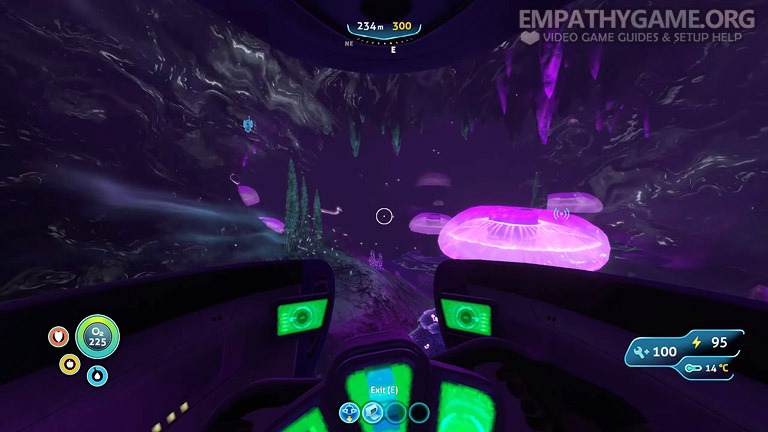
Unknown Worlds builds an unusually coherent survival adventure around that tension. Scanning equipment opens new routes, routes reveal better materials, and those materials make more demanding expeditions possible. The trade-off is a game that sometimes confuses satisfying uncertainty with insufficient guidance, especially when an obscure resource or overlooked clue interrupts the momentum. Anyone who enjoys planning journeys and gradually understanding a place will find much to admire; players who need frequent combat or clear mission markers may struggle with its deliberate solitude.
The Ocean Rewards Curiosity, but Never Guarantees a Way Home
The Safe Shallows are a superb introduction because they are both genuinely useful and deceptively welcoming. Bright coral, small fish and nearby limestone deposits provide food, water and early crafting materials without immediately demanding a major expedition. The Kelp Forest adds more threatening wildlife and valuable fragments, while the Grassy Plateaus introduce wider, less reassuring spaces. Nothing resembles a conventional sequence of levels, yet each outward journey teaches something about what can safely be attempted next.
Early tools change that judgment more than a traditional skill upgrade would. A Scanner turns abandoned technology into a practical goal; a Seaglide makes distant wreckage feel reachable; a larger oxygen tank stretches the time available to investigate. Finding part of a useful blueprint is exciting because it suggests an entirely new destination or solves a problem already encountered. Without a complete world map, the shape of a rock formation or a deliberately placed Beacon matters more than another quest icon.
Oxygen makes this exploration unusually physical. Swimming into a wreck through a narrow opening, scanning one last fragment and then realizing that the route back has several similar-looking corridors creates tension without a scripted chase. Vehicles and powered habitats eventually ease that pressure, but they never entirely remove the need to consider distance, depth and escape routes. Occasionally the resulting retracing of familiar ground becomes tedious, particularly when a required component is hidden somewhere the player has already passed.
Crafting Works Best When the Ecosystem Becomes a Tool
Subnautica’s progression depends on scavenging, blueprint scanning and combining materials, but its strongest crafting decisions begin with a question about the environment. An unfamiliar wreck might contain fragments for a vehicle module; a deeper biome might offer the resource needed to build it; an improved tool then makes a previously intimidating region manageable. Technology and exploration continually justify one another, giving routine gathering a purpose beyond filling storage lockers.
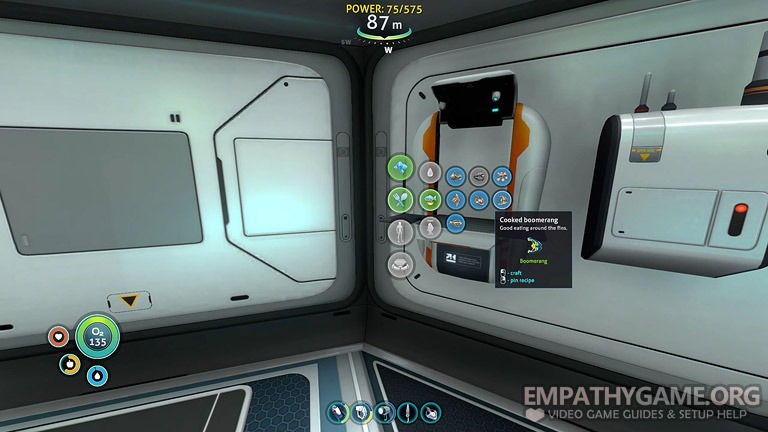
The search for Stalker teeth captures both the appeal and the irritation of this design. Enameled glass requires a material that is not simply mined from an obvious outcrop. Stalkers can lose teeth while handling metal salvage, turning an initially frustrating hunt into an opportunity to observe creature behavior. Placing salvage near a Grav Trap in the Kelp Forest can keep that interaction concentrated, while a Scanner Room can help locate dropped teeth. Wildlife becomes part of the crafting system rather than another obstacle.
Not every recipe produces such a discovery. Some require another trip across multiple biomes for materials whose locations have already been learned, and limited carrying capacity can make a promising excursion end in inventory sorting. Subnautica’s economy is most persuasive when acquiring a resource changes what can be explored; it feels less elegant when the next hour is spent replacing supplies already gathered several times before.
The Seamoth and Prawn Suit Offer Different Kinds of Security
Small and maneuverable, the Seamoth transforms mid-depth travel while providing a welcome supply of breathable air. Its vulnerability is essential to the experience, however. A Reaper Leviathan’s distant roar makes open water feel suddenly enormous, and the Seamoth’s speed does not make every encounter harmless. The Perimeter Defense System adds an electrical deterrent, but it is more convincing as an emergency opening to escape than as a reason to confront predators. Dodging first and using a brief discharge when caught can be more sensible than spending precious vehicle power on repeated attacks.
The Prawn Suit reverses much of that relationship. Its sturdy frame, drill arm and ability to work around large resource deposits make deep expeditions feel industrial rather than fragile. Yet being protected on the seabed is not the same as being able to leave it. Dropping into a steep area such as the Jellyshroom Caves can reveal how awkward vertical travel becomes when the jump jets run out before reaching a ledge. Even with a Grappling Arm, climbing takes an understanding of attachment points, momentum and when to pause long enough for another thrust. The suit’s most frustrating danger can be the terrain rather than an animal.
Warpers can pull an occupant from a Seamoth or Prawn Suit, exposing the person inside to threats that the vehicle normally helps manage. That distinction matters because the game generally teaches safety through equipment; here, an enemy can bypass the apparent protection entirely. Together, these machines provide a satisfying progression in capability without flattening the ocean into a harmless transportation network.
The Cyclops Is a Mobile Home That Demands a Captain
The Cyclops makes a remarkable first impression. Its interior has room for supplies and equipment, it can carry a smaller vehicle, and its bridge turns travel into a slow, deliberate act of piloting. Moving through unfamiliar deep water while watching cameras and managing noise feels different from simply swimming faster. Narrow entrances become navigation puzzles, and parking somewhere protected can be as important as reaching the intended destination. For an adventure about establishing pockets of security in hostile surroundings, a mobile refuge is a fitting reward.
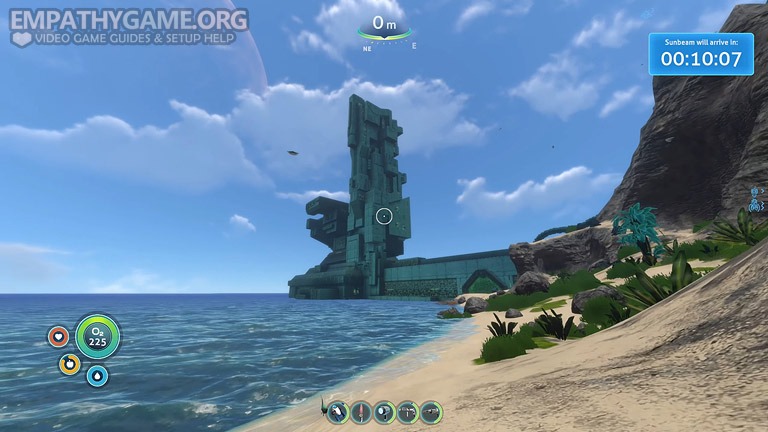
It also exposes a subtle trap in the game’s resource economy. Sonar, Silent Running, shields and high-speed travel can draw heavily on the Cyclops’s stored power, while charging a docked vehicle draws from the same supply. Installing Power Cell Chargers inside the submarine does not create new energy: without another source, they merely transfer power out of the cells that run the ship. A Cyclops equipped with every convenient system can therefore become less dependable than a carefully managed one. Switching systems off when they are unnecessary and planning genuine recharging opportunities are part of mastering it.
This friction is largely productive. Yet its bulk, limited maneuverability and energy bookkeeping can also make it feel like more work than the nimble Seamoth. That is an interesting distinction rather than a straightforward failure: the most advanced craft is not always the best tool for a particular dive.
Base Building Makes Safety Something You Maintain
A well-placed habitat gradually changes the emotional geography of Planet 4546B. What begins as a functional compartment for fabricating supplies can grow into a network of storage rooms, power generation, a Moonpool and windows overlooking passing wildlife. Returning from a difficult trip to a lit interior feels rewarding because the base shortens future journeys and gives hard-won discoveries a permanent home.
The buildings are not automatically safe simply because they belong to the player. Expanding without enough hull integrity can cause breaches and flood compartments, including a Moonpool that seemed entirely secure a moment earlier. Locating the damaged sections, repairing them and reinforcing the structure gives construction a welcome consequence. It can also become an unwelcome interruption when a carefully arranged habitat suddenly needs attention. Combined with locker management and repeated supply trips, those obligations sometimes turn a peaceful refuge into another checklist. Subnautica nevertheless understands the satisfaction of making an alien environment feel briefly domestic.
The Story Gives You Clues Rather Than Constant Instructions
The mystery develops through the Aurora’s wreckage, radio calls, scattered lifepods, abandoned Degasi habitats and information recorded in the PDA. Rather than accompanying the survivor with a cast of talkative allies, these traces establish what other people attempted and why their situations deteriorated. Curiosity becomes the player’s motive, and the world’s history emerges from sites that can often be discovered before their significance is understood. The larger science-fiction questions are compelling precisely because the answers are connected to exploration.
The guidance changes noticeably as the adventure continues. Radio transmissions initially provide a loose trail of destinations, but they do not remain a dependable source of new objectives. Later progress may require noticing a PDA entry, investigating an abandoned base thoroughly or drawing a conclusion from a hint about a deeper location. When those connections click, solving the next step feels earned. When one small recording is missed, the same design can leave a well-equipped survivor waiting for a message that will never provide the missing direction. That is Subnautica’s most consequential pacing flaw: its trust in the player’s observation sometimes gives too little feedback about what has been overlooked.
Time Capsules provide a lovely counterpoint to this isolation. Discovering a container with supplies and a short message created by another player briefly brings a human voice into the ocean without turning the adventure into conventional multiplayer. Their contents can be useful, humorous or surprisingly personal. They extend environmental storytelling beyond scripted recordings without compromising the solitude.
Sound, Light and Uncertainty Do Most of the Frightening
Subnautica rarely needs to force a horror sequence. The ocean handles that work through limited visibility, unfamiliar silhouettes and noises whose sources are difficult to judge. The sunny Safe Shallows invite relaxed observation; farther down, a patch of darkness can make the same act of swimming feel reckless. Distant Leviathan calls are particularly effective because hearing a threat before seeing it allows the imagination to fill the empty water. Not every large creature needs to attack for its presence to change the route someone chooses.
Bioluminescent plants, wide reefs and cavernous underwater spaces balance that anxiety with genuine wonder. The soundtrack moves between sparse ambience and pulsing electronic passages without constantly announcing what emotion to feel. The environments can be so absorbing that above-water exploration feels comparatively ordinary, while stretches of open water sometimes trade visual variety for disorientation. Still, few survival settings use sound and the absence of a visible horizon so effectively.
Knowledge Is the Real Progression System
There are no experience levels or elaborate combat builds. Advancement is measured in scanned blueprints, better depth capability, more reliable travel and—most importantly—the ability to recognize what an unfamiliar region demands. An area that initially inspires panic may later become a routine transit route, not because its predators have disappeared, but because the player understands the terrain and has prepared accordingly. That shift from fear to familiarity is the game’s strongest long-term reward.
Survival gives food and water management a continuing role, Freedom removes those needs, Hardcore makes every fatal mistake permanent, and Creative prioritizes building and unrestricted discovery. Hardcore changes the meaning of apparently minor risks: a Warper ejecting the survivor from a vehicle can end an otherwise successful expedition and the entire run. The handcrafted map means a second journey cannot reproduce the first encounter with every biome or major revelation. Replaying instead rewards different base locations, more efficient routes, optional construction projects or the challenge of living with stricter consequences. The story has a defined conclusion, but reaching it never feels like ticking off a list.
Final Verdict
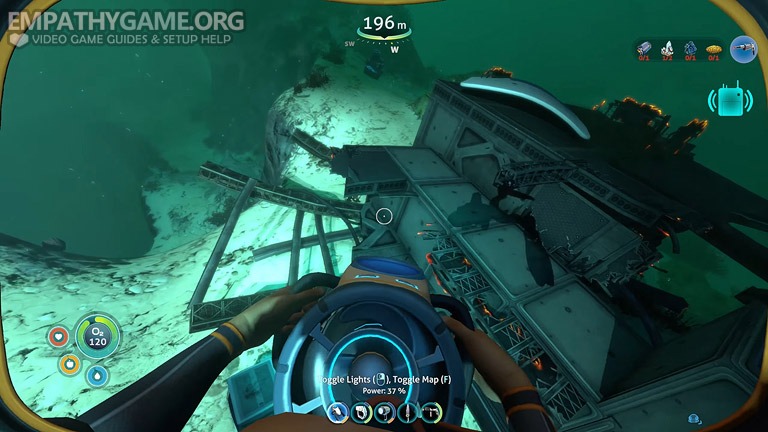
Subnautica’s finest achievement is making understanding a world feel like genuine progress. A newly scanned fragment is exciting because it changes where the survivor can go; a functional base matters because it gives the next expedition a safer starting point; an intimidating creature becomes less overwhelming once its behavior is recognized. The game repeatedly turns knowledge into confidence while preserving enough uncertainty to make another descent tempting. Its vehicles are especially well designed in this respect, providing strikingly different relationships with danger rather than a straightforward series of stronger machines.
That focus comes with costs. Material errands and inventory management can disrupt exploration, the Cyclops demands patience, and the later reliance on subtle story clues sometimes leaves too little indication of how to move forward. Players looking for frequent battles, guided objectives or steady companionship may find the quiet stretches more exhausting than absorbing. But for anyone drawn to exploration, self-directed problem-solving and a world that feels both beautiful and indifferent, those frustrations seldom outweigh the sense of discovery. Subnautica is at its best when the safest place is behind you, an unexplained shape is below, and the decision to investigate belongs entirely to you.
Subnautica Pros & Cons
Subnautica PC System Requirements
The following are the published Windows PC requirements for the original Subnautica, not Subnautica: Below Zero or Subnautica 2. Steam and Epic Games Store list the same essential minimum and recommended hardware specifications.
OFFICIAL WINDOWS PC REQUIREMENTS:
MINIMUM:
OS: Windows Vista SP2 or newer, 64-bit (historical game specification; Steam requires Windows 10 or newer)
CPU: Intel Haswell, 2 cores / 4 threads at 2.5 GHz, or equivalent
RAM: 4 GB
GPU: Intel HD Graphics 4600 or equivalent; approximately 950 or more points in the 3DMark Fire Strike GPU benchmark according to the published specification
DirectX: Version 11
Storage: 20 GB available space
RECOMMENDED:
OS: Windows Vista SP2 or newer, 64-bit (historical game specification; use a supported modern Windows version)
CPU: Intel Haswell, 4 cores / 4 threads at 3.2 GHz, or equivalent
RAM: 8 GB
GPU: NVIDIA GeForce GTX 550 Ti or equivalent, with 2 GB VRAM
DirectX: Version 11
Storage: 20 GB available space
Additional PC Performance and Setup Notes
Windows compatibility: The original requirements reflect the game’s release-era hardware and operating systems. Steam’s client no longer supports Windows versions older than Windows 10, so its historical Vista requirement should not be treated as a recommendation to install an unsupported Windows operating system. For a new Steam installation, Windows 10 or Windows 11 is the practical starting point.
Graphics and performance: Subnautica’s modest published requirements do not guarantee identical frame rates in every underwater area. Large constructed habitats, lighting, vegetation, creature activity, and streaming new terrain can increase the workload. On lower-end PCs, start with moderate graphics settings and reduce demanding effects or detail settings if performance becomes inconsistent. Install on an SSD when practical to improve general loading and asset access, although the official specifications do not require an SSD.
VR performance: The ordinary monitor-based system requirements are not official VR performance targets. SteamVR requires compatible headset hardware and a PC capable of meeting its runtime requirements. Maintaining smooth VR performance may require stronger hardware and lower in-game detail than non-VR play. Conventional keyboard or gamepad input remains necessary for the official VR mode.
Controllers and Steam Deck: Steam lists full controller support, and Valve rates the game as Verified on Steam Deck. For desktop use, an Xbox-compatible controller or mouse and keyboard can both work well. On handhelds, consider balancing image quality, battery life, and performance rather than assuming that higher graphics settings are always beneficial.
Modding and save protection: Back up important save data before installing unofficial modifications, changing mod frameworks, or experimenting with multiplayer tools. Follow each mod author’s installation and compatibility instructions for your specific game version. If problems begin after modifying the game, disable the affected mods and restore a clean installation through the relevant official storefront before testing again. Steam Cloud synchronization is helpful but should not replace an independent backup of saves you want to preserve.
Official Trailer
Note: This official Subnautica launch trailer introduces the game’s alien ocean environments, underwater survival, exploration, and dangerous marine life. The written guide above provides practical PC purchase options, installation information, requirements, Steam Deck compatibility, VR support, and modding guidance that the trailer does not address.
Frequently Asked Questions
Is Subnautica worth playing in 2026?
Yes. Subnautica remains an excellent choice for players who enjoy underwater exploration, survival crafting, environmental storytelling, and discovering unfamiliar worlds without constant quest markers. Its deliberately limited guidance, occasional technical rough edges, and lack of official co-op may frustrate some players, but those comfortable exploring independently will find a distinctive adventure.
Is Subnautica a horror game?
Subnautica is primarily a survival-exploration game, but it incorporates strong elements of psychological and underwater horror. Dark trenches, limited visibility, threatening creature sounds, and encounters with enormous Leviathans can be frightening, particularly for players uncomfortable with deep water. Most tension emerges naturally through exploration rather than conventional scripted horror sequences.
Does Subnautica have a story and a proper ending?
Yes. Beyond building habitats and surviving, the game follows the mystery of the Aurora crash, previous survivors, an alien infection, and ancient structures on Planet 4546B. Progress is largely driven by exploration, radio messages, PDA information, and discoveries rather than a traditional mission list, eventually leading to a defined story conclusion.
Is Subnautica’s map randomly generated?
No. The original Subnautica uses a handcrafted underwater world with consistent biome layouts, cave systems, wreck locations, and major landmarks. Your starting lifepod can appear in different positions within the Safe Shallows, and some resources, fragments, and Time Capsules vary between playthroughs, but the overall geography remains the same.
Does Subnautica have an in-game map?
Not a conventional full-world map. Navigation relies on the Compass, marked lifepods, player-deployed Beacons, and HUD signals managed through the PDA. A Scanner Room can display nearby terrain as a three-dimensional hologram and help locate resources, but it does not replace a complete world map. Crafting Beacons early is one of the simplest ways to avoid repeatedly losing useful locations.
What should beginners do first in Subnautica?
Start by collecting basic materials around the Safe Shallows, making a Scanner, repairing Lifepod 5’s damaged systems, and listening to the radio. A larger oxygen tank, Survival Knife, Repair Tool, and Seaglide are useful early priorities. Avoid rushing into deep caves or unfamiliar areas until you have enough oxygen, supplies, and a reliable way to return.
How do you progress when the radio stops giving new locations?
Explore beyond previously visited lifepods, scan unfamiliar technology, investigate wrecks, and read PDA entries under Codes & Clues and other databank categories. Some discoveries require following environmental hints rather than waiting for another radio transmission. When progression seems stalled, searching deeper areas that your equipment can safely reach is often more productive than waiting inside your base.
How do you unlock new blueprints in Subnautica?
Use the Scanner on technology fragments found around wrecks, abandoned structures, and different underwater biomes. Some blueprints require several fragments before the complete item becomes craftable, while others become available after collecting or examining particular materials. The PDA tracks your scanning progress, and the Fabricator, Habitat Builder, and other crafting stations provide access to the relevant recipes.
What is the easiest way to get drinking water in Subnautica?
Early on, catch Bladderfish and convert them into Filtered Water using the Fabricator. Disinfected Water can also be produced from Bleach crafted with Salt Deposits and Common Coral Tube Samples. Later, a Water Filtration Machine provides another supply, although it consumes considerable base power.
Where should you build your first underwater base?
The Safe Shallows is a practical starting area because of its shallow water, accessible resources, and relatively low threat level. Building near the boundary of a Kelp Forest or Grassy Plateaus can make additional materials easier to reach without forcing long trips. Choose a reasonably open location with enough space for future modules and a Moonpool rather than building inside a cramped cave.
How do you keep an underwater base powered at night?
Solar Panels generate energy during daylight and store it for use when sunlight is unavailable, but a base with several powered devices can exhaust that reserve overnight. Additional panels increase available capacity, while a Bioreactor provides energy from organic materials. Thermal Plants and Nuclear Reactors offer other power options as more advanced technology becomes available.
How can you stay underwater longer without running out of oxygen?
Craft higher-capacity oxygen tanks and use a Rebreather to reduce the additional oxygen consumption associated with deeper diving. Oxygen can be replenished at the surface and inside suitable powered habitats or vehicles. For long cave expeditions, always account for the journey back rather than using your entire oxygen supply to reach a destination.
Which vehicle should you build first: Seamoth, Prawn Suit, or Cyclops?
The Seamoth is generally the best first vehicle because it is fast, compact, and well suited to exploring intermediate-depth biomes. The Prawn Suit becomes particularly useful for deep environments, mining large resource deposits, and navigating the seafloor, while the Cyclops functions as a large mobile base with storage, equipment, and vehicle-docking capabilities. Each serves a different purpose rather than simply replacing the others.
Why can’t the Seamoth go deeper than 900 meters?
The Seamoth has a maximum safe operating depth of 900 meters when fitted with its highest Depth Module. To explore deeper regions, use the Prawn Suit or Cyclops with appropriate depth upgrades; both can eventually reach 1,700 meters. Continuing below a vehicle’s crush-depth limit causes damage and risks losing the vehicle.
How do you avoid Reaper Leviathans and other dangerous creatures?
Pay attention to distinctive creature sounds, maintain distance from known hunting areas, and avoid remaining unnecessarily close to large predators. Retreating, changing direction, using terrain for cover, and controlling noise in the Cyclops can improve survival chances. Fighting is not normally necessary: exploration, escape, and sensible route planning are usually more reliable than confronting a Leviathan directly.
Can you permanently remove the Aurora’s radiation?
Yes. Once you can safely enter the Aurora, you can repair the damaged drive-core breaches using the Repair Tool. The surrounding radiation gradually disappears afterward, eventually allowing exploration without wearing the complete Radiation Suit. Keep the suit equipped while entering contaminated areas until the radiation has cleared.
What is the difference between Survival, Freedom, Hardcore, and Creative modes?
Survival requires managing health, oxygen, hunger, and thirst. Freedom removes hunger and thirst while retaining oxygen management and other survival hazards; Hardcore follows Survival rules but adds permanent death and stricter saving limitations. Creative removes most survival restrictions and resource costs for unrestricted building and exploration. Choose carefully because the standard game does not provide a normal in-game option to switch an existing save between these modes.
Does Subnautica autosave on Windows PC?
No. The original Windows PC game relies on manual saving, so use the Save option regularly, particularly before dangerous expeditions or after significant construction. Steam Cloud can synchronize supported save data, but it does not replace the need to save your progress in-game. Do not confuse the PC saving system with the separate mobile edition’s autosave features.
What happens when you die in Subnautica?
In Survival and Freedom, you respawn at an appropriate lifepod or habitat and may lose some resources collected since your inventory was last secured. Lost materials can sometimes be recovered by returning to the death location. In Hardcore, death ends the playthrough permanently, making oxygen management and cautious exploration especially important.
Can you continue playing Subnautica after finishing the story?
You can return to a save made before the final departure and continue exploring, building, gathering resources, and completing unfinished activities. However, Subnautica does not provide a traditional post-ending chapter or New Game+ mode that carries your equipment into a new campaign. Save before initiating the final sequence if you want to preserve your existing world.
How long does it take to finish Subnautica?
A typical first playthrough focused on the main story may take roughly 25–40 hours, depending on exploration and familiarity with the game’s systems. Building elaborate habitats, scanning extensively, collecting achievements, and exploring optional locations can extend a playthrough beyond 50 hours. Players who avoid outside guides may spend considerably longer discovering the route forward.
What are Time Capsules in Subnautica?
Time Capsules are special containers that can hold approved messages, pictures, and items left by other players. They can appear during exploration even though Subnautica is a single-player game. Near the end of the adventure, players can prepare their own capsule for submission, but inclusion in other players’ worlds is subject to moderation and is not guaranteed.
Does Subnautica support multiplayer or co-op?
The original game does not have developer-supported multiplayer or co-op. It was designed around a solo survivor, and its story, vehicles, and progression systems operate without an official shared-world mode. The independent Nitrox project introduces unofficial PC multiplayer, but compatibility and synchronization limitations mean it should not be treated as equivalent to built-in co-op.
Can you play Subnautica through split-screen or LAN?
There is no official split-screen, couch co-op, or LAN multiplayer mode on Windows or consoles. Nitrox can allow compatible PC players to connect to a community-hosted multiplayer session, including over a local network when configured appropriately. This requires a separate unofficial setup and does not add native split-screen functionality.
Does Subnautica support cross-play or cross-save?
There is no official cross-play because the original game has no built-in multiplayer. Cross-device save synchronization depends on the storefront: Steam provides Steam Cloud, while the Microsoft digital edition supports Xbox Play Anywhere and Xbox cloud saves across eligible devices. Saves and ownership do not automatically transfer between Steam, Epic Games Store, and the Microsoft/Xbox ecosystem.
Can you play Subnautica in VR with motion controllers?
Subnautica includes official SteamVR support, but its original VR implementation uses conventional keyboard, mouse, or gamepad controls rather than native motion-controller interactions. Community projects such as SubmersedVR aim to add more complete VR interactions, but these are unofficial and may require additional setup. VR and multiplayer modifications should not be assumed to work together without compatibility testing.
Does Subnautica support mods or Steam Workshop?
Subnautica has an established unofficial modding community, but it does not provide a conventional built-in Steam Workshop integration or official modding toolkit. Nexus Mods hosts additions covering vehicles, interfaces, base construction, and gameplay systems. Follow each mod’s version and framework requirements, and back up important saves before experimenting with modifications.
Does Subnautica run on Windows 10 and Windows 11?
Yes, the Windows PC release can be played on both, although performance and stability depend on the hardware, graphics drivers, and installation condition. Older operating systems still appear in the game’s historical requirements, but Steam itself requires Windows 10 or newer. Start with an up-to-date official installation and avoid assuming old community fixes are necessary.
What should you do if Subnautica stutters, crashes, or takes too long to load?
First test a clean installation without unofficial mods, verify the game files through your official storefront, and check that your graphics drivers are functioning correctly. Lowering demanding visual settings may help with inconsistent performance around large bases or complicated environments. Back up saves before troubleshooting loading problems or reinstalling, since no single solution fixes every hardware or save-related issue.
Can you pause Subnautica while reading the PDA?
Yes. The PC game includes an optional PDA Pause setting in its Accessibility options, allowing you to read databank entries and recipes without the normal survival timers continuing. This is particularly useful when reviewing lengthy story clues or crafting information away from a safe habitat. Accessibility settings also include options for interface readability and reducing flashing-light effects.
Still have questions? Check the Subnautica Reddit community or Subnautica Steam Discussions for beginner advice, exploration guidance, mod compatibility, troubleshooting, and community discussion.
Sources & References
Key factual and technical information in this guide was checked against relevant official and community sources, including:
- Subnautica — Official Steam Store — used to verify the Windows release, published system requirements, VR and controller support, Steam Deck rating, overall user reception, soundtrack content, and Steam bundles.
- Subnautica — Epic Games Store — used to confirm official Windows PC availability, supported gameplay features, publisher information, and hardware requirements.
- Subnautica — Microsoft / Xbox Store — used to verify Xbox Play Anywhere, Windows PC support, Xbox cloud saves, and cloud-gaming ownership and subscription conditions.
- Subnautica FAQ — Unknown Worlds — official developer information about the original game’s single-player design, multiplayer policy, and unofficial mod support.
- Creating the Undersea World of Subnautica — Unity — developer case study confirming the Unity engine and explaining the game’s underwater world technology and platform development.
- Nitrox — Community Subnautica Multiplayer Project — used to verify the existence and independently maintained status of the unofficial PC multiplayer modification.
- Unknown Worlds — Subnautica on Nintendo Switch 2 — confirms the separate Switch 2 release and its enhanced platform features.
Similar Games Like Subnautica





Found something worth playing through DecideGame?
DecideGame.com is an independent gaming project run by Editor Zero. If this guide helped you discover a game, solve a problem, or find useful information, you can support DecideGame.com and help keep new and updated game guides coming.
DecideGame — PC Game Guides, Reviews & Setup Help