
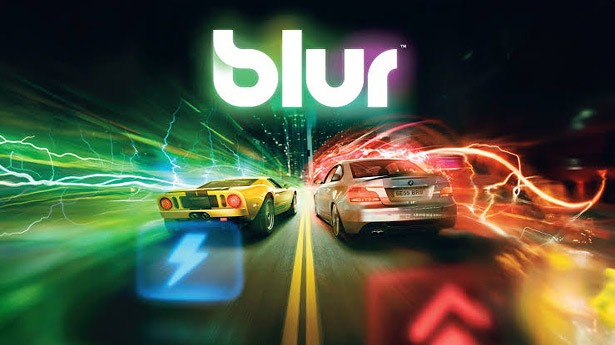
📅 Game released: 2010
Blur combines licensed cars, challenging arcade racing, and neon power-ups that turn every overtake into a tactical fight. This PC guide explains official download availability and ownership for existing players, four-player split-screen and LAN racing, Steam Deck compatibility, original system requirements, and practical setup advice for modern Windows.
 By Editor Zero — independently researched, edited, and maintained.
Last updated: 7 November 2026
Last reviewed: 7 November 2026
Table of Contents
- Quick Facts
- Official PC Stores, Download & Installation
- Blur Review
- Pros & Cons
- PC System Requirements
- Frequently Asked Questions
- Similar Games
Blur Quick Facts
- Game: Blur
- Developer: Bizarre Creations — main Windows PC, PS3 and Xbox 360 versions; Firebrand Games — Nintendo DS version
- Publisher: Activision
- Genre: Racing, vehicular combat, Multiplayer
- Release: May 25, 2010 (Windows PC, PS3 and Xbox 360 in North America)
- Platforms: Windows PC, PS3, Xbox 360, Nintendo DS
- Engine: Horizon
- Community: Steam Discussions, Blur Community Discord
- Steam Deck: Playable — Valve notes small text, manual keyboard entry and controller-interface limitations; the former Steam release is no longer sold to new buyers
- PC modding: Limited unofficial compatibility and network projects, including Blur Rebuilt; no official modding tools or Steam Workshop
- Metacritic score: 81/100 — Windows PC
- IGN score: 7/10 — Windows PC
- Steam user reception: Very Positive overall; the Steam release is no longer offered to new buyers
Official PC Store Status, Download & Installation
👇 Use the notes below to understand Blur’s official PC availability, how an existing owner can install a legitimate copy, and which multiplayer or compatibility options remain practical.
- New PC purchases: No verified official Windows PC storefront sells a new Blur license. This guide does not direct readers to unlicensed downloads or present unofficial key resellers as official stores.
- Steam: Blur’s historic Steam app ID is 42640. Its Steam application and community records remain, but the original game is no longer purchasable through an active Steam product listing.
- Existing Steam owners: If Blur is already licensed to your Steam account, look for it in your Library and use Steam’s normal Install option. A surviving app record does not make the game available to new purchasers.
- GOG: Blur is not sold on GOG. Its GOG Dreamlist entry allows users to request a future release; it is not a download or purchase page.
- Games for Windows Marketplace: The historical digital edition is no longer available for purchase.
- Original retail copies: Legitimate Windows DVD editions exist. Install from your own original media and retain the corresponding license information, but expect older DRM and activation components to be a possible obstacle on modern Windows.
- Legacy DRM: Retail and Games for Windows Marketplace releases used SecuROM-based protection; Steam metadata also records legacy CD-key handling. Installation and activation depend on the particular legitimate edition owned, and success is not guaranteed on every current system.
- Local multiplayer: The Windows game supports competitive split-screen for up to four players on one PC and LAN races for up to 20 players. The single-player career cannot be completed in split-screen co-op.
- Online multiplayer: The original official online multiplayer service has shut down. Community networking projects are independent of Activision, and their availability or setup requirements can change.
- Steam Deck: Valve rates the legacy Steam build Playable. Its default graphics configuration performs well in Valve’s assessment, but some text is small, text entry may need the on-screen keyboard, and an external controller may require manual selection.
- Community compatibility work: The unofficial Blur Rebuilt project documents an optional Windows 10/11 64-bit executable using DirectX 11, higher-frame-rate improvements and community online networking. It requires an existing installed PC copy of Blur, does not provide an official game license, and should be treated as independently maintained software. Back up game saves before trying it.

Blur Review
Real cars and neon weapons create a combat racer where reading the pack matters as much as finding the fastest line.
Blur works because it never treats weapons as a substitute for racing. Bizarre Creations built its chaos on top of recognizable licensed cars, weighty arcade handling, and circuits where position matters before the first power-up is fired. A clean corner can gain two places; a badly timed Shunt can erase them; carrying the right defensive item can turn the same attack into an opportunity. That constant exchange between driving and combat gives Blur a tactical character that separates it from lighter kart racers and from arcade racers built mainly around drifting or takedowns.
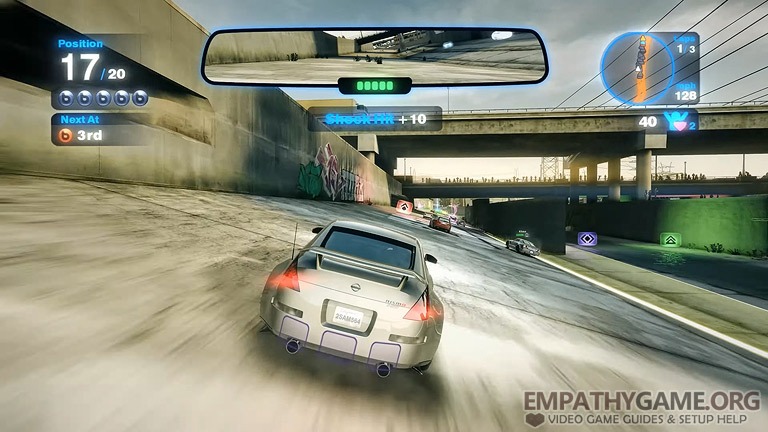
The game is at its strongest in crowded races, where the road ahead and the threat behind must be read at the same time. Its weaknesses come from the same design. The handling is less instantly playful than the weapons suggest, some career objectives interrupt the natural rhythm of racing, and the difficulty can jump sharply once rivals and secondary goals begin competing for attention. Yet the underlying system remains unusually coherent. Blur is easy to understand within minutes, but the difference between merely firing whatever you collect and deliberately controlling space, counters, timing, and vehicle choice is substantial.
Power-Ups Turn Racing Lines Into Tactical Decisions
Blur has eight power-ups, but their importance comes from how often one tool serves several purposes. Shunt is the obvious homing attack, Bolt provides quick direct fire, Barge blasts nearby cars away, Mine punishes pursuit, Shock places electrical hazards near the front of the race, Nitro adds speed, Shield absorbs attacks, and Repair restores vehicle health. Carrying up to three at once means the interesting question is rarely just what an item does. It is whether using it now is more valuable than saving it for the next corner, straight, bottleneck, or attack.
The rear-view mirror is therefore part of the combat system rather than decoration. An incoming Shunt is dangerous if it arrives unnoticed, but seeing it develop creates several responses. A Barge can destroy it at close range, Bolts can shoot it down, and a Mine dropped into its path can remove the threat before impact. That changes the feel of leading a race. First place is not simply a position to defend with raw speed; it is a state of constant surveillance, where glancing backward and preserving a counter can be more valuable than spending every pickup offensively.
Other items reward similarly deliberate use. A Mine does not have to sit passively behind the car: firing one forward can punish a rival whose line is predictable, particularly when the pack compresses into a narrow approach. Bolts are useful for disrupting a car ahead, but their speed also makes them practical defensive ammunition. Nitro is not just a button to press on the longest straight; using it at the wrong moment can carry the car into a poor braking point, while saving it for the exit of a slow section can convert control into position.
This creates some excellent small decisions in the middle of chaos. A racer holding Shield, Nitro, and Bolt may have enough speed to attack the leader, enough protection to survive retaliation, and enough direct fire to disrupt someone ahead, but using any one of those tools reduces the options available a few seconds later. Blur is most satisfying when the player begins thinking in these short tactical sequences instead of treating the glowing pickups as disposable effects.
Handling Rewards the Right Car More Than Constant Drifting
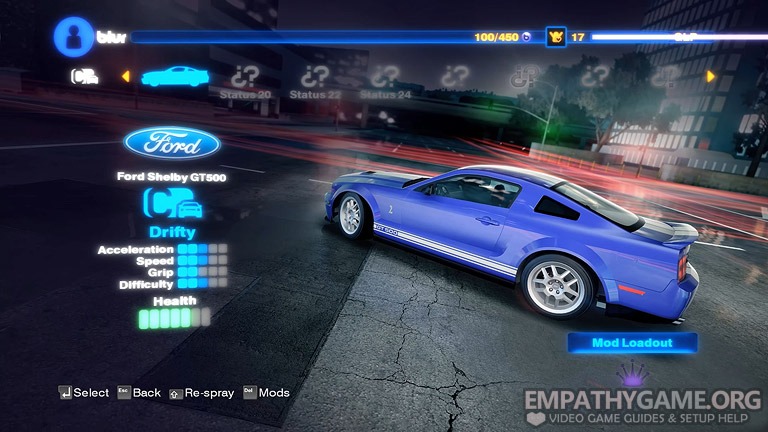
The driving model is heavier than the bright power-ups initially imply. Cars need more respect under braking and through direction changes than a typical kart racer, and forcing every corner into a long slide usually wastes speed. That can make the handling feel stubborn at first, especially for players expecting an arcade racer where drifting is the universal answer to every bend.
Vehicle choice adds an important qualification. Cars suited to drifting can rotate much more naturally under braking and throttle, while grippier cars reward cleaner turn-in and more restrained inputs. The result is not a single handling style applied to an enormous garage. A car that feels awkward when asked to slide everywhere can become far more convincing once driven according to its strengths. This also gives the vehicle roster a practical purpose beyond collecting recognizable badges and body shapes.
The best races exploit that difference by mixing fast sections with corners where maintaining momentum matters more than spectacle. Circuits based around locations such as Los Angeles, San Francisco, Barcelona, and Hackney use elevation, barriers, shortcuts, and constricted approaches to force decisions about line and risk. A wide, safe route may preserve speed but surrender a useful pickup; a tighter route may expose the car to a Mine or Barge at exactly the point where the pack compresses. Because weapons and track position interact so closely, even a simple corner can become a tactical problem once several cars arrive together.
The Career Rewards More Than Finishing First
The single-player career gives Blur structure without pretending there is a conventional story. Nine groups are built around events, Fan progression, Lights, rival demands, and one-on-one challenges. Lights move the career forward, while Fans reward the actions happening inside a race: attacks, evasions, stylish driving, Fan Runs, and other scoring moments. The result is a progression system that often asks the player to think about two goals simultaneously.
That is clearest in ordinary races. Finishing well matters, but a Fan Run can pull attention away from the ideal racing line, and a Fan target can encourage more combat than a purely defensive first-place strategy would require. The tension becomes sharper when rival demands enter the picture. A requirement might ask for a particular use of a power-up, a sustained speed, a number of completed Fan activities, or a specific scoring chain. Suddenly, winning the event is only one part of the task.
The x5 Fan Combo requirement is a good example of how Blur’s progression teaches its scoring language. The multiplier grows by chaining Fan-earning actions before the combo window expires, so a sequence of Bolt hits, a ram, a Nitro use, or another successful action can keep the chain alive. It is not enough to accumulate five unrelated moments during a race. The objective rewards tempo: staying close to the pack, recognizing opportunities quickly, and turning several small actions into one sustained burst of scoring.
At its best, this structure encourages experimentation. Replaying an event can have a different purpose the second time because the target may be a missed Light, a Fan Run, a rival demand, or a better finish on a higher difficulty. At its worst, the extra objectives compete with the basic race too aggressively. The third career group can feel like an abrupt step up because securing a top position becomes harder at the same moment that Fan Runs and Fan targets are asking the player to leave safer lines or spend attention elsewhere. Blur sometimes makes optional mastery feel less like an invitation and more like a distraction from surviving the race.
Rival Demands Are Cleverest When They Change How You Read a Track
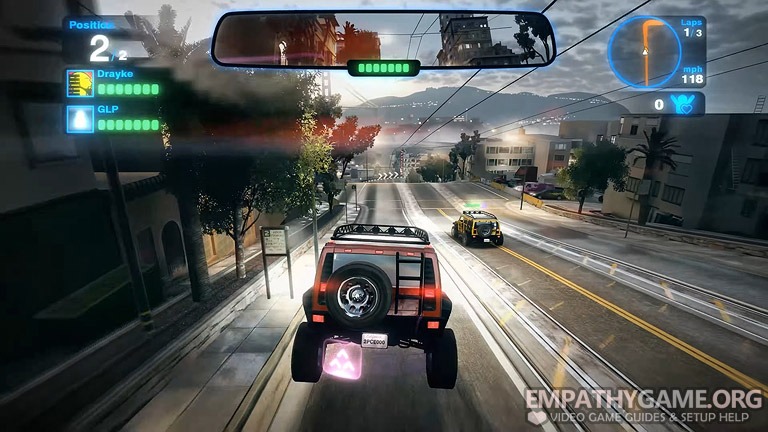
The rival system works best when a demand teaches something about the underlying rules rather than merely asking for repetition. One late challenge requires maintaining more than 120 mph for a full lap. The useful wrinkle is that the game measures a continuous circuit rather than insisting the attempt begin at the official start line. If speed drops below the threshold at one difficult corner, the run can begin after that point and complete when the car returns there without falling under the requirement. Understanding that changes the problem from brute-force speed into route planning.
Other demands can be more situational, particularly those that rely on a precise power-up interaction or the right opponent being in the right place. Repeating an event because a specific opportunity never materialized is less satisfying than repeating it because the racing itself exposed a mistake. Even so, defeating rivals gives the career identifiable milestones, and the Mods they award reinforce Blur’s broader interest in modifying how power-ups behave rather than simply increasing a generic performance number.
Presentation Makes a Busy Race Surprisingly Readable
Blur’s art direction is built on contrast: ordinary road cars and recognizable urban settings are flooded with bright, almost abstract weapon effects. Mines glow orange, Bolts cut across the road as sharp energy shots, Shunts announce pursuit with unmistakable visual language, and Shields wrap cars in a defensive glow. The effects are exaggerated, but they have a functional purpose. In a race filled with collisions, projectiles, shortcuts, and multiple rivals, the player can usually understand what kind of threat is developing quickly enough to react.
That clarity is essential because combat depends on information. The game constantly asks the player to monitor position, health, held items, the road ahead, and the mirror behind. Sound effects help reinforce incoming danger and successful hits without turning every moment into noise. The social-network-styled menus and animated career presentation are unmistakably products of their era, but the central visual idea has aged better: licensed machinery moving through grounded environments while impossible neon weapons turn the road into a readable battlefield.
Multiplayer Reveals the Strengths and Limits of the Formula
Blur’s competitive design naturally becomes more interesting when opponents are unpredictable. Human rivals can deliberately preserve counters, time attacks around vulnerable sections of a circuit, and interfere with lines in ways that make positioning harder to read. The original multiplayer structure gave the same power-up interactions room to become a broader competitive system through large fields, Fans, ranks, challenges, and Mods rather than leaving them as isolated tricks learned during the career.
Four-player split-screen is especially revealing because the core pleasure survives even without long-term progression. Playlist-style competition can link several events through cumulative scoring, giving a group something more substantial than a disconnected series of single races. Yet the local mode also exposes how important information is to Blur: the rear-view mirror is removed in split-screen, weakening the defensive awareness that makes attacks feel counterable in solo play. That small omission demonstrates how much of the game’s skill lies in reading danger rather than simply absorbing it.
The result is a combat racer that works particularly well as a social game because every power-up creates an understandable cause and effect. A last-corner Barge, a Mine placed on the line, or a Shield held just long enough to neutralize an attack produces the kind of immediate rivalry that does not require a complicated ruleset. Blur’s systems are deep enough to reward experience, but visible enough that a new player can understand why a race changed in seconds.
Final Verdict
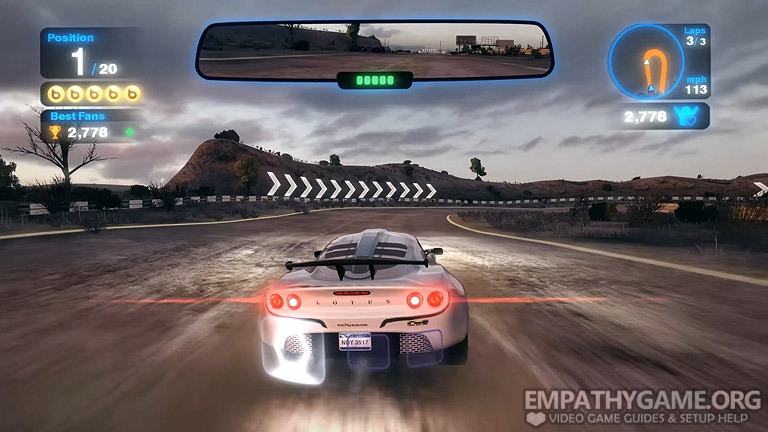
Blur’s most distinctive achievement is not combining real cars with arcade weapons; it is making that combination feel mechanically coherent. Racing lines, vehicle behaviour, item timing, rear-view awareness, health, positioning, and counters all feed into the same decision loop. The strongest races are frantic without being mindless because an incoming attack often has an answer, and the player who preserves the right tool or reads the pack early can turn defence into an advantage.
The design is not equally smooth everywhere. Handling can feel heavier than the presentation suggests, drifting depends strongly on choosing an appropriate car, some career demands rely too much on situational opportunities, and the difficulty can rise just as secondary Fan objectives become more intrusive. Checkpoint and Destruction events add variety, but conventional races remain the clearest expression of what Blur does best.
For players who prefer arcade racing with meaningful tactical decisions rather than pure drifting, open-world progression, or random item chaos, Blur still occupies an unusual space. Its neon effects may be the first thing people remember, but the lasting strength is the logic underneath them: watching the mirror, holding a counter, choosing the right car, and deciding whether the next pickup should win the corner or save the race. Few licensed-car racers have made combat feel this integrated with the act of driving.
Blur Pros & Cons
- Pro: Distinctive combat-racing design combines licensed cars with tactically useful offensive and defensive power-ups.
- Pro: Varied car handling rewards choosing the right vehicle and planning racing lines, attacks, counters and last-second reversals.
- Pro: Four-player split-screen and native LAN racing are unusually valuable features for a Windows arcade racer of its era.
- Pro: Career events, rival challenges, car unlocks, and Fan progression provide more depth than a simple sequence of races.
- Pro: Modest original hardware requirements and a Playable Steam Deck rating make the surviving Steam build relatively undemanding for legitimate existing owners.
- Con: No verified official PC storefront currently sells the game to new buyers.
- Con: The original official online multiplayer service is no longer operating.
- Con: The aging 32-bit Windows executable can encounter compatibility, controller, CPU-affinity and high-frame-rate audio problems on modern systems.
- Con: Some rival demands and steep career difficulty changes interrupt the otherwise satisfying race-to-race flow.
Blur PC System Requirements
These original Windows requirements are preserved in historical PC technical documentation. They describe the 2010 DirectX 9 Windows release, not a newer community executable or an officially supported Windows 10/11 edition.
MINIMUM:
OS: Microsoft Windows XP, Windows Vista, or Windows 7
CPU: Intel Pentium D Dual Core 3.4 GHz or better
RAM: 1 GB for Windows XP; 2 GB for Windows Vista or Windows 7
GPU: 256 MB NVIDIA GeForce 6600 GT or ATI Radeon X1600 XT or better, with Shader Model 3.0 support
DirectX: DirectX 9.0c
Storage: 14 GB free space
Sound Card: DirectX 9.0c-compatible sound card
Internet: Broadband connection was required for the original online multiplayer service
RECOMMENDED:
OS: Microsoft Windows XP, Windows Vista, or Windows 7
CPU: Intel Core 2 Duo 2.0 GHz or better
RAM: 2 GB
GPU: 256 MB NVIDIA GeForce 7800 GT or ATI Radeon X1800 XT or better, with Shader Model 3.0 support
DirectX: DirectX 9.0c
Storage: 14 GB free space
Sound Card: DirectX 9.0c-compatible sound card
Internet: Broadband connection was required for the original online multiplayer service
Additional PC Performance and Setup Notes
- Modern Windows: The original executable is a 32-bit DirectX 9 game built for Windows XP, Vista and 7. Windows 10/11 may run it, but those systems were never part of its official specification.
- CPU compatibility: PCGamingWiki documents trouble on some high-core-count CPUs and describes processor-affinity workarounds. Make a backup before changing game files or using unverified scripts.
- Frame rate and audio: The original updated build can exhibit audio distortion above 60 FPS. Try a 60 FPS limit before attempting more invasive fixes; the community Blur Rebuilt executable reports separate high-frame-rate handling that should not be confused with the original build.
- Optional 64-bit community project: Blur Rebuilt’s project documentation describes DirectX 11 rendering, HDR, ultrawide adjustments and an alternative Windows 10/11 executable. These are author-described, unofficial features; the project requires an installed Blur copy and its own stated Windows, graphics and runtime prerequisites.
- Save backup: Original Windows saves are located under
%APPDATA%\Bizarre Creations\Blur\save\. Back up the parent Blur folder before applying community changes or reinstalling. - Network play: Local split-screen and LAN do not depend on the discontinued official online matchmaking service. Community internet play uses separate unofficial services.
Video Trailer
Frequently Asked Questions
Does Blur support four-player split-screen on PC?
Yes. The original Windows version supports up to four players on one PC in competitive local split-screen racing. Each player needs a suitable input device, and the legacy controller setup can require attention.
Can you play the Blur career in split-screen co-op?
No. Split-screen is a separate competitive mode; the career, rival races, Lights and boss challenges are designed for one player.
Does Blur support LAN multiplayer?
Yes. The Windows PC version supports LAN races with up to 20 players on connected computers. LAN play is separate from the retired official internet matchmaking service.
Are Blur’s official online servers still available?
No. The original official online multiplayer service was shut down. Local split-screen and LAN are separate features and can still be used by owners of a working copy.
Can Blur still be played online through community projects?
Unofficial networking solutions exist, including community work documented by Blur Rebuilt. They require a legitimate installed game, may change over time and are not operated or supported by Activision.
Is Blur an open-world racing game?
No. Blur uses individual closed circuits, checkpoint challenges and Destruction events rather than a freely explorable open-world map.
How do Lights and Fans work in Blur’s career?
The career has nine event groups. Lights unlock further events and rival opportunities, while Fans are earned through driving, combat and special challenges and contribute to reward and car progression. Boss Demands must be met to unlock rival confrontations.
What are Fan Runs and Fan Demands?
Fan Runs challenge you to pass through timed gates during an event and can award an extra Light. Fan Demands are situational objectives that award Fans, such as performing a particular power-up action.
Which Blur power-ups have alternate firing or driving uses?
Bolts and Shunts can be fired rearward, Mines can be launched ahead, and Nitro has an alternate airbrake-style use for tightening a turn. Learning these alternatives makes pickups useful for both attacks and defence.
How do Mods work in Blur?
Mods adjust power-up or driving-related behaviour rather than changing car appearance. Rival victories award special Mods, and the original multiplayer ranking system had additional Mod unlocks.
Can Blur’s single-player difficulty be changed?
Yes. The career difficulty can be adjusted in the Single Player Options menu rather than remaining permanently fixed.
Does Blur support PC controllers and racing wheels?
The original PC release primarily supports XInput-style gamepads, including Xbox 360-compatible controllers. Other controllers and racing wheels have limited native support, and some menus can keep keyboard-style prompts.
Does Blur work on Windows 10 or Windows 11?
The original Windows release can work on newer systems, but compatibility is not guaranteed because it was made for Windows XP, Vista and 7. PCGamingWiki documents common compatibility issues, and Blur Rebuilt is an optional, independently developed alternative that requires an already installed legitimate copy.
Can Blur run above 60 FPS?
The original updated PC game can run into audio or gameplay problems at higher frame rates, so 60 FPS is a sensible starting point. The unofficial Blur Rebuilt project reports improvements for high-frame-rate play, but its behavior should not be assumed to apply to the original executable.
Does Blur work on Steam Deck?
Valve rates the Steam build Playable, noting good performance under default settings alongside small text, on-screen-keyboard needs and controller-interface quirks. This does not mean Steam is offering the game to new purchasers.
Can you still buy Blur on Steam or GOG?
No verified new-purchase listing exists on those official PC stores. Existing Steam license holders can use their Library when the game remains available to their account; the GOG Dreamlist page is a request page, not a product download.
Was Blur 2 ever released?
No. An unreleased follow-up was explored before Bizarre Creations closed, but no commercial sequel followed the 2010 game.
Still have questions? Check the Blur Community Discord, Blur Steam Discussions, or PCGamingWiki Blur technical page for additional help and discussion.
Sources & References
Key factual and technical details in this guide were verified against these official, archival and community technical sources:
- Activision — Blur Races Onto Store Shelves — verified the May 25, 2010 launch, Bizarre Creations, licensed cars, split-screen, multiplayer and the original Windows release.
- SteamDB — Blur App 42640 — checked the surviving Steam record, overall review category, purchase status, CD-key metadata and Valve Steam Deck notes.
- GOG Dreamlist — Blur — confirmed that GOG lists Blur as a requested title rather than as a purchasable PC game.
- PCGamingWiki — Blur — checked historical DRM, local and LAN modes, the retired online service, original system requirements, save locations and compatibility limits.
- Blur Rebuilt — Project README — checked the developer-described optional 64-bit DirectX 11 community build and its requirement for an installed PC game copy.
- Metacritic — Blur PC Critic Reviews — verified the Windows PC Metascore of 81 separately from the console results.
- GameSpot — Blur — cross-checked release and platform history, including the separate Nintendo DS version and Firebrand Games credit.
Similar Games Like Blur
- Burnout 3: Takedown
- Need for Speed Most Wanted (2012)
- Burnout Paradise
- GRID 2
- Need for Speed: The Run
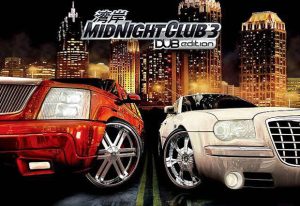
- Midnight Club 3: DUB Edition


Found something worth playing through DecideGame?
DecideGame.com is an independent gaming project run by Editor Zero. If this guide helped you discover a game, solve a problem, or find useful information, you can support DecideGame.com and help keep new and updated game guides coming.
DecideGame — PC Game Guides, Reviews & Setup Help