
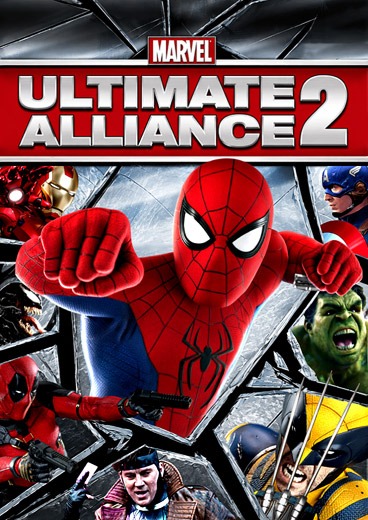
📅 Game released: 2009
Use this updated 2026 Marvel: Ultimate Alliance 2 PC guide to check official download availability and Steam reinstallation for existing owners, understand the 2016 rerelease and included DLC characters, and review four-player co-op, system requirements, Steam Deck compatibility, controllers, and PC setup.
 By Editor Zero — independently researched, edited, and maintained.
Last updated: 20 October 2026
Last reviewed: 20 October 2026
Table of Contents
- Quick Summary
- Quick Facts
- Official PC Stores, Download & Installation
- Marvel: Ultimate Alliance 2 Review
- Pros & Cons
- PC System Requirements
- Frequently Asked Questions
- Similar Games
Marvel: Ultimate Alliance 2 Quick Summary
✔ Superhero action RPG and cooperative beat ’em up featuring Marvel’s Civil War conflict, with Captain America and Iron Man leading opposing sides of the Superhuman Registration Act
✔ Assemble four-character teams from more than 24 Marvel heroes and villains, battle enemies through mission-based environments, upgrade powers, and combine abilities into devastating Fusion attacks
✔ Similar to Marvel: Ultimate Alliance through its four-hero party structure, cooperative combat, character switching, Marvel roster, equipment boosts, and action RPG progression
✔ The Pro-Registration and Anti-Registration campaign paths affect encounters, missions, and character availability, offering reasons to replay the story with different team compositions
✔ The 2016 Windows PC version includes the original downloadable characters and supports local/shared-screen and online cooperative features, although online service availability and controller compatibility should be checked separately
✔ The native Windows edition was removed from new Steam sales, but existing Steam owners can normally reinstall it through their libraries; no verified official PC storefront currently offers a normal new purchase
Marvel: Ultimate Alliance 2 Quick Facts
Official PC Store Status, Download & Installation
👇 Use the notes below to understand Marvel: Ultimate Alliance 2’s official Windows PC download status, reinstall an already owned Steam copy, and distinguish legitimate PC ownership from the older console versions.
- Official PC availability: Marvel: Ultimate Alliance 2 received an official Windows PC release through Steam in 2016. Activision later removed the title from sale, and its Steam product page remains visible without a normal new-purchase option. No current official Epic Games Store, GOG, or Microsoft Store Windows purchase listing was verified.
- Existing Steam owners: Players who purchased and retained the Steam license can normally download and reinstall the game from their Steam Library. Open Steam, sign in to the account that owns the game, find Marvel: Ultimate Alliance 2 under Library, select Install, and follow the installation prompts. Store removal does not normally erase an existing license.
- Missing library entry: If a previously owned copy is not visible, check that Steam is signed into the original purchasing account and that the title has not been hidden or excluded by library filters. Steam’s official missing-games support article explains these checks. Contact Steam Support for unresolved entitlement problems.
- 2016 rerelease: The Windows release is a native PC version adapted from the Vicarious Visions console game by Zoë Mode. It was sold both individually and as part of the Marvel: Ultimate Alliance Bundle with the first game. The former bundle is no longer a normal official purchase route.
- Included DLC: The 2016 Windows edition already contains the original downloadable characters Black Panther, Cable, Carnage, Juggernaut, Magneto, and Psylocke. An owner of this version does not need to purchase those historical character additions separately.
- Console version differences: The original PS3 and Xbox 360 editions form the basis of the 2016 rerelease. PS2, PSP, Wii, and Nintendo DS received separately developed versions with differences in content and gameplay. Owning one of those console editions does not automatically provide a Windows Steam license.
- Steam account and DRM: The PC release uses Steam for ownership and installation. Sign in with the licensed Steam account and complete any necessary initial setup. The single-player campaign is not presented as an always-online game, but Steam activation and ordinary client requirements still apply.
- Local and online co-op: Steam lists shared-screen cooperative gameplay and online co-op among the PC edition’s features. Local co-op is the more predictable option because it does not depend on finding an online session. Historical multiplayer feature listings do not guarantee that every online service or connection method will remain operational indefinitely.
- Controller compatibility: Steam lists partial controller support rather than full support. The 2016 PC port had documented controller-mapping problems, so existing owners should test their gamepad, inspect Steam Input configurations, and check current Steam Discussions before arranging a four-player session.
- Steam Deck: Valve rates the game Playable, with acceptable default performance reported in its compatibility evaluation. Some controls may require a community layout or touchscreen input, and external controllers may need manual selection in the Steam Deck quick-access menu. This rating applies to the owned Steam release, not an officially sold handheld edition.
- Mods and backups: Community-created tools exist for managing modifications to the 2016 PC version, including a Marvel Mods Mod Organizer 2 plugin. Check that a mod explicitly supports MUA2’s 2016 Steam build. Back up your saves and modified files before making changes; many modifications for the original 2006 Marvel: Ultimate Alliance are not interchangeable with the sequel.

Marvel: Ultimate Alliance 2 Review
Marvel’s fractured heroes make a lively team brawler, even as the RPG beneath them grows thinner.
Marvel: Ultimate Alliance 2 makes an appealing promise: pick four heroes who might never comfortably share a comic-book panel, then see what happens when their powers collide. Wolverine can tear into a crowd while Storm drives enemies away, Spider-Man keeps a threat occupied, and Iron Man prepares something considerably louder. The game rarely asks for elaborate tactics, but giving familiar characters distinct ways to handle the same fight makes its straightforward action unusually inviting.
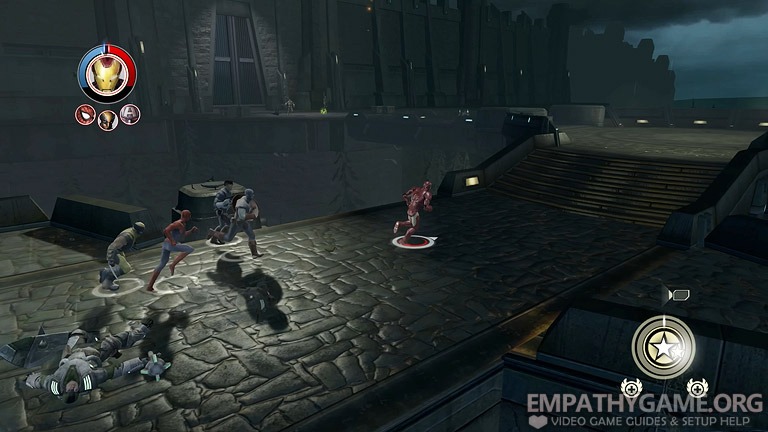
Its greatest idea is also its most obvious spectacle. Two-character Fusion attacks transform team composition into an offensive weapon, while Marvel’s Civil War storyline gives the roster a reason to fight itself. Yet this is a more focused and less adventurous action RPG than the first Ultimate Alliance. Equipment customization is curtailed, levels repeatedly funnel the squad into another room of enemies, and the political drama loses momentum before its most difficult questions are explored. The sequel works best as a lively, cooperative superhero brawler, not as a deep dungeon crawler or a definitive adaptation of the comics.
Four Heroes Keep Simple Combat Moving
One hero takes direct control while computer companions or human partners fill out the quartet. Light and heavy melee attacks, grabs, dodges, and four character-specific powers make the fundamentals easy to learn. Switching the active hero changes the feel of a fight without demanding a new control scheme, and swapping the wider roster encourages experimentation rather than permanent commitment to one lineup.
The strongest characters create space in different ways. Wolverine is comfortable closing in and staying near an enemy; Storm can disrupt a pack before it surrounds the party; Iceman interrupts groups with ice; Spider-Man can pressure foes without approaching them in quite the same way as a melee specialist. Throwing a soldier toward an explosive vehicle or knocking an enemy off a raised platform adds a welcome physical comedy to encounters that would otherwise be routine. Scenery and enemy ragdolls give even an ordinary skirmish a chance to become a small, unpredictable moment.
Powers and evasive movement can interrupt a developing melee string, so a dangerous enemy does not always require finishing a lengthy combo before responding. That becomes important against bosses, where a short sequence of safe hits followed by a dodge is more sensible than committing to every attack animation. Psylocke’s Butterfly Kick can stagger groups, whereas a longer Triple Slash sequence risks leaving her exposed when several enemies close in. The practical distinction is between the damage an ability promises and the opening required to deliver it.
For most of the campaign, the enemies do not demand that kind of attention. Ordinary soldiers, robots, and superpowered opponents often approach in manageable groups, and a dependable area attack can carry a team through several rooms with little adjustment.
Fusions Turn Spectacle Into a Survival Decision
Damaging enemies builds energy for a joint superattack, and the result depends on the pair selected. Iron Man firing at Captain America’s shield creates a burst of redirected energy; the Human Torch and Iceman can combine their opposing elements into a moving assault. Seeing characters cooperate in ways their individual move sets cannot reproduce is satisfying fan service, but the feature also changes how a team approaches danger.
The three Fusion styles are more consequential than their visual variations. Clearing attacks punish enemies gathered around the team. Guided attacks sweep across a wider area as the player steers the effect. Targeted attacks concentrate damage on an individual opponent, making them especially useful when a boss refuses to give the party breathing room. A surrounded squad might use a Clearing Fusion immediately; against a durable boss, preserving the meter for a Targeted attack can shorten a more dangerous phase.
High-scoring Fusions can award Health Tokens, which heal or revive teammates. A boss fight with weaker enemies nearby therefore presents a choice: eliminate the nuisance creatures immediately, or use them to replenish Fusion energy before aiming a stronger combination at the main threat. Hulk’s wide ground attacks, for example, can keep a group of lesser foes under pressure while helping charge the next joint move. A system that first appears to exist solely for big damage can become the party’s way back from a collapsing encounter.
The disappointment is how quickly the combinations reveal their shared templates. Different pairings may swap electrical effects for ice, webs, or flying debris while producing much the same Clearing or Guided result. They remain entertaining because the heroes look and sound right together, but the excitement comes more from timing and character fantasy than from discovering hundreds of truly different strategies.
Co-op Is the Most Convincing Way to Play
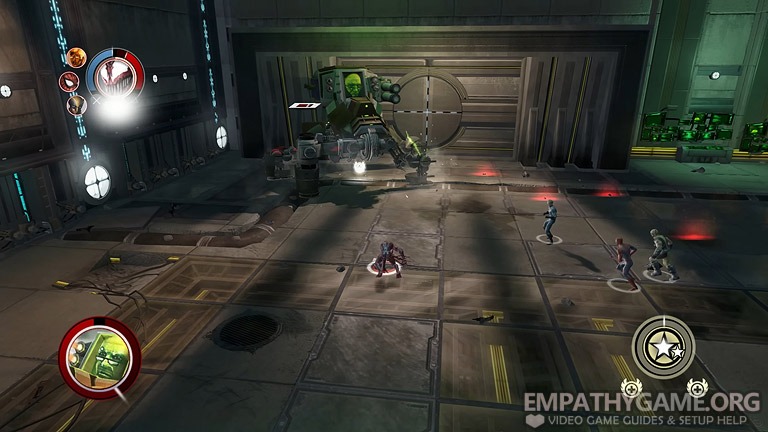
Four-player cooperation brings the design’s intentions into focus. One person can charge into melee while a second handles ranged pressure, a third interrupts crowds, and a fourth watches for an opportunity to combine powers. There is pleasure in small negotiations: whether to spend a Fusion to clear a room, hold it for the approaching boss, or use it to earn a much-needed healing reward. Even when the combat system itself is uncomplicated, different human priorities can make the same encounter lively.
Shared-screen play also imposes a limit. The team cannot wander off in four independent directions, and particle-heavy fights can make it difficult to distinguish individual heroes from everything exploding around them. AI teammates can contribute useful attacks and keep minor enemies busy, yet their positioning and power use do not always align with what the situation demands. A human partner is better at understanding that a dangerous target needs to be held in place while someone else prepares a decisive attack.
Cooperative play supplies the coordination and spontaneity that the missions themselves do not always create.
Civil War Provides a Stronger Premise Than Payoff
The opening draws on Marvel’s Secret War before moving into the conflict over the Superhuman Registration Act. After a public catastrophe, Iron Man supports formal oversight of superpowered people, while Captain America rejects the government’s authority to decide who may act as a hero.
Choosing Pro-Registration or Anti-Registration changes the middle of the campaign. Missions take different perspectives, some familiar allies become opposition, and faction restrictions alter who can join the team. Certain passive Abilities also depend on allegiance, giving the decision consequences for character development.
The writing is less convincing when it asks the cast to defend those positions. Headquarters conversations give opportunities for aggressive, diplomatic, or defensive replies, and consistent responses can earn Boost rewards, but they rarely lead to meaningful character development or further narrative branches. Deadpool’s interruptions and the occasional pointed exchange are welcome, yet the serious material seldom has room to breathe.
Most damagingly, the two faction routes ultimately feed into a shared larger crisis. Without revealing its details, that shift moves the story away from its most provocative disagreement and toward a more conventional superhero emergency. The game stages the excitement of heroes fighting heroes but backs away from its consequences.
Progression Offers Useful Tweaks, Not Deep Builds
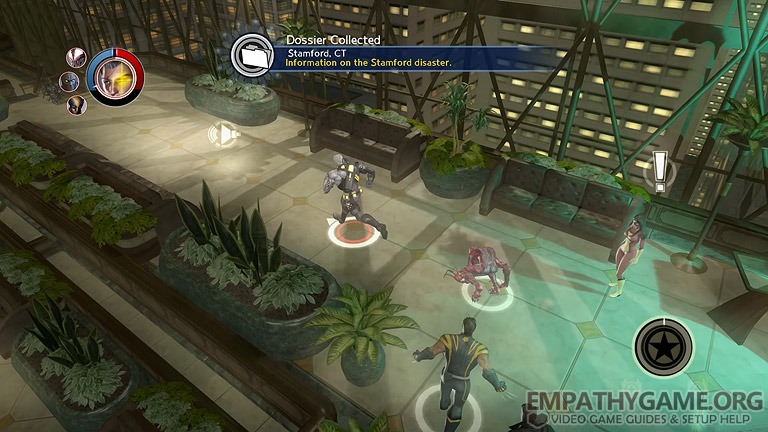
Character leveling sits halfway between action-game convenience and traditional RPG tinkering. Heroes earn experience, improve their powers and passive Abilities, and can be managed manually or left to automatic allocation. Four active powers per character keep the move sets legible, while improved damage, range, and additional effects reward investing in the abilities a hero uses most.
Team Boosts provide the more interesting layer. Instead of finding armor and equipment for individual heroes, the party equips a limited selection of bonuses affecting attack power, resilience, elemental damage, or Fusion effectiveness. A generic health increase is helpful throughout a mission, but a resistance bonus can be more valuable against an enemy whose strongest attacks use one damage type. The best use of Boosts is situational rather than simply stacking whichever numbers look largest.
Recognized Marvel groups supply their own team bonuses, giving lineup selection another small reward. The Fantastic Four, for instance, accelerate Fusion gain when brought together. More interesting are the personal trade-offs: a character who survives easily may contribute less crowd control, while a hard-hitting specialist may need protection during an extended attack animation.
There is little sense of finding a transformative piece of gear or rebuilding Wolverine, Storm, or Iron Man around a dramatically different loadout. Several upgrades improve abilities the player was already using rather than opening a new play style.
The Missions Cannot Match the Variety of the Roster
Environmental design is where the sequel’s narrower ambition becomes most obvious. Latveria, Washington, D.C., Prison 42 in the Negative Zone, and Wakanda give the campaign recognizably different settings, but the missions frequently reduce those places to routes between fights. Laboratories, corridors, security rooms, and military facilities appear far more often than spaces that invite thoughtful exploration.
There are flashes of variety. Prison 42 uses cell blocks, security systems, and a more distinctive setting to interrupt ordinary combat, while city battles allow powers and throwable objects to feel especially destructive. Yet objectives that interrupt fighting can be just as mechanical as the fights themselves: operate a device, endure another wave, defeat a tougher enemy, then repeat.
Presentation shares that contrast. Costumes, colorful projectiles, explosive Fusions, and superhero banter give action immediate character. Close-up conversations look stiff by comparison, the camera can become awkward when a large group crowds one target, and voice performances vary widely across the cast. This is a game with memorable heroes occupying locations that are frequently less memorable than they are.
Second Runs Reward Experimentation More Than Discovery
The opposing Civil War route is the clearest reason to replay the story. It changes whom the party confronts, how certain missions unfold, and which heroes or faction-specific upgrades are convenient to develop. Collectibles, Heroic Deeds, alternate costumes, and Simulator challenges add goals for players who become attached to a particular character.
There is also a surprisingly practical late-game rhythm in earning ability points or orbs. Repeatable encounters with lesser enemies can be used to build resources for additional upgrades, especially when area attacks and resource-oriented bonuses work together. A few harder Simulator objectives and Legendary difficulty put greater pressure on team composition and defensive Boost choices, offering a stronger test of the systems.
Completed-game continuation can preserve progress for another campaign, making it easier to explore characters whose abilities took time to develop. A restarted story still begins with its scripted opening squad before broader team selection resumes, an awkward restriction in a game whose chief attraction is choosing a personal alliance. Replayability comes from experimenting with the roster and extracting different moments from the Civil War split, not from discovering another equally substantial campaign.
Final Verdict
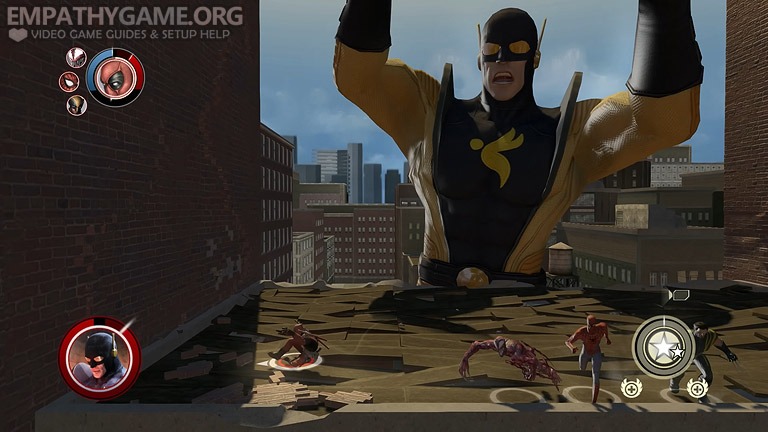
Marvel: Ultimate Alliance 2 is most successful when it lets its heroes communicate through action. Throwing an opponent across the scenery, interrupting a dangerous melee exchange with a timely power, or combining two unlikely characters in a screen-filling Fusion makes its simple combat immediately appealing. The best encounters reveal enough tactical nuance to reward a considered team, and cooperation makes those moments more satisfying because another person can supply the coordination the computer-controlled squad sometimes lacks.
The shortcomings are equally persistent. Fusions recycle familiar patterns, progression sacrifices much of the earlier games’ RPG flexibility, and the environments rarely demand as much imagination as the roster. The Civil War choice creates real tension around team loyalty, only for the story to retreat toward a safer shared threat. Another run can be worthwhile, but it is the characters rather than the levels that make repetition attractive.
For Marvel fans who want accessible four-player action, recognizable powers, and the fun of discovering which unlikely pair works well together, the sequel remains a compelling team-up. Anyone looking for deep loot-driven builds, intricate mission design, or a thorough exploration of the comics’ political conflict will find it more limited. It is not the most ambitious superhero RPG, but its best cooperative fights understand a simple pleasure: the right four characters can make an ordinary battle feel like a Marvel crossover.
Marvel: Ultimate Alliance 2 Pros & Cons
Marvel: Ultimate Alliance 2 PC System Requirements
The following specifications are taken from the official Steam listing for the 2016 Windows PC release. They do not describe the original PS2, PS3, PSP, Wii, Nintendo DS, or Xbox 360 versions.
OFFICIAL WINDOWS PC REQUIREMENTS:
MINIMUM:
OS: Windows 7 SP2 (64-bit), as originally listed
CPU: Intel or AMD Hyper-Threaded Dual Core CPU
RAM: 4 GB
GPU: NVIDIA GeForce GTS 450 / AMD Radeon HD 5670
DirectX: Version 11
Storage: 8 GB available space
Sound Card: DirectX 11 Compatible
RECOMMENDED:
Activision’s original Steam listing does not provide a separate official recommended CPU, GPU, RAM, or storage specification. The minimum requirements above are the only published hardware tier verified for this Windows edition.
Additional PC Performance and Setup Notes
Modern Windows: The published Windows 7 SP2 requirement is historical. Steam’s current client support requires Windows 10 or later, so an existing owner should use a supported 64-bit Windows installation. The original requirements do not guarantee problem-free behavior on Windows 10 or Windows 11. Test the game before applying compatibility changes or unofficial fixes.
Graphics and widescreen: The 2016 version supports conventional widescreen gameplay, including 16:9 displays. Standard 1920×1080 presentation does not require an older-game widescreen patch. Ultrawide monitors may display side borders instead of expanding the gameplay image naturally. Community modifications for 21:9 displays exist, but they are unofficial, resolution-dependent, and should not be confused with built-in ultrawide support.
Controllers and local co-op: Configure and test the first gamepad before adding more players. If button prompts, movement, or character switching behave incorrectly, check Steam Input’s controller layout for Marvel: Ultimate Alliance 2. Start with a standard controller configuration, then test movement, attacks, powers, Fusion inputs, and menu navigation. Additional local players should join only after their controllers are recognized correctly.
Save-file backups: PCGamingWiki documents the game’s saves under the installation directory’s SavesDir folder and configuration files under Settings. Before modifying the game, use Steam’s Manage > Browse Local Files option to locate the installation directory and copy these folders to a separate backup location. Do not assume Steam Cloud is configured to preserve every local file.
Steam Deck: Valve’s Playable assessment indicates that the game can run on SteamOS with acceptable default performance, but some inputs and controller prompts may require adjustments. The Steam Deck version uses the Windows game through Steam compatibility technology; it is not a separate native Linux release.
Online multiplayer: Steam’s historical feature listing includes online co-op for up to four players. However, multiplayer functionality depends on compatible game versions, Steam connectivity, and the continued operation of the required networking features. If joining a game fails, consult the Steam Community Discussions before assuming that a local configuration issue is responsible.
Official Trailer
Note: Activision’s official Marvel: Ultimate Alliance 2 trailer introduces the Civil War conflict, superhero team combat, and the rivalry between Captain America and Iron Man. The written guide provides additional details about the Windows release, Steam ownership, included characters, and PC setup.
Frequently Asked Questions
Is Marvel: Ultimate Alliance 2 worth playing in 2026?
Yes, particularly for Marvel fans who enjoy cooperative superhero combat, assembling four-character teams, and experimenting with Fusion attacks. The Civil War storyline and character roster remain appealing, although repetitive encounters, simpler RPG customization, and the older PC port’s controller problems make it less suitable for players expecting a polished modern action RPG.
Can you still buy Marvel: Ultimate Alliance 2 on PC?
The official Windows version was removed from new Steam sales, and no active authorized PC storefront offering a normal new purchase was verified. Players who already own a Steam license can generally reinstall the game from their libraries, but the visible Steam product page does not provide a new-purchase option.
Is Marvel: Ultimate Alliance 2 an open-world game?
No. It is a mission-based action RPG with connected combat areas, headquarters locations, and story objectives rather than a freely explorable open world. Locations such as Latveria, Washington, D.C., and Wakanda form part of the campaign, while headquarters provide opportunities to change teams, manage progression, and access additional activities.
Does choosing Pro-Registration or Anti-Registration change the story?
Yes. Supporting Iron Man’s Pro-Registration faction or Captain America’s Anti-Registration resistance changes several objectives, encounters, character restrictions, and parts of the ending. Both paths eventually return to the broader central storyline, so they provide different campaign experiences rather than two completely separate games.
Can you switch sides after choosing Iron Man or Captain America?
Not during the same normal campaign playthrough. Your Registration decision commits that run to one side, so keep a separate manual save before making the choice if you want to experience both paths without replaying the opening chapters. A subsequent playthrough also lets you explore the opposing storyline.
Can you unlock every playable character in one playthrough?
Not every character is immediately available, and some heroes have story-related or faction-related restrictions. Other characters require collectibles or campaign progression. A completed-game Legendary continuation is particularly useful for building a more complete roster because previously unlocked heroes carry forward and normal faction restrictions on character selection are relaxed.
How do you unlock Hulk, Thor, and Jean Grey?
In the main PS3/Xbox 360-derived version, Hulk unlocks after collecting five Gamma Regulators, Thor requires five Asgardian Runes, and Jean Grey requires five M’Kraan Fragments. These collectibles are distributed throughout the campaign, and missed locations can be revisited through the game’s mission-replay system.
What are the three types of Fusion attacks in Marvel: Ultimate Alliance 2?
Clearing Fusions strike large groups of nearby enemies, Guided Fusions let you move an attack through groups of opponents, and Targeted Fusions concentrate powerful damage on a selected enemy. Clearing attacks are useful when surrounded, Guided attacks offer controlled crowd damage, and Targeted attacks are especially effective against bosses.
How do you perform a Fusion attack with another player in co-op?
First, build up a Fusion Star by defeating enemies. When two human-controlled characters want to combine their powers, both players must activate their Fusion inputs to initiate the joint attack. The resulting Fusion type depends on the characters involved, and the on-screen prompts guide its execution.
How do healing and reviving fallen heroes work?
Health Orbs restore health to active characters, while Health Tokens can heal or revive a selected teammate. Successful Fusion attacks can award Health Tokens when their performance objectives are met, making well-timed Fusions useful for survival as well as damage. On standard difficulty settings, a fallen hero who is not revived remains unavailable until the next suitable recovery point or a reload.
How do team bonuses and Team Boosts work?
Team bonuses activate when your four selected heroes form a recognized Marvel grouping, while collectible Team Boosts provide separate bonuses that can be equipped. For example, assembling Mr. Fantastic, Invisible Woman, Human Torch, and Thing activates the Fantastic Four bonus, increasing Fusion gain. Experimenting with character combinations can improve the team’s overall effectiveness without changing individual powers.
Should beginners use automatic character upgrades?
Autospend is convenient for players who want to concentrate on combat without manually distributing upgrade points. On Heroic and higher settings, disabling Autospend gives greater control over character Powers and Abilities, allowing more deliberate specialization. Casual difficulty keeps automatic spending enabled, making it the simplest option for newcomers.
How do you unlock alternate costumes in Marvel: Ultimate Alliance 2?
Alternate costumes are primarily earned by completing character-specific Heroic Deeds, such as defeating a required number of enemies. Open the character statistics screen to check unfinished objectives. Kills made directly by a character or through a Fusion involving that character can count toward relevant requirements, while some objectives depend on the chosen Civil War faction.
Can you replay missions to collect missed items?
Yes. Headquarters contain a Simulator Console that can replay previously completed areas, allowing players to recover missed collectibles, finish optional objectives, and continue character challenges. The Simulator also offers dedicated training and challenge missions through collectible simulation discs.
How do you unlock Legendary difficulty?
Complete the main campaign on Heroic or Super Heroic difficulty to unlock Legendary. It features tougher enemies and is intended for players who already understand combat, powers, and Fusion mechanics. Casual difficulty does not provide the same Legendary progression route.
Does Marvel: Ultimate Alliance 2 have New Game Plus?
Yes, through its completed-game continuation system. After finishing an eligible campaign, using the mission briefing console at the final headquarters allows you to begin another run while retaining character levels, unlocked heroes, costumes, abilities, Boosts, and other accumulated progress. Starting an ordinary new game from the main menu should not be confused with continuing the completed save.
How long does Marvel: Ultimate Alliance 2 take to complete?
A main-story playthrough generally takes about 9–12 hours, depending on difficulty and how much time is spent changing characters or exploring. Collecting extra items, completing Simulator challenges, unlocking costumes, and experiencing the opposite Civil War path can extend playtime considerably.
Can you play Marvel: Ultimate Alliance 2 entirely alone?
Yes. The entire campaign can be completed in single-player, with computer-controlled teammates accompanying your selected hero. You can switch between available characters, manage their upgrades, and use Fusion attacks with AI companions without needing human partners.
How many players can play Marvel: Ultimate Alliance 2 locally on PC?
Up to four players can cooperate on the same Windows PC using the game’s local multiplayer feature. Each participant controls a hero from the four-character team, although the 2016 PC port’s controller-mapping limitations mean it is worth testing all connected gamepads before starting a long session.
Does Marvel: Ultimate Alliance 2 have split-screen multiplayer?
It supports local shared-screen multiplayer rather than giving every participant an independent camera view. Human-controlled heroes normally remain within the same gameplay area, so players must coordinate their movement instead of exploring entirely separate parts of a level.
How do you add a second local player on PC?
Connect and configure the additional controller, start an active gameplay session, and have the second player press the controller’s Start/Menu button to join. If both gamepads control the same hero or the second controller is ignored, check the separate controller assignments in Steam Input and the game’s control settings. Some controller combinations may require community configurations because of the PC port’s input-mapping problems.
Does Marvel: Ultimate Alliance 2’s online co-op still work?
Steam continues to list online co-op as a feature of the Windows release, but that listing does not confirm that every connection or invitation system remains functional. Players have reported unsuccessful online sessions, and a reliable publisher confirmation of fully operational online multiplayer could not be established. Treat online co-op as uncertain rather than guaranteed, especially when planning to play remotely with friends.
Does Marvel: Ultimate Alliance 2 support cross-play?
No official cross-platform multiplayer support has been verified between Windows PC, PS4, and Xbox One. The different releases should be treated as separate multiplayer ecosystems rather than assuming that players on different platforms can join the same campaign.
Does Marvel: Ultimate Alliance 2 support LAN multiplayer?
The Windows release officially lists local/shared-screen and online co-op, but a separate native LAN mode is not documented. Playing several heroes on one PC is supported through local co-op; connecting multiple computers over a local network should not be assumed to work without an officially supported networking option.
Does Marvel: Ultimate Alliance 2 work on Windows 10 and Windows 11?
The native PC release was designed for older 64-bit Windows systems and can run on newer Windows installations, but compatibility is not guaranteed across every hardware configuration. Controller recognition, display settings, and occasional cutscene or loading problems may require troubleshooting. Begin with Steam’s file verification and standard configuration options before considering community-specific adjustments.
Why does Marvel: Ultimate Alliance 2 sometimes crash or show a green screen on PC?
Some PC owners have reported green-screen crashes during loading or particular cutscenes, including cases involving modern multi-core processors. First verify the installation through Steam, remove conflicting modifications, and test ordinary display and compatibility settings. Community reports describe additional processor-related workarounds, but these are unofficial and changing firmware or CPU settings can affect other software, so they should not be treated as a universal solution.
Does Marvel: Ultimate Alliance 2 work on Steam Deck?
Valve classifies the Steam release as Playable, meaning the game can run but may require adjustments rather than functioning perfectly out of the box. Controller layouts, button prompts, and external-controller selection are the main considerations, and an existing Steam license is required because the game is not normally available for new purchase.
Still have questions? Check the Ultimate Alliance Reddit community, Marvel: Ultimate Alliance 2 Steam Discussions, or Marvel Mods community forums for gameplay advice, PC troubleshooting, controller configurations, and discussions about the series.
Sources & References
Key factual and technical information in this guide was checked against relevant official and community sources, including:
- Activision — Marvel: Ultimate Alliance 2 Original Release Announcement — confirms the original release, Civil War premise, four-character teams, Fusion abilities, original developers, and cooperative gameplay.
- Steam — Marvel: Ultimate Alliance 2 — official Windows release listing, system requirements, developer and publisher credits, cooperative features, Steam reception, and current store status.
- Steamworks Documentation — Removing a Product from Steam — explains how retired games remain associated with existing owners’ libraries and can continue to be downloaded and installed.
- PC Gamer — Activision’s PC Rerelease and DLC Clarification — records Activision’s statement confirming that the standalone and bundled versions of Marvel: Ultimate Alliance 2 include the original DLC, alongside background on the PC ports’ technical problems.
- SteamDB — Marvel: Ultimate Alliance 2 — Steam release metadata, ownership-store history, PC platform information, controller support, and Valve’s Steam Deck Playable compatibility data.
- PCGamingWiki — Marvel: Ultimate Alliance 2 — Windows release technical information, engine identification, DRM, installation data, save locations, display limitations, and PC compatibility reference.
Similar Games Like Marvel: Ultimate Alliance 2
- Marvel: Ultimate Alliance
- X-Men Legends II: Rise of Apocalypse
- X-Men Origins: Wolverine
- Deadpool
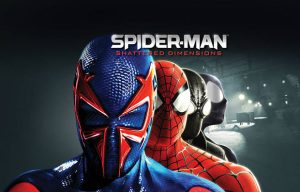
- Spider-Man: Shattered Dimensions
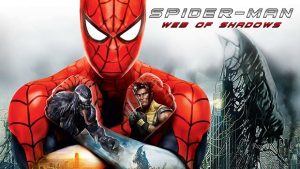
- Spider-Man: Web of Shadows

Found something worth playing through DecideGame?
DecideGame.com is an independent gaming project run by Editor Zero. If this guide helped you discover a game, solve a problem, or find useful information, you can support DecideGame.com and help keep new and updated game guides coming.
DecideGame — PC Game Guides, Reviews & Setup Help