
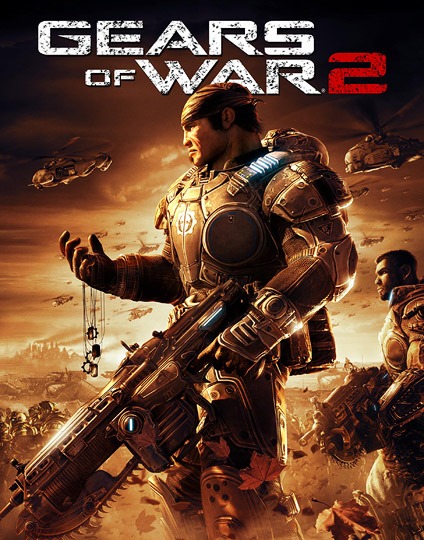
📅 Game released: 2008
Gears of War 2 sends Marcus Fenix and Delta Squad deep beneath Sera in a brutal cover-based shooter with a two-player campaign, chainsaw duels, and the original Horde mode. There is no official native Windows game download, but this PC guide explains Xbox Cloud Gaming access, lawful Xenia Canary emulation from your own Xbox 360 copy, controller setup, compatibility limitations, and emulator system requirements.
 By Editor Zero — independently researched, edited, and maintained.
Last updated: 23 November 2026
Last reviewed: 23 November 2026
Table of Contents
- Quick Facts
- Official PC Stores, Download & Installation
- Gears of War 2 Review
- Pros & Cons
- PC System Requirements
- Frequently Asked Questions
- Similar Games
Gears of War 2 Quick Facts
- Game: Gears of War 2 (original Xbox 360 release); All Fronts Collection DLC
- Developer: Epic Games
- Publisher: Microsoft Game Studios
- Genre: Third-Person Shooter, Co-op Shooter, Sci-Fi, Multiplayer
- Release: November 7, 2008 (Xbox 360); no official native Windows release
- Platforms: Xbox 360; Xbox One and Xbox Series X|S through backward compatibility
- Modes: Single-player; two-player campaign co-op and split-screen; five-player Horde; competitive multiplayer for up to 10 players in supported modes
- DLC: All Fronts Collection includes 19 multiplayer maps and the bonus Road to Ruin chapter
- Cloud Access: Xbox Cloud Gaming through eligible Game Pass access or eligible ownership, subject to plan and region
- Best PC Emulation Route: Owned Xbox 360 copy through Xenia Canary (unofficial emulator)
- Engine: Unreal Engine 3
- Community: Official Gears of War 2 page, Gears of War Reddit, Xenia Canary documentation
- PC modding: No official native-PC mod tools; Xenia Canary supports unofficial emulator-level game patches and graphics changes
- Metacritic score: 93/100 (Xbox 360)
- IGN score: 9.5/10 (Xbox 360)
- GameSpot score: 9/10 (Xbox 360)
Official PC Store Status, Download & Installation
👇 Gears of War 2 has no official Windows installation package. Compare the genuine Xbox/cloud option with the separate, ownership-based Xenia Canary emulator setup below.
- Official PC status: Microsoft originally released Gears of War 2 for Xbox 360, not Windows. There is no official Gears of War 2 installation on Steam, Epic Games Store, GOG, or PC Game Pass; the PC versions of the first Gears of War and its remasters are different games.
- Xbox purchase and ownership: The official Xbox game listing offers the console version in supported markets. Xbox One and Xbox Series X|S can run it through backward compatibility. A console purchase alone does not create a native Windows license.
- Xbox Cloud Gaming: The official cloud-play page provides a browser-streaming route on supported PCs, regions, and devices. The checked Xbox listing includes cloud play with Game Pass Premium or Ultimate; its Essential option requires owning the game. Plans, catalogue access, and regional support can change. A compatible controller and stable internet connection are needed.
- Emulation alternative: Xenia Canary is an independently developed Xbox 360 emulator for Windows. It runs supported Xbox 360 game content locally and is not a Microsoft PC port. Compatibility is game- and build-dependent; do not assume the campaign, visuals, saves, or multiplayer will behave exactly like an Xbox console.
- Install Xenia Canary: Get the Windows build from the official Xenia Canary releases page. Extract the downloaded archive to a normal writable folder, install the Microsoft Visual C++ x64 runtime if prompted, and launch
xenia_canary.exe. Xenia does not need an Xbox 360 BIOS or Microsoft console firmware download. - Prepare an owned game copy: Xenia’s official Xbox 360 copying instructions describe using a real Xbox 360, your game disc or legitimately obtained digital game data, and USB storage. For a disc, use Xbox 360 Game Details > Install, then move the installation to USB if necessary. Formatting a USB drive can erase existing files, so back it up first. Local laws on personal backups and technical measures vary.
- Open the game in Windows: Copy the Xbox 360 game-content folder from USB to your PC. The installed game may appear as a container file beside a matching
.datafolder. Open the game container using Xenia; if using a legitimately extracted game folder, launch itsdefault.xex. Follow the official import steps for the actual format you prepared. Xenia cannot simply read an Xbox 360 disc inserted into an ordinary PC drive, and Xbox One/Series cannot perform the documented dumping workflow. - Controller and display: Use an Xbox-compatible XInput controller for the closest original experience; Xenia does not provide native mouse aiming for Gears of War 2. Begin with the default Direct3D 12 renderer and native-resolution scaling before changing settings. The Xbox 360 game already supports widescreen 16:9, so no 4:3-to-16:9 fix is required.
- Graphics compatibility: Emulator-side rendering can produce shadows, lighting artifacts, texture problems, or variable performance. The game-specific Xenia Canary patch file includes optional Black Shading Fix, ambient-occlusion/upscaling adjustments, and other experiments. First confirm the unmodified game works; apply only appropriate patches for your version and keep backups of configuration and save files.
- How to enable patches: The Xenia Canary patch project documents extracting its
patchesfolder besidexenia_canary.exe, opening the4D53082D - Gears of War 2.patch.tomlfile, and settingis_enabled = trueonly for the desired compatible patch. The Xenia window should report Patches Applied when successful; do not assume every option suits every game build. - Co-op, Horde, and online: Original Xbox 360 campaign co-op, local split-screen, Horde, and Versus are part of the game, but Xenia does not connect to official Xbox Live and does not guarantee full console-equivalent online or split-screen functionality. Community networking experiments are not the same as supported Xbox multiplayer. For the standard Xbox experience, choose an Xbox console or eligible cloud access.
- DLC and editions: The All Fronts Collection combines 19 DLC multiplayer maps with the optional Road to Ruin campaign chapter. Check your Xbox account’s entitlements before obtaining overlapping map packs; Xenia requires personally owned, appropriately transferred DLC content, and not every Xbox add-on is guaranteed to work in the emulator.
 Play Gears of War 2 via Official Xbox Cloud Gaming
 Get Xenia Canary from Its Official Releases Page
 Visit the Official Gears of War 2 Page

Gears of War 2 Review
A larger war whose best moments still depend on a few feet of cover.
The scale of Gears of War 2 is obvious immediately. Humanity is losing entire cities to the Locust, sending Marcus Fenix and Delta Squad beneath Sera to confront the threat. Yet the sequel’s most interesting improvements are much smaller than its explosions. Cleaner movement between barriers, rifle fire that interrupts a charge, and threats behind safe positions can transform an ordinary encounter. Epic Games expands the environments, weapons, story, and cooperative options without abandoning the original’s deliberate third-person shooting. The campaign sometimes mistakes spectacle for variety, but its best encounters still depend on finding cover and knowing when to leave it.
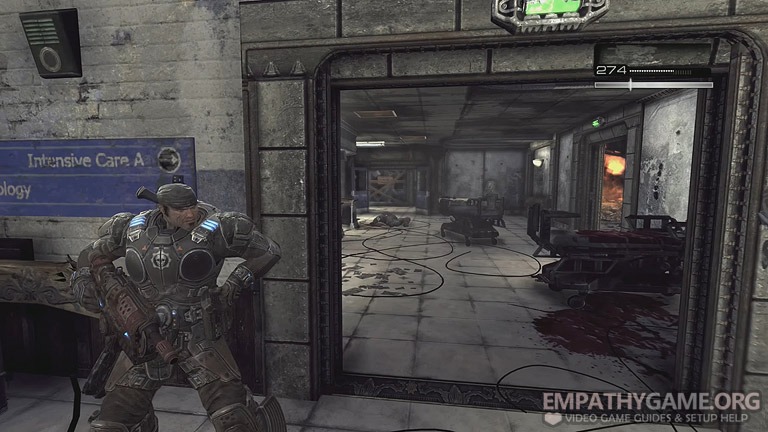
Cover Combat Feels More Reliable Without Losing Its Weight
The rhythm is familiar. Marcus sprints toward a barrier, settles behind it, watches the enemy’s firing lanes, and exposes himself just long enough to return fire. Improved cover detection reduces the awkwardness of moving between nearby surfaces compared with the first game. An unintended movement can be fatal when every position matters. The roadie run lets Marcus cross open ground quickly, but it is not a general-purpose escape button. Running blindly toward the next wall can leave him trapped. Making cover easier to enter does not make every route to it sensible.
The heavy controls are both an attraction and a restriction. Marcus cannot freely dance around opponents in the way a faster action shooter allows. A few feet of movement become a decision, with little opportunity to recover after choosing badly. The commitment makes a successful flank satisfying, though it can feel stubborn when enemies suddenly close the distance.
Active reloads give the quieter seconds behind cover a purpose. Hitting the timing window brings ammunition back quickly and can provide an extra benefit; missing it leaves the weapon unavailable at exactly the wrong moment. Reloading before an advance becomes preparation, especially when the next piece of cover is too distant to reach in one sprint. Down But Not Out creates a related tension when someone falls. A wounded soldier can crawl toward safety, but a rescue forces a teammate to expose themselves. Executions and meat shields offer an advantage only if reaching the body is worth the risk.
Weapons Matter Because Enemies Refuse to Respect Safe Positions
The arsenal matters more for function than raw power. The Gnasher shotgun is lethal up close, but the Lancer and semi-automatic Hammerburst have a useful defensive role before an opponent reaches that range. In Versus, sustained rifle hits can slow someone charging straight toward a shotgun fight. An early sightline can therefore protect the gap and force an aggressive opponent to find another route. Shotgun rushes remain dangerous, but carry more risk. It is a small balancing choice with a noticeable effect on how defenders read approaching enemies.
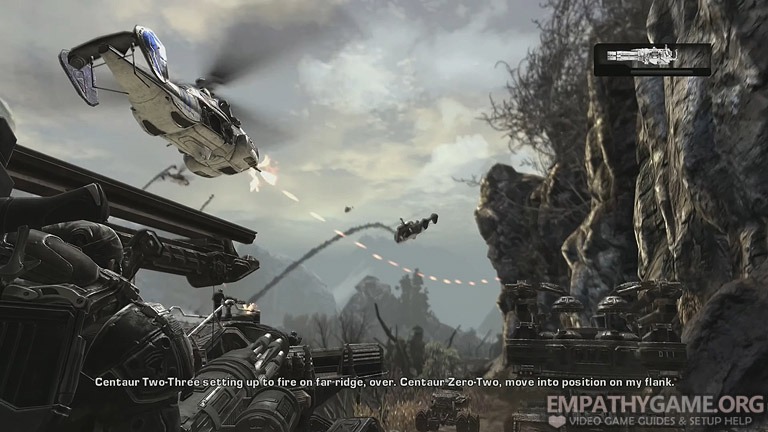
Heavier weapons change the calculation again. The Mulcher suppresses a lane and the Mortar threatens distant cover, but both sacrifice mobility. The Scorcher is effective against threats nearby, and the Lancer’s chainsaw duels add a brutal, if fairly simple, close-range contest. Plantable grenades and the Boomshield are less spectacular, but often more tactically useful. They let a squad restrict enemy approaches before an attack begins.
The Locust make those choices matter. Tickers can force Marcus away from otherwise sound cover before they explode. Kantus enemies can revive fallen troops, so ignoring the support unit may undo a hard-won advance. Shield-carrying Maulers push into firing lanes that ordinary enemies would hesitate to cross. Bloodmounts are more difficult to stop through damage alone, but concentrated fire at the creature’s head can interrupt its approach, briefly opening a chance to deal with the beast or its rider. Identifying threats becomes as important as accuracy. The question is often which threat will ruin the position first, not simply which target is closest.
A More Varied Campaign, With Some Less Welcome Detours
The Grindlift assault gives the war an unfamiliar scale. Delta Squad joins a military offensive amid vehicles, drills, and soldiers rather than another isolated urban fight. The journey then moves through underground caverns, strange Locust structures, threatened settlements, and spaces that feel increasingly distant from the world humans understand. The Hollow gains its own geography rather than becoming another dark corridor. The change also gives the campaign a sense of travelling into enemy territory rather than simply surviving where the Locust appear.
Its best changes of pace still rely on the player’s relationship with the battlefield. Razor hail, for example, makes exposed ground dangerous and turns overhead shelter into something more valuable than the nearest low wall. The game changes where it makes sense to stand. Familiar cover mechanics suddenly require a different approach.
Not every attempt at variety is as effective. The Centaur and scripted turret sequences change the scenery while removing much of the positioning that makes gunfights satisfying. Some hazards become clear only after a failed attempt. Uneven checkpoints compound that problem on harder settings: dying in one encounter can mean repeating enemies that were already dealt with, so the punishment extends beyond the mistake that caused it. The bigger campaign is not always better to control.
Dom’s Search Gives the War a More Personal Direction
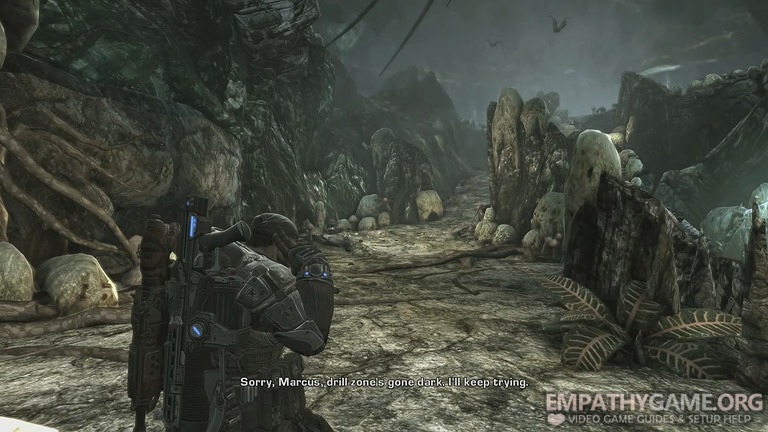
With Jacinto under threat and rust lung spreading, the COG’s assault feels desperate rather than triumphant. Marcus remains a dependable, blunt-spoken centre, while Dom Santiago’s search for his missing wife, Maria, gives the underground mission a purpose that military objectives alone could not provide. The war’s scale makes that private concern more fragile.
Tai Kaliso and Ben Carmine reveal the strain on less hardened soldiers. Baird and Cole’s banter keeps the group recognisable, although the writing sometimes rushes from loss back into tough talk before a quieter moment has settled. Some of the larger mysteries receive less attention than their introduction seems to promise. The personal thread succeeds more consistently than its dialogue. It makes the mission matter to Dom in a way that even the largest battlefield cannot express on its own.
The locations carry much of the atmosphere. Damaged surface settlements give way to damp caverns, luminous underground spaces, and Locust architecture that feels hostile even when no enemy is visible. The heavy report of rifles, chainsaw noise, creature sounds, and urgent orchestral score make the fighting feel substantial. The contrast gives the descent beneath Sera its identity.
Co-op Makes Better Use of the Squad Than Solo AI
Two-player campaign co-op fits the level design particularly well. One person can hold a firing lane while the other advances, and split routes create opportunities to attack the same position from complementary angles. Reviving a partner is also a meaningful choice rather than an automatic favour: someone must leave safety, and the remaining player needs to make that movement possible. Separate difficulty selections let partners face different challenges together.
Solo play shows the limits of relying on Dom to make those decisions. On Insane, he can absorb fire that would quickly overwhelm Marcus, creating time for a careful shot or a flank. At other moments, Dom charges into danger, falls, and forces a rescue that exposes Marcus to the fire he was avoiding. Allied shots can also detonate nearby Tickers. His durability sometimes makes a hard fight easier, so the problem is not simply weak companion AI. It is the unpredictability: an otherwise sensible position can become impossible to hold because of an ally’s decision. With a human partner, the same rescue mechanic feels like a shared risk rather than an unwanted interruption.
Horde Makes Survival About Terrain and Compromise
Horde is the sequel’s most distinctive addition beyond the campaign. Up to five players face 50 increasingly difficult waves without classes, purchased defenses, or elaborate fortifications. Weapons and terrain must suffice. Where to stand, when to retrieve ammunition, and who can safely rescue a fallen teammate become more important than the individual kill count.
Even so, there is room for invention. A Boomshield dropped by an enemy can be planted across an entrance to form a makeshift barricade. On Pavilion, a small alcove becomes easier to defend when the shield restricts an approach, but the advantage creates a new problem: ammunition still lies outside the safe area. Staying conserves lives until ammunition runs low; leaving risks the defense. Even a strong hiding place needs an exit plan. That trade-off is a stronger source of tension than a menu full of building options would necessarily be.
Security’s laser barriers provide shelter but punish poor timing when they reactivate before a new wave. Even a carefully fortified position can be disrupted by Bloodmounts, Grinders, or shield-bearing Locust. Horde works because a successful defense never feels completely permanent. Without lasting upgrades, though, repeated runs can feel familiar before wave 50. For players who prefer learning maps and improving teamwork, however, that lack of progression is part of the appeal.
Versus Rewards Teams That Know When Not to Chase
The competitive modes take familiar shooting rules and give players different reasons to protect one another. Wingman pairs need to balance staying close enough to help with separating far enough to create another angle. In Guardian, the team’s leader matters more than the next easy elimination because teammates can respawn only while that leader survives. Submission turns a struggling captive into an objective that must be moved and defended. Positioning becomes a shared responsibility rather than an individual contest.
The maps contribute their own complications. Hail drives players toward shelter as the weather becomes lethal, while Avalanche can transform the centre of a fight. Combined with rifle stopping power and the short reach of the Gnasher, these hazards give Versus a strong sense of contested space. It can also feel unforgiving to players expecting constant movement and quick recoveries.
Replayability Depends More on Mastery Than Rewards
Marcus does not gain skill trees or equipment levels across the campaign. Progress means surviving the acts, finding War Journal collectibles, and eventually approaching encounters on Insane with a better understanding of enemy behaviour and safe routes. Understanding when to flank, reload, or rescue someone makes familiar fights richer, though checkpoints can slow that learning.
Horde and Versus provide the broader reasons to return. Maps change defensive options, Horde waves demand adaptation, and human opponents remain unpredictable. The maps and teammates change more than Marcus does. Gears of War 2 asks players to enjoy getting better at the firefight itself, which is a strength for some and a clear limit for anyone who needs a steady stream of unlocks.
Final Verdict
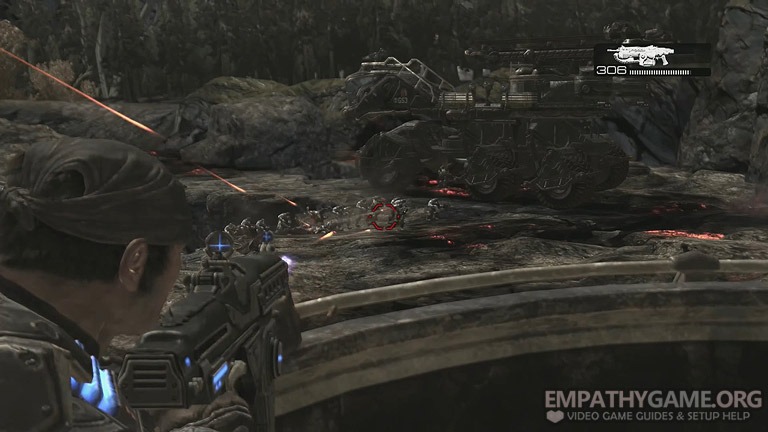
Gears of War 2 is a stronger sequel not simply because it adds more weapons, enemies, and enormous battles, but because its better moments give familiar cover combat more interesting problems to solve. Improved movement, rifle stopping power, enemy variety, and cooperative encounters deepen combat without losing its weight. Horde is especially successful at turning ordinary maps into long tests of preparation, ammunition, and trust. Dom’s story gives the war a human cost, even when the dialogue struggles to match its ambition.
The less controlled vehicle sections, inconsistent companion AI, and occasionally punishing checkpoints are harder to ignore on higher difficulties. Players who want fluid, open-ended movement or subtle character writing may find the sequel too rigid and blunt. Those who enjoy deliberate shooting and surviving a dangerous advance with a partner will find plenty to master. For all its spectacle, the game’s most convincing achievement remains making a few metres between two pieces of cover feel important.
Gears of War 2 Pros & Cons
- Pro: Weighty cover-based combat with satisfying Lancer chainsaw clashes, heavy weapons, and enemy executions
- Pro: Varied campaign set pieces that take Delta Squad from besieged cities into the Locust Hollow
- Pro: Two-player campaign co-op and distinct difficulty selection for each partner
- Pro: Original 50-wave Horde mode adds a strong teamwork-focused challenge beyond the campaign
- Pro: Official Xbox Cloud Gaming provides a PC-access option without local emulation in supported regions
- Con: No official native Windows release or corresponding PC storefront installation
- Con: Xenia Canary setup requires an owned Xbox 360 copy, extra preparation, and tolerance for rendering or compatibility issues
- Con: Some vehicle sequences feel less precise than the game’s cover-focused firefights
- Con: Campaign story leaves important threads unresolved and the standard combat loop can become familiar
Gears of War 2 PC System Requirements
No official native Windows PC system requirements exist for Gears of War 2. The game was released for Xbox 360. The specifications below belong to the independently developed Xenia Canary emulator, not to a Microsoft Windows edition. Emulator requirements do not guarantee a fixed frame rate or flawless compatibility with this game.
XENIA CANARY — DOCUMENTED MINIMUM HOST-PC REQUIREMENTS:
OS: Windows 10, 64-bit, or newer
CPU: 64-bit x86 processor with AVX or AVX2 support
RAM: 4 GB
GPU: Direct3D 12-compatible or Vulkan-compatible GPU
Software: Microsoft Visual C++ x64 Redistributable for Visual Studio 2017–2026
XENIA CANARY — DOCUMENTED RECOMMENDED HOST-PC SPECIFICATIONS:
OS: Windows 11, 64-bit, or newer
CPU: Processor with 6 or more cores
RAM: 6 GB or more
GPU: NVIDIA GeForce GTX 980 Ti or newer (Xenia Canary’s published recommendation)
Additional PC Performance and Setup Notes
Xenia Canary’s published minimum only describes hardware capable of attempting emulation. A stronger modern processor and discrete graphics card may help, but no honest game-specific minimum FPS target can be guaranteed from the emulator’s general specifications. The project cautions about potential AMD driver issues and weak integrated-GPU performance. Direct3D 11 and OpenGL are not supported rendering backends.
Start at the emulator’s defaults with a wired or wireless XInput gamepad and the standard 16:9 presentation. If Gears of War 2 shows missing or dark shading, use the official Xenia Canary patch installation instructions and its Gears of War 2 patch file to try the specific Black Shading Fix. Higher internal resolution and frame-rate patches are optional experiments, not official PC upgrades; change one variable at a time and preserve your working setup.
For browser-based Xbox Cloud Gaming, local emulator CPU/GPU requirements do not apply. The more important conditions are Xbox cloud availability in your region, an eligible subscription or game ownership, a compatible controller, and a sufficiently stable internet connection.
Official Trailer
Note: This official Gears of War 2 “The Last Day” promotional trailer, preserved by IGN, introduces the campaign’s bleak mood; the guide above covers PC access, emulation, and setup details the video does not explain.
Frequently Asked Questions
Can you play Gears of War 2 in split-screen on PC?
The original Xbox version supports two-player local split-screen, but Xbox Cloud Gaming does not provide a supported way to connect two local players to one cloud session. For conventional couch co-op, use a compatible Xbox console. Xenia Canary has experimental community approaches to local multiplayer, but split-screen functionality is not guaranteed by the standard emulator.
Does Gears of War 2 support four-player campaign co-op?
No. The story campaign supports a maximum of two players, with one controlling Marcus Fenix and the other Dom Santiago. Horde mode supports up to five players, but it is a separate survival mode rather than a four-player story campaign.
Can co-op partners choose different difficulty settings?
Yes. Gears of War 2 allows each campaign co-op player to select an individual difficulty level. An experienced player can therefore choose Hardcore or Insane while their partner uses an easier setting, making the campaign more approachable for players with different skill levels.
Can you play Gears of War 2 Horde mode alone?
Yes. The original Horde mode can be played solo or cooperatively with up to five players. It contains 50 increasingly difficult waves of Locust enemies, including Boomers, Grinders, Maulers, and Bloodmounts. Solo play is considerably less forgiving because there are no human teammates to revive you or cover multiple approaches.
Does Gears of War 2 Horde have fortifications or character classes?
No. The original Horde mode focuses on surviving enemy waves with the weapons, ammunition, and environmental cover available on each map. Purchasable barriers, turrets, and fortification upgrades were introduced later in Gears of War 3’s Horde 2.0, so the second game’s survival experience is simpler and more dependent on positioning and teamwork.
Can you play Gears of War 2 multiplayer against AI bots?
Yes. Competitive multiplayer supports computer-controlled opponents, allowing players to fill available slots in matches that support up to ten participants. This is useful for practicing weapons and map layouts without relying on a complete group of human opponents. AI bots in Versus should not be confused with having computer-controlled teammates in the original Horde mode.
What are Wingman, Guardian, and Submission modes?
Wingman divides players into teams of two competing against other pairs. Guardian gives each team a designated leader, with respawning dependent on keeping that leader alive. Submission revolves around capturing an armed, AI-controlled character and carrying him to the designated scoring location, creating a more unusual objective than ordinary team deathmatch.
Does Gears of War 2 support LAN or System Link multiplayer?
Yes. The original Xbox 360 edition includes System Link for compatible local-network multiplayer sessions. However, standard Xenia Canary does not support Xbox 360 System Link or connect to official Xbox Live, so the console’s LAN capabilities should not be assumed to work through normal Windows emulation.
How do you unlock Insane difficulty in Gears of War 2?
Complete the main campaign once on Casual, Normal, or Hardcore to unlock Insane difficulty. Insane makes enemies considerably more dangerous and is better suited to players who already understand cover positioning, active reloads, enemy attack patterns, and the campaign’s more demanding encounters.
How many collectibles are in Gears of War 2?
The campaign contains 41 collectibles, including documents, journals, and other items that expand the background of Sera and its ongoing war. Progress is tracked through the War Journal, and missed collectibles can be recovered by replaying the relevant campaign chapters rather than restarting the entire story.
What is the Road to Ruin DLC chapter?
Road to Ruin is a bonus campaign sequence included with the Dark Corners content and All Fronts Collection. It follows Marcus and Dom on a route toward Nexus and allows players to choose between a stealth-oriented infiltration and a direct assault. The stealth option is particularly unusual because the main campaign is otherwise built primarily around open combat.
How does the Down But Not Out system work?
When a character is downed rather than killed immediately, they can crawl toward cover or a teammate who may be able to revive them. Downed enemies can also be executed or used as temporary human shields. The exact revival and elimination rules depend on the campaign difficulty or multiplayer mode, making team positioning particularly important.
Do you need to play the first Gears of War before Gears of War 2?
No, although playing the original first is recommended for the strongest story experience. Gears of War 2 continues Marcus Fenix and Delta Squad’s conflict with the Locust, building on existing relationships and earlier events. Newcomers can follow the central invasion storyline, but returning players will better understand the characters and emotional stakes.
How long does it take to finish Gears of War 2?
A typical first campaign playthrough takes approximately 10–12 hours, depending on difficulty, exploration, and whether it is played cooperatively. Searching for all collectibles, completing Insane difficulty, and pursuing achievements can take considerably longer. Horde and competitive multiplayer do not have a fixed completion time comparable to the story campaign.
Can you play Gears of War 2 with a mouse and keyboard through Xenia?
Xenia Canary provides keyboard input options but does not offer native mouse aiming equivalent to a Windows shooter. An Xbox-compatible XInput controller is the more reliable choice because Gears of War 2 was designed around the Xbox 360 gamepad. Keyboard mapping does not transform the game into an official mouse-and-keyboard PC port.
Does Gears of War 2 run at 60 FPS on Xbox Series X and Series S?
Yes. The backward-compatible Xbox version supports Microsoft’s FPS Boost feature on Xbox Series X|S, raising its original frame-rate target to 60 FPS. This is a console-level enhancement, not a native Windows remaster or a guarantee that Xenia Canary will achieve the same performance on a PC.
Do you need an Xbox subscription to play Gears of War 2 online?
Online multiplayer on Xbox consoles generally requires an eligible Game Pass membership that includes online console multiplayer. Local split-screen and offline single-player do not require a paid online multiplayer subscription. Xbox Cloud Gaming has separate access conditions based on the supported plan, game ownership, device, and region.
Still have questions?
Check the Gears of War Reddit community, the official Gears of War 2 page, or the Xenia Canary FAQ for additional discussion, Xbox game information, and emulator troubleshooting.
Sources & References
Key factual and technical information in this guide was checked against relevant official and community sources, including:
- Official Gears of War 2 game page — campaign co-op, competitive modes, Horde and game identity
- Xbox game listing — console ownership, backward compatibility, cloud entitlements, and DLC access
- Xbox Cloud Gaming listing — browser-streaming support and controller requirements
- Xenia Canary Quickstart — emulator hardware requirements, owned-copy preparation, and import workflow
- Xenia Canary Game Patches — installation and compatibility requirements for optional emulator patches
- Gears of War 2 game-specific patch file — documented graphics, shading, and optional display adjustments
- All Fronts Collection on Xbox — the 19-map package and Road to Ruin bonus chapter
- Metacritic’s Xbox 360 review archive — original release chronology and critical reception
Similar Games Like Gears of War 2
- Transformers: War for Cybertron
- Transformers: Fall of Cybertron
- Spec Ops: The Line
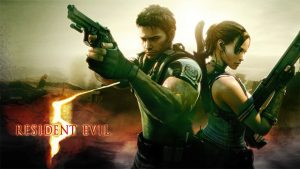
- Resident Evil 5
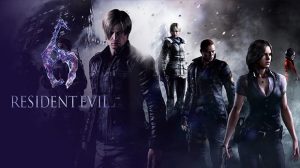
- Resident Evil 6
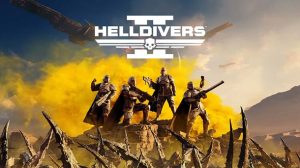
- Helldivers 2
Found something worth playing through DecideGame?
DecideGame.com is an independent gaming project run by Editor Zero. If this guide helped you discover a game, solve a problem, or find useful information, you can support DecideGame.com and help keep new and updated game guides coming.
DecideGame — PC Game Guides, Reviews & Setup Help