
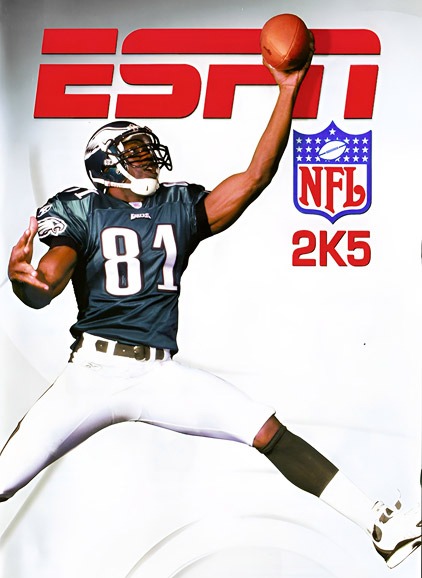
📅 Game released: 2004
ESPN NFL 2K5 is Visual Concepts’ American football simulation, remembered for its television-style ESPN presentation, tactical on-field play, deep Franchise mode, and distinctive V.I.P. opponent profiles. There is no official Windows game download, so this PC guide explains how to play a legally owned PS2 copy through PCSX2, what Xbox owners should know about xemu, and which emulator system requirements, controller settings, and compatibility limitations matter.
 By Editor Zero — independently researched, edited, and maintained.
Last updated: 20 November 2026
Last reviewed: 20 November 2026
Table of Contents
- Quick Facts
- Official PC Stores, Download & Installation
- ESPN NFL 2K5 Review
- Pros & Cons
- PC System Requirements
- Frequently Asked Questions
- Similar Games
ESPN NFL 2K5 Quick Facts
- Game: ESPN NFL 2K5 / ESPN NFL 2005 (European PS2 title)
- Developer: Visual Concepts
- Publisher: Sega; distributed with Take-Two / Global Star in North America
- Genre: American football simulation, Sports, Multiplayer
- Release: July 20, 2004 (North America); no native Windows PC release
- Platforms: PS2, Xbox
- Modes: Exhibition, Franchise, ESPN 25th Anniversary, First-Person Football, local multiplayer; historical console online play
- Best PC Emulation Route: PS2 version through PCSX2; original Xbox version via xemu as an alternative
- Engine: Not officially confirmed by a reliable named-engine source
- Community: NFL 2K5 Reddit community, Operation Sports technical discussion
- PC modding: Unofficial roster, texture, and community modification projects exist for original console versions; no official native-PC mod tools or Steam Workshop release
- Metacritic score: 90/100 (PS2); 92/100 (Xbox)
- IGN score: 9.3/10 (PS2); 9.4/10 (Xbox)
- Steam user reception: Not available on Steam
Official PC Store Status, Download & Installation
👇 ESPN NFL 2K5 has no official Windows game download. Use the ownership-based setup instructions below to run your own PS2 copy with PCSX2, or compare the more involved original Xbox emulation route.
- Official Windows status: Sega released ESPN NFL 2K5 for PS2 and the original Xbox, not Windows. There is no verified native PC edition on Steam, Epic Games Store, GOG, Microsoft Store, or an official publisher PC launcher. A GOG Dreamlist request does not constitute a released PC version.
- Choosing a console copy: The PS2 edition is the recommended starting point for a Windows guide because PCSX2 provides a documented BIOS-and-disc workflow and lists the game as playable. The Xbox edition has some presentation advantages on original hardware, but xemu requires a more involved Xbox-specific setup.
- Download PCSX2: Get the Windows installer or portable build from the official PCSX2 download page. Install it and follow the first-launch wizard; the Windows build may require the current Microsoft x64 Visual C++ runtime, as described in PCSX2’s official installation guide.
- Supply your PS2 BIOS: PCSX2 requires BIOS files taken from an actual PlayStation 2 you own; the emulator download does not include them. Follow the official PCSX2 BIOS-dumping instructions, then select your extracted BIOS in the first-run setup. Do not use third-party BIOS packs.
- Create your game backup: Use a lawfully acquired PS2 copy of ESPN NFL 2K5 and, where local law permits a personal backup, follow PCSX2’s official disc-dumping instructions to create a usable disc image with a compatible PC optical drive. The emulator does not include the copyrighted game or supply a game download.
- Load ESPN NFL 2K5: In PCSX2, add the folder containing your own disc image to the game list, or use its ISO/game-loading controls to select the file. Launch the game from the library and create a normal PS2 memory-card save. Keep a backup of your virtual memory-card data before experimenting with modifications.
- Controller configuration: Use a Windows-compatible gamepad and configure the emulated DualShock 2 buttons and analog sticks in PCSX2’s controller settings. Map a second controller for local multiplayer; verify the controls in an Exhibition match before beginning a longer Franchise save.
- Graphics starting point: Begin with PCSX2’s default emulation settings and a supported renderer such as Vulkan or Direct3D 11. Try native resolution first, then raise internal rendering resolution gradually if your hardware can maintain full game speed. Do not copy old speedhack values without evidence that your emulator version needs them.
- PS2 widescreen option: The PS2 game has a widescreen-capable presentation, but its original aspect-ratio behavior can look imperfect on a modern 16:9 display. Configure the emulated PS2’s System Configuration screen for 16:9 and match the PCSX2 display aspect ratio. If the image or HUD still looks distorted, return to 4:3 rather than merely stretching the picture; community discussions also describe optional PCSX2 widescreen patches. Progressive Scan is a separate display setting, not a widescreen switch.
- PS2 compatibility caveats: The PCSX2 game wiki lists the North American PS2 version as playable, but some historical test reports mention a startup-video freeze and blurry textures when upscaling with mipmapping. These are version- and configuration-dependent reports, not guaranteed defects of recent builds. Test the game before changing graphics hacks; if necessary, consult the game’s compatibility page.
- Original Xbox alternative: Owners of the Xbox edition can use xemu with their own Xbox game backup and required console files. Read xemu’s required-files and disc-image documentation first. Its community compatibility report calls NFL 2K5 playable with minor issues, including some intro/Crib audio problems, missing creation-screen graphics, and possible performance dips on certain camera views. The report is historical, so results can vary.
- Multiplayer and legality: Local games are the straightforward multiplayer choice on an emulated copy. Original-era online services should not be treated as active PC matchmaking. PCSX2 and xemu are emulator programs, not licensed game stores; the legality of creating personal backups and extracting console firmware depends on your jurisdiction.
 Download PCSX2 from Its Official Website (Emulator Only)

ESPN NFL 2K5 Review
A thoughtful football simulation where even ordinary Sundays feel like major broadcasts.
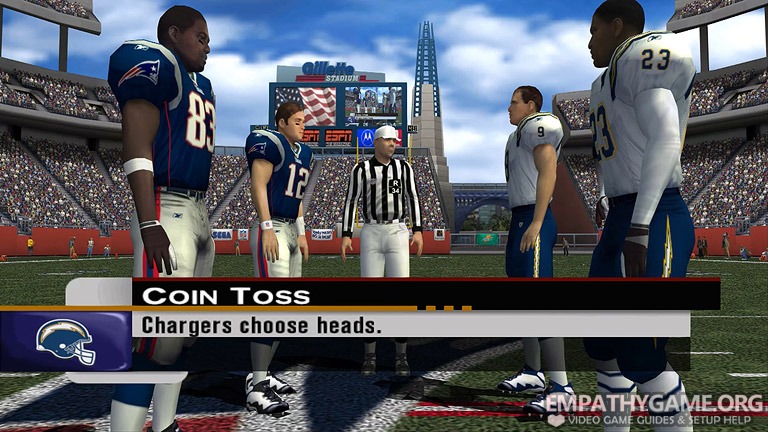
A three-yard run can explain much of what makes ESPN NFL 2K5 interesting. The halfback waits behind his blockers, finds just enough space and falls forward through a tackle. The gain feels earned because positioning, patience and contact all played a part. Visual Concepts builds its football around these small decisions, then surrounds them with the kind of television coverage usually reserved for the biggest NFL moments. The football underneath deserves just as much attention. Passing can be unpredictable, defensive AI sometimes contradicts sensible tactics and Franchise becomes less convincing over time. Those problems matter, but they do not erase how well the game’s strongest ideas fit together.
Running Rewards Patience More Than Constant Speed
The running game asks players to look at the offensive line rather than immediately at the end zone. A back carries momentum into a cut, and changing direction too sharply can cost the space a blocker has just created. On an inside handoff, accelerating before the guard clears a lane may bring the runner straight into contact. Waiting a moment can turn the same play into a useful gain, making blocking assignments feel important even without direct control.
Jukes, spins, stiff-arms and charge-enhanced moves provide ways to deal with defenders once the opening appears. Evading a linebacker in space asks for different timing from pushing through a safety near the first-down line. A controlled cut might preserve momentum; a more committed move can leave the carrier vulnerable if it fails. Speed burst helps once the back is clear, but overusing it makes changing lanes harder. The game is at its most satisfying when the player earns five difficult yards instead of simply finding the fastest runner.
Contact supports that feeling. Defenders arrive from different angles, gang tackles bring runners down and short-yardage stops can look appropriately messy. Players sometimes slide into tackles or change posture abruptly. Those awkward moments interrupt a running system built around meaningful decisions.
Passing Depends on Rhythm as Much as Accuracy
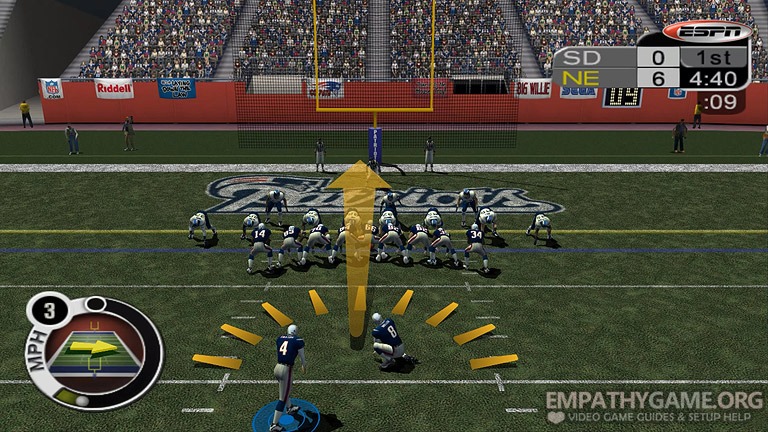
Passing has a steeper learning curve because its timing is not well explained. Three- and five-step drops, and some longer ones, are designed around when receivers reach particular points in their routes. The quarterback settling at the end of a drop and a receiver breaking toward the sideline are useful signals that the throw is ready. Continuing to drift backward or releasing before the cut can disrupt the intended rhythm. An incompletion that looks arbitrary may come from disrupted timing rather than inaccurate aiming.
Maximum Passing gives the quarterback some influence over ball placement. Leading a receiver away from coverage or putting the pass into open grass adds another decision after identifying the target. Throw strength and trajectory matter too: a sharp sideline throw and a lofted ball over a defender ask for different judgments. When pass protection, route timing and placement agree, completing a difficult throw feels like solving a problem rather than pressing the correct receiver button.
Receiver motion can help distinguish man coverage from zone: a defender following a moving player suggests one assignment, while a secondary holding its shape suggests another. It is a clue rather than a guarantee, particularly against disguised looks. Audibles and hot routes allow a response rather than locking the offense into its original call.
The frustration is that smart passing does not always produce consistent results. Some routes are too dependable on lower difficulties, while other throws bring odd receiver reactions. Raising the difficulty and adjusting sliders can make games more competitive without solving every mismatch. Mobile quarterbacks create a different kind of imbalance. When a defense struggles to contain a scramble, running for a third-down conversion may be easier than executing the passing play that was called. It can make the demanding passing mechanics seem unnecessarily risky.
Defense Gives the Player Control Without Always Delivering Control
Defensive play-calling starts before the snap. Hot routes and positioning adjustments let linebackers and defensive backs respond to what the offense appears to be preparing. Against an opponent relying on short passes, tighter coverage might be more useful than a new blitz. Against a vertical passing attack, bringing too many defenders toward the line risks leaving the secondary exposed.
Maximum Tackle adds a smaller but worthwhile choice. A secure stop makes sense when preventing a first down is enough; trying to deliver a powerful hit risks missing the carrier altogether, especially in open space. Multiple defenders joining a tackle give successful stops physical weight.
The trouble starts when the AI fails to follow the logic of that plan. Defensive backs occasionally lose their assignments, and pressure can lead to sacks that feel too accessible. CPU quarterbacks may also rush short throws as soon as their dropbacks finish, leaving little sense that they are working through several reads. In Coach Mode, the mismatch between timing, protection and coverage becomes more noticeable. The issue is not simply that the computer makes mistakes. Its decisions can make a carefully chosen defensive call feel less meaningful than it ought to.
The ESPN Presentation Gives Results a Life Beyond the Field
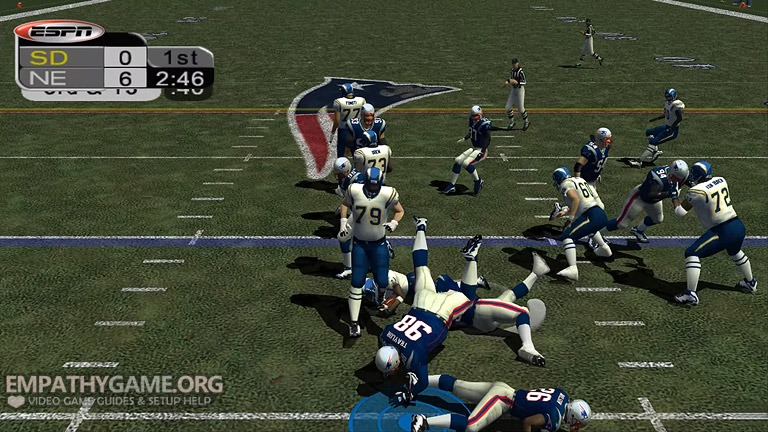
ESPN NFL 2K5 has no scripted story, but it is remarkably good at making a football season produce its own. Chris Berman’s introductions and highlights establish the television setting, Suzy Kolber appears in sideline coverage and postgame interviews, while Dan Stevens and Peter O’Keefe provide the play-by-play commentary. Replays revisit a decisive collision, statistical overlays explain why a player matters and camera cuts linger on the reactions between snaps. The effect is to give individual plays context.
Franchise strengthens the connection. SportsCenter coverage follows injuries, transactions and results elsewhere in the league, with Trey Wingo and Mel Kiper Jr. contributing to the wider broadcast package. A win can feel different when a division rival has also won, or when an injury elsewhere changes the next matchup. The television material helps bridge the space between games and management menus. It lets an otherwise ordinary matchup feel connected to a wider competition, not simply the next item on a schedule.
The presentation is not perfectly convincing. Commentary repeats, interviews can sound stitched together and player models have the stiffness expected of their era. Some celebrations and celebrity appearances lean toward entertainment rather than authentic NFL coverage. Still, stadium noise, the sound of contact and the variety of broadcast angles create a convincing sense of occasion. Football includes anticipation and aftermath, and the presentation recognizes both.
Franchise Turns Preparation Into Part of the Contest
Franchise gives the broadcasts something substantial to follow. Managing contracts, signing bonuses and salary-cap space means a strong immediate signing can weaken the flexibility needed in later seasons. Drafting rookies, managing injuries and exploring free agency gradually change how a team can compete. A team built around a powerful running back demands a different strategy from one relying on a young quarterback.
Weekly Prep pushes the coaching idea further by asking how limited practice time should be spent. Film study, conditioning, training, scrimmages and rehabilitation compete for attention during the week. Preparing for a dangerous pass rush may justify extra protection work, while an injured starter creates pressure to allocate recovery time. There can be drawbacks to an excessive workload, so the temptation to fill every available session is not necessarily rewarded. Preparation becomes another limited resource, not a guaranteed bonus before kickoff.
It can also feel like administrative work. The system has many variables and does a poor job explaining how one activity relates to the next rating change. For players who enjoy testing coaching decisions, the complexity is appealing. Others can leave it aside and concentrate on matches.
Long-Term Franchise Play Exposes Its Less Convincing Rules
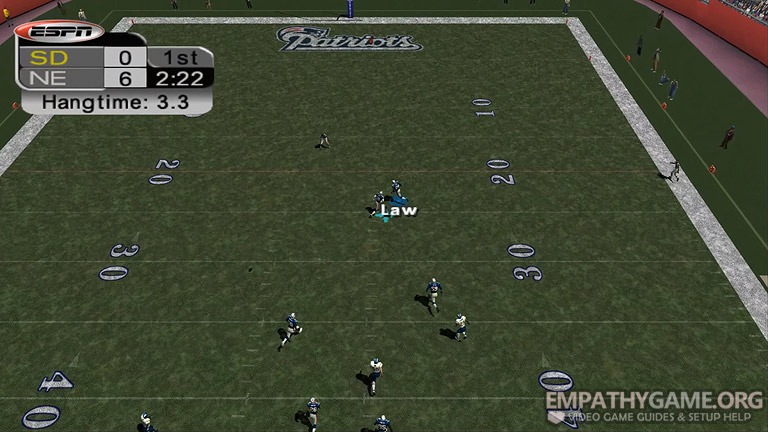
Longer Franchise saves expose questionable decisions behind the scenes. Player development does not always seem to match performance. A receiver can deliver an outstanding season and still lose overall rating points, while a reserve with little playing time improves. These examples do not establish the progression formula, but they make long-term investments harder to judge.
CPU drafting has similar weaknesses. First-round selections can lean heavily toward quarterbacks, running backs, offensive tackles and defensive ends, sometimes overlooking positions that seem more urgent for a particular team. Across several drafts, rival rosters may become less believable and the human player gains unearned advantages.
That gap between ambition and simulation logic is especially noticeable because so much of Franchise is designed to preserve continuity. When progression or drafting loses credibility, it weakens that larger picture. The contracts, broadcasts and changing rosters all promise an evolving league; that is why the weak logic is noticeable. Franchise remains involving, but its depth should not be mistaken for perfect realism.
V.I.P. and Side Modes Offer Different Reasons to Return
The V.I.P. system is one of the game’s more unusual experiments. It records tendencies and uses them to create an AI opponent based on a person’s habits. A preference for particular formations or repeated passing choices can give that opponent a recognizable style. Facing that imitation also makes it easier to notice your own predictable habits. It captures broad habits better than spontaneous adjustments, but fits the game’s emphasis on reading an opponent.
ESPN 25th Anniversary mode takes a more historical approach, recreating memorable situations such as the Immaculate Reception and the Heidi Bowl. These are focused challenges, though their predetermined objectives cannot recreate everything that made the real moments dramatic and unpredictable. First-Person Football is more experimental. Changing to an on-field perspective makes passing lanes and approaching defenders harder to judge and gives collisions a different sense of scale. The broadcast camera remains more practical, especially for reading the full field and reacting to open receivers.
The Crib initially looks like a collection of furniture, trophies and celebrity distractions. Its completion goals reach much further, however, with some demanding rare feats such as unusually long fumble-return touchdowns. For completionists, progress can depend as much on rare situations as skill, making the last unlocks unusually stubborn. Historical rosters, fantasy drafts, custom teams, local multiplayer and adjustable difficulty provide less eccentric ways to keep the game interesting.
Final Verdict
ESPN NFL 2K5 is most convincing when its football decisions and presentation support each other. The running game asks for patience, passing rewards an understanding of timing and coverage, and defensive adjustments give players genuine problems to solve. Franchise then makes the outcome of those problems matter beyond one afternoon. The ESPN coverage is memorable not simply because it resembles television, but because it connects the individual matches into something that feels like a season.
Passing balance and defensive AI can undermine even careful play, while progression and draft decisions become questionable during longer Franchise saves. Weekly Prep may be too demanding for someone who only wants to play football, and the optional modes are uneven. Players expecting modern responsiveness and dependable AI may hesitate. For those who enjoy reading a defense, building a roster and following the consequences of a season, though, there is still unusual depth here. The broadcast is what first stands out; the thoughtful football underneath is what gives it lasting value.
ESPN NFL 2K5 Pros & Cons
- Pro: ESPN-style presentation, replays, and studio segments give NFL games a convincing broadcast identity.
- Pro: Distinctive running, passing, tackling, and defensive systems reward reading the play.
- Pro: Franchise, Weekly Prep, V.I.P. profiles, First-Person Football, and anniversary challenges add variety.
- Pro: PCSX2 offers a practical ownership-based way to play the original PS2 edition on Windows.
- Con: No native Windows release, official PC download, or official PC system requirements.
- Con: PS2 emulation needs a separately obtained game copy and BIOS from owned hardware.
- Con: Some passing and defensive-AI behavior, interfaces, and creation tools show their age.
- Con: Emulation compatibility and historical online features cannot be assumed to match original-console operation.
ESPN NFL 2K5 PC System Requirements
Official Windows requirements: Not available. ESPN NFL 2K5 was never officially released as a native Windows game. The specifications below are PCSX2 emulator host-PC requirements, not system requirements published by Sega or Visual Concepts for NFL 2K5. They come from PCSX2’s official requirements and are not game-specific benchmark results.
PCSX2 MINIMUM (general emulator baseline):
OS: Supported 64-bit Windows 10 (22H2 or applicable LTSC) or newer
CPU: x86-64 with SSE4.1; at least 4 physical cores with SMT; PassMark single-thread score of 2,000 or higher
GPU: Vulkan 1.1, Direct3D 11 (Feature Level 10.0), or compatible OpenGL 3.3; PassMark G3D score of 600 or higher
RAM: 8 GB
Additional software: Current Microsoft Visual C++ x64 runtime for Windows PCSX2 builds
Console files: PS2 BIOS dumped from your own console
Game media: Your own lawful PS2 disc image, or supported direct-disc use
PCSX2 MODERATE TIER (general emulator guidance):
OS: Windows 11
CPU: x86-64 with AVX2; at least 6 physical cores; PassMark single-thread score of 2,500 or higher
GPU: Vulkan 1.3, Direct3D 12 (Feature Level 11.0), or compatible OpenGL 4.6; PassMark G3D score of 6,000 or higher; 4 GB VRAM
RAM: 16 GB
Storage: Space for PCSX2, the BIOS dump, virtual memory-card data, and your game backup; exact total depends on the disc image and selected features
Additional PC Performance and Setup Notes
Start with PCSX2’s default renderer and native internal resolution before increasing image quality. Upscaling can sharpen the field and player models, but it cannot replace the original artwork or guarantee perfect presentation of television graphics, video segments, and interface overlays. Use ordinary in-game memory-card saving for a long Franchise campaign and keep backups of the virtual cards. Game-specific performance varies: meeting PCSX2’s general minimum does not guarantee flawless NFL 2K5 emulation on every computer.
Display format: NFL 2K5’s PS2 version supports widescreen-related settings, so a separate generic 16:9 fix is not a prerequisite for playing. Check the emulated PS2 System Configuration and PCSX2 aspect-ratio options before enabling any optional widescreen patch. If players look stretched, a faithful 4:3 picture is preferable to forcing the window to fill a widescreen monitor. The NFL 2K5 widescreen discussion documents the unusual original display behavior, but its menu screenshots and version-specific advice refer to older PCSX2 releases.
Xbox-emulation alternative: xemu has separate Windows requirements and firmware/disc preparation needs. Do not use the PCSX2 figures above as an xemu hardware guarantee; see xemu’s documentation and NFL 2K5’s xemu compatibility record if you own the Xbox edition.
Official Trailer
Frequently Asked Questions
What is ESPN 25th Anniversary Mode in NFL 2K5?
ESPN 25th Anniversary Mode features 25 challenges based on memorable moments from NFL history. Each challenge places you in a particular football situation and asks you to reproduce or change the outcome. It offers a different experience from ordinary Exhibition matches and Franchise games, especially for fans interested in classic NFL events.
How does the V.I.P. system work in ESPN NFL 2K5?
The V.I.P. system records your playing tendencies, including passing frequency, running preferences, formations, and defensive decisions. The game uses this information to create an AI-controlled opponent that imitates your style. You can even compete against your own V.I.P. profile to identify predictable habits and weaknesses in your strategy.
What does Weekly Prep do in Franchise mode, and can you disable it?
Weekly Prep lets you schedule practices, film study, conditioning, and rehabilitation between games. These activities can temporarily improve or weaken player attributes depending on the chosen workload, making excessive training potentially counterproductive. You can disable Weekly Prep in Franchise settings if you prefer managing your roster and playing games without detailed training schedules.
Can you start a Franchise with a fantasy draft?
Yes. Enable the Fantasy Draft Roster option when creating a Franchise to draft players from across the NFL instead of using the original 2004 team rosters. This allows you to build a completely different squad around your preferred quarterback, running game, defensive strategy, or combination of star players.
Does ESPN NFL 2K5 have a standalone Season mode?
No. Unlike some earlier football games, NFL 2K5 does not have a separate traditional Season mode. You can use Franchise mode to play a complete NFL season, including the playoffs and Super Bowl, without needing to continue into subsequent years if you only want a single-season experience.
Can two players manage different teams in the same Franchise?
Yes. ESPN NFL 2K5 supports multiplayer Franchise management, allowing more than one user-controlled team within the same league. Players can manage their own teams and play their scheduled games, although the Franchise calendar requires teams to progress through the season together rather than independently jumping ahead.
What is First-Person Football, and is it a player career mode?
First-Person Football changes the camera to an on-field perspective, making passing, running, tackling, and reading defensive coverage feel very different from the normal broadcast-style view. It is an alternative way to play football matches, not a modern player career mode with a custom athlete’s personal progression. The game also allows switching camera perspectives during play.
How does Maximum Passing work in ESPN NFL 2K5?
Maximum Passing gives you additional control over where the quarterback places a throw. With the option enabled, you can use the left analog stick while passing to influence the ball’s placement relative to your receiver, such as leading him away from a defender. It rewards timing and accurate reads but can also cause incomplete passes when the direction is poorly judged.
How do speed bursts and charged special moves work?
The running controls distinguish between tapping the speed-burst button and holding it. Repeated taps provide bursts of speed, while holding the button builds power for stronger special moves such as a forceful shoulder charge. Learning when to accelerate and when to prepare a tackle-breaking move is important for getting the most from your running backs.
What is The Crib, and how do you unlock its rewards?
The Crib is a customizable virtual room where you can spend credits earned through gameplay and milestones on furniture, decorations, and other unlockables. It also includes interactive activities and celebrity football challenges delivered through its telephone feature. These extras provide optional goals beyond winning ordinary NFL matches.
Can you create custom players, teams, and playbooks?
Yes. NFL 2K5 includes roster management and creation tools for custom players and teams, along with options to edit team rosters, depth charts, and playbook selections. These features let you experiment with different squad combinations and offensive or defensive approaches without depending entirely on the original NFL lineup.
Does ESPN NFL 2K5 include historical NFL teams?
Yes. The game includes historical team selections alongside its contemporary 2004 NFL roster. They provide another way to enjoy exhibition-style football and compare teams from different periods. Historical teams are separate from the ESPN 25th Anniversary challenges, which focus on recreating particular NFL situations.
Can you update ESPN NFL 2K5 with modern NFL rosters?
Yes, through unofficial community-created roster files and modifications. Dedicated NFL 2K5 communities have produced updated player ratings, team rosters, uniforms, and other enhancements, but these are not official Sega updates. Compatibility depends on the console version, emulator, save format, and particular modification, so preserve your original save files before using community content.
Which difficulty and sliders should beginners use in NFL 2K5?
Pro is a reasonable starting difficulty for learning passing, defensive positioning, and the game’s distinctive running controls. All-Pro and Legend provide tougher challenges, while adjustable gameplay sliders let you fine-tune areas such as passing, catching, tackling, and defensive effectiveness. If one difficulty feels too easy and the next too punishing, adjusting a few sliders is often more useful than adopting an extreme preset.
Does ESPN NFL 2K5 support couch multiplayer or split-screen?
Yes, it supports local multiplayer, but football matches use a shared field view rather than separate split-screen cameras. The original Xbox version supports up to four local players, while the PS2 version supports up to eight with Multitap accessories. PCSX2 can emulate PS2 Multitap connections, although additional controller configuration may be necessary for games involving more than two players.
Are ESPN NFL 2K5’s original online servers still available?
No. The original PS2 and Xbox online services, including their official matchmaking and online league infrastructure, have been discontinued. Running the game through PCSX2 or xemu does not automatically restore those services. Local multiplayer remains the simplest dependable option, while any third-party network replacements must be evaluated separately.
What are the main differences between the PS2 and Xbox versions of ESPN NFL 2K5?
Both versions contain the main football gameplay, Franchise mode, and signature ESPN presentation. The Xbox edition offers some graphical advantages, full video clips in certain highlight presentations, and support for customized stadium music using audio stored on the original Xbox hard drive. The PS2 version uses still-image sequences for some highlights but is the more straightforward choice for Windows emulation through PCSX2.
Still have questions?
Check the NFL 2K5 Reddit community, the Operation Sports ESPN NFL 2K5 forums, or the official PCSX2 documentation for more information about gameplay, Franchise strategies, community rosters, controllers, and emulator setup.
Sources & References
Release information, critical reception, and the Windows emulation workflow were checked against the following original or established technical sources:
- GameSpot — ESPN NFL 2K5 Ships — original July 2004 release and PS2/Xbox platform confirmation.
- Metacritic — ESPN NFL 2K5 — platform-specific PS2 and Xbox critic aggregates.
- PCSX2 — Running PCSX2 — official Windows installation and runtime guidance.
- PCSX2 — Dumping BIOS and Dumping Discs — ownership-based console BIOS and personal game-backup procedures.
- PCSX2 — System Requirements — official general minimum and moderate host-PC specifications.
- PCSX2 Wiki — ESPN NFL 2K5 — community-maintained game compatibility reports and version-specific caveats.
- xemu — ESPN NFL 2K5 Compatibility — original Xbox alternative and community-reported video, audio, and performance issues.
Similar Games Like ESPN NFL 2K5






Found something worth playing through DecideGame?
DecideGame.com is an independent gaming project run by Editor Zero. If this guide helped you discover a game, solve a problem, or find useful information, you can support DecideGame.com and help keep new and updated game guides coming.
DecideGame — PC Game Guides, Reviews & Setup Help