
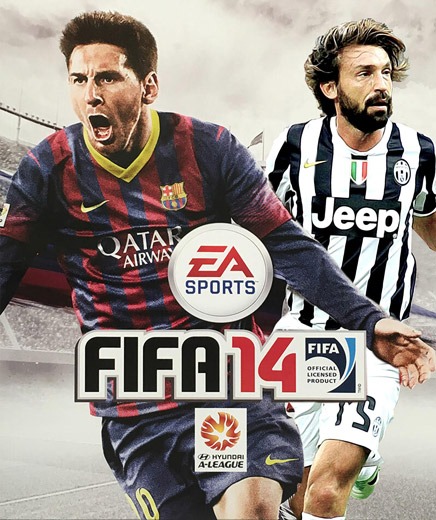
📅 Game released: 2013
FIFA 14 is EA Sports’ 2013 football simulation, combining more deliberate ball control, club and player careers, licensed competitions, and local matches. This PC guide explains its official download and ownership status, which offline modes remain usable after the online shutdown, historical system requirements, controller setup, and PC-specific differences from the PS4 and Xbox One versions.
 By Editor Zero — independently researched, edited, and maintained.
Last updated: 5 November 2026
Last reviewed: 5 November 2026
Table of Contents
- Quick Facts
- Official PC Stores, Download & Installation
- FIFA 14 Review
- Pros & Cons
- PC System Requirements
- Frequently Asked Questions
- Similar Games
FIFA 14 Quick Facts
- Game: FIFA 14 / FIFA Soccer 14 (North America)
- Developer: EA Canada (EA Vancouver)
- Publisher: Electronic Arts (EA Sports)
- Genre: Sports, Football / Soccer Simulation, Multiplayer (local play; official online services discontinued)
- Release: September 24, 2013 (North America, including Windows PC); September 27, 2013 (Europe)
- Platforms: Windows PC, PS2, PS3, PS4, PSP, PS Vita, Xbox 360, Xbox One, Wii, Nintendo 3DS; separate iOS and Android editions
- Modes: Single-player Kick-Off, tournaments and Career; local multiplayer; formerly online Seasons, Co-op Seasons and Ultimate Team (services retired)
- World Cup content: FIFA 14 Ultimate Team: World Cup was an online update, now unusable after server shutdown; the separate 2014 FIFA World Cup Brazil game was not released natively on PC
- Steam Deck: Not available on Steam; no official Steam Deck compatibility rating
- Engine: EA’s pre-Ignite FIFA technology on Windows PC; the Ignite engine was used for the PS4 and Xbox One editions, not PC
- Community: FIFA Career Mode Reddit, FIFA Infinity modding forum
- PC modding: Unofficial kits, squads, leagues, faces and presentation patches; FIFA Infinity Patch 14 is one established community project
- Metacritic score: 87/100 (Windows PC)
- IGN score: 9/10 (Windows PC review)
- PC Gamer score: 89/100 (Windows PC)
- Steam user reception: Not available on Steam
Official PC Store Status, Download & Installation
👇 Use the notes below to check FIFA 14’s official Windows availability, understand lawful re-download options for existing owners, and avoid outdated purchase or online-play claims.
- Official PC availability: FIFA 14 was originally sold as a Windows game through retail channels and EA’s Origin service. It is no longer offered for new purchase through EA’s digital PC store; no verified official Steam, GOG or Epic Games Store purchase listing exists.
- Existing EA owners: If FIFA 14 was purchased or redeemed on your EA/Origin account, sign into the official EA app and check Library. If the game appears with an installation option, use that account-linked download. Availability and successful launching of this older title are not guaranteed on every modern PC.
- Missing game in Library: Confirm you are using the original EA account, check hidden or missing entitlements, and follow EA’s missing-games guidance before contacting EA Support. An old Origin receipt is useful evidence of ownership but does not itself guarantee that the game can still be installed.
- Physical PC copies: The original DVD edition is a legitimate format, but its activation and account requirements matter. A used disc is not proof that its product code is unused, transferable or still redeemable; verify the seller’s license terms and ask EA Support about entitlement problems rather than assuming a second-hand code will work.
- EA Play: FIFA 14 was removed from EA Access (the predecessor to EA Play on consoles) and should not be presented as a current EA Play benefit. Check official subscription catalogs for other football games instead.
- Online services: EA permanently closed FIFA 14’s official online services on October 18, 2017, including Ultimate Team. Online Seasons, Co-op Seasons, online head-to-head and other EA-server features should be treated as unavailable.
- Offline content: Properly installed, activated copies can still offer offline Kick-Off, Player and Manager Career, and local matches. These do not restore connected features, real-world Match Day updates, Ultimate Team rosters, or online account progression.
- PC vs. newer consoles: The Windows release follows the PS3/Xbox 360 generation of FIFA 14. It does not contain the PS4/Xbox One Ignite-engine rendering and animation overhaul; do not select a console trailer or feature list as proof of PC-exclusive capabilities.
- World Cup confusion: The historical FIFA 14 Ultimate Team: World Cup update depended on the retired online service. It is not a separately installable offline PC World Cup game, and 2014 FIFA World Cup Brazil was a distinct console release.
- Safe downloads: This guide does not provide a game installer, unauthorized disc image, activation bypass or third-party key. Download the client only from EA, use an existing verified entitlement where available, and avoid websites claiming to provide a working unofficial FIFA 14 PC package.

FIFA 14 Review
Weightier movement makes thoughtful football rewarding, even when familiar shortcuts undermine the realism.
One of FIFA 14‘s most important changes is that sprinting no longer feels like the answer to every attacking problem. A winger who runs straight at a defender has to live with his momentum, while a midfielder receiving under pressure may need to protect the ball before looking for a pass. EA Canada’s football simulation is still recognisably FIFA, but these small delays change what matters during a match. A little space can be more valuable than another burst of speed, and the move that creates a goal can be satisfying well before the shot itself.
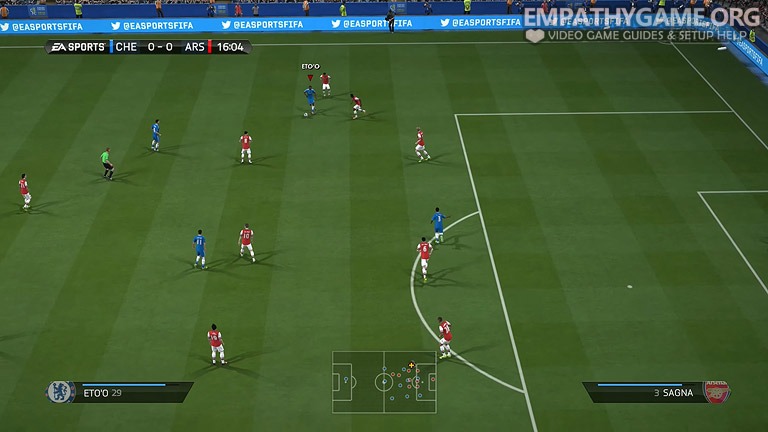
That ambition creates an interesting contradiction. FIFA 14 rewards patient buildup, yet a well-delivered cross toward a powerful striker can sometimes accomplish more than an elaborate move through midfield. Certain finesse-shot positions can become reliable too. Passing assistance occasionally misreads an intention, while goalkeepers can react bafflingly. The football does not always behave convincingly, but it often gives the player better reasons to think, even when the game fails to honour those decisions.
Movement Makes Sprinting a Decision, Not a Default
Precision Movement is the foundation of FIFA 14’s changed rhythm. Footballers have to plant a foot, build speed and slow down before reversing direction. If a full-back rushes toward a winger, a delayed touch inside can leave that defender travelling the wrong way. The difference is more than an animation improvement. Poor positioning now has a more visible cost, while recognising when to hold ground becomes part of defending rather than a passive alternative to tackling.
Variable Dribble Touches adds a useful distinction between carrying the ball in space and controlling it near an opponent. Sprinting pushes the ball farther ahead and makes an ambitious run easier to interrupt. Agile, technically accomplished players tend to handle those situations more comfortably than defenders being asked to dribble out of trouble. Sprint Dribble Turns gives attackers a sharper change of direction, but even that move carries some commitment. Pace still matters enormously; the improvement is that pace needs somewhere to go.
That is why Protect The Ball fits the system so well. A striker with his back to goal can shield possession while a teammate moves into support, then lay the ball off or turn when the defender becomes impatient. It opens a third choice between immediately passing and trying to dribble through contact. Shielding is not a guaranteed escape, though. Without a supporting runner, holding the ball can simply invite another challenge, and a defender approaching from the right angle can still dispossess the attacker.
Right-stick skill moves remain available for players who prefer to beat a marker directly. They are most convincing when used to create an opening rather than bypass the need for one. Anyone comfortable with FIFA 13’s quicker changes of direction may initially read the new weight as sluggishness. There is a learning curve here, but it serves a purpose: the player has to decide when accelerating is worth surrendering some control.
Passing Works Best When Teammates Read the Same Game
The slower movement would accomplish little if the other ten footballers stood waiting for instructions. FIFA 14’s revised Teammate Intelligence helps forwards check toward the ball, drift into available space and adjust runs as defenders move. Opposing players track runners and obstruct obvious routes. A useful attack might consist of three ordinary midfield passes, followed by one through ball after a marker has been drawn just far enough away. That is where the game’s approach pays off. Instead of winning through one exceptional input, the player creates a situation in which an ordinary pass becomes dangerous.
Not every teammate shares that understanding. A forward can stray offside at the moment the passing lane finally opens. Assisted passing can also select a different recipient from the one the player had in mind, especially when teammates occupy similar directions. More frustratingly, the chosen recipient is not always the problem. An awkward weaker-foot pass, sometimes struck with the outside of that foot when a cleaner delivery looks possible, can spoil the move even though its intended destination was sensible.
Those errors stand out in a game that asks players to study angles and body position. Losing possession after a risky pass makes sense; seeing an ordinary one mishandled feels different. Defending exposes the opposite side of the same system. Chasing with the nearest player can pull an entire line out of shape, while occupying a passing lane and choosing when to press often works better. When the AI responds convincingly, midfield becomes a contest of decisions. When it does not, the game undermines the tactical logic it has encouraged.
Pure Shot Gives Finishing Character, but the Shortcuts Remain
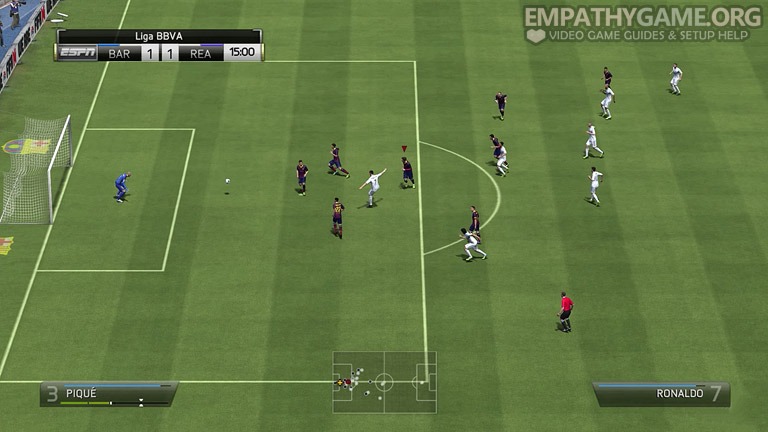
Pure Shot and Real Ball Physics make the final touch more expressive. A striker approaching the ball in stride adjusts his footing before contact, and the resulting effort can dip, curl or travel with a flatter trajectory. A carefully arranged chance at the edge of the penalty area does not look or feel quite like a desperate shot taken while off balance. This is a worthwhile connection between buildup and finishing: preparing the chance can affect the quality of the strike, rather than merely determining how close the player stands to goal.
The shooting model is less convincing once particular finesse-shot angles become familiar. A curling attempt from the right position can prove dependable enough to tempt the player into looking for the same opening repeatedly, even with a relatively modest finisher. It does not mean that every finesse shot succeeds or that individual shooting attributes cease to matter. The issue is the incentive. A mechanic built to produce varied goals can also encourage the search for one reliable pattern.
Crossing presents an even more revealing contradiction. In a straightforward 4-4-2, quick wide players can deliver toward tall target men such as Andy Carroll or Lacina Traoré. The height and physical presence of such forwards give direct attacking a clear purpose, and there is nothing inherently wrong with that. Football should reward different styles. But when crosses and headers become unusually difficult to contain, the intricate midfield play encouraged by Precision Movement can feel like the harder route to the same reward. FIFA 14 is more interesting when direct play is an alternative, not an obvious answer.
Goalkeepers add another layer of inconsistency. A close-range save can look convincing, only for a fairly ordinary effort to draw a slow response or an awkward parry into danger. The game sometimes produces a wonderful goal that feels earned from first pass to final touch, then concedes one whose outcome seems disconnected from the preceding decisions. That unpredictability can create drama, but there is a difference between the uncertainty of football and an outcome that makes the player question the simulation.
Difficulty and Assistance Can Change the Character of a Match
It is tempting to judge FIFA 14’s passing rhythm by its default assistance settings, yet those settings influence the experience almost as much as the movement changes. Assisted passing makes quick combinations accessible, at the cost of sometimes choosing a target the player did not intend. Manual passing offers more responsibility over direction and power. A precisely weighted through ball becomes more satisfying, but simple possession can be harder to maintain until the controls feel natural.
Pass-error sliders are especially important because they affect the flow of an entire match, not just isolated mistakes. Too little error allows possession to become comfortable and pressing to lose its bite. Too much can turn midfield into a succession of loose balls, with little opportunity to build an attack. Adjusting the balance, including the CPU’s passing behaviour, can change how believable the competition for space feels. There is no single ideal setting for every skill level. A configuration that creates a demanding Career match may make a casual local fixture needlessly untidy.
Higher difficulties introduce their own questions. On Legendary, a fast attacker can sometimes be caught by a defender whose listed sprint-speed and acceleration ratings suggest an apparent disadvantage. Positioning, stamina, the angle of the chase and the first touch all matter, so a surprising recovery is not evidence that the game simply ignores those numbers. Still, the occasional mismatch can make player attributes feel less dependable than expected. A tough opponent is most satisfying when it wins through better movement and decisions, not when the difference between two footballers becomes difficult to read.
Presentation Makes Ordinary Fixtures Feel Important
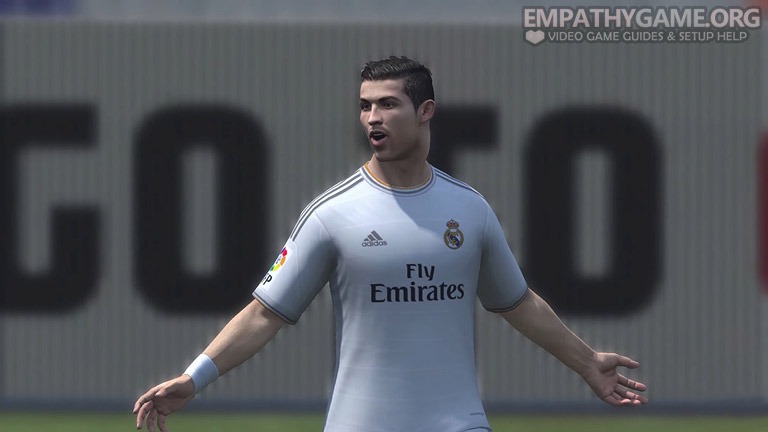
There is no conventional campaign story in FIFA 14, but the matches generate their own drama. A striker missing the chance to equalise, a defender surviving the final attack or a smaller club progressing through a cup all provide enough narrative without scripted dialogue. Licensed teams and kits make the sides immediately recognisable, while broadcast-style cameras, replays, commentary and crowd noise turn familiar football situations into occasions.
Presentation works best when the atmosphere follows the stakes. Crowd reactions and replays give a late goal room to register, although repeated commentary lines and celebrations eventually lose their effect. Some player animations also look stiff beside the more physical movement system. On Windows, FIFA 14 uses the older-generation visual technology rather than the Ignite-engine presentation of the PS4 and Xbox One editions. The difference is visible, but the game’s distinctive appeal is still in the choices made once play resumes.
Manager Career Makes Scouting More Interesting Than Shopping
Manager Career gives FIFA 14 its strongest long-term structure. A club needs results, but it also needs a balanced squad, affordable contracts, reasonable transfer decisions and a plan for players who may not be ready for the first team. A weak defence cannot always be fixed by buying a star striker, however tempting the extra goals may be. The appeal is in seeing how decisions made between fixtures affect what happens during them.
The Global Transfer Network fits that approach. Rather than exposing every prospect’s full ratings, scouts search selected regions and player profiles before gradually reporting what they find. A midfielder may suit the club’s budget and formation without every detail being certain. Waiting for more information lowers the risk of a bad signing, but the transfer window might close first. Recruitment becomes a judgment about incomplete evidence, not simply a matter of sorting players by their overall rating.
Youth development creates a less comfortable version of the same dilemma. An academy prospect may have promising potential but little immediate value as a substitute, yet still press to be promoted to the senior squad. The manager has to weigh that future promise against limited squad places and the possibility of losing the player. This is a meaningful decision in principle. It becomes frustrating when the pressure arrives before a youngster has a realistic role, making the system feel more impatient than the development process it is meant to represent.
Board expectations can also lose touch with circumstances. Asking a newly promoted side to challenge for Champions League qualification may create an ambitious headline objective, but it is a questionable way to judge a manager working with limited resources. There is a difference between a difficult target and one that makes a sensible season look like failure. Career Mode works best when its obstacles seem connected to the club being managed. At those moments, an unexpected cup run or a shrewd transfer has a context beyond the final score.
Player Career and Offline Challenges Offer Different Reasons to Return
Player Career provides a useful contrast to managing the whole club. Instead of controlling every position and shaping the squad, the focus moves toward one footballer’s performances, movement and development. A good attacking run is not automatically rewarded with a pass. Staying available, judging where to move and contributing without possession become important in ways that are easy to overlook when controlling the entire team. It is a narrower kind of football, but that limitation is also what gives the mode its personality.
Skill Games and Practice Arena make a different argument for replayability: improving an action can be enjoyable even without league points at stake. Passing, dribbling and finishing challenges break the larger match into manageable problems. Repeating a free kick until the direction and power become familiar provides immediate feedback, although reproducing it with a wall, goalkeeper and match clock in the way is another challenge entirely. Custom tournaments and Kick-Off offer the more traditional alternative, especially with local opponents who learn each other’s habits.
Eventually, the match engine’s patterns become familiar. There is little reason to experiment if the same crosses or shooting positions keep producing goals. A fresh club, altered tactics or a more demanding control setup can make familiar fixtures interesting again, as can the satisfaction of improving at the football itself. FIFA 14 offers plenty to replay, but some of that variety depends on resisting the easiest approach.
Final Verdict
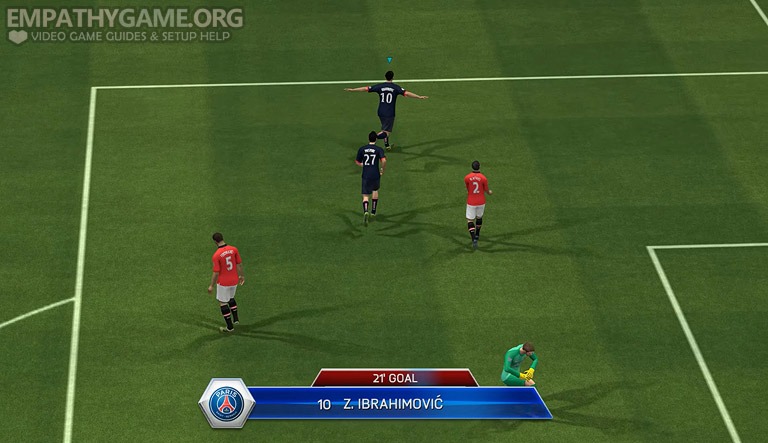
FIFA 14 is most convincing when it asks for restraint. Holding a defensive position instead of charging forward, protecting the ball while support arrives and waiting for a passing lane to open are modest actions, yet they give an ordinary attack a satisfying sense of preparation. Precision Movement, shielding and improved off-ball runs make those decisions matter, while the Global Transfer Network extends that thoughtful approach into Manager Career.
The game does not always follow through on its own ideas. Crosses toward powerful forwards and well-practised finesse shots can undermine attacking variety. Passing assistance, awkward striking-foot choices and unpredictable goalkeeping sometimes weaken the connection between intention and result. Career Mode is absorbing, but its youth demands and board objectives occasionally feel less believable than the football on the pitch.
Players who enjoy creating space, experimenting with formations and developing a club across several seasons have the best reason to appreciate FIFA 14. Those who want effortless dribbling, consistently transparent AI or the visual refinement of newer football games will notice its compromises sooner. Its value lies in something more specific than realism alone: even an uneventful passage through midfield can be interesting when deciding what to do next genuinely matters.
FIFA 14 Pros & Cons
- Pro: More measured passing, shielding and Pure Shot mechanics give on-pitch decisions satisfying weight.
- Pro: Player and Manager Career, tournaments and local matches provide meaningful offline variety.
- Pro: Global Transfer Network adds scouting decisions and uncertainty to Manager Career.
- Pro: PC community projects can refresh offline squads, kits and presentation for owners of a working copy.
- Con: Ultimate Team and official online multiplayer are permanently unavailable.
- Con: No normal official PC purchase route remains, and old activations may be awkward on modern systems.
- Con: PC missed the Ignite-engine visual and animation upgrades included on PS4 and Xbox One.
- Con: Older presentation, occasionally clumsy teammate reactions and weighty turning may frustrate players used to newer entries.
FIFA 14 PC System Requirements
These are historical launch-era Windows requirements widely published for FIFA 14, not a guarantee of compatibility with Windows 10 or 11 or the modern EA app. EA no longer maintains a readily available live FIFA 14 product listing with an authoritative requirements table; historical sources differ in some minimum CPU/GPU details. The figures below follow the contemporary FIFA 14 specification listing at FIFPlay.
MINIMUM (2013 PC release):
OS: Windows Vista SP1 / Windows 7 / Windows 8 (historical support)
CPU: 1.8 GHz Intel Core 2 Duo or equivalent
RAM: 2 GB
GPU: DirectX 9.0c-compatible 256 MB card supporting Pixel Shader 3.0; listed examples include ATI Radeon HD 3600 series and NVIDIA GeForce 6800 GT
DirectX: 9.0c
Storage: 8 GB plus additional room for saves and DirectX components
Input: Keyboard and mouse or compatible dual-analog gamepad
RECOMMENDED (2013 PC release):
OS: Windows Vista SP1 / Windows 7 / Windows 8 (historical support)
CPU: Intel Core 2 Quad Q6600 (2.4 GHz) or AMD Athlon II X4 600e (2.2 GHz)
RAM: 2 GB
GPU: NVIDIA GeForce 8800 GT or ATI Radeon HD 4650
DirectX: 9.0c
Storage: 8 GB plus additional room for saves and DirectX components
Input: Compatible dual-analog gamepad recommended
Additional PC Performance and Setup Notes
Modern Windows is a separate compatibility question: Original requirements describe Windows-era hardware, not the EA app’s current operating-system requirements. EA’s desktop client now targets 64-bit Windows 10/11, and an original game activation or launcher dependency may prevent a seemingly powerful modern PC from starting FIFA 14. If you own the game, use its legitimate installation and EA’s official client/support process first; do not disable security features or use unofficial executable replacements to work around authentication.
Controller or keyboard setup: FIFA 14’s official Windows manual documents controller, keyboard-only and keyboard-plus-mouse controls. In the FIFA launcher, open Game Settings > Button Icons to choose numeric or Xbox-style button prompts. On the opening Press START or SPACE screen, the device used to continue determines which prompts appear. For keyboard remapping, enter the Controller Settings screen with the same input device you want to configure.
Resolution and display: FIFA 14 is not a 4:3-only PC game, so a separate 16:9 widescreen patch is not necessary. Start with the built-in launcher display settings, choose a supported native-monitor resolution, and avoid forcing old graphics tweaks intended for a different FIFA release. The game uses DirectX 9-era rendering rather than the Ignite console engine.
Offline modding: Community projects such as FIFA Infinity Patch 14 can replace database and visual assets in a legitimate PC installation. Follow the original mod author’s version-specific instructions and back up your game files and Career saves before applying changes; database updates can make existing careers incompatible. A mod does not supply the game or restore EA’s retired online modes.
Official Trailer
Note: EA Sports’ official FIFA 14 E3 trailer demonstrates the original PC/PS3/Xbox 360 generation of gameplay, including shooting and on-pitch improvements. The written guide above separates those historical features from today’s PC ownership and online-service limitations.
Frequently Asked Questions
Which FIFA 14 game modes can still be played without EA servers?
FIFA 14’s offline modes include Kick-Off, Manager Career, Player Career, custom Tournaments, Skill Games, Practice Arena, and local multiplayer, provided your legitimate installation launches successfully. Online-dependent modes such as Ultimate Team, Seasons, Co-op Seasons, and Pro Clubs are no longer accessible following EA’s permanent service shutdown.
Does FIFA 14 support split-screen or local multiplayer on PC?
FIFA 14 supports local multiplayer on one Windows PC, allowing friends to play against each other or on the same team using compatible input devices. The PC version supports a keyboard alongside multiple controllers, but matches use one shared view of the football pitch rather than separate split-screen cameras. This local functionality does not require EA’s discontinued online servers.
Can two PCs play FIFA 14 together over LAN?
FIFA 14 does not have a verified built-in PC-to-PC LAN multiplayer mode. Its original network multiplayer relied on EA’s online services, which have been discontinued. Playing together on the same PC remains a separate, locally supported option.
Can FIFA 14 Ultimate Team still be played offline against the AI?
No. Although FIFA 14 Ultimate Team originally included single-player matches, tournaments, and Seasons against computer-controlled opponents, the mode still depended on EA’s online infrastructure. The server shutdown also disabled those offline-looking FUT activities, including the Transfer Market, packs, and Ultimate Team World Cup content.
What is the difference between Manager Career and Player Career in FIFA 14?
Manager Career puts you in charge of a football club, including transfers, scouting, squad selection, budgets, and meeting board expectations. Player Career focuses on controlling an individual footballer, either an existing professional or a created player, while developing their career through matches and performances. Player Career can also lead into a managerial role.
Why are some player ratings hidden in FIFA 14 Manager Career?
FIFA 14 introduced the Global Transfer Network, which makes scouting more important than simply searching a database of known overall ratings. Instead of immediately revealing every attribute, scouts investigate potential signings and produce increasingly detailed reports. Assign a scout to a promising player and allow additional scouting time before committing to an expensive transfer.
How does FIFA 14’s Youth Academy differ from the Global Transfer Network?
The Global Transfer Network searches for existing professional footballers who might join your first team, while Youth Academy scouting discovers young prospects who can be developed for the future. Both systems use scouts, but their staff and recruitment processes are separate. A useful long-term strategy is to balance immediate transfer needs with investment in promising academy players.
Can you create custom football tournaments with national teams in FIFA 14?
Yes. FIFA 14’s offline Tournament mode allows you to play existing competitions or create your own tournaments, choosing participating teams and adjusting the competition structure. National teams can be selected where available in the game. This is separate from the discontinued Ultimate Team World Cup event and the standalone 2014 FIFA World Cup Brazil game.
Can you play as a goalkeeper in FIFA 14?
Yes. FIFA 14 includes Be A Pro Goalkeeper, allowing you to control the goalkeeper rather than the entire team. You are responsible for positioning, anticipating shots, diving, collecting crosses, and distributing the ball. The mode also provides goalkeeper-focused camera options to help you follow the action.
How can beginners make FIFA 14 easier to play?
Start with a lower difficulty setting and enable Assisted controls for actions such as passing and shooting. You can change these options through the game’s Settings and Controls menus. Once comfortable, try Semi-Assisted or Manual controls for greater responsibility over the direction and accuracy of your actions.
Where can you practice free kicks, penalties, and skill moves in FIFA 14?
Use Practice Arena to work on shooting, set pieces, and individual ball control without the pressure of a full match. Skill Games provides structured challenges for techniques such as dribbling, passing, and shooting, with increasingly demanding objectives. Both are useful for improving specific football skills before returning to Career or Kick-Off matches.
Can you still update FIFA 14 squads and transfers without EA servers?
Official squad downloads and live player-form updates are no longer available through FIFA 14’s retired online services. You can still make manual changes through the game’s Edit Teams options, or use compatible community roster modifications with a working PC installation. Unofficial squad patches are not supplied or supported by EA.
Will FIFA 14 roster mods update an existing Manager Career save?
Usually not automatically. Career saves rely on the squad and competition database used when the career was created, so installing a different database may leave existing squads unchanged or cause compatibility problems. FIFA Infinity Patch documentation recommends keeping compatible database versions and backing up saves before major changes; starting a new career is generally the safer option after significant roster or league updates.
Why are FIFA 14’s Financial Takeover, Football Club Catalogue, and Creation Centre unavailable?
These features depended on EA’s discontinued online services. The Football Club Catalogue previously offered unlockable benefits such as Financial Takeover, while Creation Centre allowed players to share and retrieve custom content online. Their original online functionality cannot be restored through normal game settings, although locally available editing features and previously saved content may still be usable.
Does FIFA 14 work on Windows 10 or Windows 11?
FIFA 14 was developed for older Windows versions and has no official modern-Windows compatibility guarantee. Some existing owners may be able to run their copies on Windows 10 or 11, but original activation requirements, EA app compatibility, and older game components can cause problems. Check your legitimate installation and EA account first, and avoid unofficial replacement executables advertised as compatibility fixes.
Still have questions? Check the FIFA Career Mode Reddit community, the FIFA 14 modding discussions at FIFA Infinity, or EA Help for account, ownership, and installation support.
Sources & References
Key factual and technical information in this guide was checked against relevant official and established reference sources, including:
- EA: FIFA 14 launch announcement — original release, Windows availability, licensed content and original game modes.
- EA: Online Services Shutdown — FIFA 14 and Ultimate Team shutdown, plus historical EA Access removal.
- EA Help: Download and play EA app games — account-linked installation and official library download procedure.
- EA: FIFA 14 Windows PC manual — supported control methods, options and offline mode descriptions.
- FIFPlay: FIFA 14 system requirements — preserved launch-era minimum and recommended Windows specifications.
- PCGamingWiki: FIFA 14 — historical availability, local multiplayer, native display support and PC technical context.
Similar Games Like FIFA 14

Found something worth playing through DecideGame?
DecideGame.com is an independent gaming project run by Editor Zero. If this guide helped you discover a game, solve a problem, or find useful information, you can support DecideGame.com and help keep new and updated game guides coming.
DecideGame — PC Game Guides, Reviews & Setup Help