
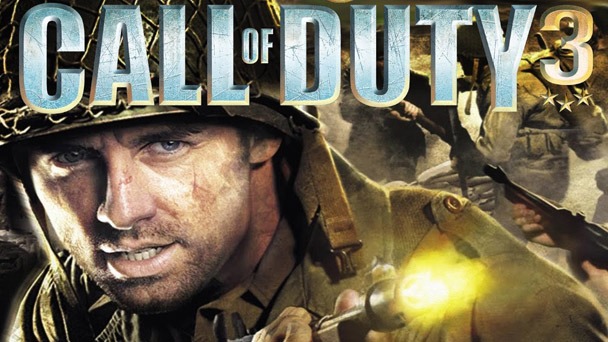
📅 Game released: 2006
Call of Duty 3 is a console-only World War II shooter following four Allied forces through the Normandy breakout. This PC emulation guide explains why no official Windows game download exists, how to use PCSX2 with your own PS2 game and BIOS, the emulator’s system requirements, controller and graphics setup, and the limits of console multiplayer features.
 By Editor Zero — independently researched, edited, and maintained.
Last updated: 9 November 2026
Last reviewed: 9 November 2026
Table of Contents
- Quick Facts
- Official PC Stores, Download & Installation
- Call of Duty 3 Review
- Pros & Cons
- PC System Requirements
- Frequently Asked Questions
- Similar Games
Call of Duty 3 Quick Facts
- Game: Call of Duty 3 (2006); PlayStation 2 version is the primary emulation focus
- Developer: Treyarch; Exakt Entertainment co-developed the Wii version
- Publisher: Activision
- Genre: First Person Shooter (FPS), Multiplayer
- Release: November 7, 2006 (first North American console releases); no native Windows PC release
- Platforms: PS2, PS3, Wii, Xbox, Xbox 360
- Recommended PC Emulation: PS2 version through PCSX2; Windows compatibility: Playable
- Modes: Single-player campaign; version-dependent console multiplayer. The Wii version is single-player only
- Xbox Add-ons: Champs bonus map, Valor Map Pack and Bravo Map Pack for the backward-compatible Xbox edition; not PCSX2 content
- Steam Deck: No native PC or Steam edition and no official Valve compatibility rating; emulation is separate
- Engine: Treyarch NGL (commonly credited for the original console game)
- Community: Call of Duty Reddit, PCSX2 game compatibility page
- PC modding: No native PC modding tools or Steam Workshop; PCSX2 has emulator-level input, graphics and save options
- Metacritic score: 82/100 (PS2); 82/100 (Xbox 360)
- IGN score: 8/10 (PS2); 8.8/10 (Xbox 360)
- Steam user reception: Not available on Steam
Official PC Stores, Download & Installation
👇 Call of Duty 3 was never released as a Windows game. For PC emulation, the most straightforward documented route is the PS2 version in PCSX2, using a legitimate copy of the game and a BIOS dumped from your own PS2.
- No native Windows edition: Activision did not release Call of Duty 3 for PC. Steam, GOG, Epic Games Store, Battle.net and the Microsoft Store do not offer a native Windows game download; do not confuse the separate Xbox console purchase with a PC license.
- Recommended emulator: Use PCSX2’s official download page for the Windows emulator. The PCSX2 Call of Duty 3 compatibility entry lists the North American and PAL PS2 versions as Playable on Windows; this classification does not guarantee full speed on every PC or in every mission.
- Get the correct game version: PCSX2 emulates the PlayStation 2 game, not the Xbox 360, PS3 or Wii editions. Obtain a legitimate PS2 disc and create your own disc image, where local law permits. A separately purchased Xbox digital copy cannot be loaded into PCSX2.
- Create your own PS2 game image: Follow PCSX2’s official disc-dumping instructions to copy an owned PS2 game disc with a suitable DVD drive. The result can be opened in PCSX2; the emulator does not include commercial games.
- PS2 BIOS required: PCSX2 also needs proprietary PS2 BIOS files dumped from your own PS2 console. Follow the official PCSX2 BIOS-dumping guide. The emulator cannot supply a legal BIOS download or run PS2 games without a BIOS. Check the rules that apply where you live before creating backups.
- Install and launch: Install the current PCSX2 Stable build from its official website and complete first-run setup, selecting your own BIOS and game directory. Add the folder containing your PS2 disc image to the game list and launch Call of Duty 3. The official getting-started documentation covers the setup process.
- Controller setup: A gamepad is the most natural choice for the PS2 controls. In Settings > Controllers, use SDL automatic mapping for a supported controller, or manually bind your inputs. PCSX2 also allows keyboard and mouse-to-controller mappings, but it does not turn the PS2 game into an official mouse-aiming PC port.
- Graphics and widescreen: Start with PCSX2’s default or Automatic graphics renderer and native internal resolution. Raise internal resolution gradually if performance allows. The PS2 game’s 16:9 option is reported in PCSX2 compatibility testing; choose the game’s own widescreen setting when available rather than merely stretching a 4:3 image. If geometry appears distorted, switch back to 4:3 and verify both settings.
- Known performance trade-off: The PCSX2 database notes that Call of Duty 3 can slow down during demanding combat scenes on some hardware. Update PCSX2 before troubleshooting old graphical issues; reduce internal resolution or test another supported graphics renderer only when necessary. Do not assume high PC specifications guarantee flawless emulation.
- Multiplayer limits: This guide’s recommended PCSX2 setup is for the single-player campaign. The PS2 edition’s original network functionality is not the same as modern PC online matchmaking, and Xbox 360 multiplayer, split-screen features and DLC do not transfer to PCSX2. Do not expect a working 24-player PC service.
- Wii alternative: Owners of the Wii release can investigate Dolphin Emulator; its compatibility listing rates Call of Duty 3 as Playable. That is a separate Wii game with Wii Remote/Nunchuk controls and no multiplayer. Use an authorized backup of your own Wii copy, not a PS2 disc image.
- Official console option: Microsoft separately sells the Xbox 360 release for supported Xbox One and Xbox Series X|S consoles. This backward-compatible edition and its Champs, Valor and Bravo map add-ons are Xbox products, not Windows or PCSX2 purchases. Region and licensing availability may differ.
- Download safety: Avoid sites presenting Call of Duty 3 as a native Windows installer or offering unauthorized game ISOs, BIOS packages, cracks or repacks. This guide links only to emulator-project downloads, official documentation and a licensed Xbox storefront; it does not distribute copyrighted game files.
 Download PCSX2 from the Official Website
 Buy Call of Duty 3 for Xbox Consoles

Call of Duty 3 Review
An ambitious but uneven Normandy offensive where wider battlefields and class-based multiplayer strain against rushed execution.
Call of Duty 3 sits in an awkward but revealing place between two landmarks. It inherits Call of Duty 2’s regenerating health, smoke-filled advances and squad spectacle, then experiments with wider routes, interactive melee, vehicles and a continuous story. A year later, Modern Warfare would redefine the series. Treyarch’s 2006 sequel therefore feels like a collection of ideas being tested under pressure.
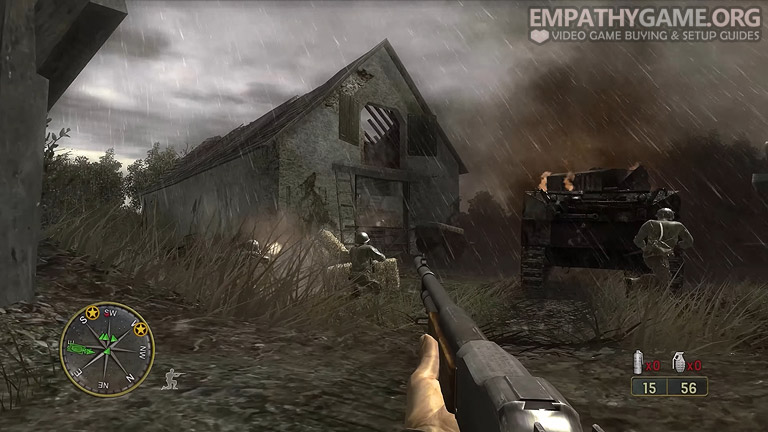
The 14-mission campaign follows American, British, Canadian and Polish forces through the Normandy breakout, giving separate perspectives a shared purpose. Some objectives can be approached in different orders, while grenade throwbacks and vehicles add variation. Multiplayer goes further with seven classes, support abilities, armor and War mode. Yet inconsistent aiming, awkward geometry, sparse checkpoints and visible scripting make the campaign rougher than its predecessor.
Familiar Gunplay Feels Rougher Around the Edges
The combat rhythm remains recognizable. Move with the squad, identify the position controlling the route, use smoke or cover to reduce its advantage, then push before enemy reinforcements settle. Regenerating health encourages short bursts of exposure and recovery rather than searching for medical kits. Staying behind the same wall is rarely a solution because the campaign expects the player to advance the frontline, not eliminate every soldier from safety.
Grenades receive the clearest practical improvement. An enemy grenade can be picked up and thrown back, turning a familiar warning icon into a risky decision. Frag grenades can also be cooked before release, shortening an opponent’s response time but leaving less margin for hesitation. When several explosives land near the same gravestone or ruined wall, deciding whether to return one, flee or trust the cover creates a sharp little crisis. Smoke remains the safer tool for crossing open ground or breaking a machine gun’s sightline.
The weapons are direct and readable. Rifles favor controlled medium-range fire, submachine guns suit interiors, machine guns hold lanes and scoped weapons punish distant positions. Two carried firearms allow sensible combinations. The friction comes from how that shooting meets the environment.
Controller aiming can feel inconsistent. Aim assistance does not always select the intended target, and a weapon raised beside broken masonry may appear clear while its shot catches irregular collision. Soldiers and guns also move through stiff transitions. These problems vary, but they explain why players who considered Call of Duty 2 polished can find its sequel strangely clumsy.
Wider Objectives Create the Best and Worst Missions
Treyarch repeatedly tries to widen the corridor. A village may have two approaches, nearby objectives can open simultaneously, and a broad combat space sometimes permits flanking instead of a direct assault. The route always reconnects with the scripted campaign, but choosing which position to clear first gives the battlefield a useful sense of shape.
“The Hostage” is the strongest expression of that idea. James Doyle and his allies move through an occupied town while rescuing Major Ingram and captured resistance fighters. Different locations can be reached in a chosen order, and driving between them makes the mission feel unusually open for a 2006 Call of Duty campaign. The town is still a controlled combat space rather than a sandbox, yet the objective structure lets the player form a route instead of simply following the squad’s next doorway.
“Falaise Road” shows how the same freedom can become exhausting. Its later factory battle requires charges to be planted around several positions, again allowing the immediate order to vary. In theory, that creates tactical choice. On a high difficulty, it can become a long sequence of clearing one corner, crossing exposed ground and hoping the next checkpoint arrives before a grenade or hidden shooter erases the entire attempt. The objective is open enough to spread danger around the area but not systemic enough to prevent the encounter from depending on scripted pressure.
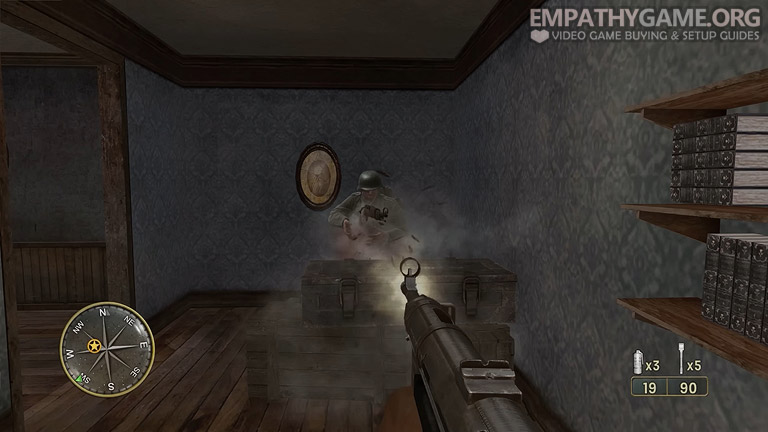
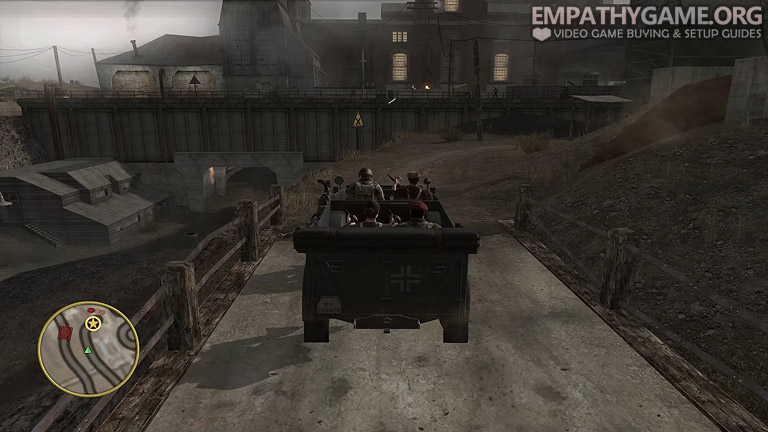
Other diversions are more straightforward. Binoculars mark positions for artillery or air support, stationary weapons anchor defensive stands, and tanks or jeeps briefly alter the scale of combat. These sequences prevent one continuous Normandy rifle fight, although their controls and enemy behavior remain simple. They work as changes of tempo rather than deep vehicle systems.
Close-quarters Battle Actions and multi-step explosive sequences are more intrusive. A German soldier can suddenly begin a button-driven struggle, replacing positioning and weapon handling with prompts. The opening American cemetery demonstrates the better approach: explosions, gravestones and soldiers create drama while the player remains in control. The quick-time interactions feel like experiments inserted into an otherwise coherent shooter.
Scripting and Checkpoints Magnify Every Flaw
Call of Duty 3 depends on forward triggers even more visibly than its predecessor. Enemy positions can keep receiving soldiers until the player crosses an unseen threshold, so disciplined shooting from a safe angle eventually stops producing progress. Friendly troops usually advance once the expected conditions are met, but they can block narrow routes, remain behind cover or fail to initiate the next action promptly.
This structure is manageable when checkpoints are generous. When the gap stretches across several fights, every flaw becomes more expensive. A death near the next objective may require clearing the same buildings and grenade-heavy approach again. If collision, friendly AI or a script misbehaves, a minor problem can erase substantial progress.
Higher difficulties reveal the issue most clearly. Enemy accuracy rises, cover fills with explosives and progress still requires exposure to activate the next phase. Learning where the frontline moves and when smoke provides enough concealment can become satisfying route mastery, but the end of “Falaise Road” feels closer to rehearsing a fragile script than overcoming a responsive force.
Occasional physics failures add accidental comedy. The Medic’s revive can misalign with a fallen teammate or leave the body drifting from the expected spot. Such incidents are not normal, yet they capture Call of Duty 3’s reputation: ambition colliding with unpredictable edges.
One Offensive Brings Continuity but Less Variety
Keeping every mission within the Normandy breakout gives the campaign a clearer through-line than the geographically scattered fronts of Call of Duty 2. Private Nichols, Sergeant James Doyle, Private Cole and Private Bohater represent units whose advances contribute to the same attempt to close the Falaise Pocket. When one perspective changes, the larger operation continues rather than restarting in another theater.
The cost is visual repetition. Muddy fields, hedgerows, stone villages and damaged farms establish a coherent place, but they cannot match the contrast between Stalingrad snow, North African desert and the Normandy cliffs. Rain, fog and different times of day adjust the mood without fully changing the tactical vocabulary. Players who value campaign continuity may appreciate this concentration; those who remember Call of Duty 2 for constant changes of scenery may see a succession of similar German-held roads and towns.
Treyarch gives the squads more interpersonal conflict. The American story builds friction around McCullin, Dixon and radio operator Guzzo, using arguments and losses to make the unit less anonymous. Its hard-edged sergeant, nervous soldiers and sentimental exchanges resemble familiar World War II ensemble films—sometimes closely enough that the drama feels borrowed. The other perspectives introduce resistance fighters, Canadians and Polish armor, but many personalities remain recognizable military types.
The stronger character moments emerge when tension changes responsibility or a loss alters the squad hierarchy. Audio does even more for continuity: artillery rolls across the background, squad chatter turns objectives into battlefield instructions, and enemy voices reveal nearby activity. Joel Goldsmith’s score rises around transitions and losses without smothering the gunfire. Smoke, rain and groups of soldiers create visual density, but faces, body animation and repeated assets plainly show their age.
Multiplayer Is a Genuine Alternative to Later Call of Duty
Call of Duty 3’s multiplayer is not simply Call of Duty 2 with larger lobbies. Seven predefined classes—Rifleman, Light Assault, Heavy Assault, Medic, Scout, Support and Anti-Armor—divide weapons and specialist abilities across the team. Medics revive fallen allies, Scouts call artillery, Support distributes ammunition, and Anti-Armor soldiers answer tanks. Jeeps, motorcycles and armored vehicles expand the maps beyond infantry lanes, with multiple occupants able to drive, ride or operate a mounted weapon.
The class design makes team composition immediately visible. A group of assault soldiers may win close fights but stall when armor controls the road. One Medic can preserve a push, while a well-positioned Support player prevents an objective defense from running dry. Because roles are predefined, joining a match does not begin with searching for a perfect attachment combination. The first useful decision is often choosing what the team currently lacks.
Progression exists, but it reinforces those roles rather than replacing them. Points come from objectives and special abilities as well as kills. Increasing class rank can shorten an ability’s recharge and allow more ammunition or grenades to be carried. That provides a sense of growth without the large unlock economy, perks and killstreak optimization that would define later entries.
On Xbox 360 and PlayStation 3, battles can reach 24 players. Long matches let rivalries form: the same tanker dominates a road, the same Scout watches a ridge, and two squads repeatedly contest one village. Straightforward loadouts keep attention on those relationships and routes. For some, that accessibility is the greatest strength; for others, vehicle combat lacks the precision they wanted from Call of Duty.
War Mode Gives Every Class a Shared Direction
War is the design that best unifies the multiplayer systems. Teams contest a sequence of linked control points, beginning near the center and pushing the active frontline toward the opponent’s side. Capturing one position exposes the next, while losing momentum can send the fight back across ground that seemed secure. The map tells a simple story without needing a scripted event.
Classes gain clearer purposes inside that tug-of-war. Smoke and revives help infantry cross the active line, ammunition sustains a defense, Scouts punish clustered opponents with artillery, and Anti-Armor troops keep vehicles from dictating every approach. A kill matters because it opens a few seconds of movement; occupying the next flag matters more. War encourages coordinated pressure without requiring complicated communication.
Battle, Team Battle, Capture the Flag, Single Flag Capture the Flag and Headquarters provide conventional alternatives, but none organizes the lobby as naturally as War. The mode explores objective warfare on a scale the franchise would soon leave behind for smaller maps, custom loadouts and killstreak momentum.
Replayability Depends on Tolerance for Friction
The campaign has no weapon upgrades or skill trees. A second run depends on higher difficulty, chapter selection and the alternative routes available in certain missions. “The Hostage” benefits from another order; a scripted defense changes much less. Learning smoke placement and reinforcement triggers can be rewarding, but sparse checkpoints make experimentation risky. Anyone interested mainly in presentation may preserve its momentum better on a moderate setting.
Multiplayer remains the more original half. Its appeal comes from role switching, vehicle routes, revives, artillery and War’s moving frontline rather than an endless unlock chase. Its strongest memories belong to populated lobbies where long rounds allowed rivalries and teamwork to develop.
Final Verdict
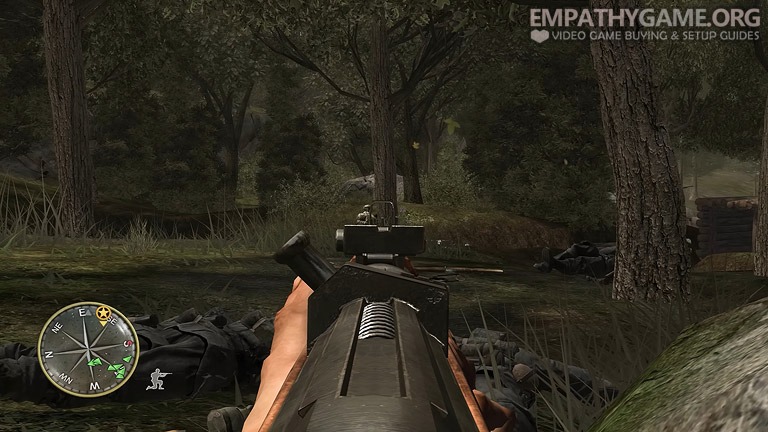
Call of Duty 3 deserves more than dismissal as the series’ black sheep. Its focused offensive gives four Allied perspectives a common direction, “The Hostage” demonstrates flexible mission structure, and grenade throwbacks improve the cover battles. Strong audio, classes, vehicles and War mode support one of the franchise’s boldest early multiplayer experiments.
It is also less refined than Call of Duty 2. Aiming and collision can feel unreliable, repeated Normandy environments reduce variety, and interactive sequences interrupt rather than deepen the shooting. Replenishing enemies and long checkpoint gaps become punishing when AI, physics or triggers fail. The continuous story introduces stronger arcs but leans on familiar World War II film archetypes.
Players seeking the smoothest classic campaign will understand why this entry divides opinion. Those accepting of technical roughness will find ideas the series did not immediately carry forward: broad objective pockets, battlefield roles, multi-occupant vehicles and a frontline that moves in either direction. Call of Duty 3 is not an undiscovered masterpiece, but its ambitions are more interesting than its reputation suggests.
Call of Duty 3 Pros & Cons
- Pro: Four Allied perspectives connect 14 World War II missions into one Normandy offensive
- Pro: Grenade throwbacks, vehicles, artillery and occasional branching objectives add campaign variety
- Pro: Battlefield sound, squad chatter and music give the firefights convincing momentum
- Pro: Class-based multiplayer, vehicles and War mode make the console versions distinctive
- Pro: The PS2 version is listed as Playable in the actively maintained PCSX2 compatibility database
- Con: No native Windows game, Steam release or official PC multiplayer service exists
- Con: PCSX2 requires an owned PS2 game image and your own dumped PS2 BIOS; setup is less convenient than a PC port
- Con: Repeated enemy spawns, uneven aiming, checkpoint gaps and scripted action can frustrate
- Con: Demanding scenes may slow down in PCSX2, and Xbox 360 multiplayer features and map packs do not carry over
Call of Duty 3 PC System Requirements
Important: Activision never released Call of Duty 3 for Windows and therefore did not publish native Windows minimum or recommended requirements. The hardware information below comes from PCSX2’s official system-requirements documentation, not from a hypothetical Call of Duty 3 PC port. The listed thresholds describe the emulator; game-specific performance can vary.
PCSX2 Minimum PC Requirements
OS: 64-bit Windows 10, currently supported PCSX2 builds
CPU: 64-bit x86 processor with SSE4.1; at least two physical cores with SMT and PassMark single-thread score of 1,500 or higher
RAM: 8 GB
GPU: Vulkan 1.1, Direct3D 11 (Feature Level 10.0) or OpenGL 3.3 capable; PassMark G3D score of at least 600
BIOS: Proprietary PS2 BIOS dumped from a PS2 console you own
Game files: Your own legitimate PS2 disc or disc image, created in accordance with applicable law
PCSX2 Moderate PC Requirements (Practical Starting Target)
OS: Windows 11 (64-bit)
CPU: 64-bit x86 processor with AVX2; at least four physical cores and PassMark single-thread score of 2,000 or higher
RAM: 16 GB
GPU: Vulkan 1.3, Direct3D 12 or OpenGL 4.6 capable; PassMark G3D score of at least 6,000 and 4 GB VRAM
Graphics examples: GeForce GTX 1650, Radeon RX 570 or Intel Arc A380 (PCSX2 moderate-tier examples)
Storage: Space for PCSX2, your own PS2 disc image and save data; the required game-image size depends on the disc
Additional PC Performance and Setup Notes
- Game-specific expectations: PCSX2 rates both the North American and PAL PS2 releases as Playable on Windows, but individual compatibility reports describe slowdown in crowded combat sequences. The moderate tier is a more sensible starting point than assuming the emulator minimum guarantees the game’s target speed.
- Graphics setup: Leave the graphics renderer on Automatic initially. If slowdown or visual issues occur, test the current recommended defaults before trying Vulkan or Direct3D 11 individually. The PCSX2 compatibility database documents an older hardware-rendering graphical defect as fixed by newer builds.
- Internal resolution: Begin at Native resolution and raise it to 2x or higher only after the campaign runs acceptably. Upscaling sharpens the image but cannot improve original models, animations or gameplay logic, and it can increase GPU demand.
- Widescreen: The PS2 title is documented running with its in-game 16:9 option. Enable widescreen in the original game’s display menu when your regional version provides it, and match PCSX2’s aspect setting. Simply forcing 16:9 on a 4:3 output may stretch the picture; use 4:3 if that happens. A third-party widescreen patch is not required for a verified native option.
- Controls: See PCSX2’s official controller guide for SDL automatic mapping, manual input assignments and optional mouse-to-controller mapping. A gamepad avoids the compromises of emulating analog sticks with a keyboard.
- Saves and backups: PCSX2 uses virtual PS2 memory cards for ordinary in-game saves. Keep a backup before changing emulator versions or experimenting with optional features; save states are a supplement, not a replacement for normal saves.
- Different versions: PCSX2 runs PS2 game data. The Xbox 360 edition’s higher-end visuals, 24-player design, Xbox account features and DLC are not recreated by raising emulator resolution. Dolphin’s Wii build is separate and needs its own legally obtained game dump and controller configuration.
Official Trailer
Note: IGN’s archived Call of Duty 3 X06 trailer presents the game’s Normandy battles, squad assaults, vehicles, smoke, explosions, and close-quarters action, while the written guide adds the current Xbox availability, PC-status, add-on, multiplayer, and safety details.
Frequently Asked Questions
Was Call of Duty 3 ever released for PC?
No. The 2006 game launched on consoles only. There is no authorized Windows edition on Steam or other PC storefronts; a PCSX2 setup emulates the PS2 release rather than installing a native PC game.
What is the best practical emulator for Call of Duty 3 on Windows?
PCSX2 is the recommended starting point for players who own the PS2 edition. Its compatibility database rates the North American and PAL releases as Playable on Windows, although performance still depends on the PC and the scene.
What do I need to play the PS2 version with PCSX2?
You need PCSX2, a PS2 BIOS dumped from a console you own, and your own PS2 disc or a lawful backup of it. The official BIOS and disc-dumping guides explain the required steps.
Can I use an Xbox digital purchase to play the game through PCSX2?
No. PCSX2 runs PlayStation 2 games, not Xbox 360 packages. The Microsoft backward-compatible Call of Duty 3 license is for supported Xbox consoles and does not include a Windows version.
Why is Call of Duty 3 slow in some PCSX2 missions?
The game can be demanding during large scripted battles, and the PCSX2 compatibility reports record occasional slowdowns. Start with native resolution and the current default renderer, check that your CPU meets the emulator guidance, and only increase resolution after gameplay is stable.
Can Call of Duty 3 use a controller or mouse and keyboard in PCSX2?
Yes. PCSX2 supports gamepad mapping and keyboard bindings, with optional mouse input mapped to emulated controller controls. The game is still responding to PS2 inputs, so it will not feel identical to a native mouse-and-keyboard shooter.
Does Call of Duty 3 support 16:9 widescreen in PCSX2?
The PCSX2 compatibility documentation includes PS2 testing with 16:9 selected in the game. Use the built-in widescreen option where available and match the emulator display setting; if an image is stretched, return to 4:3 rather than forcing an unsupported aspect ratio.
Can I play Call of Duty 3 multiplayer online through PCSX2?
The PS2 game had its own period-specific online features, but the standard PCSX2 campaign setup does not provide a modern, officially supported matchmaking service. This guide does not verify working public servers or a reliable PC multiplayer configuration.
Does PCSX2 include the Xbox 360 split-screen and map packs?
No. PCSX2 emulates the PS2 release. The Xbox 360 version had different local-multiplayer capabilities and optional Champs, Valor and Bravo map content; neither its Xbox license nor those add-ons can be imported into the PS2 game.
Can Dolphin Emulator run the Wii version of Call of Duty 3?
Yes. Dolphin lists the Wii edition as Playable, although a configuration issue has historically required care with GPU-thread synchronization. This version uses Wii Remote and Nunchuk-style input and has no multiplayer, so it is a distinct alternative rather than the Xbox or PS2 experience.
Does Call of Duty 3 have campaign co-op?
No. The 14-mission Normandy campaign is single-player. The multiplayer modes were designed separately and should not be confused with cooperative story missions.
How do the four Allied campaigns fit together?
The American, British, Canadian and Polish missions follow one continuous Normandy offensive leading toward the Falaise Pocket. The game switches playable characters in a fixed order rather than offering four independently selectable campaigns.
What makes War mode different from other multiplayer modes?
War centers on a shifting sequence of control points. Teams push the active front toward the opponent, making medics, support roles, artillery and armored vehicles more important than they are in straightforward deathmatch.
Does Call of Duty 3 have Zombies mode?
No. It predates the series’ Zombies mode and focuses on its World War II campaign and traditional competitive multiplayer.
Can I play Call of Duty 3 on Xbox Series X or Series S instead?
Yes. Microsoft lists the backward-compatible Xbox 360 release for Xbox One and Xbox Series X|S. Series S requires digital ownership because it has no disc drive; this console route is separate from PC emulation.
Still have questions? Check the Call of Duty Reddit community, PCSX2 official documentation, or Xbox backward compatibility support for game discussion, emulator setup help and console ownership guidance.
Sources & References
Key platform, emulator-compatibility and setup information in this guide was verified using the following sources:
- Official Xbox Store — Call of Duty 3 — original release information, backward-compatible console availability and map add-ons.
- PCSX2 Wiki — Call of Duty 3 — PS2 region compatibility, historical rendering fixes, 16:9 observations and game-specific performance reports.
- PCSX2 — Official System Requirements — minimum and moderate Windows emulator hardware tiers.
- PCSX2 — BIOS Dumping — proprietary PS2 BIOS requirements and first-party dumping process.
- PCSX2 — Dumping Discs — creating owned-game PS2 images from original discs.
- Dolphin Wiki — Call of Duty 3 — optional Wii emulation compatibility, original controls and known configuration caveat.
- GameSpot — Call of Duty 3 Review — historical differences between the PS2/Xbox and Xbox 360 multiplayer versions.
Similar Games Like Call of Duty 3

Found something worth playing through DecideGame?
DecideGame.com is an independent gaming project run by Editor Zero. If this guide helped you discover a game, solve a problem, or find useful information, you can support DecideGame.com and help keep new and updated game guides coming.
DecideGame — PC Game Guides, Reviews & Setup Help