

📅 Game released: 2011
Portal 2 is Valve’s first-person puzzle adventure about escaping the collapsing Aperture Science facility with a portal gun; this PC guide explains its official Steam purchase and download options. It also covers the separate two-player campaign, the Portal Bundle, split-screen and online co-op, Community Test Chambers and Workshop maps, Steam Deck support, and Windows system requirements.
 By Editor Zero — independently researched, edited, and maintained.
Last updated: 6 November 2026
Last reviewed: 6 November 2026
Table of Contents
- Quick Facts
- Official PC Stores, Download & Installation
- Portal 2 Review
- Pros & Cons
- PC System Requirements
- Frequently Asked Questions
- Similar Games
Portal 2 Quick Facts
- Game: Portal 2; also included in the Portal Bundle on Steam and Portal: Companion Collection on Nintendo Switch
- Developer: Valve
- Publisher: Valve
- Genre: Puzzle-Solving, Sci-Fi, Multiplayer; first-person puzzle-platformer
- Release: April 18, 2011 (original Steam release, including Windows PC)
- Platforms: Windows PC, macOS, Linux, PS3, Xbox 360; Nintendo Switch (Portal: Companion Collection)
- Modes: Single-player story; separate two-player co-op campaign with online, local split-screen, and Steam Remote Play Together options
- Extra Content: Peer Review co-op content is integrated; Portal 2 Soundtrack is offered separately on Steam; community-created puzzles are available through Steam Workshop
- Steam Deck: Verified
- Engine: Valve’s Source engine
- Community: Steam Discussions, Steam Workshop, Portal Reddit Community
- PC modding: Built-in puzzle editor and official Steam Workshop test-chamber sharing; additional community modifications are unofficial
- Metacritic score: 95/100 (PC)
- IGN score: 9.5/10 (original multi-platform review)
- GameSpot score: 9/10 (original review)
- Steam user reception: Overwhelmingly Positive overall
Official PC Stores, Download & Installation
👇 Compare Portal 2’s official Steam purchase, download, co-op, and Workshop options before installing the game or choosing the Portal Bundle.
- Official Windows PC store: Portal 2 is available to purchase and download directly through Steam. There is no separate, verified native-PC edition on Epic Games Store, GOG, or Microsoft Store; an Xbox console copy is not a Windows Steam license.
- Portal Bundle: Steam also sells the Portal Bundle, which includes the original Portal and Portal 2. Check the contents and your existing Steam library before purchasing both games separately.
- Install and launch: Install the official Steam client, sign in, purchase or redeem Portal 2, then choose Library > Portal 2 > Install. Steam handles the game download, updates, and launching. Portal 2 is a paid game, not an independently distributed Windows installer.
- Single-player and co-op: A normal Portal 2 purchase includes both the Chell single-player campaign and a distinct two-player campaign starring Atlas and P-Body; no separate co-op edition is needed.
- Play together: Online co-op allows two Steam players to connect from different PCs, normally with each player owning the game. The PC release also supports local shared/split-screen co-op. With Steam Remote Play Together, one owner can host a local co-op session and stream it to a remote guest, subject to compatible controllers, connection quality, and Steam’s feature availability.
- Community puzzles: The official Steam Workshop hosts player-made test chambers for single-player and co-op. The game’s puzzle editor and Perpetual Testing Initiative let players build and publish new chambers; Workshop access needs Steam’s online community features.
- Additional content: The Peer Review cooperative additions are integrated into the game rather than sold as a required story expansion. The Portal 2 Soundtrack is a separate, officially offered soundtrack product; it does not contain the game.
- Steam features and ownership: The Steam edition lists Steam Cloud, achievements, controller support, Workshop integration, and Steam Family Sharing. Steam is required to manage the digital license; for offline solo play, prepare Steam’s Offline Mode while connected first. Online co-op, Remote Play Together, and Workshop downloads need an internet connection.
- Steam Deck: Valve rates Portal 2 as Verified. It supports controller-friendly play on the handheld, although a second player still needs an appropriate local or online co-op arrangement.
- Different console bundle: Portal: Companion Collection contains Portal and Portal 2 on Nintendo Switch. That Switch purchase does not grant a Windows Steam copy, and its console-specific features should not be mistaken for a separate PC edition.
 Buy the Portal Bundle on Steam
 Visit the Official Portal 2 Website

Portal 2 Review
A clever puzzle adventure where every new possibility comes with another limitation to understand.
The most satisfying moments in Portal 2 happen when a room stops looking like a room. A wall becomes an exit, a fall becomes a launch, and two distant platforms suddenly seem connected. Valve builds its first-person sequel around that change in perspective, sending Chell back into the crumbling Aperture Science facility with little more than a portal gun and the determination to get out.
The sequel is bigger, funnier, and more varied than Portal, but those improvements are not without trade-offs. Its new mechanisms create some wonderfully layered problems, while its careful guidance occasionally makes solutions easier to recognize than expected. The larger laboratory gives the story somewhere to go, yet sometimes turns a puzzle into a search for the next usable wall. What makes the adventure work is that even its most elaborate challenges remain rooted in one understandable idea: changing the route through a space changes what that space can be.
The Portal Gun Turns Movement Into a Reasoning Problem
Two linked openings are all the portal gun needs to make ordinary distances irrelevant. Fire a blue portal onto one suitable surface and an orange one onto another, and walking through either opening brings Chell out of the other. Momentum travels with her. Once that becomes familiar, the question is no longer simply whether a ledge can be reached, but what kind of entrance would make reaching it possible.
Imagine a platform too high to jump onto and a deep shaft nearby. Falling into a portal at the bottom of the shaft can produce enough speed to launch Chell out of a second portal toward the platform. Nothing about the platform has changed. The player has just found a different use for the height and space already available. Later chambers ask for portals to be repositioned while moving, adding timing to what initially seems like a purely visual problem. Mouse aiming gives the PC controls the precision these moments need without removing the need to think ahead.
Weighted cubes, floor buttons, and doors make the early logic readable. Their real value emerges when they start competing for attention. A cube that opens one door might also be needed to hold another mechanism in place. Moving a portal to reach the next platform can break the connection that brought a cube into position. These are satisfying problems because the objects themselves are uncomplicated; it is their relationship that takes time to understand. A successful solution feels discovered rather than performed on command.
Bridges, Funnels, and Gels Change the Cost of a Decision
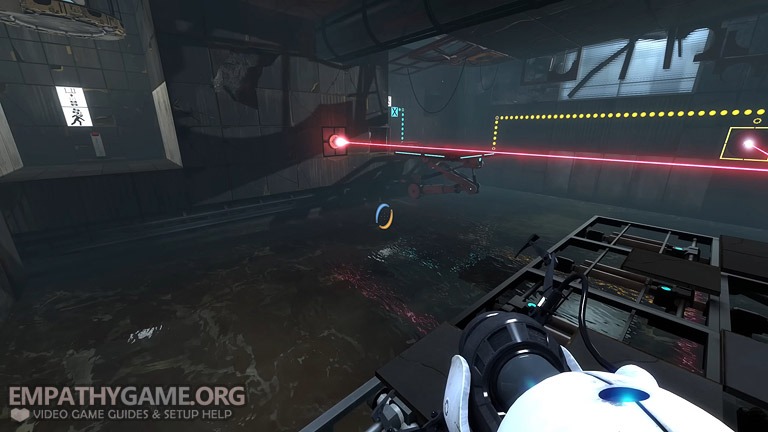
Portal 2 expands those relationships with mechanisms that have different demands. A Hard Light Bridge provides a walkway across a gap but can also block turret fire. An Excursion Funnel carries Chell or an object through the air, provided the portals point it in a useful direction. Thermal Discouragement Beams activate receivers, and laser-redirection cubes turn the beam into something that can be aimed. Aerial Faith Plates launch Chell along fixed arcs, so the challenge shifts to preparing where she will land.
The best chambers make the tools compete. A bridge protecting Chell from turrets may need to be redirected across a gap, leaving her exposed. A funnel carrying a cube toward its target stops doing that job when the portal supporting it is moved. This creates a useful kind of tension. Even after identifying what each device can accomplish, the player must decide which arrangement can be abandoned and which needs to remain active. The answer often depends on sequence rather than on one clever placement.
The gels add a different kind of experimentation. Blue Repulsion Gel makes coated surfaces springy, orange Propulsion Gel helps Chell build speed, and white Conversion Gel creates new surfaces where portals can be placed. A strip of orange gel leading into a patch of blue can turn running and bouncing into a route across a large space. Gel also behaves like a physical substance rather than a movement command. Sending blue gel through portals onto an exposed turret, for instance, can knock it out of position. It is a small but memorable example of a tool being useful outside its most obvious purpose.
There is an interesting difference between gels and the other devices, though. A bridge or funnel generally needs a portal connection to stay useful. Move that connection, and the previous arrangement is lost. Gel usually remains where it has been applied, even after the portals are redirected. Painting the right surface therefore feels like progress that has been secured, not a choice that must keep competing with the next one. That makes gel chambers approachable and enjoyable to experiment with, but sometimes less demanding in their portal management than the bridge and funnel puzzles. More mechanics do not automatically mean deeper decisions.
Readable Chambers Sometimes Show Their Hand Too Early
One of Valve’s most effective design choices is the way a new idea gets room to breathe. The game introduces a mechanism, gives Chell a relatively straightforward opportunity to understand it, then starts combining it with familiar tools. Failed attempts rarely carry much punishment. A misplaced cube or an unsuccessful jump usually leads to another try instead of a long journey back. The difficulty comes from recognizing the solution, not from enduring the consequences of being wrong.
That deliberate clarity also reveals how controlled the puzzles are. Portals work only on designated surfaces, usually recognizable by their light-colored panels. In a chamber with just two or three usable patches, an experienced player may identify the intended portal locations almost immediately. Working out what should happen between those locations can still be interesting, but the apparent freedom of the portal gun is narrower than it first looks. Portal 2 is better understood as a collection of carefully authored puzzles than as an unrestricted physics playground.
Strangely, the difficulty sometimes moves in the opposite direction outside the test chambers. In huge maintenance spaces, the next useful panel can disappear among concrete, machinery, and broken structures. Finding it may take longer than solving the puzzle it enables. The opening’s repeated lessons can also feel slow for someone already fluent in the original game. These passages are not especially difficult; they interrupt the particular pleasure that makes Portal work, when a difficult idea suddenly becomes clear. The sequel’s cinematic scale improves the sense of place, but occasionally pulls attention away from the reasoning.
Aperture Is Funniest When Its History Looks Disturbing
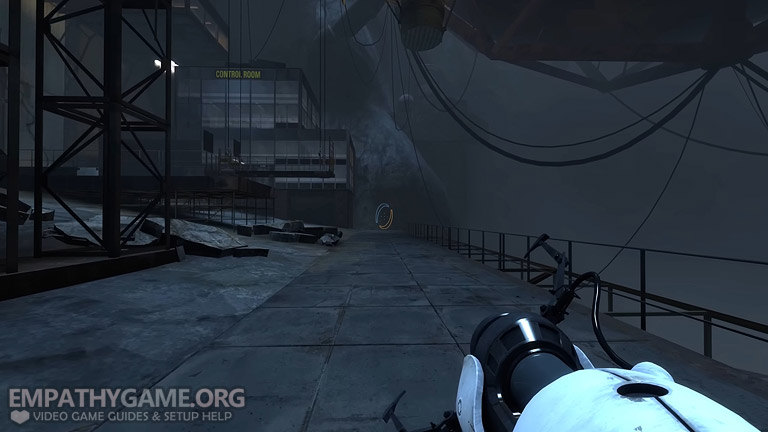
Aperture Science is such an effective setting because almost everything in it tells the same story from a different angle. The company presents testing as orderly, important, and unquestionably sensible. The building tells another story. Overgrown chambers, exposed maintenance systems, moving walls, and remnants of older facilities reveal an organization whose confidence far exceeded its judgment. It is funny to hear another cheerful instruction while standing in a place that looks as though nobody should be allowed inside.
The voices make that contrast sharper. Wheatley, performed by Stephen Merchant, fills the early journey with nervous improvisation and misplaced confidence. GLaDOS is his opposite, delivering clinical instructions and personal insults with the same measured calm. Cave Johnson’s recordings, voiced by J. K. Simmons, reveal how Aperture’s enthusiasm for experiments became detached from concern for the people involved. Much of the comedy works because the characters rarely seem aware of how absurd their own reasoning sounds.
Yet the original Portal achieved something different with fewer words. Long stretches of quiet made its sterile chambers feel lonely and faintly threatening. The player could focus on a puzzle while listening to machinery and wondering what else was happening beyond the walls. Portal 2 often keeps a personality talking nearby, which gives the journey more momentum but less of that strange solitude. Its dialogue is a strength, certainly, although anyone who enjoyed the original’s uneasy silence may reasonably prefer that earlier atmosphere. More character does not necessarily create more mystery.
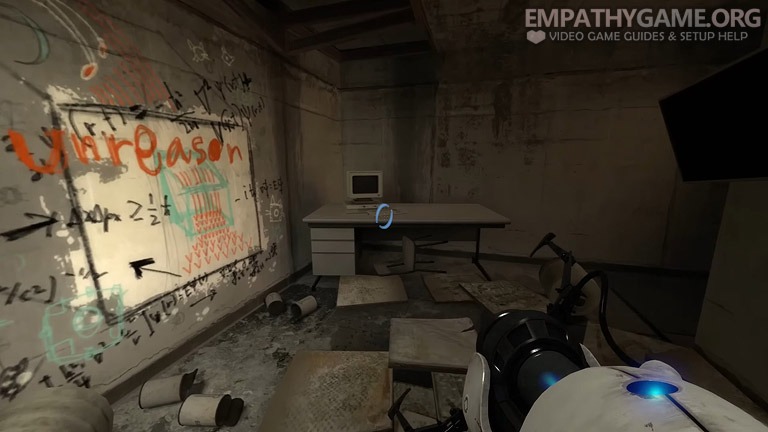
The quieter discoveries preserve some of that mystery. Hidden spaces connected to Doug Rattmann contain disturbing drawings, writing, and evidence of a human life concealed behind the official test route. They are optional, so noticing one feels like uncovering something the facility did not intend to explain. Small sounds matter too: panels assembling around Chell, polite turret voices, and music reacting to puzzle actions keep Aperture present even without dialogue. Together, these details make the laboratory believable in its own deeply unreasonable way.
Co-op Makes Communication Part of the Puzzle
The separate campaign featuring Atlas and P-Body is more than a second player attached to Chell’s story. Each robot controls a linked pair of portals, allowing two players to construct routes with four openings. A funnel or bridge may be useful only because one partner maintains it while the other changes the next connection. The additional possibilities are immediately exciting, but the important change is less mathematical than social. A solution has to exist in two people’s understanding before either can carry it out.
One partner might hold a bridge across a dangerous area while the other travels over it. Redirect that supporting portal too soon, and the route disappears beneath the robot still crossing. Elsewhere, one player manages a route while the other carries a cube or takes a launch that cannot be completed alone. Switching roles can clarify a solution that was difficult to explain from the opposite side of the room. Accidental mistakes, and the temptation to make a particularly suspicious one, give these chambers a playfulness that solitary testing cannot quite match.
The Ping Tool and partner-view feature make that collaboration manageable. When two robots see different parts of a chamber, asking someone to put a portal ‘over there’ is not a useful instruction. Showing a precise position or checking the other viewpoint turns a vague plan into something both people can follow. Compared with some of Chell’s enormous transitional areas, co-op chambers also tend to make important surfaces easier to identify. The emphasis stays on what partners should do together rather than on searching separately for the next pale wall.
Cooperation is not automatically equal participation, though. A veteran can recognize answers quickly and end up directing a less experienced partner through most of the work. For someone unfamiliar with first-person games, manipulating the camera or landing on a small platform may also be harder than understanding a portal puzzle. That distinction matters because a thoughtful game is not necessarily an effortless beginner game. The co-op is most rewarding when both people can experiment, occasionally fail, and contribute to the solution rather than one simply following instructions.
Knowledge Is the Progression System, but New Puzzles Matter Most
Chell never develops a stronger portal gun through an upgrade tree, and no character statistics determine whether a chamber is possible. Progress comes from recognizing more relationships between familiar objects. A cube-and-button problem that initially required careful thought eventually becomes something the player reads at a glance. The game can then ask a more demanding question without explaining every old rule again. That growing understanding is its most meaningful form of progression.
It also places a limit on replaying the authored campaign. Once the crucial trick in a chamber is known, its first moment of discovery is difficult to recreate. Chapter selection, achievements, developer commentary, optional Rattmann spaces, and the dedicated co-op story provide reasons to return, but they do not make familiar solutions mysterious again. The Perpetual Testing Initiative and Puzzle Maker offer a more substantial answer through new community-created chambers, including co-op challenges. Quality varies, and some custom tests sacrifice Valve’s clarity for difficulty, yet unfamiliar puzzles are precisely what keep this type of game engaging. Replaying a known room can refine execution; facing a new one brings the reasoning back.
Final Verdict
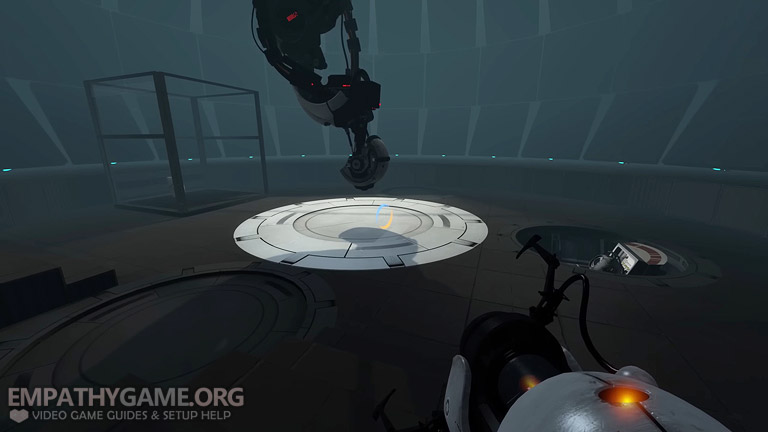
Portal 2 succeeds because it understands how much can be built from a small set of rules. The portal gun makes geometry and momentum feel negotiable, while bridges, funnels, lasers, and gels continually change what a solution requires. The evolving Aperture facility gives those puzzles context, and its excellent characters provide a reason to stay interested between chambers. Co-op develops the idea in an especially thoughtful direction, turning communication itself into part of the challenge.
Its strengths are closely tied to its limitations. Carefully marked surfaces make the puzzles fair but can expose intended solutions too early. Bigger environments enrich the setting while occasionally replacing problem-solving with searching. The constant dialogue is entertaining, though it leaves less room for the first game’s lonely atmosphere. Even the inventive gels sometimes reduce the need to preserve competing portal arrangements.
Players looking for combat, an open-ended physics sandbox, or unrestricted ways to solve every problem may find the adventure more directed than expected. For those who enjoy studying a space, testing an idea, and finally understanding why a route works, Portal 2 remains remarkably satisfying. Its best achievement is not making every puzzle hard. It makes the process of figuring things out enjoyable, whether that understanding arrives alone or has to be worked out with another person.
Portal 2 Pros & Cons
- Pro: Inventive portal and momentum puzzles that develop naturally as new mechanics are introduced.
- Pro: Memorable writing and performances make Aperture Science feel like more than a sequence of test rooms.
- Pro: Dedicated two-player puzzles use communication and four portals in genuinely different ways.
- Pro: Steam Workshop and the test-chamber editor add substantial community-made content beyond the campaigns.
- Pro: Modest official hardware requirements and Steam Deck Verified support make the PC release approachable.
- Con: Some large transitional environments slow the puzzle-to-puzzle rhythm and make the next portal surface hard to spot.
- Con: Most authored puzzles lose some of their surprise after the solution is known, limiting campaign replay variety.
- Con: The co-op campaign requires a second player and cannot be completed as an ordinary single-player story.
Portal 2 PC System Requirements
Valve publishes a minimum Windows specification on Steam but does not provide a separate official recommended Windows tier. These are the original game requirements, not a modern performance benchmark.
OFFICIAL WINDOWS PC REQUIREMENTS:
MINIMUM:
OS: Windows 7 / Vista / XP (historical game listing; see the current Steam client note below)
CPU: Intel Pentium 4 3.0 GHz, dual-core 2.0 GHz or higher, or AMD Athlon 64 X2 or higher
RAM: 2 GB
GPU: 128 MB video memory or more with Pixel Shader 2.0b support; ATI Radeon X800 or newer, NVIDIA GeForce 7600 or newer, or Intel HD Graphics 2000 or newer
DirectX: Version 9.0c
Storage: 8 GB available space
Sound Card: DirectX 9.0c compatible
RECOMMENDED:
Valve does not publish a separate recommended Windows hardware specification on the official Steam store page.
Additional PC Performance & Setup Notes
Windows 10 and 11: The listed XP, Vista, and Windows 7 operating systems describe Portal 2’s historical game requirements. Steam’s current Windows client requires Windows 10 or later, so a normal new Steam installation should use Windows 10 or 11 rather than following the obsolete OS line literally. The game does not require a modern dedicated graphics card to meet its original published minimum, but actual performance depends on hardware, drivers, resolution, and settings.
Controls and displays: Portal placement and movement can be played with mouse and keyboard or a controller. Portal 2 supports standard widescreen play, so an external 16:9 widescreen patch is not required. For local split-screen, connect and configure the second player’s controller or other supported inputs before starting co-op. Steam Cloud can help synchronize supported saves between compatible Steam installations.
Workshop and updates: Start the base game normally through Steam before adding many Workshop maps or unofficial mods. If a custom chamber fails, check the subscribed item and test an ordinary built-in chamber first. Community modifications are not identical to Valve-supported game content, so their instructions and compatibility may differ.
Official Trailer
Note: Valve’s original Portal 2 teaser introduces the Aperture Science setting. The guide above covers the actual PC buying, co-op, Workshop, and system-requirements details beyond the trailer.
Frequently Asked Questions
Can I play Portal 2 co-op without finishing the single-player campaign?
Yes. Portal 2’s cooperative campaign is available independently of the single-player story. You and a partner can begin with the Calibration Course and play as Atlas and P-Body without completing Chell’s campaign first, although playing the story beforehand gives some of GLaDOS’s dialogue more context.
Do I need to play the first Portal before Portal 2?
No. Portal 2 introduces its puzzle mechanics gradually and provides enough context to understand the main story on its own. However, playing the shorter original Portal first makes Chell’s history with GLaDOS and the return to Aperture Science more meaningful.
Can two players complete Portal 2’s main story together?
Not through the game’s normal co-op mode. Chell’s single-player campaign is designed for one player, while the two-player campaign follows Atlas and P-Body through separate test chambers and story events. Playing together does not simply add a second character to Chell’s adventure.
Can I complete Portal 2’s co-op campaign alone?
Not through normal gameplay. The cooperative chambers are designed for two independently controlled robots, each carrying a portal gun, and there is no AI-controlled partner. Unofficial workarounds exist, but finding another player or using local split-screen is the intended experience.
How do I start split-screen co-op on one PC?
Connect a compatible controller, open Portal 2’s cooperative mode from the main menu, and look for the local split-screen option. A keyboard-and-mouse plus controller arrangement can work, although input recognition and controller configuration may depend on Steam Input and your hardware. Both players use the same PC and game installation.
Does Portal 2 support cross-play between PC and consoles?
No officially supported PC-to-console co-op is available. Portal 2 originally supported Steam cross-play between PC and PS3, but that PlayStation 3 integration was discontinued. The Steam version cannot normally connect to Xbox or Nintendo Switch players either.
How does saving progress work in Portal 2 co-op?
Completed cooperative test chambers are recorded automatically, so you can leave and resume later from the cooperative Hub. Unlike single-player, co-op does not provide ordinary manual saves in the middle of a chamber. Each player has completion tracking, and unlocked chambers can be revisited with a different partner.
How can I communicate with my Portal 2 co-op partner without a microphone?
Use the Ping Tool, normally assigned to F on PC, to mark locations, suggest actions, and coordinate timing. The Partner Remote View, normally assigned to Tab, lets you see what your teammate is looking at. These tools are particularly useful when solving puzzles that require synchronized portal placement or movement.
What is Portal 2: Peer Review, and how do I access it?
Peer Review is an additional cooperative mission featuring Atlas, P-Body, and GLaDOS, with new puzzles beyond the original co-op courses. It is included with the updated Steam version rather than requiring a separate purchase. Complete the original cooperative courses to access the additional content through the co-op Hub.
Can Portal 2 Steam Workshop maps be played in co-op?
Yes. Portal 2 supports community-created cooperative test chambers as well as single-player puzzles. In Steam Workshop, choose maps marked for Cooperative play, subscribe to them, and access the cooperative community chambers through the game’s Community Test Chambers menu with your partner.
Can I create my own Portal 2 puzzles without programming or external modding tools?
Yes. Portal 2 includes the Perpetual Testing Initiative Puzzle Maker, accessible through the Community Test Chambers section. It lets you construct test chambers using portals, buttons, cubes, lasers, and other puzzle elements, test the result, and publish your creation to Steam Workshop without writing code.
Why can’t I place portals on certain walls in Portal 2?
The portal gun only works on suitable portal-conductive surfaces, usually recognizable by their light-colored panel material. Glass, ordinary dark walls, and many metal surfaces cannot accept portals. Later puzzles introduce white Conversion Gel, which can make otherwise unsuitable surfaces portal-compatible when the gel can coat them.
What do the blue, orange, and white gels do in Portal 2?
Blue Repulsion Gel makes surfaces bouncy, allowing you to jump higher or redirect movement. Orange Propulsion Gel increases movement speed across coated surfaces, while white Conversion Gel allows portals to be placed on surfaces that normally reject them. Many later puzzles require combining these properties with portal placement and momentum.
What should I try when I get stuck on a Portal 2 puzzle?
First identify every usable portal surface, button, cube, gel dispenser, and reachable platform before attempting a complicated sequence. Remember that portals preserve momentum, so falling through one portal or running across Propulsion Gel can provide the speed needed to reach another area. In large environments, looking above and behind your starting position can reveal easily missed portal surfaces.
How long does it take to finish Portal 2?
The single-player story generally takes around 7–10 hours, depending on familiarity with the puzzles. The separate cooperative campaign adds roughly 4–6 hours for many pairs, potentially longer when solving unfamiliar chambers together. Community-created Workshop puzzles can extend playtime considerably beyond either campaign.
Can I replay completed chapters and test chambers in Portal 2?
Yes. In single-player, the New Game chapter-selection menu allows you to restart from unlocked chapters, while saved games can return you to particular points. In co-op, the Hub lets you revisit completed courses and chambers. Replaying puzzles is also useful for achievements, developer commentary, and experimenting with alternative solutions.
Still have questions? Check the Portal Reddit community or Portal 2 Steam Discussions for help with specific chambers, cooperative play, Workshop maps, and PC troubleshooting.
Sources & References
Key factual and technical information in this guide was checked against relevant official and technical sources, including:
- Valve’s Portal 2 Steam page — PC availability, game features, original Windows requirements, Steam Deck rating, and Steam reception.
- Portal Bundle on Steam — confirmed inclusion of Portal and Portal 2.
- Portal 2 Steam Workshop — Community Test Chambers, player-created puzzles, and official community publishing.
- Portal 2 on SteamDB — technical Steam platform metadata and Source engine identification.
- Nintendo’s Portal: Companion Collection listing — Switch release identity and the included Portal games.
- Metacritic PC critic reviews — platform-specific original review aggregate.
Similar Games Like Portal 2
- PRAGMATA
- Prey
- Empathy: Path of Whispers
- Abiotic Factor
- The Legend of Zelda: Breath of the Wild
- Shadow of the Tomb Raider






Found something worth playing through DecideGame?
DecideGame.com is an independent gaming project run by Editor Zero. If this guide helped you discover a game, solve a problem, or find useful information, you can support DecideGame.com and help keep new and updated game guides coming.
DecideGame — PC Game Guides, Reviews & Setup Help