
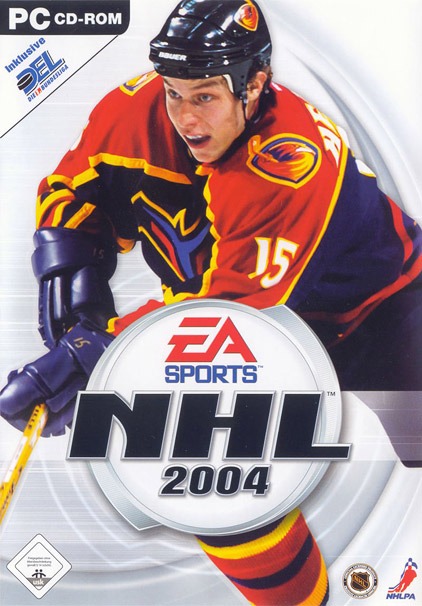
📅 Game released: 2003
NHL 2004 is EA Black Box’s hard-hitting ice hockey simulation, with deliberate passing, 20-season Dynasty management, licensed international teams, and no verified official modern PC download. This guide covers legitimate retail-disc installation, Windows 10/11 compatibility limitations, NHL04 Rebuilt community enhancements, widescreen options, and historical system requirements.
 By Editor Zero — independently researched, edited, and maintained.
Last updated: 20 November 2026
Last reviewed: 20 November 2026
Table of Contents
- Quick Facts
- Official PC Stores, Download & Installation
- NHL 2004 Review
- Pros & Cons
- PC System Requirements
- Frequently Asked Questions
- Similar Games
NHL 2004 Quick Facts
- Game: NHL 2004 / EA Sports NHL 2004 / NHL04
- Developer: EA Black Box
- Publisher: EA Sports / Electronic Arts
- Genre: Sports, Ice Hockey Simulation, Multiplayer
- Release: September 22, 2003 (initial release; Windows PC also released in September 2003)
- Platforms: Windows PC, PS2, Xbox, GameCube
- Modes: Single-player, local multiplayer, originally LAN and online multiplayer; Play Now, Season, Playoffs, Tournament, Dynasty
- Teams: NHL clubs plus international and European teams from the original 2003-era roster
- PC ownership: Original retail Windows CD-ROM edition; no verified current official digital PC storefront listing
- Steam Deck: Not available on Steam; no official Deck compatibility rating
- Engine: Not officially documented
- Community: NHL04 Rebuilt forum, EA NHL Reddit
- PC modding: Unofficial NHL04 Rebuilt interface, launcher, roster, league, arena and visual modifications; no current EA mod toolkit
- Metacritic score: 87/100 (PC)
- IGN score: 8.8/10 (PC)
Official PC Store Status, Download & Installation
👇 NHL 2004 received an official Windows PC version, but there is no verified current EA app, Steam, GOG or Epic Games Store download for new PC buyers. These notes explain legitimate ownership, original-disc setup, important compatibility limitations, and where the independent NHL04 Rebuilt project fits.
- Official PC availability: Electronic Arts originally sold NHL 2004 for Windows on physical CD-ROM. An official modern PC download or new digital purchase is not verified on Steam, the EA app, GOG or Epic Games Store. A product’s appearance in historical game databases or on a retailer’s archived page does not mean it is available to purchase there.
- Legitimate game copy: If you already own the Windows retail discs, retain the original media and any genuine installation key or documentation. Second-hand physical copies may exist, but check that discs are complete, readable and legitimately sold. The game is copyrighted; an unofficial website offering the game files is not an official download source.
- Original CD installation: On a compatible Windows-era PC, insert the retail discs and run the disc’s installer, using only the prompts, media and key provided with your own copy. Older machines without working optical drives may need a compatible external CD drive. Keep the original installation files and personal saves backed up before testing optional modifications.
- Windows 10/11 limitation: The retail PC release used legacy SafeDisc copy protection, which is incompatible with normal modern Windows installations. Its old menu system also depends on Internet Explorer-era components. Windows compatibility mode alone cannot be relied upon to solve these issues, so do not assume that successfully installing the discs guarantees the game will start.
- Safer compatibility planning: A suitably maintained Windows XP-era system with an authentic installed game is the most faithful historical environment. If you explore newer Windows setups, follow established NHL 2004 PC compatibility documentation and community guidance, back up files first, and avoid instructions that disable operating-system security or distribute altered copyrighted executables.
- NHL04 Rebuilt: The independent NHL04 Rebuilt community develops updated interfaces, rosters, graphical enhancements and historical or alternative league projects. Its work is unofficial and should be treated as an addition to a legitimately owned installation, not as an EA-authorized replacement game or proof of universal Windows compatibility.
- Community launcher and controls: The modding community maintains the 04 Launcher discussion and instructions and the author’s launcher files. Check the exact version requirements and installation directions before making changes. A multi-button gamepad is recommended for its directional checking, dekes, shooting and separate regular/saucer passing controls; keyboard support exists but is less comfortable.
- Multiplayer status: NHL 2004 originally supported local multiplayer and network/online features, but the historical EA Sports Online service should not be treated as available. Offline exhibition, seasons and Dynasty remain the main attractions when the local game runs; any fan-organized networking arrangements are separate and unofficial.

NHL 2004 Review
A tougher, more physical hockey game that rewards smart positioning as much as a powerful shot.
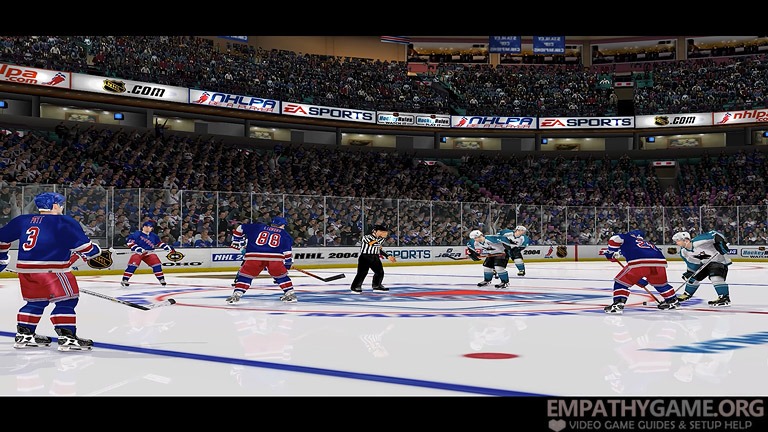
A promising rush in NHL 2004 can disappear before a shot. A winger crosses the blue line, a defender closes the passing lane, and suddenly both teams are fighting for possession along the boards. That is a substantial change from the easier end-to-end rushes of NHL 2003. EA Black Box makes the space between chances matter, rewarding passing angles and defensive awareness more than acceleration. It is not an entirely comfortable change. Loose pucks and stubborn passing sometimes make the game feel less responsive than it should. Its best matches reward understanding why an attack failed, adjusting the next one and finally creating a chance that feels earned.
Building an Attack Is Half the Challenge
The improved defense changes how the offensive zone is approached. Opponents close the middle, challenge carriers from better angles and punish attempts to split defenders with speed. A direct rush might still produce a goal, but it is much harder to rely on one. Moving the puck wide, drawing a defender out of position and finding an opening near the slot is usually the more convincing approach.
When the obvious shot is unavailable, cycling behind the net can stretch defensive coverage, while passing back to the point creates another angle. A shot from distance can still lead to a deflection or a rebound in front, making the positioning of forwards without the puck important. The result is hockey where good decisions matter even when they never appear in the statistics.
On-the-fly strategies add another layer. Aggressive pressure can recover the puck early, but risks leaving space behind. A more conservative setup protects the middle at the cost of giving up some attacking initiative. Protecting a lead asks for different hockey than chasing a late goal.
Passing Rewards Planning, but Not Always Precision
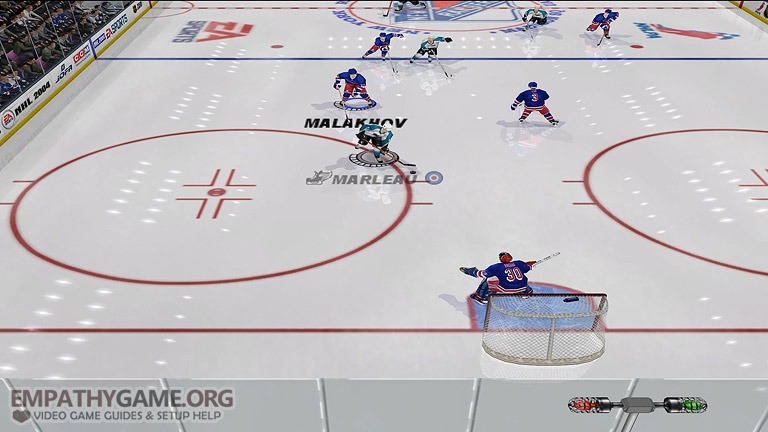
The two passing options are central to that more deliberate style. A normal pass travels along the ice, while a saucer pass can clear an opponent’s stick and reach a teammate through a crowded lane. Type, power, direction and the receiver’s position all matter. Passes do not snap automatically onto waiting sticks.
That makes a clean one-timer particularly satisfying. The puck must pass through the defense before the gap closes, ideally reaching a shooter already facing the play. A short pass that preserves possession often beats the spectacular cross-ice delivery everyone expects.
The game does not always distinguish believable mistakes from awkward controls. A skater may glide past a loose puck that looks reachable, or a pass can evade a teammate who appears well positioned to receive it. An intercepted ambitious pass makes sense; a seemingly unresponsive teammate makes the same turnover feel arbitrary. NHL 2004’s freer puck behavior is one of its strengths, but it also makes the passing system less trustworthy precisely when careful execution matters most.
Physical Hockey Is About More Than Big Hits
The right analog stick gives physical play a more deliberate character through Bruise Control, while manual dekes provide attacking skaters with another way to escape a challenge. Timing and direction now matter more than simply chasing the puck carrier and pressing check. A well-angled board hit can end an attack; a missed open-ice check can open a lane toward goal.
This creates a useful distinction between being aggressive and defending well. Poke checks, blocks and disciplined coverage often prevent danger with less risk than a heavy collision. Holding position near the crease may matter more than a spectacular hit. Physical play makes restraint more valuable, not less.
Fighting follows the same rough hockey logic. Heavy hits can provoke retaliation, and frustration during a lopsided match may help turn ordinary contact into a confrontation. Challenges can be refused. Grappling, punches and blocking give fights some structure. It remains a secondary mechanic, but the context helps the fights feel connected to the match rather than inserted for spectacle.
Goalies, Rebounds and Special Teams Change the Momentum
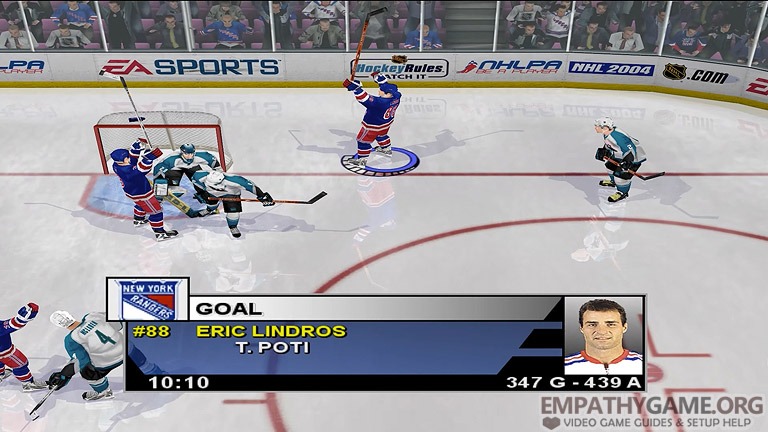
Goaltenders can turn away a powerful shot, leave a rebound from a weaker effort or lose the puck in a crowded crease. Slot wristers, screened shots from the point, deflections and one-timers all have a place. Where the puck goes after the first shot matters just as much.
Those rebounds encourage practical hockey. Keeping a forward near the crease gives an attack a second chance, while clearing danger before starting a counterattack becomes valuable defensive work. These scrambles can feel convincingly chaotic.
Less convincing are the moments when a goalie makes an extraordinary reaction save and then struggles with a simpler situation, or wanders into an awkward position behind the net. Some goals appear out of proportion to the chances producing them. That is not evidence of scripted results, but it undermines the patience the game demands.
Special teams bring a particularly thoughtful rule to the pacing. With shortened periods selected, the main game clock runs faster than real time, but a power play uses normal time instead. A two-minute advantage has room to develop, while penalty killers must clear the zone rather than simply wait out the clock. The last minute of regulation and overtime receive similar real-time treatment, making close finishes feel more urgent without changing the basic rules of hockey.
A Simulation-Minded Game That Still Moves Quickly
NHL 2004 asks for more realistic decisions than its predecessor, yet skaters can still move between zones faster than televised hockey suggests. Slower settings reduce some of the rush, but they do not fully turn it into a measured broadcast-style simulation. The game is more thoughtful without always being slower.
Its adjustable sliders make that balance easier to tailor. Puck control, passing assistance, shot accuracy, hitting and fatigue can be changed, allowing players to make mistakes matter without merely increasing the difficulty. They cannot fix every tactical weakness. AI defensemen can pinch too often, with limited direct control over that tendency or CPU shot frequency. This matters because an overly eager defenseman can undo otherwise sensible team positioning. The sliders improve the feel of hockey, but they cannot completely change how the opposition thinks.
The Rinks Have Personality, Even When the Broadcast Repeats Itself
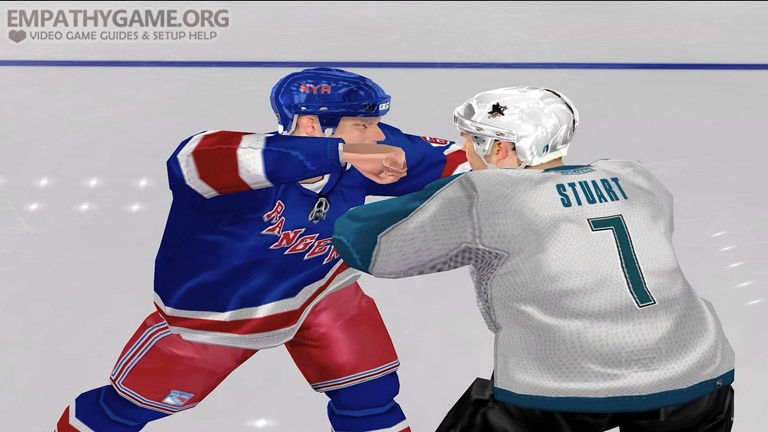
Rivalries, scores and individual performances supply the drama without a campaign. The selection extends beyond the NHL to international sides and clubs from Sweden’s Elitserien, Finland’s SM-liiga and Germany’s DEL, broadening exhibition and tournament matchups.
Atmosphere comes from sharp skating stops, collisions, crowd reactions and goal horns. Jim Hughson and Craig Simpson provide a reasonably grounded broadcast tone, although repeated commentary and occasional calls that do not fit the action reveal its age. The licensed rock soundtrack and bright EA Sports menus belong unmistakably to the early 2000s. Still, a tense offensive shift can make a rink feel alive.
Dynasty Mode Gives Every Match a Bigger Purpose
Exhibitions, playoffs, tournaments, single seasons and local multiplayer suit shorter commitments. Dynasty Mode is where NHL 2004 becomes something more than a collection of matches. Across 20 seasons, the player manages the organization as well as match results. Lines need balancing, prospects need evaluating, contracts need managing, and trades have consequences that extend beyond the next game.
That changes how a roster is judged. Adding another highly rated scorer is tempting, but a dependable checker may be more useful on a defensive line. A promising young player can be worth developing even when a veteran produces better immediate results. High ratings alone do not produce a sensible roster.
Player morale and practice decisions give those choices consequences. Too much training can leave players unhappy, while resting excessively limits preparation. A star who expects a prominent role may also react poorly to restricted ice time. Acquiring several expensive names may look like an easy way to win, until their salaries and competing expectations make the roster difficult to manage. Its simplified management works because decisions are connected.
Organizational improvements broaden that responsibility. Better scouting provides more information about draft prospects, stronger medical staff can limit time lost to injuries, and training facilities help long-term development. Success and financial management support further upgrades. Ticket pricing introduces another small balancing act: immediate revenue matters, but it sits alongside roster costs and the long-term health of the club. Even the customizable GM office gives a visual sense of advancement, although much of its furniture is cosmetic. The front office becomes something worth developing, not just a menu.
Dynasty is strongest when immediate success conflicts with future stability. Trading away a draft pick may bring in the experienced defender needed for a playoff run, but keeping it might produce a cheaper long-term replacement. Spending heavily on an established star can bring results while reducing financial flexibility elsewhere. Simulating parts of an 82-game season helps keep these longer decisions in focus without requiring every match to be played manually.
Twenty Seasons Reveal Where Dynasty Runs Out of Ideas
Over a long save, familiar names retire, prospects develop and an entirely different roster can end up wearing the same jersey. That gradual turnover is one of Dynasty’s most convincing achievements. The club still has an identity, but its character has been shaped by years of decisions rather than the original lineup alone.
The management systems do not necessarily grow with the career, however. A successful club can eventually purchase nearly every organizational upgrade, leaving accumulated points without much purpose. Very long saves can also drift into exaggerated contract values that weaken the financial logic established in the early seasons. Not every save reaches these extremes, but the career can outlast its economy.
Even then, changing teams, difficulty, rules and roster strategies gives repeat seasons another reason to exist. Human opponents punish careless passing and overeager checks. The lasting appeal comes less from unlocking everything than from developing a better understanding of hockey and seeing whether that understanding holds up against different opposition.
Final Verdict
NHL 2004 is most rewarding when its systems agree with each other. Defensive pressure makes passing more important, passing makes positioning matter, and rebounds give sustained attacks a reason to continue after the first shot. Physical play adds risk rather than just impact, while Dynasty Mode turns individual victories into part of a much longer project.
Its rough edges are difficult to ignore. Unreliable-looking puck receptions can punish sound decisions, goalie behavior is uneven, and the match tempo remains faster than the simulation-minded design suggests. Long-term Dynasty careers can also exhaust their meaningful upgrades. Players who want instant, flowing end-to-end action may be happier with a more arcade-oriented NHL entry. Those who enjoy thinking through a shift, accepting messy possessions and building a club over several seasons will find an unusually interesting balance of on-ice challenge and management depth.
NHL 2004 Pros & Cons
- Pro: More physical, deliberate hockey rewards positioning, careful passing and well-timed checks.
- Pro: Deep 20-season Dynasty mode combines roster decisions with coaching, finances, staffing and facility upgrades.
- Pro: NHL, European and international team selection expands the original game’s matchup variety.
- Pro: NHL04 Rebuilt has given the Windows version an unusually substantial unofficial customization scene.
- Con: Strict passing, loose puck control and stronger defenders create a demanding learning curve.
- Con: Older commentary, presentation and occasional AI behavior reveal the game’s age.
- Con: No verified official modern PC purchase/download option; original discs can be difficult to obtain.
- Con: Legacy copy protection and Internet Explorer-based menus complicate Windows 10/11 compatibility.
NHL 2004 PC System Requirements
Historical Windows PC requirements: These specifications describe the original 2003 retail Windows release, not a guarantee of operation on Windows 10 or Windows 11. Published period listings differ on disk space and on the exact RAM needed for Windows XP.
ORIGINAL MINIMUM (RETAIL-ERA SPECIFICATIONS):
OS: Windows 98 / ME / 2000 / XP
CPU: Intel Pentium III or AMD Athlon, 700 MHz
RAM: 128 MB for Windows 98/ME; some period documentation specifies 256 MB for Windows 2000/XP
GPU: Direct3D-compatible 3D graphics card with 32 MB video memory
DirectX: DirectX 8.1
Storage: Approximately 880 MB according to the Windows game database listing; allow additional space for save data and installation overhead
Media: Original CD-ROM game discs and compatible optical drive
Controls: Keyboard/mouse or compatible gamepad
RECOMMENDED (CONTEMPORARY REVIEWER GUIDANCE, NOT A VERIFIED EA OFFICIAL TIER):
CPU: Approximately 1.5 GHz
RAM: 256 MB
GPU: 64 MB 3D graphics card
Storage: Allow around 1.1 GB or more for the original installation
Controls: Multi-button analog gamepad preferred
Additional PC Performance and Setup Notes
Modern Windows compatibility: Having a much faster processor or graphics card than the original requirements does not resolve the retail version’s old SafeDisc protection or its Internet Explorer-dependent menus. The NHL 2004 PCGamingWiki entry documents both compatibility concerns. Avoid downloading unknown modified executables or weakening Windows security solely to get the game running.
Widescreen and higher resolutions: The original game’s display options reflect older PC resolutions rather than a modern native 16:9 interface. The community 04 Launcher project provides the established alternative for enhanced resolution handling, with instructions and version discussion at the launcher author’s community forum. With a legitimately installed game, first back up its main folder and saves. Obtain launcher.zip from the creator’s repository and consult the forum for matching version/dependency instructions; the community’s normal setup places launcher files in the main NHL 2004 installation directory (alongside nhl2004.exe). Extract only the appropriate project files there, launch through the community interface if compatible with your installation, select a supported 16:9 resolution in the launcher settings, and check the result in a live match. Do not assume the interface, HUD and gameplay field of view all scale identically. If the launcher instructions or required package cannot be verified for your copy, retain the original aspect ratio rather than stretching the image.
Mods and storage: Updated arenas, faces, jerseys, rosters and alternative leagues can increase disk use considerably beyond the original 2003 specifications. Check each NHL04 Rebuilt package’s own compatibility, dependencies and installation notes, and keep an untouched backup of your working setup.
Official Trailer
Note: No suitable verified publisher-uploaded or authorized official NHL 2004 trailer embed was confirmed. The written guide covers the original PC release, gameplay identity and practical compatibility issues instead.
Frequently Asked Questions
Can two or more people play NHL 2004 on the same PC?
Yes. The original Windows version supports up to six local players using the same computer and shared rink view. Players can choose opposing teams or play together on one side, provided the installation recognizes enough controllers or other supported input devices.
Does NHL 2004 support LAN multiplayer?
Yes. The original PC edition includes LAN multiplayer, allowing players on separate computers to compete over a local network. This feature is distinct from EA’s old internet service, but modern Windows compatibility and networking issues can make an original LAN setup difficult to reproduce. Each participating computer should use a legitimately obtained game copy.
Are NHL 2004’s official online servers still available?
No. The original EA Sports Online service has been discontinued, so its old matchmaking and online account features are no longer usable. Community-organized multiplayer may use alternative arrangements, but these are unofficial and should not be confused with restored EA servers.
What is the difference between Season Mode and Dynasty Mode?
Season Mode focuses on playing through a single hockey season, while Dynasty Mode lets you manage an NHL franchise across as many as 20 seasons. Dynasty adds drafting, trades, contracts, staff development, financial decisions, and facility improvements. It is the better choice for players who want their management decisions to matter beyond one championship.
Can you simulate games instead of playing every match in NHL 2004 Dynasty?
Yes. Dynasty Mode allows you to simulate games and advance through the schedule without controlling every match on the ice. This makes it possible to concentrate on roster construction, scouting, player development, finances, and long-term franchise management while manually playing important games.
Do ticket prices, attendance, and team finances matter in Dynasty Mode?
Yes. Dynasty evaluates more than victories: ticket revenue, attendance, player salaries, and overall profitability influence your performance as general manager. Building an expensive championship contender can still produce disappointing management results if the team’s finances suffer, so winning and maintaining a sustainable budget are separate challenges.
How do regular passes and saucer passes work in NHL 2004?
Regular passes travel along the ice, while saucer passes lift the puck over the surface to help it clear an opponent’s stick. Pass strength also depends on how the control is used, making direction and timing important. Saucer passes are particularly useful when a defender occupies the direct passing lane, although they require more careful placement.
What is Bruise Control in NHL 2004?
Bruise Control is the game’s directional checking system, which allows players to aim physical contact using the right analog stick on a compatible controller. Instead of relying entirely on an automatic body-check animation, you can choose the direction of a hit and attempt to catch opponents moving past you. Poor timing or positioning can still leave the defender out of the play.
How can beginners make NHL 2004 easier?
Start with a lower skill level, automatic shot aiming, and automatic line changes so you can focus on skating, passing, and defending. Gameplay settings also allow adjustments to factors such as game speed and puck control. Practicing controlled passes and defensive positioning is especially helpful because NHL 2004 is less forgiving of rushed attacks than some earlier arcade-oriented NHL games.
Can you manually control the goalie in NHL 2004?
Yes. NHL 2004 includes manual goalie control, allowing players to take direct responsibility for certain saves, movement, and puck-clearing actions. The system is considerably simpler than the specialized goaltending controls in newer hockey games, so it is better approached as an additional gameplay option rather than a fully developed modern goalie mode.
Can you create players, custom teams, and edit rosters in NHL 2004?
Yes. The original game includes player and team creation features, and created teams and players can be used in Dynasty Mode. On PC, community utilities such as NHLView provide deeper roster-editing capabilities than the original interface. These editors are unofficial, so save backups and version compatibility are important before modifying roster databases.
Can NHL04 Rebuilt keep the original 2003–04 rosters instead of modern teams?
Yes. The community’s Vanilla Rebuilt configuration preserves the original NHL 2003–04 period, while other roster projects cover different historical seasons or newer hockey lineups. Choose the roster package that matches the experience you want, and follow its specific launcher and interface requirements. Roster projects should not be assumed interchangeable without checking compatibility.
Can you use a modern Xbox or PlayStation controller with NHL 2004 on PC?
The original Windows release supports gamepads, but it predates modern Xbox and PlayStation controller standards. A newer controller may require manual button mapping or an appropriate input compatibility solution, and automatic detection is not guaranteed. Check that both analog sticks and the separate passing, shooting, and checking actions work correctly before starting a long session.
Can you import your own music into NHL 2004 on PC?
Yes. The original Windows version includes support for importing personal MP3 music, a PC-specific feature highlighted during the game’s development. This provides an alternative to relying entirely on the original licensed soundtrack. The feature belongs to the original game, although getting the older music interface working may depend on the installation environment.
Where are NHL 2004 save files stored on Windows?
The original PC game normally stores user data under %USERPROFILE%\Documents\NHL 2004, corresponding to the My Documents folder on older Windows systems. Back up that directory before changing roster files, experimenting with community launchers, or reinstalling the game. Modded installations may introduce additional configuration files or different data-management requirements.
Still have questions?
Check the NHL04 Rebuilt community forum for launcher, roster, customization, and installation discussions, or visit the EA NHL Reddit community for gameplay questions, historical comparisons, and discussions about classic NHL titles.
Sources & References
Key factual and technical information in this guide was checked against relevant historical publications, game databases, and community documentation, including:
- GameSpot — EA Sports Releases NHL 2004 — confirms the original multi-platform launch and Windows PC edition.
- Metacritic — NHL 2004 — documents original release platforms, publication date and platform-specific critical reception.
- MobyGames — NHL 2004 Windows Specifications — records the original PC requirements, peripherals, local/network modes and menu dependencies.
- PCGamingWiki — NHL 2004 — documents legacy copy protection, modern Windows compatibility, community launcher and display options.
- NHL04 Rebuilt Community — forum for unofficial roster, visual, interface and launcher projects.
- 04 Launcher Creator Repository — original community-maintained launcher files referenced for enhanced PC display configuration.
Similar Games Like NHL 2004
Found something worth playing through DecideGame?
DecideGame.com is an independent gaming project run by Editor Zero. If this guide helped you discover a game, solve a problem, or find useful information, you can support DecideGame.com and help keep new and updated game guides coming.
DecideGame — PC Game Guides, Reviews & Setup Help