
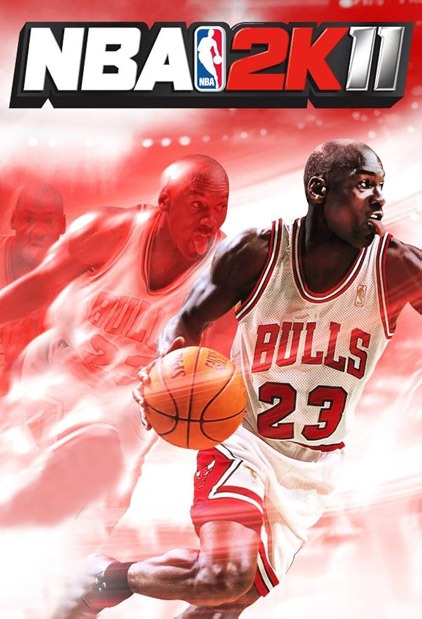
📅 Game released: 2010
NBA 2K11 is a basketball simulation built around Michael Jordan’s greatest performances, detailed on-court controls, classic NBA teams, and deep season and career modes. This PC guide explains the original Windows version’s official download status, Steam and disc ownership, installation limitations, retired online features, system requirements, and practical setup notes.
 By Editor Zero — independently researched, edited, and maintained.
Last updated: 23 November 2026
Last reviewed: 23 November 2026
Table of Contents
- Quick Facts
- Official PC Stores, Download & Installation
- NBA 2K11 Review
- Pros & Cons
- PC System Requirements
- Frequently Asked Questions
- Similar Games
NBA 2K11 Quick Facts
- Game: NBA 2K11 (original 2010 release; Michael Jordan / Jordan Challenge edition)
- Developer: Visual Concepts; PC development contributions credited to 2K China
- Publisher: 2K Sports (2K / Take-Two Interactive)
- Genre: Sports, Basketball Simulation, Multiplayer
- Release: October 5, 2010 (North American launch, including Windows PC); Steam release: October 6, 2010
- Platforms: Windows PC, PS3, PS2, Xbox 360, Wii, PSP
- Signature Modes: Jordan Challenge (10 historical games), unlockable MJ: Creating a Legend, My Player, The Association, NBA Blacktop
- Modes: Single-player and local competitive play; original online services discontinued
- Steam Deck: Not verified by Valve for this legacy title; Steam PC ownership does not guarantee handheld compatibility
- Engine: Proprietary basketball-game technology; specific engine name not reliably documented
- Community: Steam Discussions, NBA 2K Reddit, Operation Sports NBA 2K forums
- PC modding: Unofficial PC roster, court, uniform and graphics modifications exist; no official mod tools or Steam Workshop support verified
- Metacritic score: 82/100 (Windows PC); 89/100 (Xbox 360)
- IGN score: 9.5/10 (PS3 / Xbox 360-era review; not a separate PC score)
- Steam user reception: Very Positive overall among historical user reviews; original Steam listing is no longer available for new purchases
Official PC Store Status, Download & Installation
👇 NBA 2K11 had an official Windows PC release, but its original digital edition is no longer sold through normal official PC stores. Use the ownership and setup notes below to distinguish legitimate re-downloads, retail-disc installation, and the limitations of this older release.
- Native PC release: NBA 2K11 was officially released for Windows alongside its major console editions. This is a real PC game, not a console-only title requiring an emulator.
- Steam purchase status: Valve announced the Steam edition in October 2010, but the historical NBA 2K11 Steam app is not offered for new purchases. There is no verified official Epic Games Store, GOG, or Microsoft Store version of this 2010 game.
- Already own it on Steam: If NBA 2K11 is associated with your Steam account, check your Library for the existing game and use Steam’s normal Install option. Do not assume a newly bought third-party key will activate or that the store will sell another copy.
- Physical Windows copy: An authentic Windows retail DVD is a separate ownership route where a legitimate copy is available. Install from the original media, keep the serial/product information supplied with the copy, and use only its normal authorized installation and activation process.
- SecuROM protection: The original PC distribution used SecuROM copy protection. Retail-disc checks and activation can conflict with modern Windows configurations, and older authentication services can be problematic. The game-specific SecuROM support page documents its original disc-authentication behavior.
- Online activation: Retail-era PC requirements state that an internet connection is required for activation. Do not mistake that for a guarantee that every old disc or product key can still be activated on a modern PC.
- Retired online modes: The original official online multiplayer, Online Leagues, My Crew, and 2K Share/network-dependent functionality are no longer available. 2K’s server-retirement policy distinguishes retained offline gameplay from discontinued online services.
- Offline game content: The offline basketball modes are the reason to revisit NBA 2K11: exhibition games, historic Jordan challenges, local competition, and season or franchise-style management. Availability of individual saves and profile-dependent features can differ with an installation’s state.
- Controller setup: A dual-analog gamepad is recommended for IsoMotion dribbling, the Shot Stick, and defense. The original PC manual also documents mouse/keyboard menu navigation and keyboard play; check controller bindings in the game’s Options menu.
- Different NBA 2K releases: NBA 2K12 and later games are separate purchases. A newer NBA 2K title does not include an entitlement to NBA 2K11 or restore its retired online services.

NBA 2K11 Review
A thoughtful Jordan tribute built on demanding, occasionally unforgiving basketball.
The most revealing basket in NBA 2K11 is not necessarily a spectacular dunk. It might be a mid-range jumper made possible by a screen, one extra pass and a defender moving a step too far toward the paint. Visual Concepts builds its simulation around those decisions, then connects them to Michael Jordan’s career and the teams that challenged him. The connection matters because Jordan’s famous performances depended on teammates, opponents and decisions, not merely his ability to score. Yet the game sometimes asks players to understand basketball while making sensible decisions feel wrong. Demanding controls, unusually alert defenders and rigid Jordan Challenge objectives all expose that tension.
Defense Makes Every Possession More Deliberate
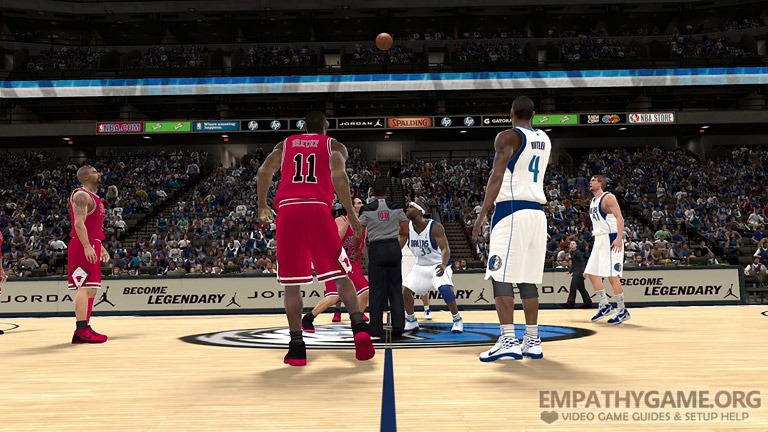
The difference from NBA 2K10 is clearest when a quick guard tries to force a path through the lane. Defenders hold their ground more convincingly, rotate toward penetration and reach passes that would have slipped through in the previous game. Speed no longer substitutes for creating an opening. A pass toward a covered wing can become a turnover before the intended receiver has a chance to move.
The buildup becomes as interesting as the shot. A pick-and-roll asks defenders to choose between following the ball handler and protecting the screener’s route to the basket. Draw help from the corner, and the better finish may be a pass back outside rather than another attempt through traffic. Play calls matter because a well-timed screen can create an opening that individual dribbling never would. Running the same play against a differently positioned defense may demand a different pass or shot. The same applies at the other end: helping inside might prevent an easy layup, but it can leave a dangerous shooter unattended. The decisions extend beyond the ball handler.
The problem is that the AI does not always play by rules that feel equally readable. An opponent can anticipate a pass the instant it is requested, while a teammate overlooks an obvious opening. Losing possession after a careless drive feels deserved. Losing it after setting up a sensible play is harder to accept, especially when the game’s strongest argument is that thoughtful basketball should matter. Stricter defense also makes casual play less forgiving.
Shot Creation Is a Question of Control and Judgment
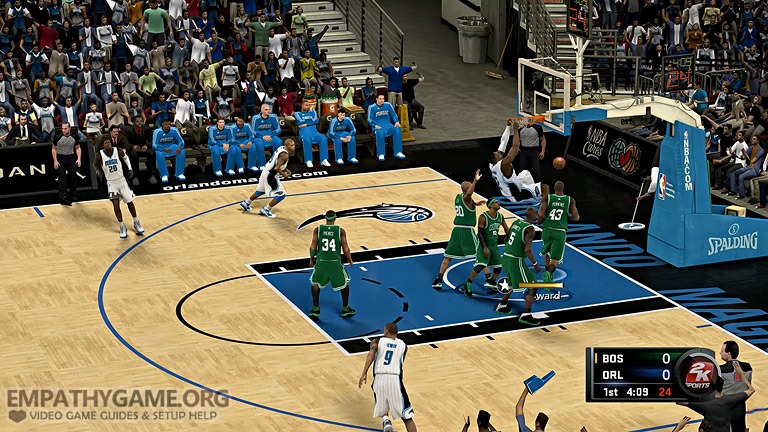
IsoMotion adds another layer to that contest. Hesitations, crossovers and spins work when they persuade a defender to surrender space, not merely because they look convincing. A step-back jumper can punish someone who closes too aggressively, while the same attempt with a weaker shooter may be a poor choice. Learning those differences is part of learning the team.
Shot Stick Timing and Real Player Percentage test different abilities. Timing places more weight on recognizing each shooter’s release, an appealing skill to master with a favorite player but a demanding one across a full roster. Real Player Percentage instead puts more emphasis on player ability and the quality of the attempt. This lets players concentrate on creating room for fadeaways or spin jumpers rather than memorizing every release. Poor shot selection is still poor shot selection. For a full-team game, that can feel more natural: attention stays on who is open, who is tired and who has the range for the attempt. The challenge becomes arranging the opportunity rather than executing the release.
Neither approach erases the awkwardness of learning the controls. Dribble modifiers, stick directions and play calls compete for attention, with little guidance from the menus. Practice helps, but was a mistake caused by poor spacing, a mismatched player or late input? NBA 2K11 gives those questions worthwhile answers, just not always in an approachable way.
The Post Game Gives Size a Tactical Purpose
Big men are more than rebounders waiting for a guard to miss. Low-block positioning opens hooks, turnarounds, fadeaways and passes out of a double-team. Those possibilities create a different pace from perimeter offense. A favorable matchup can disappear when a second defender arrives, forcing the post player to look for a teammate instead of simply committing to the shot.
Consider a post entry with shooters around the arc. If the defender stands firm, a controlled hook may be the reasonable finish. If a guard leaves the corner to help, passing back outside can be more valuable than attempting to score through both defenders. Recognizing that change makes inside play a team effort rather than a contest decided by height.
Jordan Challenge Celebrates History but Can Distort It
The Jordan Challenge gives this simulation a reason to look backward. Ten scenarios turn famous performances into playable assignments, including the 63-point playoff game against Boston. Changing Bulls lineups reveal Jordan’s evolution beyond his exceptional ratings. The explosive young scorer and measured veteran face different kinds of opposition. That variety gives the mode an identity beyond its historical score targets.
Yet the objectives can get in the way of the history they celebrate. Points, rebounds, assists, shooting percentages and victories can all be mandatory. With quarters fixed at eight minutes, producing an enormous scoring total can feel hurried even when the opponent is defending well. Instead of waiting for a quality possession, feeding Jordan repeatedly becomes more efficient. The rules can encourage an implausible one-man offense.
This is where NBA 2K11 argues with itself. Normal matches reward spreading the floor and trusting whichever teammate has the best shot. A Jordan Challenge can punish that same patience if another basket for the star is required. Meeting several targets is satisfying, and the rivalries give each assignment personality. Still, facing those teams is more interesting than completing a checklist.
Classic Rivalries and Broadcast Detail Give Matches Character
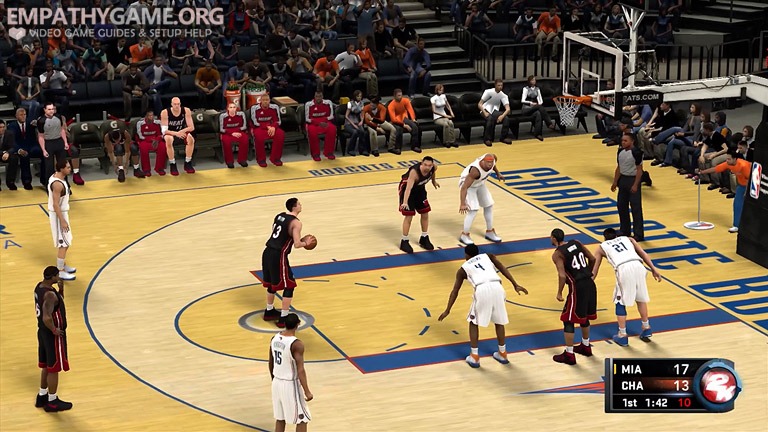
There is no conventional story campaign, but the historical matchups provide their own narrative. Larry Bird’s Celtics, Magic Johnson’s Lakers, Detroit’s physical Pistons and the Utah Jazz represent different challenges in Jordan’s career. Changing opponents make the tribute work as much as familiar jerseys. They bring character to what might otherwise be ordinary exhibitions.
Broadcast presentation carries much of the atmosphere. Commentary supplies context about the players and their encounters, while crowd reactions give a late defensive stop or scoring run a sense of occasion. Jordan’s recognizable movements and individual shooting forms distinguish athletes. Close-up models show their age, but the broadcast rhythm remains convincing.
The classic lineups are less flexible outside their showcases. Their limited use outside Jordan Challenge and exhibitions restricts long-term franchise experimentation. This is a limitation for players hoping to reshape a classic NBA season over many years, but it does keep the attention on the rivalries the game has chosen to recreate. The focus is on reliving those matchups, not rebuilding decades of NBA history.
My Player Makes an Uneven Career Feel Earned
My Player shifts attention away from legends and toward someone who has not yet earned a place in the league. A rookie enters the Draft Combine and earns Skill Points through games and drills. A guard may struggle to penetrate, while a towering center loses the ball before shooting. The temptation is to improve scoring first, but the weaknesses preventing a decent opportunity may matter more.
For a big-man build, that makes Ball Security and Hands surprisingly important alongside Inside Shot, Shoot in Traffic and Low Post attributes. A good finisher remains ineffective if a smaller defender steals the ball or a poor catch gives the defense time to collapse. Progression becomes a question of why promising moves fail before the shot. The better upgrade is not always the attribute that increases the final scoring chance; sometimes it is the one that lets the player keep control long enough to attempt it.
The career does not guarantee a straightforward rise into NBA stardom. A weak Summer Circuit can lead to the D-League, where improved performances may eventually earn a ten-day NBA contract. Limited minutes and the struggle to keep a contract make setbacks part of the career. Key Games award extra Skill Points in important matchups.
Teammate grading tries to reinforce that broader idea of basketball. Positioning, passing and assignments can matter more than scoring. Unfortunately, the grading logic is not always as fair as the principle. During a break, an assignment marker can switch toward a cutter just before the pass arrives, then penalize the controlled player for allowing a score despite having followed the previous matchup. Such penalties make slow progression feel unfair.
Press conferences and competition for minutes add personality to a mode that could otherwise feel like an extended attribute grind. Low starting ratings still make basic tasks frustrating, and a strict teammate grade can slow progress further. Even so, an uncertain route through the D-League can create a more convincing career story than immediate stardom.
Association and Situation Mode Reward Different Commitments
The Association offers a useful contrast. Instead of one career, it asks how an entire roster develops. Contracts, drafts, rotations and trades matter, but so does fit. A contender and rebuilding club need different strategies; high ratings alone cannot fix an unbalanced lineup. Choosing a useful role player may make more sense than chasing another star who needs the same shots as the existing starters.
Its development systems make that planning visible on the court. Drills can improve handling and movement even for slower centers and power forwards. Strengthening a big man’s ability to keep possession can change how often the offense can safely run through him. Limited opportunities make training choices matter. Player happiness, playing time and offseason decisions give roster management consequences beyond the next trade.
Situation Mode instead compresses basketball into one problem. Starting late in the fourth quarter while trailing by a few points makes every possession urgent. Should the offense search patiently for a two-point basket, attempt a three, or leave enough time to foul? The experiment does not require a full match. A failed final possession invites a new play, a different shooter or a more aggressive defensive gamble. That makes Situation Mode valuable for short sessions without reducing basketball to a simple arcade drill.
Quick Game, playoffs and NBA Blacktop provide other ways to step away from a long season. Completing the Jordan Challenge also unlocks MJ: Creating a Legend, placing a young Jordan in the contemporary league for an alternative career. Air Jordan shoes add collectible milestones and modest attribute benefits. Together they offer useful changes of pace.
Final Verdict
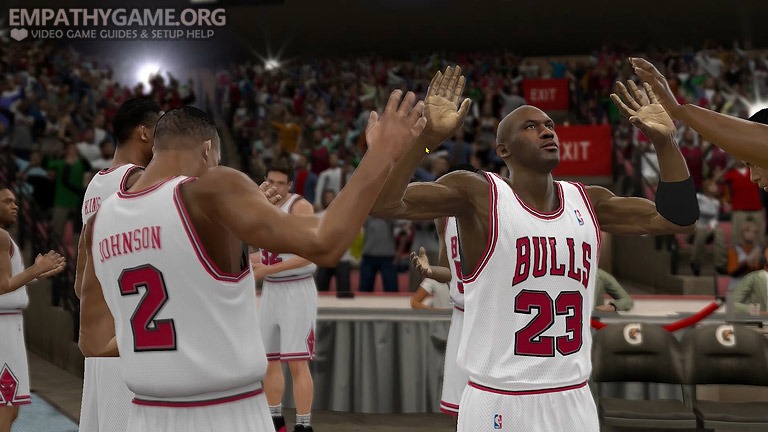
NBA 2K11 earns its reputation through the basketball underneath the Jordan tribute. Defensive positioning changes how attacks develop, the post game gives big men meaningful choices, and different shooting options let players decide how much they want to emphasize timing over shot selection. The classic teams then give those systems a sense of history that a normal season cannot quite reproduce. The compromises are just as clear. Defensive AI can feel unnaturally perceptive, the controls are demanding, My Player sometimes grades the wrong decision, and Jordan Challenge objectives occasionally undermine the team play the simulation teaches so well. For someone interested in learning why a possession succeeds and building a team or career over time, there is considerable depth here. Anyone who prefers immediate scoring and easy progress will find a less accommodating basketball game.
NBA 2K11 Pros & Cons
- Pro: Jordan Challenge turns ten famous Michael Jordan performances into distinct playable goals.
- Pro: Historical Bulls and rival teams give the basketball simulation a strong sense of NBA history.
- Pro: IsoMotion dribbling, shot control, player tendencies and coaching options create meaningful tactical depth.
- Pro: My Player, The Association, NBA Blacktop and offline exhibition modes offer varied ways to play.
- Pro: Detailed arenas, commentary and broadcast presentation reinforce the atmosphere of televised NBA games.
- Con: Demanding controls, deliberate animations and tough defensive AI create a steep learning curve.
- Con: Some Jordan Challenge objectives require rigid statistics and can encourage unnatural play.
- Con: Original official online competition, online leagues and sharing services have been discontinued.
- Con: The PC edition is no longer normally sold; SecuROM and older activation methods complicate modern setups.
NBA 2K11 PC System Requirements
These are the original Windows PC requirements reproduced from contemporary retail specifications. They describe hardware expectations for the 2010 release, not guaranteed compatibility with Windows 10 or Windows 11.
ORIGINAL WINDOWS PC REQUIREMENTS:
MINIMUM:
OS: Windows XP, Windows Vista or Windows 7 (original supported-era systems)
CPU: Intel Pentium 4 2.4 GHz single-core or equivalent; 2.8 GHz for Windows Vista
RAM: 512 MB; 1 GB for Windows Vista
GPU: DirectX 9.0c-compatible, Shader Model 3.0, 128 MB VRAM; NVIDIA GeForce 6600 or ATI Radeon X1300 class
DirectX: DirectX 9.0c
Storage: 10.5 GB available
DVD Drive: 8× DVD drive or faster for physical-disc installation
Sound: DirectX 9.0c-compatible sound hardware
Input: Keyboard or dual-analog gamepad
Internet: Connection required for original game activation
RECOMMENDED:
OS: Windows XP, Windows Vista or Windows 7 (original supported-era systems)
CPU: 3.0 GHz dual-core processor or equivalent
RAM: 2 GB
GPU: Shader Model 3.0-compatible graphics with 512 MB VRAM; NVIDIA GeForce 7900 GT or better
DirectX: DirectX 9.0c or DirectX 10
Storage: 10.5 GB available
Sound: DirectX 9.0c-compatible sound hardware
Input: Dual-analog gamepad recommended
Additional PC Performance & Setup Notes
Modern Windows: Processor and memory capacity are rarely the main obstacle for this old release. Windows compatibility, legacy DirectX components, graphics drivers, and the particular copy-protection method can matter more. Install only from a lawful copy, try the game’s original settings first, and avoid downloading unofficial executables or supposed “free full game” installers. The NBA 2K11 PCGamingWiki page documents version-specific PC behavior and configuration details, while SecuROM’s dedicated support page helps identify original copy-protection errors.
Resolution and controls: The Windows release supports ordinary widescreen play, so an unrelated 4:3-to-16:9 patch is not required for a standard monitor. Choose an in-game display resolution that matches your screen, configure the Shot Stick and defensive controls for your gamepad, then adjust gameplay sliders only after learning the game’s default shooting and dribbling timing. Ultra-wide layouts can have separate field-of-view limitations.
Local saves and modding: Keep backups of your profile, roster and save data before changing game files or importing unofficial roster packs. Community roster and court modifications are version-sensitive and are not an official replacement for NBA 2K11’s discontinued online sharing features.
Official Trailer
Note: The original NBA 2K channel’s launch trailer shows Michael Jordan, classic teams and the game’s television-style basketball presentation. The guide above concentrates on PC ownership, installation and technical limitations that the trailer does not address.
Frequently Asked Questions
How do you unlock MJ: Creating a Legend in NBA 2K11?
Complete all ten scenarios in the Jordan Challenge, including their required objectives. This unlocks MJ: Creating a Legend, where you take control of a rookie Michael Jordan, place him on a contemporary NBA team from the game’s original roster, and develop his career through the league.
Can you play as Michael Jordan without completing the Jordan Challenge?
Yes. Michael Jordan is already playable through the historical Chicago Bulls teams in Quick Game and the Jordan Challenge itself. Completing all ten challenges is required to unlock his separate MJ: Creating a Legend career mode through normal progression.
Do you have to win every Jordan Challenge game?
Each scenario has its own objectives, which can include winning the game, reaching a particular point total, collecting rebounds or assists, or meeting a shooting-percentage target. Check the objectives before starting, because simply scoring heavily with Jordan is not always enough to complete a challenge.
Can you lower the difficulty in NBA 2K11’s Jordan Challenge?
Yes. The Jordan Challenge allows difficulty adjustments, so switching to Rookie can make difficult statistical objectives more manageable. If a challenge requires several different statistics, focus on the hardest requirement early rather than spending the entire game chasing points.
How do you unlock Air Jordan shoes, and what do they do?
NBA 2K11 awards collectible Air Jordan shoes as you reach gameplay milestones and accomplishments. The game includes 40 pairs, and equipped shoes can provide attribute bonuses. You can review unlocked footwear through the My Jordans option in the Michael Jordan menu.
What is the difference between My Player and The Association?
My Player follows one custom basketball player from the NBA Draft process into a professional career, with individual ratings improved through Skill Points earned in games and drills. The Association places you in charge of an NBA franchise, including its roster, trades, rotations, season schedule, and long-term team development.
Can you still play NBA 2K11 My Player offline?
Yes. NBA 2K11’s original My Player career was designed around local single-player progression and Skill Points rather than the server-dependent career systems found in later NBA 2K releases. Its retired online My Crew features are separate, although access to existing career saves still depends on the local profile and saved data being intact.
Does NBA 2K11 My Player require Virtual Currency?
No. NBA 2K11 uses earned Skill Points to improve your created player’s attributes rather than the Virtual Currency purchasing system introduced in later series entries. Skill Points are primarily earned by performing well in games and completing drills, so player development is tied to in-game progression.
Can two people play NBA 2K11 on the same PC?
Yes. The Windows version supports local multiplayer on a shared screen, allowing friends to compete using appropriately configured controllers or a keyboard-and-controller combination. Use the team-selection screen to assign each participant to a side. Official internet multiplayer and online leagues are no longer available.
What can you play in NBA Blacktop mode?
NBA Blacktop provides a street-basketball alternative to regular NBA matches, including pickup games, 21, and basketball skill competitions. The Sprite Slam Dunk Showdown is particularly distinctive because it focuses on performing creative dunks rather than running a traditional five-on-five game.
How does the Shot Stick work in NBA 2K11?
With the default Xbox-style controller layout, move and hold the right analog stick to begin a jump shot, then release it to shoot. The direction and timing of the input influence the shot animation, while the regular shoot button offers a simpler alternative. Practice with individual players because their shooting releases are not identical.
How do you perform crossovers and IsoMotion dribble moves?
Using the default controller layout, hold the left trigger (LT) and move the left analog stick toward the ball handler’s opposite hand to perform a crossover. Other movements and combinations produce hesitations, spins, stepbacks, and changes of direction. The Practice mode is useful for learning these inputs without defensive pressure from a full match.
How do you call a pick-and-roll in NBA 2K11?
With the default Xbox-style controls, hold and release the left bumper (LB) to call for a pick-and-roll, allowing a teammate to screen your defender and move toward the basket. Holding the bumper longer can instead set up a pick-and-pop, where the screener moves into space for a potential jump shot. These plays are useful for creating easier scoring opportunities against tight defenses.
Why can I control only one player in Quick Game?
Check the Preferred Position setting under Options > My Controller > Controller Settings. If a specific position is selected, the game can lock your control to one player instead of letting you switch freely between teammates. Setting Preferred Position to None should restore normal team control.
Can you update NBA 2K11 with newer NBA rosters?
The original official Living Rosters and 2K Share services are no longer available, but the PC version allows local roster editing and loading saved roster files. Unofficial community-created roster updates also exist. Check that a roster is intended for NBA 2K11 specifically, and back up your existing saves before importing changes.
Does NBA 2K11 work on Windows 10 or Windows 11?
Some players have successfully run the original PC game on newer Windows systems, but compatibility is not guaranteed. Legacy SecuROM protection, older DirectX components, and controller detection can cause problems independently of your PC’s processing power. Windows compatibility settings may help certain installations, but they cannot guarantee that obsolete disc authentication or activation will work.
Still have questions?
Check the NBA 2K11 Steam Discussions, NBA 2K Reddit community, or Operation Sports NBA 2K Last Gen forums for additional gameplay advice, historical discussions, and help with older PC versions.
Sources & References
Key factual and technical information in this guide was checked against relevant official and specialist sources, including:
- Take-Two / 2K original release announcement — original launch date, platforms and Jordan features
- Steam original release announcement — historical Windows digital distribution through Steam
- Original NBA 2K11 PC manual — in-game modes, controls and original service disclaimers
- 2K server-sunset support — older-title digital ownership, offline access and discontinued online services
- Original PC retail specification listing — minimum and recommended Windows hardware requirements and activation caveat
- PCGamingWiki: NBA 2K11 — Windows-version DRM, video and configuration context
Similar Games Like NBA 2K11



Found something worth playing through DecideGame?
DecideGame.com is an independent gaming project run by Editor Zero. If this guide helped you discover a game, solve a problem, or find useful information, you can support DecideGame.com and help keep new and updated game guides coming.
DecideGame — PC Game Guides, Reviews & Setup Help