
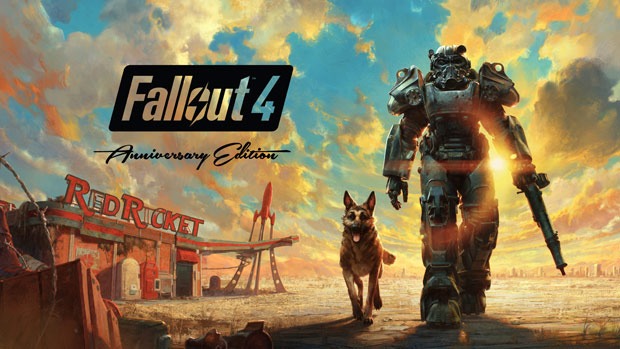
📅 Game released: 2015
Fallout 4 is an open-world post-apocalyptic RPG where the Sole Survivor explores the Commonwealth, develops a S.P.E.C.I.A.L. build, fights with V.A.T.S., and transforms scavenged materials into weapons and settlements. This PC guide compares official purchase and download options for Standard, GOTY, and Anniversary editions, explains DLC and mod compatibility, and covers system requirements, Steam Deck support, and practical setup advice.
 By Editor Zero — independently researched, edited, and maintained.
Last updated: 12 November 2026
Last reviewed: 12 November 2026
Table of Contents
- Quick Facts
- Official PC Stores, Download & Installation
- Fallout 4 Review
- Pros & Cons
- PC System Requirements
- Frequently Asked Questions
- Similar Games
Fallout 4 Quick Facts
- Game: Fallout 4 / Game of the Year Edition / Anniversary Edition
- Developer: Bethesda Game Studios
- Publisher: Bethesda Softworks
- Genre: Action RPG, Open World, Post-Apocalyptic, Shooter (FPS & third-person); Sandbox
- Release: November 10, 2015 (first release on Windows PC, PS4, and Xbox One; Steam lists November 9 due to time zone)
- Platforms: Windows PC, PS4, PS5, Xbox One, Xbox Series X|S, Nintendo Switch 2
- PC Editions: Standard, Game of the Year, Anniversary Edition, Anniversary Edition Upgrade, and Creations Bundle
- Game Pass: Base Fallout 4 is included with eligible Xbox Game Pass plans for PC; the Anniversary Edition extras require separate ownership
- Xbox Play Anywhere: Microsoft/Xbox digital version supports Windows PC and compatible Xbox consoles with Xbox cloud saves; older saves require a conversion save on the original platform
- Cloud Access: Xbox Cloud Gaming with the applicable entitlement and membership; availability varies by region and plan
- Steam Deck: Verified
- Engine: Creation Engine
- Community: Reddit FO4, Reddit Fallout, Steam Discussions
- PC modding: Nexus Mods, Bethesda Creations, and Fallout 4 Script Extender
- Metacritic score: 84/100 on PC
- IGN score: 9.5/10 for the original release
- OpenCritic average: 87/100 (original release; across platforms)
- Steam user reception: Very Positive overall
Official PC Stores, Download & Installation
👇 Compare official Fallout 4 editions and PC stores before purchasing, downloading, installing, or choosing a modded setup.
- Steam: offers the base game, GOTY, Anniversary Edition, upgrade packages, the Season Pass, individual DLC, Creation Credits, and the High Resolution Texture Pack. Steam Cloud and achievements are supported.
- Epic Games Store: sells Fallout 4 and Anniversary Edition with PC achievements and cloud-save features through Epic.
- GOG: sells a DRM-free Game of the Year Edition, with optional GOG Galaxy, official offline installers, and more direct control over updates. GOG’s build does not include Creation Club or the next-gen update.
- Microsoft/Xbox: offers PC and Xbox access with Xbox Play Anywhere, Xbox achievements, cloud saves, and eligible Game Pass access to the base game. Buying Anniversary Edition content is separate from simply accessing the base game through a subscription.
- Anniversary Edition: bundles Fallout 4, all six official add-ons, and more than 150 Creation Club items, including weapons, quests, homes, armor, and settlement customization content.
- GOTY and the six DLC add-ons: GOTY includes Automatron, Wasteland Workshop, Far Harbor, Contraptions Workshop, Vault-Tec Workshop, and Nuka-World, without the Anniversary Edition’s 150+ Creation Club package.
- Upgrade instead of rebuying: the Anniversary Edition Upgrade is intended for Standard owners who want the six DLC add-ons and Creations package; existing GOTY owners can purchase the Creations Bundle separately. Check owned entitlements before purchasing.
- Creations menu: the in-game Creations interface brings the earlier Mods and Creation Club selections together on supported platforms; access to new Creations and account-linked services may require a Bethesda.net account and internet connection.
- Xbox-to-PC saves: Xbox Play Anywhere supports compatible saves between Xbox consoles and the Xbox App for PC. For saves created before cross-save support, Bethesda instructs players to load them on the original platform and save again to enable synchronization.
- Modding and F4SE: F4SE supports compatible Steam and GOG runtimes but cannot support the Microsoft Store version. Back up saves, check the exact Fallout4.exe runtime, and confirm that script-extender and native-code plugins support it before changing a large mod list.
- Steam Deck and other versions: Valve rates the Steam version Verified. The separate Fallout 4 VR game is not included in the normal Fallout 4 PC editions; console versions, including Nintendo Switch 2, are not PC entitlements.

 Buy Fallout 4: Anniversary Edition on Epic Games Store
 Buy Fallout 4: Game of the Year Edition on GOG
 Buy Fallout 4: Anniversary Edition on Microsoft / Xbox Store

Fallout 4 Review
A compelling wasteland sandbox where exploration and invention outshine rigid role-playing.
Fallout 4 is at its most convincing when the main quest is somewhere behind you and the next destination is not entirely clear. Bethesda Game Studios takes the ruined streets of Boston and turns them into an interconnected playground of abandoned buildings, hostile wildlife, competing factions, improvised settlements, and stories hidden in ordinary places. The game is less interested in intricate dialogue choices than some earlier Fallout entries, but it gives players considerable freedom in how they travel, fight, scavenge, and rebuild. Its strongest achievement is making those activities feed one another. An expedition for a weapon part can become a difficult firefight, an unexpected discovery, or the beginning of a new settlement project.
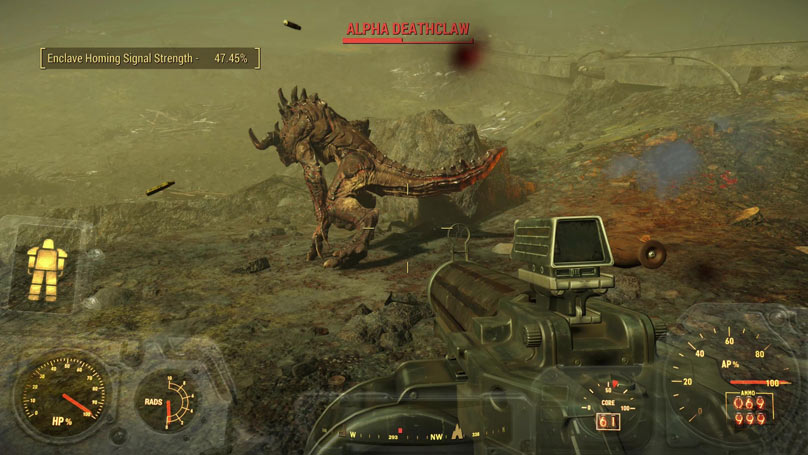
The central rhythm is wonderfully distracting: enter a ruin, survive its dangers, search every room for useful materials, improve your equipment, and venture out again because something else has caught your attention. That freedom is not the same as deep role-playing, and the distinction matters. Fallout 4 can give you dozens of ways to prepare for a problem while offering comparatively few ways to resolve it through conversation.
There is an interesting parallel with Cyberpunk 2077. Both reward detours and allow combat builds to shape encounters, but their worlds exert different kinds of pressure. Night City draws you toward character-driven gigs, cyberware, and urban combat spaces. The Commonwealth encourages you to notice an abandoned workshop, wonder what is inside, and then care about its contents because even a desk fan contains something useful.
A Personal Opening That Leads Into a Less Personal World
The opening gives the wasteland an unusually intimate starting point. A quiet morning in a Boston suburb, complete with a Vault-Tec salesman at the door, becomes a frantic escape toward Vault 111 as the nuclear sirens sound. When the Sole Survivor emerges centuries later, the search for a missing son provides an urgent reason to move forward. The world beyond the vault is far less willing to follow that urgency.
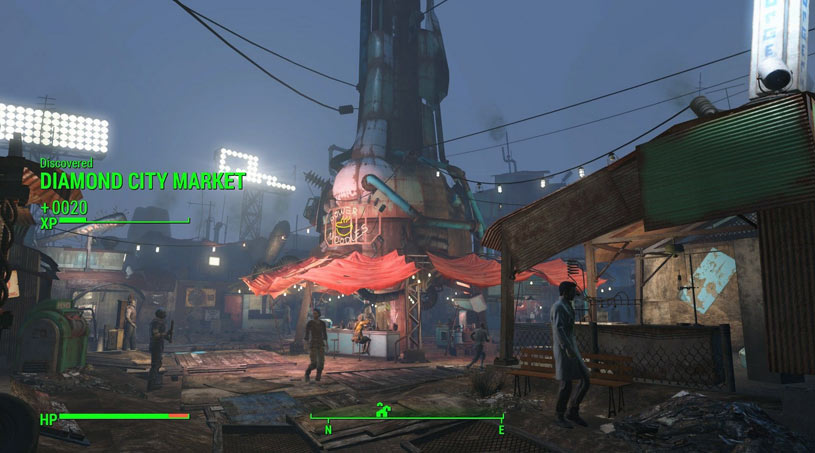
Returning to Sanctuary captures that tension beautifully. Codsworth is still tending the remains of the neighborhood, and the ruined houses make the loss of the old world feel immediate. Before long, though, the same street becomes a source of scrap, beds, water pumps, and building space. Grief gives way to practical work. The transition is abrupt, but it also explains much of the game’s appeal: the Commonwealth is not simply a tragedy to witness, but a place the player can gradually change.
The Brotherhood of Steel, Railroad, Minutemen, and Institute each propose a different future for that world. Choosing between them creates worthwhile tensions, particularly over synths, security, and control. Yet the voiced protagonist and compressed dialogue options can make conversations feel more restrictive than the surrounding sandbox. Important faction choices matter, but many smaller exchanges lack the flexibility that would make a carefully defined character feel genuinely distinct.
For a sharper emphasis on branching dialogue, reputations, and political consequences, Fallout: New Vegas remains a revealing comparison. Fallout 4 is more persuasive when the character’s identity develops through what they do in the wasteland than through what they can say about it.
Exploration Works Because Almost Everything Has a Purpose
Downtown Boston’s broken streets, derelict military facilities, schools, subway tunnels, and isolated farms are crowded with reasons to leave the marked route. A radio signal might lead into a bunker. A factory searched for adhesive might reveal terminal entries explaining a pre-war disaster. The pleasure lies in how regularly curiosity produces both a small story and a practical reward. Even familiar-looking buildings can conceal something that changes your immediate plans.
There is some shared atmosphere with Metro Exodus, where ruined infrastructure and scarce resources give travel an uneasy weight. Fallout 4 takes those ingredients in a less directed direction. Its world is broader and often less tense, but the freedom to choose where to go makes discovery feel more personal.
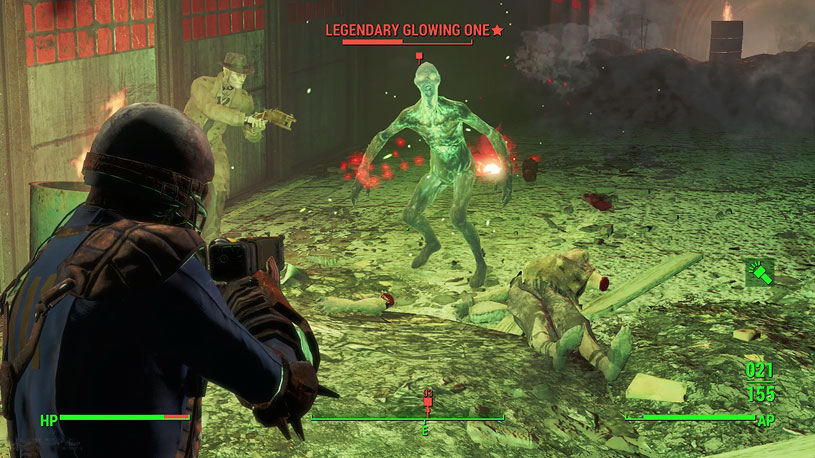
The Commonwealth also has a life beyond the player’s immediate objectives. Distant gunfire may lead to raiders clashing with another faction, a fight worth joining, or a dangerous encounter best avoided. Survival difficulty gives these diversions different consequences. With fast travel disabled and food, water, rest, and ammunition to consider, choosing a route and deciding what equipment to carry can become an expedition in itself. That creates a satisfying feeling of inhabiting the world, although a long return journey can become tiresome when exploration turns into repeated walking.
The world offers a varied collection of obstacles and discoveries:
- Robots, synths, and the secretive organizations connected to them
- Settlers trying to maintain farms, safe homes, and trading routes
- Raider gangs, Gunners, Super Mutants, and hostile scavengers
- Radscorpions, Yao Guai, Feral Ghouls, and Deathclaws
Scavenging makes those encounters part of a larger economy. Running low on stimpaks or ammunition turns a desk drawer into a possible lifeline; searching for screws or circuitry may pull you into a building you otherwise would have ignored. This is where the crafting system does something unusually valuable for an open world: it gives small objects and overlooked spaces a reason to exist.
That sense of improving hostile territory has a distant cousin in Death Stranding 2: On the Beach. Their mechanics are very different, but both make progress visible through infrastructure and routes that become easier to use. Fallout 4 builds that feeling out of scrap, settlements, and equipment rather than deliveries.
Not every return visit is as rewarding. Minutemen radiant quests can send the Sole Survivor back to places such as Corvega Assembly Plant after they have already been cleared. These assignments keep the world busy, but knowing the routes and enemy positions can turn a dramatic first assault into another routine sweep. The game is better at giving you places to discover than making every victory feel permanent.
Combat, V.A.T.S., and the Cost of Specialization
Fallout 4 is considerably more comfortable as a shooter than its immediate predecessors. Rifles have a stronger sense of impact, shotguns suit cramped interiors, and energy weapons and explosives encourage different approaches. It is not a precision shooter throughout, but its action feels substantial enough that clearing a hostile location can be satisfying even when its quest objective is ordinary.
V.A.T.S., the Vault-Tec Assisted Targeting System, slows time rather than stopping it completely. Targeting a rushing ghoul’s leg can buy breathing room, while a planned critical hit may interrupt a dangerous Deathclaw encounter. It is more than a concession to players who prefer statistics over reflexes. The system lets character progression affect the rhythm of an otherwise real-time firefight.
Builds do not all face the same difficulties at every level. A stealth sniper can dominate at range yet struggle when molerats, insects, or ghouls close the gap before another accurate shot is ready. Melee builds, particularly those developed around stealth and V.A.T.S., can be more capable in those close encounters than they initially appear. As perks and equipment accumulate, both approaches can become extremely powerful. The interesting choice is not just which build deals more damage eventually, but what weaknesses it asks you to manage along the way.
Power Armor changes the calculation again. Climbing into a frame feels closer to operating machinery than equipping clothing, while fusion cores, damaged components, and upgrades make its protection a resource to manage. The early Concord fight, with a rooftop minigun and a Deathclaw charging through the street, sells that fantasy immediately. It also risks giving the impression that the game will always be that generous with its most dramatic equipment.
Progression, Crafting, and the Uneven Logic of Settlements
S.P.E.C.I.A.L. attributes and perks give the character a clear direction. Strength, Perception, Endurance, Charisma, Intelligence, Agility, and Luck support distinct combinations of combat, stealth, crafting, dialogue, and settlement skills. A rifle-focused scavenger approaches a location differently from a heavily armored bruiser, while a high-Charisma character has more reason to invest in trade and connecting communities. The system is accessible, though its emphasis on perks and combat effectiveness cannot fully replace the series’ older dialogue-driven role-playing depth.
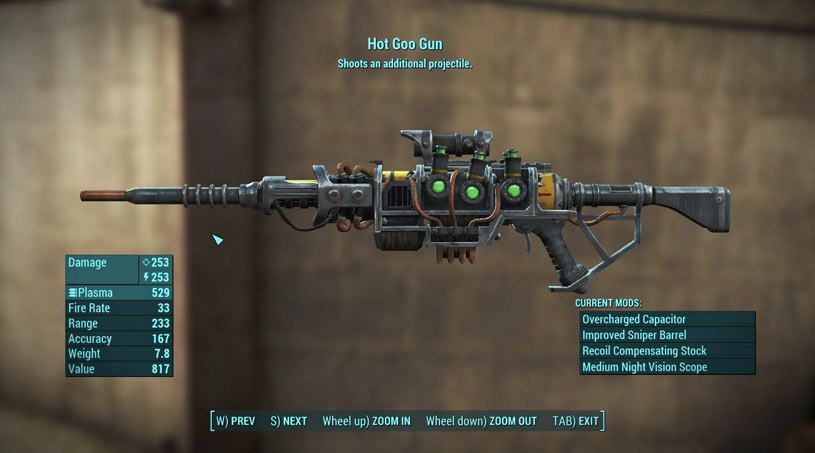
Weapon modification is one of its most successful additions. Receivers, barrels, scopes, stocks, and ammunition conversions make the workshop feel consequential rather than decorative. A Two Shot pipe bolt-action rifle, for example, can remain a useful stealth weapon after improvements to its receiver and scope, despite its humble base model. It can deliver a powerful concealed opening shot yet become awkward when enemies find the shooter and its slow firing rhythm is exposed. That is a more interesting form of progression than simply discarding every low-tier weapon on sight.
Settlement building extends the same logic to the landscape. Sanctuary, Red Rocket, and the Castle can become modest shelters or elaborate communities with crops, water, shops, electricity, and defenses. The interface can be fiddly, and there is a peculiar disconnect in how protection works: turrets and armed residents can repel attackers convincingly when the player is present, yet an unattended settlement may still lose an attack through the game’s more abstract resolution. A fortress does not always behave as securely as it looks.
Supply lines provide a better example of these systems meeting the open world. Provisioners actually travel between settlements, and heavily equipped robot provisioners can get into fights along the roads. Hearing a familiar Sentry Bot’s weapons in the distance gives an otherwise administrative network a physical presence. It makes rebuilding feel less like arranging objects inside separate menus and more like leaving a mark on the Commonwealth.
The construction and customization loop also creates a useful connection with Starfield. Bethesda’s later space RPG shifts the focus toward ships, outposts, and planets, but both games reward players who enjoy turning collected materials into personal projects. The difference is that Fallout 4‘s scrap economy is unusually closely tied to what you find during ordinary exploration.
Companions, Replayability, and Reasons to Return
Different faction loyalties, perks, settlement plans, and routes through the Commonwealth support multiple characters without requiring the world itself to change completely. One journey can revolve around stealth and suppressed rifles; another can favor Brotherhood operations, Power Armor, and heavy weapons. Settlement-focused play can become almost a separate hobby, although repeatable missions and recycled locations do less to refresh the world than genuinely different decisions do.
Companions add a more personal kind of variation. Dogmeat offers uncomplicated loyalty, while Piper, Cait, Hancock, Nick Valentine, and others bring conversations, quests, and opinions of the Sole Survivor’s conduct. Their affinity systems reward attention, but trying to please everyone exposes a curious weakness: the choices that impress Preston or Codsworth may not suit MacCready, Cait, or Strong. Maximizing every relationship can push a supposedly consistent character into a series of contradictory behaviors.
Companion choice can enrich the story in less mechanical ways. Bringing Nick Valentine to Far Harbor reveals additional context around characters and relationships that another traveling partner may not provide. The objectives need not change for a second journey to carry a different meaning. That kind of specificity gives companions more value than another damage bonus or extra inventory space.
On PC, mods can extend that flexibility further through new quests, weapons, survival adjustments, settlement tools, and interface improvements. They help make Fallout 4 a long-running personal sandbox rather than a single campaign to finish, although the strongest reason to return is already in the unmodified game: the possibility of pursuing a different idea of who the Sole Survivor is and how the Commonwealth should be used.
Final Verdict
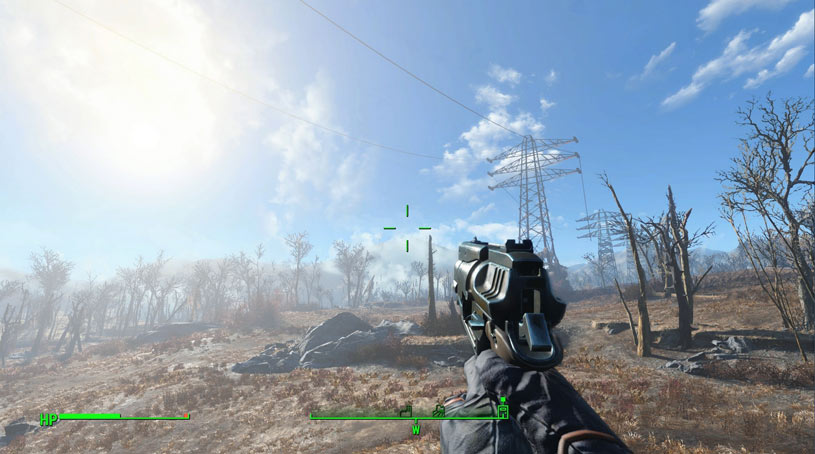
Fallout 4 is strongest when it lets the player make plans that the wasteland can interrupt. Its exploration, satisfying scavenging economy, flexible combat, and settlement experiments constantly feed one another, turning even a short journey into a possible new project. The compromises are substantial: dialogue offers less nuance than some earlier Fallout games, radiant assignments repeat, and settlement systems sometimes fail to honor the effort invested in them.
Players seeking tightly written quests and far-reaching conversational choices may find the Commonwealth less convincing than its atmosphere suggests. Those who enjoy discovering forgotten spaces, refining a character build, and slowly changing the landscape will find an unusually absorbing RPG sandbox. Its lasting appeal is not that every system works elegantly. It is that several imperfect systems meet in ways that make the next detour difficult to resist.
Fallout 4 Pros & Cons
- Pro: Commonwealth exploration remains extremely rewarding, with dense ruins, vaults, environmental stories, factions, hidden locations, random encounters, and constant reasons to leave the main quest
- Pro: V.A.T.S., improved real-time gunplay, Power Armor, weapon/armor crafting, S.P.E.C.I.A.L. perks, companions, and settlement building create a flexible sandbox that supports very different character styles
- Pro: Far Harbor, Nuka-World, Automatron, and the Workshop add-ons substantially expand the base game, while Anniversary Edition packages the six expansions with more than 150 Creation Club items
- Pro: Fallout 4 still has one of PC gaming’s largest mod ecosystems through Nexus Mods, F4SE, Bethesda Creations, quest mods, UI changes, settlement systems, visual upgrades, and survival overhauls
- Pro: Steam Deck Verified status, Epic availability, GOG’s DRM-free GOTY build, and Xbox Play Anywhere give PC players several meaningfully different official ownership options
- Con: Dialogue depth, role-playing reactivity, and faction consequences are less flexible than Fallout: New Vegas
- Con: Dense areas such as downtown Boston, large settlements, high-refresh-rate tweaks, Weapon Debris, and script-heavy load orders can still expose performance or stability problems
- Con: Anniversary-era game updates and the expanded Creations ecosystem can require version-aware mod maintenance, especially for F4SE/native plugins and older load orders
- Con: GOG’s DRM-free GOTY build does not include the next-gen update or Creation Club, while F4SE does not support the Microsoft Store version, so no single PC storefront is best for every modding/ownership priority
Fallout 4 PC System Requirements
STEAM / EPIC WINDOWS REQUIREMENTS (ORIGINAL PUBLISHED TIERS):
MINIMUM:
OS: Windows 7 / Windows 8 / Windows 10, 64-bit
CPU: Intel Core i5-2300 2.8 GHz / AMD Phenom II X4 945 3.0 GHz or equivalent
RAM: 8 GB
GPU: NVIDIA GTX 550 Ti 2 GB / AMD Radeon HD 7870 2 GB or equivalent
Storage: 30 GB available space
RECOMMENDED:
OS: Windows 7 / Windows 8 / Windows 10, 64-bit
CPU: Intel Core i7-4790 3.6 GHz / AMD FX-9590 4.7 GHz or equivalent
RAM: 8 GB
GPU: NVIDIA GTX 780 3 GB / AMD Radeon R9 290X 4 GB or equivalent
Storage: 30 GB available space
Additional PC Performance and Setup Notes
- Windows and store requirements: Steam and Epic retain Fallout 4’s original 30 GB Windows 7/8/10 hardware specifications, although the modern Steam client requires Windows 10 or newer. Windows 10/11 64-bit is the practical modern PC target.
- GOG requirements: GOG lists Windows 10 64-bit and 35 GB storage for its DRM-free GOTY build. Its requirements and update branch should not be assumed identical to the Steam Anniversary Edition build.
- Installation space: DLC, more than 150 Creation Club items, high-resolution textures, save files, large mods, and mod-manager staging folders can significantly increase the space needed beyond the original base-game figure.
- Frame rate: Bethesda recommends the default 60 FPS cap for an unmodified installation. Forcing
iPresentInterval=0can affect physics, timing, terminal/furniture animations, or game speed on high-refresh-rate monitors. Version-compatible community fixes are a separate, modded option. - Weapon Debris: if you experience crashes with Weapon Debris set to High or Ultra, Bethesda’s PC troubleshooting advice is to use Medium or Off.
- Widescreen and Steam Deck: the updated PC build supports widescreen and ultrawide resolutions, and Fallout 4 is Steam Deck Verified. Complex settlements, large texture packs, or script-heavy load orders may change performance substantially.
- Creations and large mod lists: the game supports a larger BA2 archive limit, helping with extensive mod collections. Still check plugin limits, load-order dependencies, and mod-manager warnings rather than assuming every mod is compatible.
- F4SE runtime matching: use the official F4SE compatibility page to select the script-extender build for your exact Steam or GOG runtime; a game update may require matching plugin updates. F4SE is not available for the Microsoft Store build.
- First troubleshooting steps: verify game files, update drivers, restore modified INI files, test Borderless Windowed mode, disable conflicting overlays, and temporarily disable mods or Creations in a clean profile while isolating a crash. Back up saves before major changes.
Official Trailer
Note: Bethesda’s Fallout 4: Anniversary Edition reveal trailer highlights the bundled game, DLC, and Creation Club content. The guide above covers PC storefront differences, mod compatibility, requirements, and setup.
Frequently Asked Questions
Can I start Fallout 4 without playing Fallout 3 or Fallout: New Vegas?
Yes. All three share the Fallout setting, but Fallout 4 tells a self-contained story with a new protagonist and Commonwealth factions. Knowledge of earlier games adds context rather than being required.
Which Fallout 4 edition should I buy, and how do upgrades work?
Anniversary Edition includes the base game, six official DLC add-ons, and more than 150 Creation Club items. GOTY includes the base game and six DLCs without the bundled Creations. Standard owners can compare the Anniversary Upgrade, while existing GOTY owners can buy the Creations Bundle separately instead of repurchasing the expansions.
Does Fallout 4 have multiplayer or co-op?
No. Fallout 4 is a single-player RPG; it has no official online co-op, split-screen campaign, or cross-play multiplayer. Fallout 76 is a separate online game, not a multiplayer mode inside Fallout 4.
Does Fallout 4 support cross-save between Xbox, Steam, Epic, and GOG?
Xbox Play Anywhere supports Xbox console and Xbox App for PC saves; there is no automatic universal cross-save service for Steam, Epic, GOG, and Xbox. For older Xbox saves, update both versions, load the save on the original platform, and save again so a compatible new save can synchronize.
Does GOG Galaxy have to be installed to play Fallout 4?
No. GOG’s GOTY version is DRM-free and can be installed with GOG’s official offline installers. GOG Galaxy is optional and offers update-management and rollback convenience.
What are Fallout 4 Creations, and are they the same as Nexus Mods?
Creations are distributed through Bethesda’s in-game ecosystem on supported platforms and may include free or paid content. Nexus Mods is a separate community mod-hosting platform with its own tools and installation workflows. Not all content uses the same distribution system or compatibility requirements.
Can I use F4SE with Fallout 4 Anniversary Edition?
Yes, on compatible Steam runtimes with the matching F4SE release. The F4SE project also separately supports compatible GOG builds but not the Microsoft Store version. Check your installed runtime and each dependent native plugin before updating a large load order.
Should I downgrade Fallout 4 to use mods?
Only when your chosen mod list specifically depends on an older executable, script extender, or native-code plugin. Many mods work with newer runtimes. Back up saves and installed files first, and avoid combining dependencies made for different versions.
Which Fallout 4 DLC is best for story and exploration?
Far Harbor is particularly worthwhile for its island setting, atmosphere, tougher decisions, and connections to Nick Valentine. Nuka-World emphasizes a raider-run amusement park, combat, and faction choices, while Automatron focuses on robots and custom robot companions.
When should I begin Far Harbor and Nuka-World?
Far Harbor fits naturally after meeting Nick Valentine and building a capable character. Nuka-World is a more demanding option and includes raider decisions that may conflict with a Minutemen-focused role-playing approach.
Can I continue after the main story ends?
Yes. You can keep exploring, building, leveling, and completing surviving side quests and DLC. Certain faction decisions can close off incompatible questlines, so keep a manual save before major commitments.
Does Fallout 4 have multiple endings?
Yes. Major endings revolve around the Minutemen, Brotherhood of Steel, Railroad, and Institute. Some faction questlines eventually become mutually exclusive, although you can cooperate with several groups earlier in the story.
Is settlement building required to finish Fallout 4?
Not for most main-story progress. It becomes more relevant to Minutemen quests, Survival Mode supply routes, beds, food, water, and crafting, but players can keep construction relatively simple.
What changes in Fallout 4 Survival Mode?
Survival emphasizes food, water, rest, illness, more dangerous combat, limited saving, and the loss of ordinary fast travel. Beds, reliable supply routes, and settlement preparation become important parts of exploration.
Can I play Fallout 4 in virtual reality?
Yes, but Fallout 4 VR is a separate PC product rather than a feature included with the Standard, GOTY, or Anniversary editions. Check that game’s separate hardware and VR-platform requirements before buying it.
How do I avoid Fallout 4 running too fast on a high-refresh-rate PC?
Bethesda advises keeping the default 60 FPS behavior for an unmodified setup. Uncapping the frame rate through INI changes can disturb game physics and animations; restore supported settings before trying version-compatible community fixes.
Why does Fallout 4 crash on PC?
Possible causes include outdated mod dependencies, altered INI files, incompatible plugins, overlays, and graphics settings. Bethesda advises lowering Weapon Debris from High or Ultra to Medium or Off if that setting causes crashes. Back up saves and test without mods while narrowing down the cause.
Still have questions? Check the Fallout 4 Reddit community, Steam Discussions, or Bethesda’s Fallout 4 support notes.
Sources & References
Key edition, ownership, cross-save, modding, compatibility, and technical facts were checked against the following official sources:
- Bethesda — Fallout 4: Anniversary Edition — confirmed the six official add-ons, Creations package, and upgrade routes
- Xbox — Fallout 4 — verified Xbox Play Anywhere, PC support, subscription listings, and edition differences
- Bethesda Support — Anniversary Edition cross-save — explained Xbox-to-PC save compatibility and converting older saves
- GOG — Fallout 4 GOTY — verified DRM-free ownership, installation requirements, and the absence of the next-gen update and Creation Club
- Steam — Fallout 4 — verified Steam Deck compatibility, Steam Cloud, reception, and the original PC release information
- Fallout 4 Script Extender — confirmed supported Steam/GOG runtimes and Microsoft Store limitations
- Bethesda Support — Fallout 4 patch notes — verified enduring fixes, Creation Kit changes, and the expanded BA2 archive limit
Similar Games Like Fallout 4





Found something worth playing through DecideGame?
DecideGame.com is an independent gaming project run by Editor Zero. If this guide helped you discover a game, solve a problem, or find useful information, you can support DecideGame.com and help keep new and updated game guides coming.
DecideGame — PC Game Guides, Reviews & Setup Help