
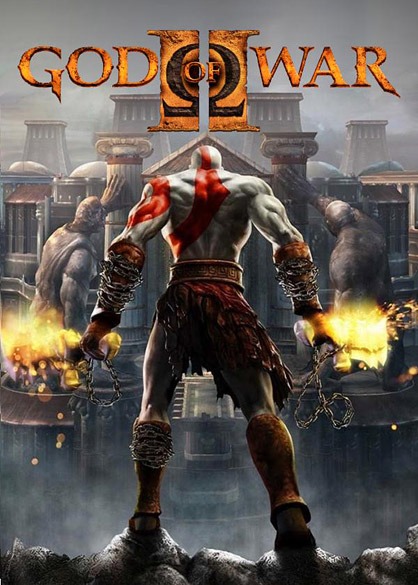
📅 Game released: 2007
God of War II follows Kratos through a brutal Greek-mythology adventure of chained-blade combat, giant bosses, and time-bending puzzles. This PC guide explains why there is no official Windows game download, how to use PCSX2 with your own legally obtained PS2 copy and BIOS, and what controller settings, emulator requirements, and compatibility details matter.
 By Editor Zero — independently researched, edited, and maintained.
Last updated: 18 November 2026
Last reviewed: 18 November 2026
Table of Contents
- Quick Facts
- Official PC Stores, Download & Installation
- God of War II Review
- Pros & Cons
- PC System Requirements
- Frequently Asked Questions
- Similar Games
God of War II Quick Facts
- Game: God of War II / God of War 2 (original PS2 game); God of War II HD in God of War Collection (PS3/PS Vita)
- Developer: Santa Monica Studio (original PS2 game)
- Publisher: Sony Computer Entertainment
- Genre: Action-Adventure, Hack and Slash, Brawler / Beat ’em Up, Fantasy
- Release: March 13, 2007 (original PS2 release, North America)
- Platforms: PS2 (original); PS3 and PS Vita (God of War Collection)
- Best PC Emulation Route: Original PS2 release through PCSX2; no official native Windows edition
- Modes: Single-player campaign; no campaign co-op or online multiplayer
- Engine: Kinetica (original PS2 game; MobyGames documentation)
- Community: God of War Reddit Community, PCSX2 Forums
- PC modding: No official native-PC mod tools; PCSX2 offers emulator-side rendering, control, and patch options
- Metacritic score: 93/100 (original PS2 release)
- IGN score: 9.7/10 (original PS2 release)
- GameSpot score: 9.2/10 (original PS2 release)
Official PC Store Status, Download & Installation
👇 God of War II does not have an official Windows game download. The steps below explain the original PlayStation releases and a practical PCSX2 setup for an owned PS2 copy, without unofficial game files or BIOS downloads.
- Official Windows status: Sony released God of War II for PS2, not as a native Windows game. There is no verified official Windows copy of this 2007 game on Steam, Epic Games Store, GOG, or Microsoft Store; PC releases of other God of War games are different products.
- Original versus remastered editions: The 2007 PS2 disc is the primary version covered here. The later God of War Collection includes remastered versions of God of War and God of War II on PS3 and PS Vita. A PS3 or Vita release does not become a Windows installer, and PCSX2 is specifically a PS2 emulator, not an emulator for those remasters.
- Recommended emulator: Download PCSX2 from its official downloads page and follow its Windows setup guide. PCSX2 is a separately distributed PS2 emulator; it does not contain God of War II, PlayStation game discs, or Sony BIOS files.
- Obtain your own game copy: Start with a legitimately obtained original God of War II PS2 disc, matching your preferred region/version. Physical secondhand copies may be an option, but seller authenticity, disc condition, and region should be checked before buying. This guide does not provide or link to copyrighted game ISOs or ROM libraries.
- Dump the game disc: With a suitable computer DVD drive, create a personal disc image from your own PS2 DVD. PCSX2’s official disc-dumping guide documents Media Preservation Frontend (MPF) on Windows: select Sony PlayStation 2, choose the source drive and output location, and complete the disc image. A damaged disc or incomplete copy may cause loading problems. Local laws governing backups differ.
- PS2 BIOS requirement: PCSX2 requires a PlayStation 2 BIOS dumped from a PS2 console you legitimately own. Its official BIOS-dumping instructions explain compatible methods, including FreeMcBoot or FreeDVDBoot and the biosdrain utility. The emulator does not provide Sony BIOS files; do not use a random BIOS-download website.
- First launch and loading: Install PCSX2, complete its setup wizard, point it to your own BIOS dump, and add the folder containing your lawfully made God of War II disc image to the game library. Launch the game from PCSX2’s library. Use default emulation settings first rather than applying old speed hacks from unrelated emulator versions.
- Controller configuration: A USB or Bluetooth gamepad is recommended because the original game relies on the PS2’s two analog sticks, shoulder buttons, face buttons, and quick-time-event prompts. Use PCSX2’s controller-mapping settings to map a modern gamepad to the PS2 layout, then check that the right stick, triggers, and all four face buttons respond before progressing far into the campaign. Keyboard mapping is possible but less natural for rapid combat inputs.
- Graphics and performance: Begin with PCSX2’s automatic/default renderer and native or modestly upscaled internal resolution. Raise resolution gradually only if gameplay remains smooth; this title can be demanding even though it originated on PS2. If unusual lines or other rendering artifacts appear, check the PCSX2 game-specific notes and try a lower internal resolution or software rendering before using unofficial patches.
- Widescreen and progressive scan: The original PS2 game already offers a widescreen setting and, on supported editions, progressive-scan video options. Enable its widescreen option in the game’s settings and match PCSX2’s aspect ratio to 16:9; changing only the emulator’s display shape can stretch the picture. Resolution scaling improves rendered sharpness but does not remake cutscenes, models, or textures.
- Save data and versions: Use PCSX2’s emulated PS2 memory cards for normal in-game saves and back up those saves before changing emulator versions or experimenting with patches. A save made for one region/revision may not work with another. The original game supports offline single-player play; PCSX2 does not add official online multiplayer.
 Download PCSX2 from the Official Website (Emulator Only)
 Explore the Official God of War Series on PlayStation

God of War II Review
A mythological adventure where huge set pieces make familiar combat feel surprisingly demanding.
God of War II takes Kratos from the throne of Ares into a much larger conflict, but its real achievement is how often that scale affects the game itself. A giant enemy changes the route through a city; a dangerous creature becomes a weapon against another. Santa Monica Studio retains the first game’s fast combat and linear structure while making the journey between encounters more inventive. The result is tightly controlled, sometimes frustratingly so, yet its enormous settings rarely feel decorative.
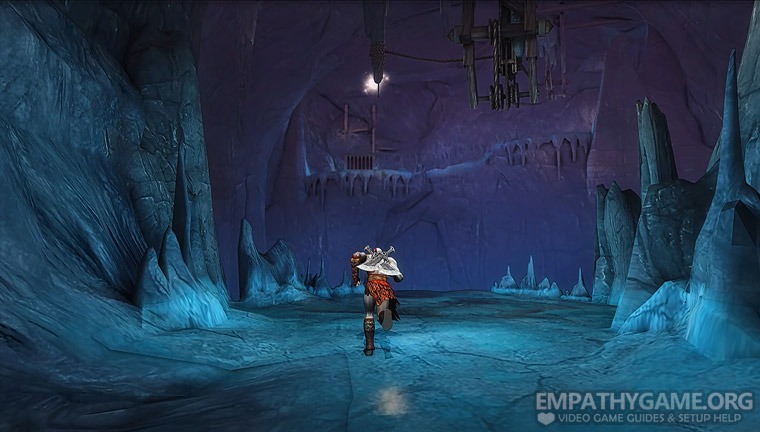
Rhodes Makes Scale Part of the Gameplay
The opening battle in Rhodes explains the appeal better than any list of improvements could. The Colossus does not simply wait at the end of a level. It attacks while Kratos moves through streets, rooftops, and buildings, making an ordinary route feel like part of one extended confrontation. Its size matters because it changes the player’s next decision.
The Steeds of Time carry that idea into traversal, turning an extraordinary mechanical structure into something Kratos must understand and operate. The Temple of Euryale combines chambers, traps, fights, and switches without letting any one activity dominate for too long. Later areas reuse earlier abilities, giving the journey continuity. The restricted route leaves little freedom to explore, but it gives each scene a deliberate pace and shape.
There is a trade-off. On a first journey, another vast mechanism or unexpected obstacle can make the search for the Sisters of Fate feel increasingly ambitious. On a replay, knowing the destination removes some of that uncertainty. The same detours may begin to feel like delays. The journey is built for discovery, not a quick return to favourite fights.
The Blades Are Flexible, but the Best Fights Demand More
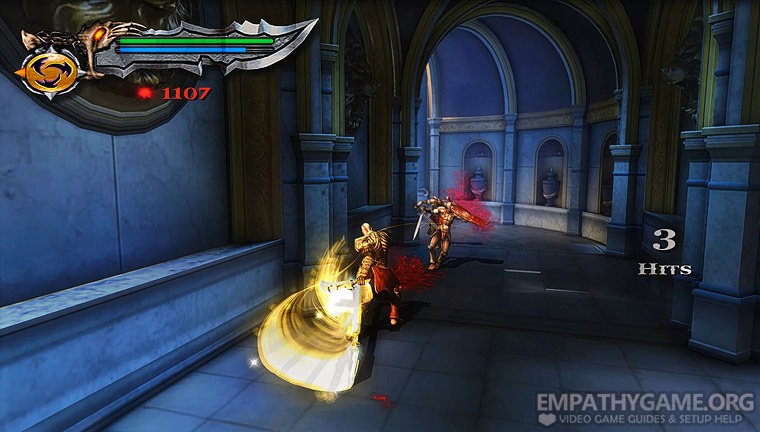
The Blades of Athena remain an excellent match for the game’s crowded arenas. Wide swings keep several soldiers at a distance, heavier attacks punish openings, and launchers turn a vulnerable enemy into an aerial target. Dodging, blocking, and grabbing let Kratos move between offence and defence without losing momentum. Minotaurs, Gorgons, Cyclopes, and Satyrs complicate that rhythm, rewarding enemy recognition as much as combos.
The system rarely demands everything it offers. On lower difficulties, repeated sweeping attacks can carry a surprising amount of the campaign. There is little incentive to change until an enemy punishes a combo’s recovery time. Harder encounters change the calculation. A short attack followed by a well-timed dodge may accomplish more than an elaborate combo that leaves Kratos exposed.
Titan difficulty brings a less obvious part of the combat into focus: collision damage. Throwing a weaker enemy into a tougher one can be remarkably effective, and Cerberus pups can become dangerous projectiles against the larger creature. Grabs become a way to use the arena itself, not merely to finish enemies or gain space. The positioning of two enemies relative to each other can matter as much as the move used against either one. Easier settings rarely encourage that experimentation.
The Golden Fleece Makes Defence an Offensive Decision
The Golden Fleece improves combat because it rewards more than quick reactions. A timed reflection turns an incoming attack into an opportunity, and suddenly the player has reason to watch what an enemy is preparing rather than simply attack first. It also solves environmental puzzles, extending its purpose beyond fighting.
Gorgons reveal just how far that idea can go. Attempting to grab one can provoke its petrifying gaze. Reflecting the attack with the Fleece can then turn nearby enemies to stone, setting up a devastating follow-up. Instead of waiting for a fortunate moment, Kratos can help create one. In challenges restricting magic, that understanding of enemy behaviour is more valuable than another powerful strike.
That freedom contrasts with the finishing sequences. Context-sensitive prompts give boss encounters their elaborate, violent conclusions, but missing a button press can send the player back through a portion of the spectacle. The interaction is far narrower than the combat preceding it. At those moments, the game seems more interested in exactly how Kratos should finish a fight than in letting the player finish it naturally.
Magic Gives the Secondary Weapons a Purpose
The Barbarian Hammer and Spear of Destiny make the arsenal look more varied, although neither offers the immediate reliability of the blades. The hammer’s heavy blows are difficult to land safely against an active crowd, while the spear provides a different reach and pattern without consistently offering a better answer to common encounters. Limited red orbs make the dependable blades an obvious investment.
But judging those weapons on their own misses something important. Cronos’ Rage can hold or disrupt enemies long enough for a slow hammer attack to connect. That turns magic from a separate source of damage into support for a weapon with a clear weakness. Atlas Quake offers a more immediate way to regain control when a group closes in. These combinations reward experimentation, even though normal difficulty rarely demands it.
Rage of the Titans adds a broader resource decision. It can help Kratos break through a dangerous exchange, yet spending the meter against lesser threats means losing that option for the next difficult wave. Preserving that power for the right encounter can matter more than using it immediately.
Puzzles and Protection Battles Change the Rules
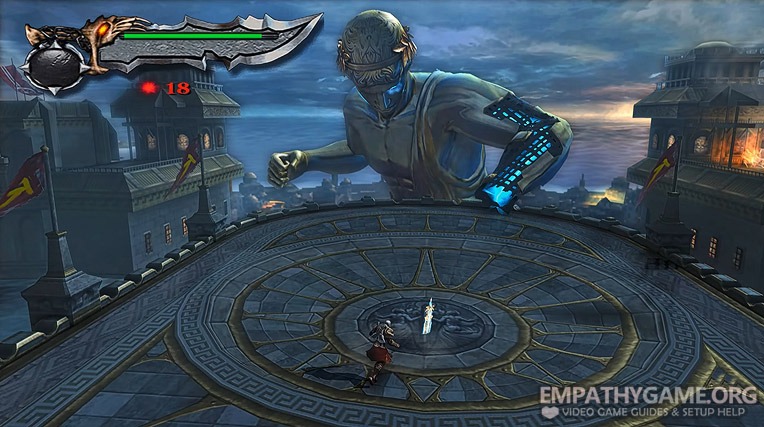
The time spent outside combat is essential to the campaign’s identity. The Amulet of the Fates slows time near particular statues, allowing Kratos to cross gaps or operate mechanisms that would otherwise close too quickly. Icarus’ Wings change how certain distances are crossed, while grappling with the blades makes familiar weapons useful for movement. Each tool is simple on its own, but together they prevent a predictable succession of enemy rooms.
Protection encounters can also expose unexpected consequences of familiar attacks. When Kratos must defend a translator, throwing hounds carelessly is suddenly dangerous. A creature that would normally damage another enemy through a collision can instead strike the person being protected. The situation asks for controlled aggression, not just maximum damage. That reversal is clever, even when the punishment feels abrupt.
The fixed camera is less convincing when a jump requires precision. An angle chosen to show off a temple can make the edge of a platform difficult to judge; an important object may blend into an elaborate room. The game’s response to repeated deaths can be equally unhelpful. An offer to lower combat difficulty does not solve a confusing puzzle or change the geometry of a troublesome jump. The game recognises failure without recognising its cause.
The Mythology Grows Bigger Than Kratos
Kratos’ conflict with Zeus supplies a direct reason to pursue the Sisters of Fate, while Gaia and the Titans expand the stakes beyond a personal grievance. Theseus and Perseus are given distinctive encounters rather than appearing as names borrowed from Greek legend. There is little subtlety here, but these confrontations suit the game’s fierce interpretation of Greek mythology.
What makes these places memorable is not constant noise. After a brutal fight, the camera may linger on immense machinery, ruined stone, or a distant structure that still has to be reached. The orchestral and choral music can turn quieter passages into something uneasy and expectant. That restraint makes the next enormous confrontation more forceful.
The increased scale also leaves less room for Kratos as a character. The first game gave his anger an intimate source in guilt and loss. Here, that anger drives the story forward without developing him to the same extent. The unresolved ending fits the larger conflict being established, but it offers less emotional closure than a self-contained revenge story. Players drawn mainly to the personal tragedy may find the sequel’s mythology more engaging than its protagonist.
Progression Rewards Exploration, While Replayability Rewards Mastery
Red orbs earned from combat and chests improve weapons and magic, unlocking attacks and increasing their usefulness. Because the blades solve so many problems, upgrading them is often more attractive than spreading resources across the arsenal. Gorgon Eyes and Phoenix Feathers increase maximum health and magic, giving a reason to inspect corners and side passages before moving on. Exploration matters, despite the fixed route.
After completion, Bonus Play and Challenge of the Titans provide different reasons to return. The challenges put specific restrictions and objectives around combat, making knowledge of counters, grabs, and crowd control especially valuable. The unlockable Arena of the Fates offers room to experiment with combinations that may have seemed unnecessary during the story.
Even the bonus costumes can affect more than appearance. Some change red-orb earnings, with the General Kratos outfit offering a notably different reward rate. That changes how quickly equipment can be improved on another run, although exact returns depend on the conditions involved. Urns of Power introduce further alterations to Bonus Play. They make familiar battles more flexible, not merely more colourful.
Higher difficulties remain the more convincing reason to revisit the campaign. Enemy patterns that were easy to ignore begin to matter, and mechanics such as reflecting attacks or using collisions become practical tools instead of optional flourishes. But the puzzles and long journey toward the Sisters remain unchanged. Replaying God of War II is principally about mastering its encounters, not finding another route through its story.
Final Verdict
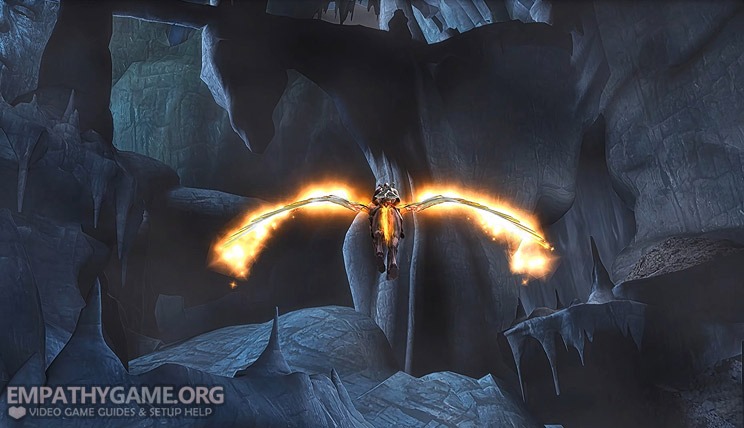
God of War II understands something that many spectacle-driven action games struggle with: a giant enemy or extraordinary setting is more memorable when it changes what the player actually does. Rhodes, the Steeds of Time, and the temples on the road to the Sisters of Fate all deliver on that idea. Beneath the theatrical finishing moves, the Golden Fleece, enemy collisions, and well-matched weapon and magic abilities give the combat more depth than its easier battles initially reveal.
The same careful direction creates its limitations. Camera angles can make simple movement awkward, prescribed button prompts interrupt otherwise responsive fighting, and parts of the journey feel longer when their surprises are known. The story also favours a larger mythological conflict over deeper development of Kratos. For players who value focused action, inventive environmental puzzles, and combat that grows more interesting with mastery, those compromises are worth accepting. Anyone seeking free exploration, consistently flexible controls, or a more complete character arc may reasonably prefer a different kind of adventure.
God of War II Pros & Cons
- Pro: Fast chained-blade combat, varied magic, and large-scale boss battles give the campaign a strong sense of momentum.
- Pro: Greek-mythology locations, environmental puzzles, and striking set pieces keep the adventure visually distinctive.
- Pro: Weapon and magic upgrades, unlockable extras, and higher difficulty settings encourage another run.
- Pro: The PS2 release can be played on a Windows PC using the maintained PCSX2 emulator and lawfully obtained files.
- Con: No official native Windows release; PS2 game and console ownership are needed to prepare a legal PCSX2 setup.
- Con: Repeated quick-time events, fixed camera angles, and occasional platforming precision checks can interrupt combat flow.
- Con: Some puzzles and lengthy environmental interactions lose momentum on repeat visits.
- Con: Emulation performance and occasional graphics artifacts depend on PC hardware, renderer choice, and game revision.
God of War II PC System Requirements
There are no official native Windows system requirements for God of War II because the original game never received a Windows release. The specifications below are PCSX2’s published Windows host-PC requirements, not official God of War II PC specifications or a guarantee of full-speed gameplay in every area.
PCSX2 MINIMUM (GENERAL EMULATOR BASELINE):
OS: Latest supported Windows 10 (64-bit) or newer
CPU: x86-64 with SSE4.1, four physical cores with SMT; PassMark single-thread score of at least 2,000
RAM: 8 GB
GPU: Vulkan 1.1, Direct3D 11, or OpenGL 3.3 capable; PassMark G3D Mark of at least 600
Game/firmware: Your own PS2 BIOS dump and lawfully prepared God of War II PS2 game image
Storage: Space for PCSX2, the backed-up PS2 DVD image, emulated memory cards, and saves; no official native-PC game storage figure
PCSX2 MODERATE TIER (BETTER STARTING POINT):
OS: Windows 11 (64-bit)
CPU: x86-64 with AVX2, six physical cores; PassMark single-thread score of at least 2,500
RAM: 16 GB
GPU: Vulkan 1.3, Direct3D 12, or OpenGL 4.6 capable; PassMark G3D Mark of at least 6,000; 4 GB VRAM
Example CPUs: Intel Core i7-8700K or AMD Ryzen 5 3600 (PCSX2-published moderate examples)
Example GPUs: Nvidia GTX 1650 or AMD Radeon RX 5600 XT (PCSX2-published moderate examples)
Demanding-game warning: PCSX2 explicitly cautions that games pushing the PS2 hardware can struggle on systems that only meet its moderate tier. For extra performance headroom and higher resolution scaling, consult the official PCSX2 system requirements, which also specify a stronger heavy tier: six cores with SMT, a single-thread score of at least 3,000, a G3D score of at least 12,000, 8 GB VRAM, and 16 GB RAM. These are emulator-wide classes, not God of War II-specific benchmark results.
Additional PC Performance and Setup Notes
Aspect ratio: God of War II includes a built-in 16:9 option, so a third-party widescreen patch is not required for ordinary widescreen output. Set the game’s own widescreen mode, then match PCSX2’s display aspect ratio. The original image may use older widescreen framing, and scaling resolution alone does not widen the field of view.
Rendering artifacts: PCSX2’s God of War II compatibility notes document graphics issues that may appear in particular scenes or renderer settings, including visible lines. Keep PCSX2 updated, begin with default game settings, and test a lower internal resolution or software rendering if a hardware renderer produces persistent artifacts. Software rendering can be slower and does not supply the same high-resolution scaling benefits.
Save and control reliability: Use normal in-game save points on PCSX2 virtual memory cards instead of depending exclusively on emulator save states. Test controller inputs and quick-time-event prompts early. Avoid changing emulation speed or applying arbitrary frame-rate patches merely to raise an FPS counter, as timing-sensitive gameplay may behave differently.
Official Trailer
Note: This archived official PS2-era trailer introduces Kratos’s original Greek-mythology action. The written guide explains the separate issue of running a legally owned PS2 copy on Windows through PCSX2.
Frequently Asked Questions
Do I need to play the first God of War before God of War II?
Playing God of War (2005) first is recommended because God of War II directly continues Kratos’s story after his confrontation with Ares. The sequel explains its main conflict, but knowing Kratos’s past makes his relationship with the Olympian gods and his motivations easier to understand.
Is God of War II open world, or can you revisit previous areas?
God of War II is a linear action-adventure with interconnected environments, optional treasure chests, and occasional short detours. It does not have an open world, free-roam mode, or conventional chapter selection, and many earlier areas become inaccessible as the story progresses.
How long does it take to beat God of War II?
A typical first playthrough takes approximately 9–12 hours, depending on difficulty, puzzle-solving, and exploration. Finding collectibles, completing Challenge of the Titans, and unlocking bonus content can add several more hours.
Which difficulty should beginners choose in God of War II?
Spartan (Normal) is a reasonable starting point for players familiar with action games, offering challenging encounters without the harsher punishment of God (Hard). Mortal (Easy) is better for players primarily interested in the story or unfamiliar with the original Greek-era combat system. Titan (Very Hard) is unlocked after completing the campaign.
Can you change the difficulty during God of War II?
The game may offer to lower the difficulty to Mortal (Easy) after repeated failures. Once you accept that change and save your progress, you cannot restore the previous higher difficulty on that save. Increasing difficulty requires starting a separate game.
Which weapon should I upgrade first in God of War II?
The Blades of Athena are a strong first investment because their reach, crowd control, and versatile combos remain useful throughout the campaign. Spend red orbs on their upgrades before spreading resources too thinly across every newly acquired weapon or magic ability. The Barbarian Hammer and Spear of Destiny provide alternatives for particular encounters.
How do you increase maximum health and magic in God of War II?
Collect Gorgon Eyes to expand Kratos’s maximum health meter and Phoenix Feathers to expand his maximum magic meter. Every six of either collectible grants an upgrade, with three standard upgrades available for each meter. Certain hidden special chests can provide additional improvements.
How does the Golden Fleece work in God of War II?
The Golden Fleece lets Kratos counter incoming attacks and reflect certain projectiles by pressing L1 immediately before impact. Some successful counters allow additional button inputs, while reflected attacks are also necessary for particular environmental puzzles. Blocking too early can prevent the counter from activating correctly.
How do you slow down time with the Amulet of the Fates?
After acquiring the Amulet of the Fates, hold L1 and press R1 while near an active Fate Statue, usually indicated by its green glow. Time slows for a limited period while Kratos continues moving normally, allowing him to cross timed obstacles, manipulate mechanisms, and solve otherwise impossible environmental puzzles.
Can you miss Gorgon Eyes, Phoenix Feathers, or Urns of Power?
Yes. Many secret areas become inaccessible after progressing, so exploring side passages before leaving a location is worthwhile. Missed Gorgon Eyes and Phoenix Feathers can appear in later eligible chests, but individual hidden Urns of Power have specific locations and may require another playthrough if overlooked.
Does God of War II have New Game Plus?
Yes. Its equivalent is called Bonus Play, which becomes available after completing the campaign. It allows another playthrough with previously acquired weapons and magic upgrades, alongside eligible bonus costumes and Urns of Power. Bonus Play is limited to difficulty levels you have already cleared or lower eligible difficulties; it cannot be used to enter an uncleared higher difficulty with carried-over upgrades.
What are the Urns of Power, and how do you activate them?
Urns of Power are six optional unlockable items that provide special effects during Bonus Play, such as increased red-orb earnings, unlimited magic, or altered combat abilities. Four are hidden in the main campaign, while two are earned through Challenge of the Titans rankings. Once available, their effects can be enabled through the Stats menu during Bonus Play.
How do you unlock Titan Mode and Challenge of the Titans?
Complete the main story on any available difficulty to unlock Titan Mode and Challenge of the Titans. Titan Mode is the game’s highest difficulty, while Challenge of the Titans is a separate bonus mode containing seven combat challenges with objectives and performance rankings. Both provide additional challenges after the campaign.
What is Arena of the Fates in God of War II?
Arena of the Fates is an unlockable combat arena where you can configure encounters against selected enemies rather than replaying story missions. It becomes available by earning the required overall Titan ranking in Challenge of the Titans. The mode is useful for experimenting with weapons, practicing combat, and fighting enemies outside their normal campaign encounters.
Do God of War II’s button prompts change when using an Xbox controller with PCSX2?
No. The original PS2 game displays PlayStation button symbols during quick-time events, even when PCSX2 is using an Xbox or another modern controller. The prompts correspond to your emulated PS2 button mappings, so check which physical buttons are assigned to Cross, Circle, Square, and Triangle before attempting demanding finishers.
Does the original God of War II have PlayStation trophies or PC achievements?
The original 2007 PS2 version does not include a trophy or achievement system, and running that version through PCSX2 does not add official PlayStation trophies. The later PS3 remaster in God of War Collection introduced PlayStation Network trophy support, including a Platinum trophy. These are separate versions with different platform features.
Still have questions?
Check the God of War Reddit community for gameplay, collectible, and story discussions, or visit the PCSX2 Forums for emulator compatibility, controller configuration, and technical assistance.
Sources & References
Key factual and technical information in this guide was checked against relevant official and specialist sources, including:
- Sony’s God of War II launch announcement — original PS2 release date, studio, publisher, gameplay, and contemporary IGN reception
- PlayStation Blog: God of War Collection on PS Vita — confirms the collection containing the first two games and its PS3/PS Vita versions
- PCSX2: Dumping BIOS — official requirements and ownership-based procedure for obtaining PS2 firmware from an owned console
- PCSX2: Dumping Discs — instructions for making a disc image from an owned PS2 game disc
- PCSX2: System Requirements — current published emulator hardware tiers and cautions for demanding PS2 titles
- PCSX2 Wiki: God of War II — game-specific emulation notes, rendering issues, and supported video modes
Similar Games Like God of War II
- God of War (2022)
- Black Myth: Wukong
- Shadow of the Colossus
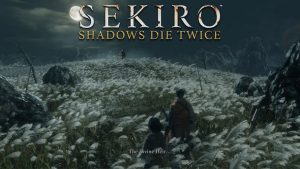
- Sekiro: Shadows Die Twice
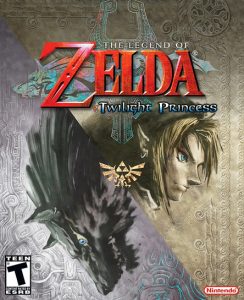
- The Legend of Zelda: Twilight Princess
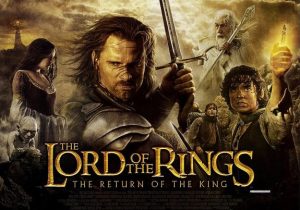
- The Lord of the Rings: The Return of the King
Found something worth playing through DecideGame?
DecideGame.com is an independent gaming project run by Editor Zero. If this guide helped you discover a game, solve a problem, or find useful information, you can support DecideGame.com and help keep new and updated game guides coming.
DecideGame — PC Game Guides, Reviews & Setup Help