
📅 Game released: 2022
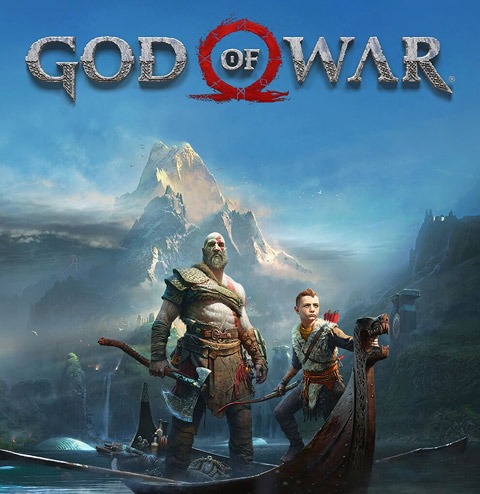
God of War follows Kratos and his son Atreus through a dangerous world of Norse mythology, combining brutal axe combat, exploration, puzzles, and a personal father-son story. Originally released on PS4 and later brought to Windows, this PC guide covers official Steam and Epic Games Store purchase and download options, Steam Deck compatibility, included bonus content, graphics settings, system requirements, mods, and practical installation advice.
 By Editor Zero — independently researched, edited, and maintained.
Last updated: 30 October 2026
Last reviewed: 30 October 2026
Table of Contents
- Quick Facts
- Official PC Stores, Download & Installation
- God of War Review
- Pros & Cons
- PC System Requirements
- Frequently Asked Questions
- Similar Games
God of War Quick Facts
Official PC Stores, Download & Installation
👇 Compare the official Steam and Epic Games Store versions below before purchasing, downloading, or installing God of War on Windows PC.
- Official PC availability: God of War is available as a native Windows game through Steam and Epic Games Store. Both provide the complete single-player adventure originally released on PS4, enhanced with PC-specific display, graphics, and control options.
- Steam edition: The Steam release includes the full campaign, Steam achievements, Steam Cloud saves, Family Sharing support, and full controller support. It is also officially Steam Deck Verified, making Steam a particularly convenient choice for players who use Valve’s handheld alongside a desktop PC.
- Epic Games Store: Epic sells the same core PC game and includes Epic achievements and cloud-save functionality. Installation and ownership are handled through the Epic Games Launcher rather than Steam, so choose the storefront where you prefer to manage your library.
- Included bonus content: Both official PC editions include the Death’s Vow armor sets for Kratos and Atreus, along with the Exile’s Guardian, Buckler of the Forge, Shining Elven Soul, and Dökkenshieldr shield skins. These are cosmetic and equipment bonuses, not an additional story campaign.
- DLC and editions: The 2018 game has no separate paid story expansion, season pass, or required DLC purchase. Its New Game+ mode and additional gameplay improvements are part of the game itself. Do not confuse this release with God of War Ragnarök or its separate Valhalla content.
- PlayStation account: A PlayStation Network account is not required to play the original God of War on PC. Use your Steam or Epic Games account to purchase and manage the appropriate edition. The Steam version includes a third-party end-user license agreement, but it does not require a separate PSN login to access the campaign.
- Download and installation: Purchase or redeem the game through your selected official store, open its desktop launcher, and install it from your library. Allow approximately 70 GB of storage, preferably on an SSD, and keep additional space available for updates and temporary installation files. Steam’s verification tool and Epic’s Manage > Verify function can help repair damaged installations.
- Offline single-player: The campaign does not require an ongoing multiplayer connection. After the necessary store installation and initial account authentication, offline play is supported through the applicable launcher offline mode. Cloud-save synchronization, achievements that have not yet synchronized, downloads, and store services may still require internet access.
- Separate platform ownership: Owning the PS4 edition does not automatically grant a Steam or Epic Games Store license. Steam and Epic purchases also belong to separate storefront libraries. Steam Cloud and Epic cloud saves work within their respective ecosystems; no official shared PS4-to-PC cross-save system is provided.
- Steam Deck: Valve rates God of War as Verified, including support for the default controller configuration, readable interface text, and suitable default graphics settings. The game is playable on the handheld without requiring a Windows installation, although battery life, graphics quality, and frame-rate consistency naturally differ from a powerful desktop.
- PC display and controls: The Windows version supports configurable mouse and keyboard bindings, Xbox and PlayStation controllers, 21:9 ultrawide displays, unlocked frame rates, NVIDIA DLSS on compatible RTX hardware, NVIDIA Reflex, and AMD FSR 2. These options allow a more flexible setup than the original console release.

 Buy God of War on Epic Games Store
 Visit the Official God of War PC Website

God of War Review
Brutal combat and a difficult father-son relationship give this Norse journey its lasting strength.
God of War makes one of its biggest changes to the series during moments when Kratos is not fighting anything. He rows a boat while his son asks questions about the world around them. Sometimes he answers with a few reluctant words; other times, his silence says more than he probably intends. It is an interesting contrast for a character who can defeat enormous monsters but struggles to have an ordinary conversation with his own child.
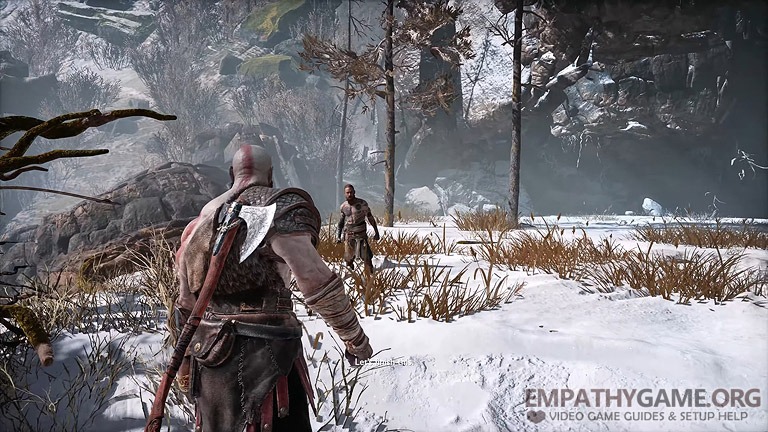
Santa Monica Studio has moved away from the older games’ fixed-camera, arena-focused action toward a more personal adventure through Norse mythology. Combat is slower and more deliberate, exploration has a stronger purpose, and the relationship between Kratos and Atreus develops alongside the journey. Not every change works equally well. The closer camera creates visibility problems, familiar enemies return too often, and the equipment system sometimes complicates what could have remained a straightforward action game. Yet these compromises support a different kind of God of War, one that gives players more time to understand its characters and the world they are travelling through.
The Leviathan Axe Makes Positioning as Important as Damage
The Leviathan Axe is satisfying from the first few encounters, but its real strength becomes clearer once combat moves beyond simply attacking whatever stands in front of Kratos. Throwing the axe changes the available options. A quick throw can interrupt an approaching enemy, while a heavier throw can freeze a susceptible opponent in place. Kratos can then switch to bare-handed attacks, build stun against another enemy, and recall the axe through anything standing in its path.
What makes this particularly interesting is that the weapon remains useful even when Kratos is not holding it. Its position becomes part of the fight. Throwing it toward one enemy might seem like the obvious choice, but recalling it at the right moment could strike several opponents instead. The player is encouraged to think about where the axe will travel, not just where it initially lands.
The environment adds another layer that is easy to overlook during the early hours. Knocking a Draugr into a wall can build more stun than pushing it across open ground. A frozen enemy can be kicked into another opponent to spread frost effects, while sending a vulnerable foe over a ledge can finish an encounter without slowly reducing its health. These interactions make positioning genuinely valuable. A wall that initially appears to restrict movement can become an advantage when Kratos uses it deliberately.
The Guardian Shield complements this system through blocking and parrying. A well-timed parry creates space for a counterattack, while bare-handed strikes can build stun toward an execution. Sometimes the most effective approach is not the one that deals the greatest immediate damage. Freezing one enemy, interrupting another, and finishing a stunned target can be safer than trying to defeat everyone through ordinary axe combinations.
As the campaign progresses, Kratos gains additional techniques and another weapon that introduces a faster, broader style of fighting. This expanded arsenal changes how encounters can be approached, giving him more flexibility against groups and different enemy types. The opening hours reveal only a fraction of that potential, which helps explain why the combat becomes more enjoyable as its systems gradually connect.
Atreus Is More Than a Companion Following Kratos
Atreus is especially successful because he participates in the combat without turning into someone Kratos must constantly rescue. His Talon Bow provides useful interruptions, keeps pressure on enemies outside Kratos’s immediate reach, and can create small openings during otherwise dangerous situations. An arrow fired at the right moment may give Kratos enough time to complete an attack or recover his position.
His growing usefulness also fits the story naturally. Atreus begins as a boy who needs guidance, but his increasing confidence and abilities make cooperation more important. The relationship develops through gameplay rather than existing only in conversations between fights.
Runic attacks introduce another important decision. Their visual impact makes them tempting to activate whenever the cooldown finishes, but that can be a mistake. Some abilities execute quickly and interrupt nearby threats, while others commit Kratos to longer animations. A powerful attack may leave him vulnerable if another enemy approaches before it finishes.
This means that a Runic attack is not automatically an escape from trouble. Sometimes the better choice is to parry first, use Atreus to interrupt an attacker, or freeze a threatening enemy before committing to a longer animation. The strongest combinations often come from creating a safe opportunity rather than relying on raw damage.
The over-the-shoulder camera complicates all of these decisions. It makes close combat feel physical and immediate, especially when Kratos lands a heavy strike, but it also restricts awareness of enemies approaching from behind. Directional indicators and Atreus’s warnings help compensate, although they demand attention during already crowded encounters. Locking onto a single opponent can make the surrounding threats even harder to follow. The camera is excellent for bringing the player closer to Kratos, but it is less convincing when several enemies attack from different directions.
Difficulty Is Not Always Hardest Where You Might Expect
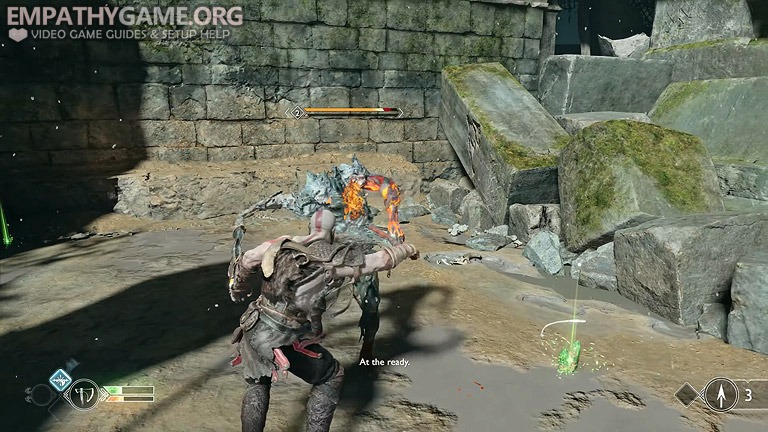
God of War’s difficulty deserves particular attention because its challenge does not increase in a simple, predictable way. On Give Me God of War, the opening hours can feel unusually severe. Even ordinary enemies can withstand considerable punishment, resist interruptions, and defeat Kratos after relatively few mistakes. With fewer abilities unlocked, combat can become heavily defensive, encouraging repeated axe throws, parries, and retreats instead of the varied melee combinations the system eventually supports.
The highest difficulty also introduces more aggressive enemy behaviour. Certain opponents can transform into stronger Elite versions during combat, changing how they respond to attacks. An enemy that was previously vulnerable to interruption may suddenly become much harder to control. Leaving several foes unattended can therefore create problems beyond simply being surrounded.
There is an interesting consequence to this design: the player sometimes needs to prioritise stopping an enemy from becoming stronger rather than concentrating on whoever has the lowest health. Atreus’s arrows and well-timed attacks become especially useful for controlling these situations.
Once Kratos gains more skills, upgrades, and companion support, the difficulty begins to feel different. Encounters provide more opportunities for deliberate decisions, and failures increasingly come from missed cues, poor positioning, or attacking at the wrong time. That progression is satisfying, although it also exposes how restrictive the opening can be on the highest setting.
Enemy variety remains a weaker part of the design. Draugr, Revenants, and Ancients require different responses, but familiar variants and repeated troll encounters become increasingly noticeable. The combat system has more depth than some of the regular opponents are capable of revealing. It is a shame because the best encounters demonstrate just how much the mechanics can support when enemies demand careful observation rather than repeated damage.
The Lake of Nine Rewards Curiosity, but Not Every Detour Is Safe
Exploration provides a welcome change of pace after intense combat. The Lake of Nine works as a central hub, with ruined structures, hidden passages, optional Favors, and shorelines that become accessible as the water level changes. Rather than opening the entire world immediately, the game gradually reveals new possibilities within places the player already knows.
This approach gives returning to an earlier location a purpose. A mechanism that previously seemed impossible to operate may become understandable after acquiring another ability. A locked route might lead to a new chamber, while an overlooked opening can reveal a useful reward. Remembering the environment matters almost as much as following the map.
However, newly accessible does not necessarily mean appropriately difficult. Some beaches revealed by the changing water level contain enemies several levels above Kratos’s equipment. A player who has explored carefully can still arrive somewhere that feels unexpectedly punishing. The distinction between reaching an area and being ready to fight there is important. Sometimes returning later with improved gear is the sensible choice, even when curiosity encourages pushing forward.
The game’s connected structure benefits from this freedom, though repeated climbing, boating, and travelling through familiar passages can slow the story. Not every return trip reveals something equally interesting, and occasional backtracking feels more like an interruption than discovery.
One subtle strength is how optional exploration changes once Mimir becomes part of the journey. His stories give boat rides and side activities additional context, making the same stretches of travel more entertaining and informative. Exploring early may provide useful equipment, but postponing certain detours can reward players with more conversations and world-building. It is an unusually effective way to make companionship influence the experience of exploration without changing the geography itself.
The Father-Son Story Gives the Journey Its Emotional Direction
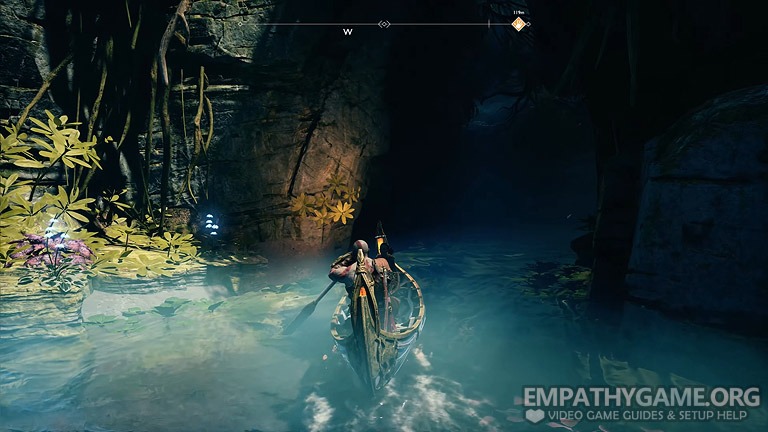
The central objective is simple: Kratos and Atreus want to carry Faye’s ashes to a mountain summit. What complicates the journey is not only the danger surrounding them, but how poorly they understand one another. Kratos knows how to survive and fight, yet struggles to explain his decisions or offer reassurance. Atreus wants answers, approval, and a greater role in their adventure. His curiosity frequently meets his father’s reluctance to speak.
That difference creates a convincing relationship because neither character is always comfortable or reasonable. Kratos’s protective instincts can make him distant, while Atreus’s growing confidence sometimes becomes impatience. Their disagreements affect how they communicate and cooperate, giving the quieter parts of the journey as much significance as the battles.
Christopher Judge’s restrained performance makes Kratos’s short replies feel deliberate, while Sunny Suljic gives Atreus the enthusiasm, uncertainty, and occasional frustration of a believable child. Brok and Sindri provide humour and personality without removing the grief beneath the story. The almost uninterrupted camera helps these moments feel connected, allowing small conversations and enormous confrontations to exist within the same continuous perspective.
The main plot is not quite as elegant as its presentation might suggest. The seemingly straightforward journey repeatedly encounters obstacles that require finding another object, opening another route, or pursuing a solution elsewhere. At times, the campaign follows a fairly conventional sequence of narrative roadblocks beneath its cinematic direction.
What prevents that structure from becoming tiresome is the relationship developing along the way. The destinations themselves are not always the most interesting part. More often, it is what Kratos and Atreus have learned, misunderstood, or finally managed to communicate while reaching them. The game is strongest when its larger mythological conflict leaves enough room for these personal changes.
A Norse World That Feels Ancient Rather Than Merely Spectacular
The environments do more than provide attractive backdrops. Snow-covered forests, weathered stone, ruined chambers, and enormous structures suggest a world with a history that existed long before Kratos arrived. Ancient carvings and remnants of earlier conflicts add meaning to exploration without always needing lengthy explanations.
Jörmungandr is one of the clearest examples of the game’s sense of scale. His enormous presence makes the Lake of Nine feel like a small part of something much older and larger. Yet the game does not rely exclusively on gigantic creatures or dramatic scenery to establish its atmosphere. Quiet paths, abandoned settlements, and conversations during boat journeys are equally important to its identity.
Bear McCreary’s music reinforces that contrast. Deep choral arrangements give confrontations a sense of weight, while more restrained passages allow the sadness and uncertainty of the journey to remain present. Sound design is just as important during combat. The heavy impact of the Leviathan Axe and the recognisable sound of its return make the weapon satisfying even before considering its tactical uses.
Together, these details give the Norse setting a convincing mood. The world feels mysterious and frequently hostile, but it also contains moments of stillness. That balance is important because the quieter atmosphere allows the story and exploration to breathe between demanding encounters.
Progression Adds Freedom, Along With Some Unnecessary Complexity
Experience points unlock new techniques for Kratos and Atreus, while armour, enchantments, talismans, and weapon upgrades influence how those abilities perform. Strength improves ordinary attacks, while Runic and Cooldown favour special abilities. A character developed around frequent Runic attacks approaches combat differently from one built for sustained melee damage and stun.
Atreus’s upgrades deserve particular attention because better companion support can be more useful than another small increase to Kratos’s statistics. Interrupting an enemy at the right moment can prevent damage entirely, which gives some upgrades practical value beyond their numbers.
The problem is that equipment management occasionally becomes more complicated than the adventure seems to need. Comparing armour levels, enchantment slots, crafting materials, and small statistical bonuses can interrupt an otherwise focused narrative. Gear level also influences how effective Kratos is against stronger enemies, meaning that a difficult encounter may sometimes be resolved more comfortably through improved equipment than better execution alone.
This does not make progression meaningless. There is genuine satisfaction in developing a preferred combat style and discovering how different abilities complement one another. The issue is the amount of attention required to manage those choices. The best upgrades expand what Kratos can actually do, while less interesting ones simply ask the player to compare another collection of numbers.
Optional Realms Offer Different Kinds of Challenge
Muspelheim and Niflheim extend the adventure beyond its main story, but they approach optional progression quite differently. Muspelheim’s combat trials impose special conditions that encourage experimenting with familiar mechanics. They can reward players who have become comfortable with one fighting style by forcing them to reconsider their usual approach.
Niflheim is more unusual. Its shifting maze combines dangerous enemies, collectible Mist Echoes, and a mist that gradually threatens Kratos the longer he remains inside. The player must decide how much risk to take before escaping with the gathered rewards. Learning the maze and understanding when to leave can be enjoyable, particularly before its layout and threats become familiar.
The frustration arrives when gathering specific rare materials, including Anchors of Fog, becomes the main obstacle to completing its Realm Tears. Combat knowledge and efficient routes help, but variable rewards can demand repeated runs even after the player has largely mastered the challenge. At that point, progression depends less on improving skill and more on repeating an established routine until the needed material appears.
That distinction matters. Repeating an encounter because it reveals another weakness in your strategy feels different from repeating it because the reward has not dropped. Niflheim can provide worthwhile tension and a distinctive risk-reward structure, but its later material farming does not always respect the mastery the player has already demonstrated.
The Valkyries Show How Good the Combat Can Become
The optional Valkyries offer a stronger test of the game’s combat systems. Their attacks demand attention to timing, positioning, and recognizable warning cues. Greedy combinations are punished, and even a powerful Runic attack can become a liability when activated without a safe opening.
These encounters make restraint especially valuable. Instead of constantly attacking, the player learns to recognise when an enemy is vulnerable and when defence is the better choice. A brief opportunity for two safe hits can be more useful than committing to a longer combination that leaves Kratos exposed.
The Valkyries also demonstrate why the broader combat system deserves more demanding opponents than the regular campaign consistently provides. They bring together parrying, dodging, companion support, Runic timing, and positioning in fights where each decision matters. Their difficulty can be severe, but their strongest encounters make improvement feel connected to understanding rather than merely acquiring better equipment.
New Game+ offers further opportunities to experiment by carrying equipment and abilities into another journey while introducing tougher enemies and additional gear crafted with Skap Slag. Its appeal lies primarily in revisiting combat with a more developed toolkit. The story remains fundamentally linear, without major branching choices or different campaigns to discover, so replayability depends largely on how much the player enjoys refining those mechanics and completing missed optional challenges.
Final Verdict
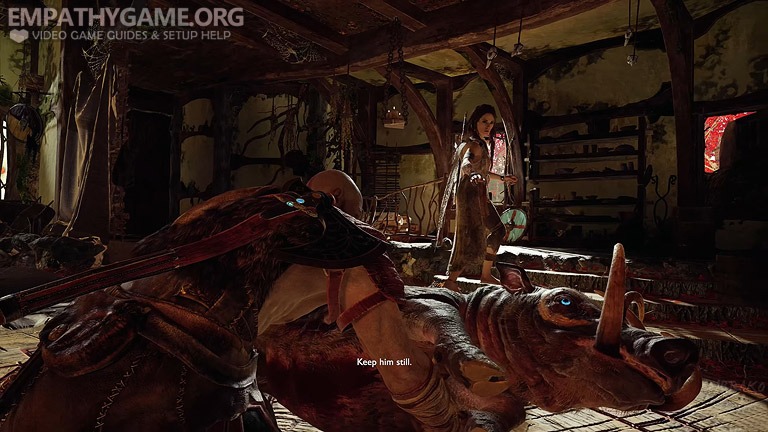
God of War is most convincing when its different systems reinforce one another. The Leviathan Axe makes combat satisfying through its physical impact, but its deeper value comes from how throwing, freezing, recalling, and positioning create meaningful choices. Atreus becomes more useful in combat as he develops as a character, while the Lake of Nine provides a world that gains significance through exploration and returning visits.
There are weaknesses worth considering. The close camera struggles during crowded fights, enemy variety is uneven, and the highest difficulty can be excessively restrictive before Kratos acquires a wider range of abilities. Equipment management sometimes feels unnecessarily elaborate, while parts of Niflheim replace genuine challenge with repeated material collection. The main story also relies on a surprisingly conventional series of obstacles despite its impressive presentation.
Even with those limitations, the change in direction gives God of War a more distinctive identity rather than simply making it a slower version of its predecessors. Players who enjoy deliberate melee combat, meaningful optional challenges, Norse mythology, and character-focused storytelling have plenty to appreciate. Those who primarily want the relentless pace of the older games or the freedom of a fully open-ended RPG may prefer something else.
What ultimately makes this journey memorable is the relationship between its quieter moments and its violence. Kratos remains an extraordinarily powerful warrior, but his greatest challenge is not always the enemy standing in front of him. Sometimes it is finding the right words for the boy travelling beside him.
God of War Pros & Cons
God of War (2022) PC System Requirements
The official Windows specifications below apply to the 2022 PC release of God of War, not God of War Ragnarök. PlayStation provides five hardware tiers with different graphics settings and approximate performance targets.
OFFICIAL WINDOWS PC REQUIREMENTS:
SHARED REQUIREMENTS:
OS: Windows 10 64-bit, version 1809 or newer
DirectX: DirectX 11, feature level 11_1
Storage: 70 GB available space
MINIMUM — 720p / 30 FPS, Low Settings:
CPU: Intel Core i5-2500K or AMD Ryzen 3 1200
RAM: 8 GB
GPU: NVIDIA GeForce GTX 960 (4 GB) or AMD Radeon R9 290X (4 GB)
Storage Type: HDD supported; SSD recommended
RECOMMENDED — 1080p / 30 FPS, Original Settings:
CPU: Intel Core i5-6600K or AMD Ryzen 5 2400G
RAM: 8 GB
GPU: NVIDIA GeForce GTX 1060 (6 GB) or AMD Radeon RX 570 (4 GB)
Storage Type: SSD
HIGH — 1080p / 60 FPS, Original Settings:
CPU: Intel Core i7-4770K or AMD Ryzen 7 2700
RAM: 8 GB
GPU: NVIDIA GeForce GTX 1070 (8 GB) or AMD Radeon RX 5600 XT (6 GB)
Storage Type: SSD
PERFORMANCE — 1440p / 60 FPS, High Settings:
CPU: Intel Core i7-7700K or AMD Ryzen 7 3700X
RAM: 16 GB
GPU: NVIDIA GeForce RTX 2070 (8 GB) or AMD Radeon RX 5700 XT (8 GB)
Storage Type: SSD
ULTRA — 4K / 60 FPS, Ultra Settings:
CPU: Intel Core i9-9900K or AMD Ryzen 9 3950X
RAM: 16 GB
GPU: NVIDIA GeForce RTX 3080 (10 GB) or AMD Radeon RX 6800 XT (16 GB)
Storage Type: SSD
These are PlayStation’s published average performance targets, not guarantees for every configuration. Actual frame rates depend on hardware, graphics settings, resolution, drivers, and the complexity of the scene. The minimum and recommended tiers are aimed at 30 FPS; the High tier is the first official 60 FPS target.
Additional PC Performance and Setup Notes
- Choose the correct performance tier: The recommended GTX 1060 or RX 570 configuration targets 1080p at approximately 30 FPS using Original settings. For a smoother 60 FPS experience, use the High tier as a more useful reference. Avoid assuming that meeting the minimum requirements means the game will run at 1080p or 60 FPS.
- Graphics settings: Begin with the Original preset, which provides a useful reference to the console presentation. If performance is insufficient, reduce demanding settings such as shadows, reflections, and ambient occlusion before sacrificing every visual option. Adjust one or two settings at a time so the effect on performance remains understandable.
- NVIDIA DLSS and AMD FSR: Compatible NVIDIA RTX cards can use DLSS to render internally at a lower resolution and reconstruct the image for better performance. The PC version also supports AMD FidelityFX Super Resolution 2, providing an additional upscaling option. These technologies can be useful at 1440p or 4K, but higher-performance modes may introduce visible image softness or reconstruction artifacts.
- Ultrawide monitors: Native 21:9 support allows compatible displays to show a wider view of the Norse environments. The game also supports 16:9 resolutions without a widescreen modification. No community widescreen patch is needed for ordinary 16:9 or supported 21:9 setups.
- Controller and keyboard setup: Both Xbox and PlayStation controllers are supported, while mouse and keyboard controls are customizable. A controller is a natural match for movement, blocking, dodging, and close-range combos, but mouse aiming can also suit the Leviathan Axe’s precise throwing mechanics. Choose the layout that makes combat reactions comfortable rather than assuming one input method is universally better.
- SSD and loading: The minimum specification permits an HDD, but PlayStation recommends an SSD, and all higher official tiers use one. Installing on an SSD can improve loading behavior and reduce storage-related delays without requiring changes to the game itself.
- Steam Deck performance: The Verified rating confirms a functional default handheld experience, not a promise of locked 60 FPS or desktop-quality Ultra settings. Start with the game’s default graphics configuration, consider a 30 FPS target for steadier frame pacing, and lower demanding effects if necessary. Actual battery life and performance vary with the device and settings.
- Unofficial modifications: Community mods are available through Nexus Mods, including visual changes, character replacements, and gameplay adjustments. Check each mod’s supported game version, installation requirements, and compatibility with other mods. Back up your saves before experimenting, and remember that these projects are not officially supported by Santa Monica Studio.
Official Trailer
Note: This official PlayStation PC features trailer demonstrates God of War’s enhanced graphics, NVIDIA DLSS and Reflex support, and PC display and control options. For practical buying, installation, and hardware guidance, use the sections above.
Frequently Asked Questions
Do I need to play the previous God of War games before God of War (2022)?
No. God of War starts a new Norse storyline and explains enough about Kratos and Atreus for newcomers to follow their journey. It is a continuation rather than a complete reboot, however, so knowing Kratos’ Greek mythology history adds context to certain character moments and revelations.
Is God of War open-world or linear?
God of War uses a connected, semi-open world rather than a completely unrestricted open-world structure. The main story follows a defined progression, but Midgard’s Lake of Nine serves as a central exploration area with optional islands, Favors, puzzles, and hidden locations. Additional areas become accessible as Kratos gains new abilities and the story advances.
Can you play as Atreus in God of War?
No. Kratos is the only directly playable protagonist in the 2018 game. Atreus accompanies him as an AI-controlled partner, but players can command his bow attacks, use Runic Summons, and upgrade his equipment and abilities to improve his contributions during combat.
What should beginners upgrade first in God of War?
Prioritize useful Leviathan Axe combat skills, Atreus’ bow abilities, and equipment that raises Kratos’ overall level. Atreus’ upgrades are particularly valuable because his arrows can interrupt enemies and help control crowded fights. Exploring for Nornir Chests and completing accessible Favors also provides useful improvements without requiring excessive grinding.
How do you increase Kratos’ maximum health and Spartan Rage?
Open Nornir Chests by solving their three-rune puzzles. Collecting three Idunn Apples increases maximum health, while three Horns of Blood Mead increase the Spartan Rage meter. These upgrades are permanent within that playthrough, making Nornir Chests some of the most useful optional discoveries.
Why are some enemies much stronger than Kratos in God of War?
Enemy strength depends partly on the difference between their level and Kratos’ overall equipment level. Enemies with purple health bars or skull indicators are especially dangerous and may resist normal attacks and interruptions. If an optional fight feels disproportionately difficult, upgrade your armor and enchantments or return later rather than assuming the encounter must be completed immediately.
Can you change the difficulty after starting God of War?
Yes, on the lower three difficulty settings: Give Me a Story, Give Me a Balanced Experience, and Give Me a Challenge. The highest difficulty, Give Me God of War, is an exception and cannot be changed during that playthrough. The standard game does not require completing its hardest difficulty to earn all achievements.
Should I complete side quests before continuing the main story?
Not necessarily. Favors reward Kratos with experience, equipment, resources, and additional character interactions, so completing some during the campaign can make later encounters easier. However, certain optional locations require story-related abilities, and players can return to unfinished content after completing the main narrative.
Are there permanently missable collectibles or achievements in God of War?
No collectibles or achievements required for full completion are permanently missable. Some story-specific areas become inaccessible afterward, but the necessary collectibles can still be obtained through accessible locations. You can finish the main story first and return for Odin’s Ravens, artifacts, Nornir Chests, Favors, and other completion objectives.
How do you unlock Muspelheim and Niflheim?
Both optional realms require language cipher pieces found in special purple chests that Atreus can open. Collect four Muspelheim ciphers to unlock its combat trials and four Niflheim ciphers to access its mist-filled labyrinth and equipment rewards. These realms are especially useful for advanced challenges and endgame upgrades.
Are the Valkyries required to finish God of War?
No. The Valkyries are optional boss encounters designed to challenge players beyond the normal campaign. Eight Valkyries can be defeated throughout the accessible realms, and defeating them allows you to challenge Valkyrie Queen Sigrun. Their demanding attack patterns make them better suited to a well-equipped Kratos with upgraded combat abilities.
Can you continue exploring after finishing the main story?
Yes. Completing the campaign does not automatically force you into New Game+. You can continue exploring accessible realms, finish remaining Favors, collect missing items, challenge Valkyries, and improve equipment using your existing save.
Does God of War have a secret ending?
Yes. After completing the main story, return to Kratos and Atreus’ home in the Wildwoods and interact with the bed to trigger an additional scene. It provides a short narrative setup for God of War Ragnarök without requiring another playthrough or 100% completion.
What carries over into New Game+ in God of War?
New Game+ becomes available after completing the main campaign and lets you restart with previously acquired armor, enchantments, talismans, resources, and combat abilities. It introduces stronger enemies, additional equipment upgrades, and the Skap Slag crafting resource. Story progression and certain access restrictions must still be completed again, so carrying upgraded equipment does not unlock every area immediately.
How long does it take to finish God of War?
A typical main-story playthrough takes approximately 20–25 hours, depending on difficulty, exploration, and combat experience. Completing most side activities, collecting equipment, and defeating optional bosses can extend the adventure to around 40–50 hours or more. Challenging difficulty settings and New Game+ can increase playtime considerably.
Does God of War PC have a field-of-view slider?
No. The PC version does not provide a native field-of-view (FOV) slider, even though it supports 21:9 ultrawide displays. The close over-the-shoulder camera remains part of the game’s visual design. Unofficial community tools may alter the camera, but they are not supported by Santa Monica Studio and may affect cinematic framing or compatibility.
Why does God of War show Xbox button prompts when using a PlayStation controller on PC?
The game supports native DualShock 4 and DualSense button icons, but Steam Input or certain controller configurations can cause Xbox prompts to appear instead. On Steam, try opening the game’s Properties > Controller menu and selecting Disable Steam Input. Santa Monica Studio also specifies that native DualSense support on PC requires a USB connection.
Where are God of War save files stored on Windows PC?
Santa Monica Studio lists the save-data location as C:\Users\YOUR USER\Saved Games\God of War, with the files stored inside a uniquely named user folder. Back up that folder before reinstalling Windows, transferring saves, or experimenting with modifications. Avoid changing or deleting individual save files unless necessary, since doing so may cause lost progression.
Still have questions? Check the God of War Reddit community, God of War Steam Discussions, or Santa Monica Studio’s official PC support center for additional gameplay help, technical troubleshooting, and community discussion.
Sources & References
Key factual and technical information in this guide was checked against relevant official and community sources, including:
- PlayStation — God of War for PC — official Windows features, graphics support, controller compatibility, and five-tier system requirements.
- Steam — God of War — official PC availability, developer and publisher credits, Steam Deck rating, Steam features, and player reception.
- Epic Games Store — God of War — official Epic availability, included PC features, store functionality, and Windows requirements.
- Santa Monica Studio — Getting Started — official Steam and Epic Games purchase, activation, download, and installation instructions.
- Santa Monica Studio — PC and PS4 Edition Differences — PC-exclusive presentation features, supported controllers, and included cosmetic items.
- GDC Vault — The Future of Scene Description on God of War — technical presentation confirming Santa Monica Studio’s proprietary engine technology.
Similar Games Like God of War
- God of War II
- Black Myth: Wukong
- Shadow of the Colossus
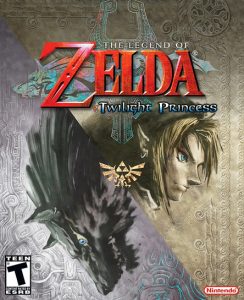
- The Legend of Zelda: Twilight Princess
- Elden Ring
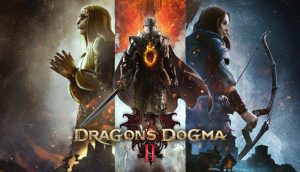
- Dragon’s Dogma 2

Found something worth playing through DecideGame?
DecideGame.com is an independent gaming project run by Editor Zero. If this guide helped you discover a game, solve a problem, or find useful information, you can support DecideGame.com and help keep new and updated game guides coming.
DecideGame — PC Game Guides, Reviews & Setup Help