
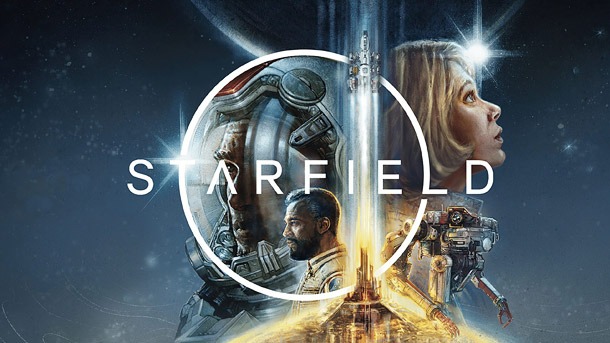
📅 Game released: 2023
Starfield is Bethesda’s single-player space RPG about joining Constellation, exploring the Settled Systems, building ships and outposts, and following faction stories. This PC guide compares official Steam and Xbox download and installation options, Game Pass, Premium Edition DLC, cross-save, Free Lanes travel, Steam Deck support, mods, system requirements, and setup.
 By Editor Zero — independently researched, edited, and maintained.
Last updated: 13 November 2026
Last reviewed: 13 November 2026
Table of Contents
- Quick Facts
- Official PC Stores, Download & Installation
- Starfield Review
- Pros & Cons
- PC System Requirements
- Frequently Asked Questions
- Similar Games
Starfield Quick Facts
- Game: Starfield / Starfield Premium Edition
- Developer: Bethesda Game Studios
- Publisher: Bethesda Softworks
- Genre: Action RPG, Open World, Sci-Fi, First-Person Shooter
- Release: September 6, 2023 (Windows PC and Xbox Series X|S); PS5 — April 7, 2026
- Platforms: Windows PC, Xbox Series X|S, PS5
- Major content: Shattered Space story expansion, Terran Armada story DLC, and the Free Lanes update
- Xbox Play Anywhere: Supported by the Microsoft digital version across compatible Xbox consoles and Windows PC
- Cloud Access: Xbox Cloud Gaming through qualifying Game Pass or owned-game streaming access, subject to plan and region
- Cross-Save: Steam supports Xbox-account linking and Xbox Cloud save upload; Premium and preorder content do not transfer with the save, and licenses remain separate
- Modes: Single-player only; no official co-op or PvP
- Steam Deck: Unsupported; Valve’s compatibility data says the graphics settings cannot be configured to run well enough, although SteamOS can launch the game
- Engine: Creation Engine 2
- Community: Steam Discussions, Reddit
- PC modding: Nexus Mods, Bethesda Creations, Starfield Creation Kit
- Metacritic score: 85/100 for PC
- IGN score: 7/10
- Steam user reception: Mixed overall
Official PC Stores, Download & Installation
👇 Compare the official Steam and Microsoft/Xbox PC options below before purchasing, downloading, installing, or linking Starfield saves across supported platforms.
- Steam: Starfield is officially sold through Steam with Steam Cloud, achievements, full controller support, Family Sharing, and access to the Steam community ecosystem.
- Microsoft / Xbox: The Windows version is also sold through Microsoft Store / Xbox app and is the PC purchase route tied directly to Xbox Play Anywhere.
- Game Pass: Starfield Standard Edition is included in eligible Game Pass plans, including PC Game Pass; plan, regional, and cloud-streaming eligibility vary. Check the Xbox app before subscribing.
- Xbox Play Anywhere: A supported Microsoft digital purchase can be used across compatible Xbox consoles and Windows PC at no additional cost, with Xbox achievements and cloud saves inside that ecosystem.
- Steam save linking: On Steam, use Options > Account to sign in to an Xbox account, then relaunch the game to enable supported Xbox Cloud save upload. Premium/preorder entitlements do not carry over, and linking accounts does not grant a second game license.
- Separate purchases: Steam and Microsoft/Xbox versions remain separate game entitlements even when supported save data can be linked. DLC purchases should match the platform on which you plan to play.
- Standard Edition: Includes the Starfield base game and is enough for players who do not want the paid story DLC bundle.
- Premium Edition: Includes the base game, Terran Armada, Shattered Space, 1,000 Creation Credits, the Constellation Skin Pack, and access to the digital artbook and original soundtrack.
- Premium Upgrade: Adds the Premium content to a compatible Standard Edition entitlement. The base game is still required, so subscription users need continuing access to Starfield itself.
- DLC installation: Keep the base game and owned add-ons installed through the appropriate platform ecosystem. If an expansion does not appear, first verify its ownership and installation through Steam or the Xbox app.
- Creation Kit: Bethesda distributes the Starfield Creation Kit through Steam at no additional cost, but Bethesda Support states that it will not launch unless Starfield is purchased and installed through Steam.
- Creations and mods: Bethesda Creations provides an official in-game content route, while Nexus Mods remains a major unofficial PC resource. Check game-build and storefront compatibility before updating a modded setup.
- Steam Deck: Valve rates the Steam version Unsupported for inadequate performance at available graphics settings. Launching the game on SteamOS does not imply a supported handheld experience.

 Buy or Play Starfield on Microsoft / Xbox Store
Starfield Review
A vast space RPG whose best adventures are often surprisingly close to home.
Starfield promises the freedom to make a life among the stars, but its greatest strength is not the number of planets on the map. It is the smaller decisions that give that enormous setting a sense of purpose: taking a job for a questionable corporation, rebuilding a captured ship, talking your way past a confrontation, or abandoning a planned expedition because an unexpected quest sounds more interesting. Bethesda’s familiar role-playing formula survives the change of scenery remarkably well. The difficulty is making its many parts feel like one journey. Between compelling faction stories and satisfying ship projects lie repeated facilities, disconnected landing areas, and stretches of exploration that struggle to justify their scale.
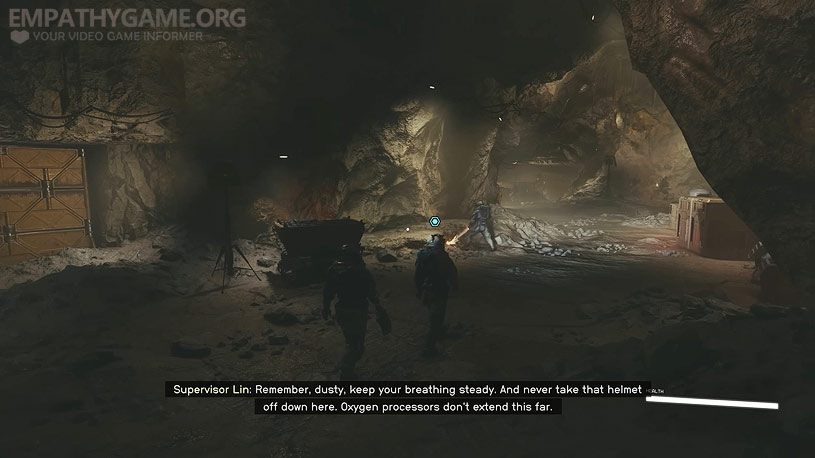
That contrast shapes the experience more than any single flaw. Starfield can be an absorbing science-fiction RPG without being a particularly convincing simulation of exploring a galaxy. Its handcrafted adventures and flexible character systems are substantial enough to stand on their own, even when the surrounding universe feels less connected than it should.
The Galaxy’s Vibe: Empty Horizons and NASA-Punk
The NASA-punk art direction gives Starfield an identity that feels practical rather than fantastical. Cockpits are crowded with switches, worn panels, and readable instruments; spacesuits and outposts suggest equipment built for difficult work rather than effortless space travel. This attention to ordinary machinery makes the setting believable. It also creates a curious mismatch when the beautiful ship you have assembled is used as little more than a transition between menus and destinations.
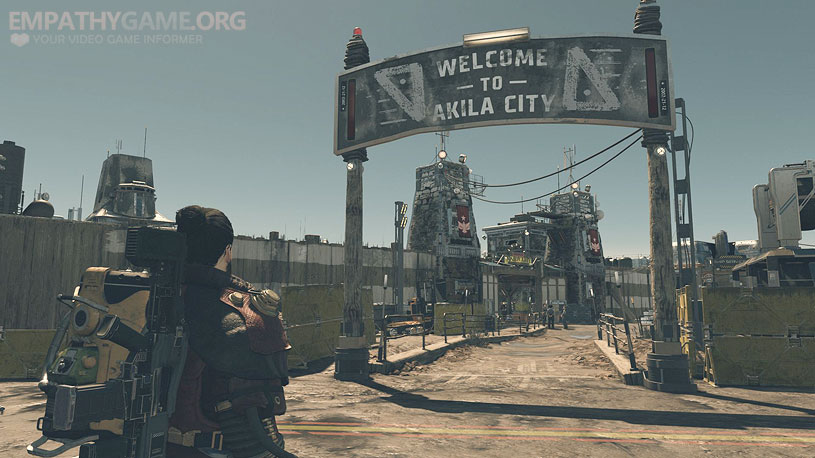
New Atlantis presents the polished face of the Settled Systems, Akila City evokes a dusty frontier, and Neon’s wet streets and corporate nightlife reveal the less respectable side of civilization. Neon is particularly effective because its crime, commerce, and cramped atmosphere give the city a personality beyond its architecture. Anyone drawn chiefly to that urban tension may prefer Cyberpunk 2077, which exchanges the galaxy’s breadth for a denser city where corporate power and street-level danger rarely feel far apart.
The faction stories make these places more than impressive backdrops. Ryujin Industries offers corporate espionage and uncomfortable choices; UC Vanguard develops a military science-fiction mystery; the Freestar Rangers explore frontier justice. Their authored conflicts give actions context, something the procedurally assembled parts of the galaxy cannot always match. An abandoned facility can be intriguing the first time it appears, then oddly familiar when the same layout and enemy placement return on another world.
The Gameplay Loop: Classic Bethesda in Spacesuits
The recognizable Bethesda rhythm remains: follow a lead, explore a location, collect too much equipment, improve your build, and discover another quest before returning to the first. Gunplay is more responsive than in the studio’s older RPGs, particularly when moving between cover, boosting across low-gravity terrain, and fighting through pirate hideouts. The strongest encounters make use of a specific location instead of simply filling another facility with enemies.
Boarding a disabled vessel shows how much the setting can change an ordinary firefight. In zero gravity, firing some conventional guns can push a floating character backward, turning recoil into a movement problem as well as an aiming one. Positioning becomes unexpectedly important when there is no floor to anchor you. These moments capture the physical strangeness of fighting in space better than another outdoor skirmish against spacers.
Stealth has a less obvious complication. Skills such as Stealth and Concealment matter, but equipment choices can undermine them: a bulky spacesuit may make an infiltration noisier than the character’s skill investment suggests. Removing or changing gear can be as important as improving an ability. It is a worthwhile layer of preparation, although the relationship between clothing, sound, and detection is not always communicated clearly. Meanwhile, weapon quality, boost packs, suit resistances, and legendary effects give combat builds useful differences, even if the inventory work occasionally interrupts the action.
Ship Building Is the Best Sandbox System
The ship builder may be Starfield‘s most convincing expression of freedom. Reactors, engines, cargo holds, shields, landing gear, weapons, cockpits, and hab modules all compete for space and power. Turning a modest vessel into a nimble fighter or a bulky mobile home involves more than changing its silhouette. Those choices affect how the ship handles, what it carries, and how it survives an attack. There is real satisfaction in seeing a design that began as an awkward collection of parts become a working ship.
Yet exterior creativity does not always translate into a sensible interior. Hab connections and door placement can produce awkward walking routes even when the modules look perfectly arranged from outside. Fixing the route may mean sacrificing a layout you preferred. That is a particularly frustrating limitation in a system built around personal expression: the editor gives considerable control over the vessel’s shape, then makes some basic decisions about moving through it for you.
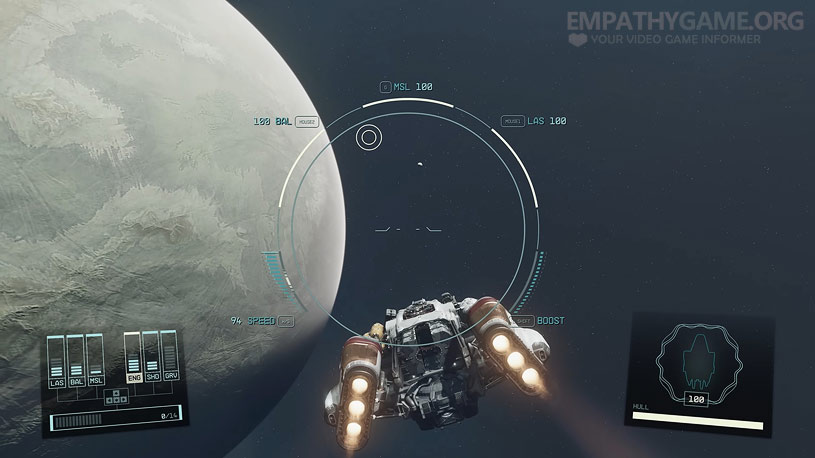
Space combat provides another interesting compromise. Diverting power to shields or weapons, targeting engines, and boarding a weakened enemy creates a satisfying sequence of decisions. Particle-beam weapons, however, can perform well against both shields and hulls, making specialized loadouts less appealing in some builds. Disabling a ship rather than destroying it still rewards different equipment and careful targeting. The system has meaningful possibilities, but not every weapon category makes an equally persuasive case for itself.
Free Lanes and Cruise Mode give the ship a more convincing role between destinations. Traveling between planets within a system, encountering activity along the way, and spending time aboard during a journey make the vessel feel more like a place to inhabit. Landing and interstellar travel still involve transitions, so this is a welcome connection between activities rather than a seamless galaxy.
Exploration Feels Ambitious but Fragmented
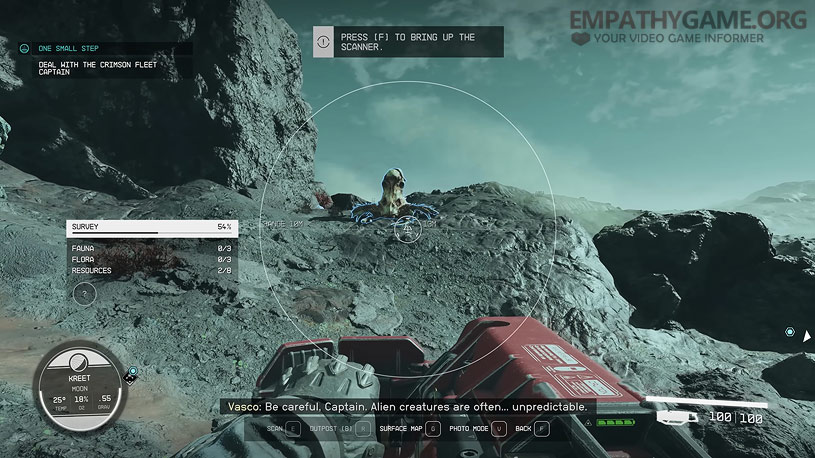
Exploration is where the gap between scale and experience becomes most visible. A distant moon may offer a spectacular sunrise, unfamiliar wildlife, or the quiet unease of a deserted installation. But walking across empty ground to another repeated outpost rarely produces the incidental discoveries that made traveling on foot through Skyrim so absorbing. Here, the journey is often organized through maps, orbital stops, and individual landing zones, although Cruise Mode gives travel inside a star system more room to breathe.
That difference becomes clearer beside Death Stranding 2: On the Beach. Both games give isolation and distant destinations considerable visual appeal, but Death Stranding 2 makes routes, terrain, and transport central to the work of traveling. Starfield is more interested in what you do when you arrive. Neither approach is inherently better; the disappointment comes when a vast planetary surface suggests a journey that its activities do not consistently support.
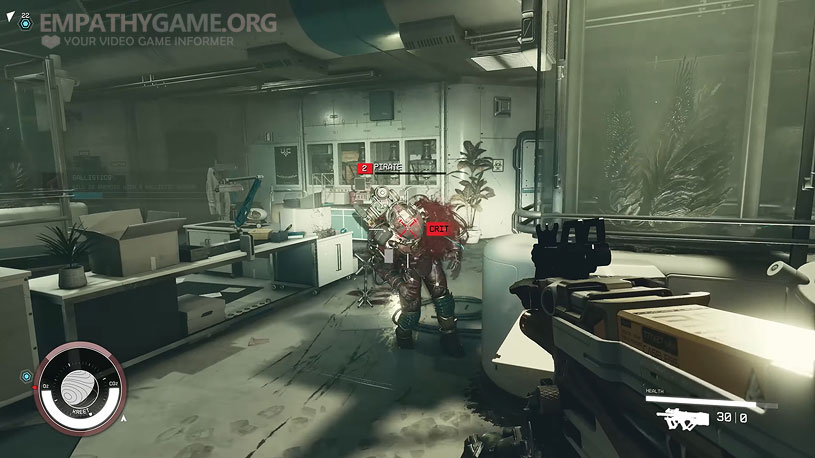
Surveying offers a quieter alternative. Scanning fauna, flora, and resources can turn a barren-looking landscape into a completion project, especially when it supplies materials for crafting. The process also exposes an irritating information gap: a biome may appear complete while a planet’s overall fauna count remains unfinished, sometimes because a species lives along a coastline or in water. That makes a peaceful scientific task unexpectedly opaque. The challenge is not observing the ecosystem but discovering what the interface has failed to explain.
Quests, Choices, and Role-Playing
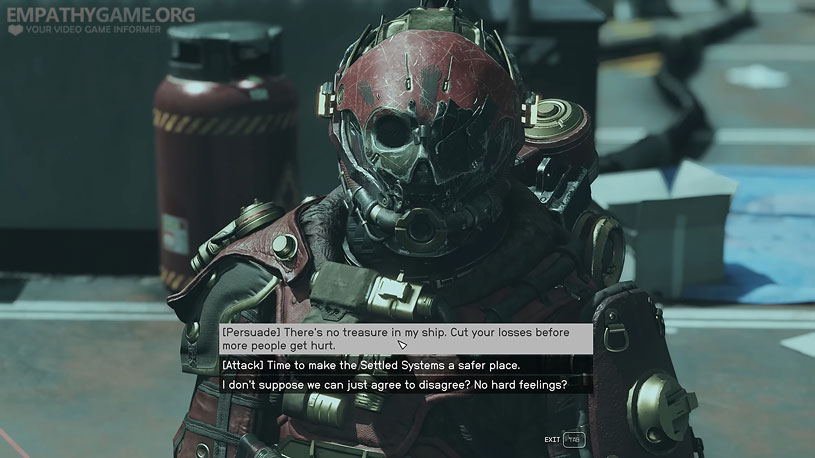
Starfield’s better questlines understand that role-playing begins before a dialogue option appears. Investigating a target, reading background information, or learning someone’s motives can sometimes open a more reliable way through a conversation than pushing through repeated persuasion attempts. Intimidation and manipulation can also backfire. Those details make preparation feel meaningful, although other exchanges still depend on fairly conventional checks and choices. The difference between a carefully authored conversation and a routine one is noticeable.
The contrast with Fallout: New Vegas remains instructive. New Vegas builds more of its identity around faction consequences, reputation, and branching relationships, while Starfield spreads its role-playing across a wider set of activities. It can support a convincing corporate operative, explorer, or mercenary without making every decision reshape the Settled Systems. That freedom is valuable, but it is not the same as deeply reactive storytelling.
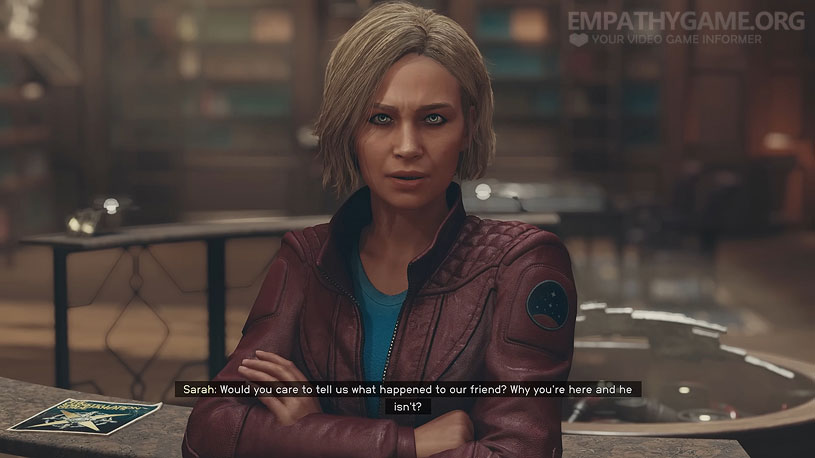
Constellation’s companions give the enormous setting a human center, especially through their personal missions and conversations aboard the ship. Their relatively narrow moral outlook may not suit every character concept, and the main artifact mystery is less consistently engaging than the strongest faction arcs. The story works best when it leaves room for smaller relationships, disagreements, and ambitions instead of relying on cosmic scale alone.
Progression, Crafting, and Outposts
Physical, Social, Combat, Science, and Tech skills allow different character identities, but useful abilities often demand both skill points and completed challenges. The early pace can feel restrictive; later, a specialized build gains a more distinct way of solving problems. Research, crafting, weapon modifications, and X-Tech upgrades extend that investment into equipment. There is pleasure in turning scavenged resources into a stronger rifle or a more capable ship, provided the workbench and inventory screens do not become the main activity.
Outposts take that urge to tinker much further. Building extraction sites and connecting them through cargo links can become a logistics game of its own, complete with production chains, storage limits, and transport delays. A large automated network may demand so much supervision that manually hauling supplies occasionally feels simpler. That complexity is appealing if you enjoy engineering a system for its own sake, but less convincing if you expected outposts to provide effortless support for adventuring.
Players most interested in hostile environments, resource pressure, and settlements may also find a useful contrast in Dune: Awakening, where survival and movement through a dangerous landscape play a more central role. In Starfield, outposts are largely an elective obsession. That is both their weakness and their appeal: you can spend hours optimizing them, or largely ignore them and still find a substantial RPG elsewhere.
Replayability and Long-Term Appeal
There is no shortage of reasons to start another career. A ship-focused captain, stealthy Ryujin agent, and combat-heavy wanderer emphasize different systems, while faction quests and optional activities give repeated playthroughs alternative priorities. New Game Plus goes further by making repetition part of the story. Its Quantum Entanglement Device lets you bring a limited selection of favored items into another universe, easing the loss of equipment without removing the larger reset.
Not every repeated activity earns that narrative justification. Discovering a Starborn temple can initially be strange and atmospheric, but repeatedly chasing floating lights through similar zero-gravity rooms turns a mysterious power into a familiar chore. Starborn abilities can also be upgraded using Quantum Essence rather than relying solely on repeated temple visits across New Game Plus runs. That improves the progression choice without making the underlying temple encounters more varied.
Long-term enjoyment therefore depends on what drew you into the Settled Systems. A favorite ship design or unfinished faction story provides a strong reason to return. Searching for endless handcrafted discoveries across a thousand planets is much less likely to stay satisfying.
Final Thoughts
Starfield is most rewarding when treated as a collection of interconnected ambitions rather than a promise of uninterrupted space exploration. It has distinctive art direction, enjoyable combat, an unusually absorbing ship builder, and faction stories that reward attention. It also has design friction in places where that ambition becomes too broad: repetitive facilities, uneven surveying feedback, cumbersome logistics, and journeys that can feel shorter in meaning than in distance.
Free Lanes makes living aboard a ship more convincing, but it cannot replace the spontaneous discovery of a carefully constructed world. Players who enjoy building a character, customizing equipment, following faction intrigue, and setting their own projects will find a substantial RPG here. Those seeking a seamless galaxy or consistently surprising planetary exploration may find the impressive scale harder to love than its individual adventures.
Starfield Pros & Cons
- Pro: Huge sci-fi sandbox with faction quests, ship customization, outposts, space combat, companions, and long-term RPG progression
- Pro: Free Lanes and Cruise Mode make travel within star systems more continuous and give ships more purpose between destinations
- Pro: X-Tech item upgrades and the Quantum Entanglement Device add more control over equipment and repeated playthroughs
- Pro: Strong PC modding potential through the Creation Kit, Creations, Nexus Mods, interface tweaks, visual changes, and quality-of-life improvements
- Pro: Strong faction questlines, flexible character builds, and an unusually deep ship builder create substantial replay value
- Con: Planet exploration can still feel repetitive because many locations rely on procedural generation
- Con: The galaxy remains segmented by maps, landing transitions, and loading screens rather than functioning as a seamless space simulation
- Con: Performance can be demanding on weaker PCs, especially in large cities, heavy combat, and modded setups
- Con: Steam Deck remains officially Unsupported, so handheld play needs realistic expectations
Starfield PC System Requirements
MINIMUM:
OS: Windows 10 version 21H1 (10.0.19043)
CPU: AMD Ryzen 5 2600X / Intel Core i7-6800K
RAM: 16 GB
GPU: AMD Radeon RX 5700 / NVIDIA GeForce GTX 1070 Ti
DirectX: Version 12
Storage: 125 GB available space
Drive: SSD required
RECOMMENDED:
OS: Windows 10/11 with updates
CPU: AMD Ryzen 5 3600X / Intel Core i5-10600K
RAM: 16 GB
GPU: AMD Radeon RX 6800 XT / NVIDIA GeForce RTX 2080
DirectX: Version 12
Network: Broadband internet connection
Storage: 125 GB available space
Drive: SSD required
Additional PC Performance and Setup Notes
- Install Starfield on an SSD rather than a mechanical hard drive; Bethesda lists an SSD as a requirement for both minimum and recommended configurations.
- The PC version supports DLSS, FSR, and XeSS upscaling options. DLSS support also includes NVIDIA features such as DLAA, Reflex, and Frame Generation on compatible hardware.
- If performance is poor, update graphics drivers, close unnecessary background software, and reduce demanding settings such as shadows, crowd density, reflections, volumetrics, and render scale before making larger visual compromises.
- For crashes or corrupted assets, verify game files through Steam or the Xbox app and test with overlays, unstable overclocks, and recently added mods disabled before reinstalling the full game.
- Back up important saves before changing a large mod list, removing scripted mods, or making major Creation Kit changes to an established playthrough.
Official Trailer
Note: Bethesda’s official gameplay trailer presents exploration, combat, ship flight, cities, character progression, and the Settled Systems, while the written guide adds PC stores, editions, Game Pass, cross-save, system requirements, Steam Deck, mods, and setup guidance.
Frequently Asked Questions
Is Starfield open world, and can you fly anywhere without loading screens?
Starfield has open-world exploration across many planets and star systems, but it is not one continuous physical map. Free Lanes and Cruise Mode let ships travel between planets within a star system, while surface landings, space-to-ground transitions, and travel between systems still use maps or loading transitions.
What can you do during Free Lanes Cruise Mode?
You can leave the pilot’s seat while traveling, interact with crew, use workbenches, decorate the ship, and encounter additional points of interest. Autopilot can slow the vessel near its destination, and some space encounters interrupt travel.
What does X-Tech do in Starfield?
X-Tech is an upgrade resource earned through activities such as exploration and combat. It can improve ship systems and equipment, support legendary-effect changes, and expand gear customization beyond basic weapon or suit modification.
What is the difference between Shattered Space and Terran Armada?
Shattered Space is a House Va’ruun story expansion focused on Va’ruun’kai and its handcrafted locations. Terran Armada introduces a militarized robotic faction, companion Delta, new gear, and repeatable Incursion encounters across the Settled Systems. Both require the base game and are included with Premium Edition.
How do you start Shattered Space?
Own and install the expansion, finish the main mission “One Small Step,” and grav-jump to an orbit not already occupied by another mission or encounter. A distress call leads to The Oracle. Bethesda recommends about level 35 for the intended challenge, and the distress call may take more than one grav-jump to appear.
Is Starfield included with Game Pass, and can you stream it?
Starfield Standard Edition is available through eligible Game Pass plans. Xbox Cloud Gaming is also supported, but eligibility depends on the plan, region, and whether you own the game. Check the Microsoft/Xbox listing for the access terms associated with your account.
Can Starfield saves move between Steam and Xbox?
Yes. Steam includes an Xbox-account linking option under Options > Account that supports uploading saves to Xbox Cloud. Relaunch the game after linking. Game licenses and Premium/preorder add-ons do not automatically transfer, so ensure any required content is available on the destination platform.
Does Starfield have multiplayer, co-op, or cross-play?
No. Starfield is a single-player RPG, without official cooperative campaign play, split-screen, PvP, or cross-play matchmaking. Companions and ship crew are computer-controlled characters.
What carries over in Starfield New Game Plus?
Entering the Unity begins another universe while retaining your character level, skills, research, and powers. Money, ships, outposts, quest progress, and most possessions normally reset. The Quantum Entanglement Device provides an important exception: you can prepare a limited selection of items to retrieve in the next universe.
Can you romance companions in Starfield?
Yes. Sarah Morgan, Sam Coe, Andreja, and Barrett have personal questlines and romance opportunities. Other crew members, including Vasco, can still be useful without having a romance storyline.
Can you complete every faction questline on one character?
You can pursue several major faction stories in one playthrough, including the UC Vanguard, Freestar Rangers, Ryujin Industries, and the Crimson Fleet. Some quests still force choices within their own storylines, so save before major decisions if you want to compare outcomes.
Which skills should beginners unlock first?
Boost Pack Training makes movement more useful; Security expands lock access; Persuasion opens dialogue solutions; Piloting and Targeting Control Systems help with ships. Medicine, Weight Lifting, and one preferred weapon skill can ease early combat and inventory pressure.
Do you need to build outposts to complete Starfield?
No. Outposts are an optional system for gathering resources, crafting, storage, and building a personalized network of bases. They are most rewarding if you enjoy production and construction rather than concentrating solely on faction quests.
Can you drive on planets in Starfield?
Yes. The REV-8 and Moon Jumper land vehicles help traverse wide landing areas and reach distant points of interest. The Moon Jumper emphasizes vertical movement, while neither vehicle removes the game’s planet-to-planet travel transitions.
Can Game Pass players use the Starfield Creation Kit?
The Creation Kit is distributed free through Steam, but Bethesda states that it will not launch unless Starfield is purchased and installed through Steam. Game Pass access alone does not satisfy that Creation Kit requirement.
What should players who enjoy Skyrim or Fallout expect?
Starfield shares the conversational quests, looting, character progression, companions, and exploration distractions of The Elder Scrolls V: Skyrim and Fallout. Its largest difference is structure: exploration is split across star systems, planetary landing zones, and separate handcrafted hubs rather than one continuous landscape.
Still have questions? Check the official Bethesda Starfield new-player guide, Steam Discussions, and the Starfield community on Reddit.
Sources & References
Key platform, edition, gameplay, and technical details in this guide were checked against:
- Bethesda — Free Lanes and Terran Armada — Cruise Mode, X-Tech, Quantum Entanglement, new vehicles, and DLC features.
- Starfield on Steam — PC editions, supported features, system requirements, Steam Deck rating, and overall user reception.
- Starfield on Xbox / Microsoft Store — Windows access, Game Pass, Xbox Play Anywhere, and cloud streaming.
- Bethesda Support — Steam and Xbox account linking — cloud-save linking steps and add-on limitations.
- Bethesda Support — Creation Kit requirements — Steam ownership and installation requirement for using the editor.
- Bethesda Support — Starting Shattered Space — quest prerequisites and recommended level.
- Metacritic — Starfield PC critic reviews — platform-specific review aggregate.
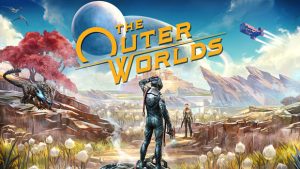
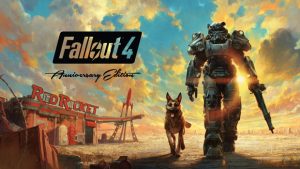
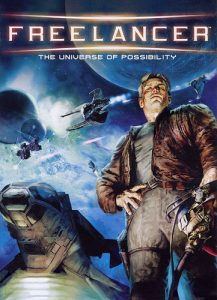
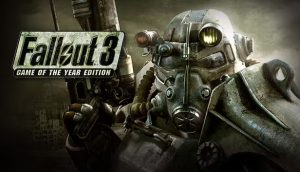
Similar Games Like Starfield


Found something worth playing through DecideGame?
DecideGame.com is an independent gaming project run by Editor Zero. If this guide helped you discover a game, solve a problem, or find useful information, you can support DecideGame.com and help keep new and updated game guides coming.
DecideGame — PC Game Guides, Reviews & Setup Help