

📅 Game released: 2001
Use this updated 2026 Harry Potter and the Philosopher’s Stone PC guide to check official download availability, understand original CD ownership and installation, review historical system requirements, and find practical Windows 10/11 compatibility, widescreen, graphics, and control fixes for the classic Hogwarts adventure.
 By Editor Zero — independently researched, edited, and maintained.
Last updated: 19 October 2026
Last reviewed: 19 October 2026
Table of Contents
- Quick Summary
- Quick Facts
- Official PC Stores, Download & Installation
- Harry Potter and the Philosopher’s Stone Review
- Pros & Cons
- PC System Requirements
- Frequently Asked Questions
- Similar Games
Harry Potter and the Philosopher’s Stone Quick Summary
✔ Classic third-person action-adventure and 3D platformer following Harry Potter’s first year at Hogwarts, combining spell lessons, exploration, magical puzzles, creatures, Quidditch, and the mystery surrounding the Philosopher’s Stone.
✔ Learn spells by tracing wand patterns, use magic to open passages and solve environmental challenges, collect Bertie Bott’s Every Flavour Beans, discover Famous Witches and Wizards Cards, and earn house points for Gryffindor.
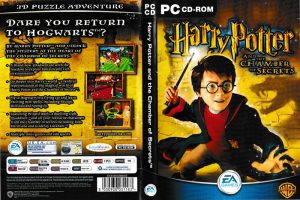
✔ Similar to Harry Potter and the Chamber of Secrets through its KnowWonder-developed PC adventure, spell-based puzzles, Hogwarts exploration, platforming challenges, collectibles, and story-driven progression.
✔ The original 2001 PC release is a distinct game developed by KnowWonder. The PS1, Game Boy, and later PS2/Xbox/GameCube adaptations contain different gameplay, environments, or progression and should not be treated as interchangeable PC editions.
✔ Electronic Arts does not provide a verified normal digital purchase of this original Windows version through Steam, GOG, Epic Games Store, or the EA app. Physical PC copies remain the principal ownership route, but their original disc protection can prevent normal operation on modern Windows.
✔ Community-developed widescreen patches, graphics utilities, and camera improvements can make an already installed, compatible copy more comfortable to play, although they are unofficial and do not replace the original game or guarantee modern Windows compatibility.
Harry Potter and the Philosopher’s Stone Quick Facts
Official PC Store Status, Download & Installation
👇 Use the notes below to understand Harry Potter and the Philosopher’s Stone’s official PC availability, original CD ownership, and installation limitations before attempting to play the 2001 Windows edition.
- Official PC availability: The original KnowWonder-developed Windows game has no verified active digital purchase listing on Steam, GOG, Epic Games Store, Microsoft Store, or the EA app. No normal modern PC storefront installer is available for new buyers through those services.
- Physical PC ownership: Original EA-published PC CD-ROM copies and physical reissues can still be obtained through secondhand markets or private collections. Check that the product is specifically the Windows PC version, that the disc is in suitable condition, and that any required original product key is included. A used disc does not guarantee compatibility with modern Windows.
- Original installation: Electronic Arts’ original instructions describe inserting the game CD into a compatible CD/DVD drive and following the setup program. Where the installed operating system supports the original installer, use your own authentic disc and follow its instructions. Avoid installing old bundled drivers or DirectX components indiscriminately on a modern Windows system.
- Legacy disc protection: The Windows release uses SafeDisc-era copy protection. Windows 10 and Windows 11 do not support its original security driver, so an otherwise successfully installed retail copy may fail its disc authentication or refuse to launch. Compatibility settings and graphics wrappers alone cannot resolve that protection limitation. No official EA replacement installer or modern DRM-free edition was verified.
- Modern Windows setup: Community troubleshooting resources document graphics initialization failures, incorrect display modes, and other problems on current Windows systems. Before applying unofficial modifications, back up the installation and configuration files, identify the exact regional edition, and avoid unknown replacement executables or instructions requiring weakened Windows security protections.
- PC version differences: The European title Philosopher’s Stone and North American title Sorcerer’s Stone refer to the same core KnowWonder Windows game, with localized presentation. The 2001 PS1, Game Boy Color, Game Boy Advance, and later PS2, Xbox, and GameCube games are separate adaptations, not PC patches, DLC, or a remaster of this version.
- Original gameplay access: The retail game was designed for offline single-player play and does not use EA accounts, online matchmaking, cloud saves, Game Pass, or Xbox Play Anywhere. Its historical disc-based activation requirements are separate from an internet connection.
- Community modifications: Fan-made widescreen and settings tools can improve an already operational PC installation. These tools are not official EA updates and must match the correct game version. They do not grant game ownership or supply an authorized replacement for the original installation media.

Harry Potter and the Philosopher’s Stone Review
A wonderfully inviting Hogwarts adventure whose inventive lessons outshine its awkward platforming.
For a game about discovering magic, Harry Potter and the Philosopher’s Stone gets a surprising amount of pleasure from ordinary school life. A professor demonstrates a spell, Harry tries to master it, and a classroom exercise grows into an obstacle course filled with enchanted machinery, hidden rooms and troublesome creatures. KnowWonder’s 2001 PC adventure makes learning feel like the beginning of an expedition rather than a pause before the real game.
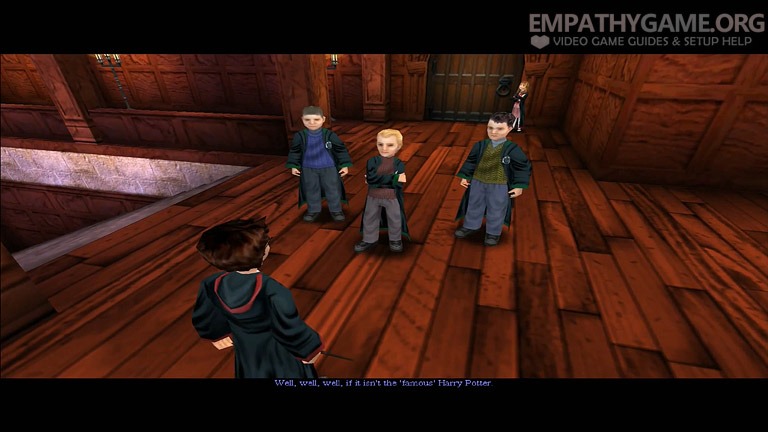
Its Hogwarts is not an enormous, freely explorable castle. The campaign guides Harry from lesson to lesson, with brief trips into the grounds, the forest and the dangers behind the school’s more suspicious doors. Yet the game has a talent for turning modest interactions into small discoveries. A portrait that looked decorative becomes an entrance; a lesson that seemed like homework gives Harry a new way forward. The affection is easy to understand, even when stiff movement, fussy spell tracing and limited checkpoints make such a gentle adventure unexpectedly irritating.
Spell Lessons Make Magic Feel Earned
The strongest design choice is to introduce abilities as things Harry actually studies. In Defence Against the Dark Arts, Professor Quirrell teaches Flipendo, a knockback jinx that becomes the game’s most dependable tool. Harry can use it to knock blocks into position, strike wall switches, dislodge beans from cauldrons and repel enemies. It is less a combat spell than a universal means of asking the environment what will happen if he gives it a push.
Other spells enlarge that vocabulary in particular ways. Alohomora opens locked objects and concealed passages. Wingardium Leviosa moves specially marked objects into place. Incendio deals with dangerous vegetation, while Lumos illuminates magical routes associated with gargoyles. Pointing the wand at a valid target reveals the relevant symbol, and the game chooses the appropriate spell. That removes the need to manage a selection of equipped abilities and makes the castle easy to read. It also means there is rarely any real decision about which magic to use: an object usually has one correct answer.
The classroom exercises give that simplicity a more awkward edge. Learning magic requires tracing symbols with the mouse accurately enough to pass successive tests and earn house points. But recognising the shape and reproducing it against a timer are different kinds of difficulty. Alohomora’s keyhole-like outline can prove particularly unforgiving when the mouse path refuses to register as neatly as expected. Repeating an apparently straightforward exercise while characters urge Harry to improve is a poor substitute for an interesting magical challenge.
Once the test ends, each lesson opens into a dedicated course. Challenge Stars invite detours away from the obvious exit, and moving platforms or switches provide opportunities to apply the new spell. Wingardium Leviosa is the clearest example of both ambition and restriction: activating it shifts control from Harry to a levitated object, which must be manoeuvred onto a pressure plate. That briefly makes spellcasting feel different from simply firing at a target. Too often, though, the solution is already prescribed, and the same block-and-button arrangement returns without much variation. Incendio is similarly useful in its designated plant encounters but seldom alters how Harry approaches the wider world. The lessons succeed as introductions to magic more than as a growing puzzle system.
Hogwarts Is Most Interesting When You Ignore the Obvious Route
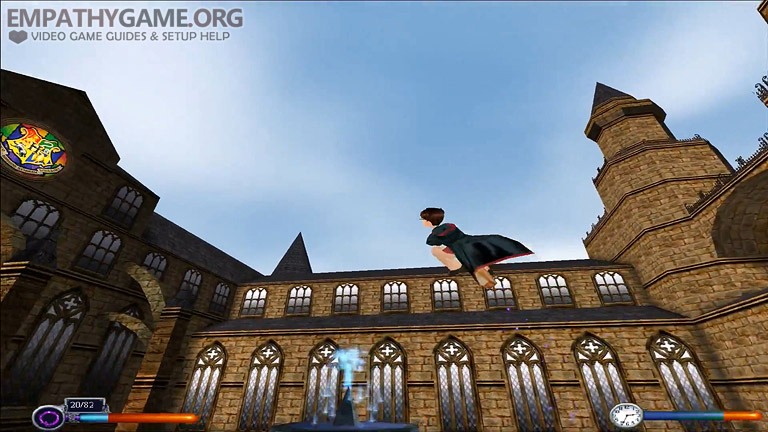
Exploration supplies the curiosity that the puzzles sometimes lack. Hogwarts corridors are lined with objects that invite suspicion: portraits, mirrors, suits of armour, chests and shelves that might be ordinary decoration or might hide a reward. Casting Flipendo at an unremarkable piece of furniture can release a shower of Bertie Bott’s Every Flavour Beans; using Alohomora on a seemingly solid surface can reveal a passage that was easy to walk past. Much of the pleasure comes from learning what the castle’s visual language considers suspicious.
These secrets also give relatively small spaces a sense of depth. A room encountered on the way to class may contain more than the route to the next door, while the grounds near Hagrid’s hut and the Fireseed Caves introduce different scenery and a stronger feeling of leaving familiar school corridors behind. Still, finding an unexpected alcove is rewarding precisely because the adventure is otherwise so directed.
The game occasionally undermines its own sense of discovery by reporting how many secrets or collectibles belong to an area as it loads. That information is helpful to completionists, but it also changes the mood. The best exploration happens before the search turns into a checklist, when an unusual painting or suspicious wall is enough reason to stop and experiment.
Simple Platforming Is Let Down by the Camera and Checkpoints
The platforming rarely asks for complex movement. Many gaps can be handled with Auto Jump enabled, and the obstacle courses mostly alternate between crossing ledges, activating switches and riding moving platforms. Difficulty should come from understanding a room and using a spell at the right moment, not from performing acrobatic combinations.
Unfortunately, the camera can turn easy-looking traversal into a test of patience. Harry cannot strafe in the conventional sense, and the viewpoint tends to settle back behind him as he moves. Looking down to judge a narrow landing is useful only until the next adjustment shifts the view again. On broad paths this is a minor nuisance; above a gap, it can make a simple jump feel less reliable than its design suggests.
Failure is made sharper by the save system. Floating Save Game Books and level transitions anchor progress rather than a freely chosen save point inside every challenge. A missed landing just before the next book can mean repeating a series of switches and platforms that were already solved. Crossing a wide gap on a magical platform is not necessarily difficult the first time; repeating the approach because one movement sent Harry into the void is what becomes frustrating. This is the game’s most conspicuous mismatch between intention and execution: its puzzles are designed to welcome inexperienced players, while its camera and checkpoints sometimes punish them for mistakes the puzzles did little to prevent.
Combat Adds Mischief Rather Than Much Danger
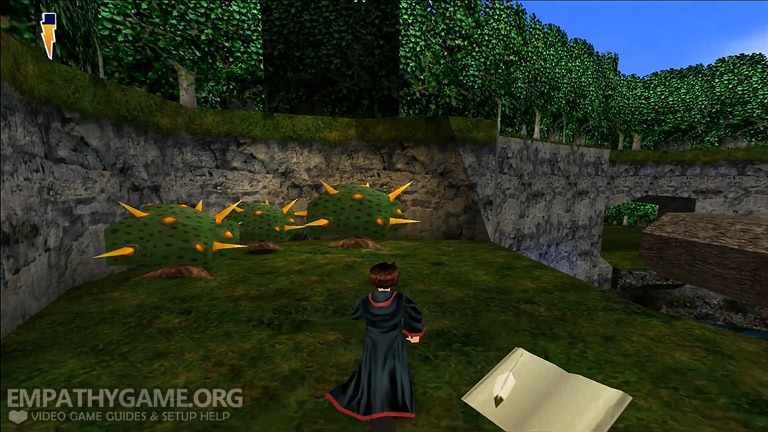
Fights are deliberately light. Flipendo knocks back gnomes, inconveniences magical creatures and generally clears the next stretch of corridor. Some enemies demand attention to when or where they can be hit, but most encounters involve lining up the wand and casting until the path is safe.
The details are more entertaining than the fighting itself. Gnomes can make off with collected beans, giving their sudden appearances a mischievous consequence beyond lost health. Peeves is another welcome interruption because his shifting vulnerability asks for a little patience rather than uninterrupted spellfire. Chocolate Frogs restore Harry’s stamina, keeping recovery straightforward. Together, these touches create a school full of minor hazards and inconveniences rather than a dangerous combat arena. That is an appropriate tone, even if repeated Flipendo exchanges grow routine well before the adventure ends.
Broomstick Chases and Stealth Break the Classroom Routine
Flying provides the most obvious escape from switch-and-platform puzzles. Madam Hooch’s lesson introduces steering through rings, and the chase after Draco Malfoy to recover Neville’s Remembrall gives Harry a more urgent reason to take to the air. The grounds suddenly seem larger when they have to be navigated at broomstick speed.
Quidditch is more constrained than its lively presentation suggests. Rather than taking part in a full team sport, Harry pursues the Golden Snitch while other players, Bludgers and hoops complicate his flight. Remaining close to the Snitch is the essential task; tracing every ring perfectly is less important than the visuals imply. Once the pursuit gauge fills, the catch must be made during a brief opportunity. That creates a useful burst of excitement, but it also reveals how little sporting strategy exists beneath the chase. A failed catch means rebuilding momentum rather than making a different tactical choice.
The invisibility-cloak sequence with Argus Filch and Mrs Norris offers a more distinctive contrast. Instead of attacking whatever stands in the way, Harry has to watch movement, choose when to advance and keep his distance. Casting a spell can compromise his concealment, so the tools that normally make progress effortless become a liability. The stealth is modest rather than elaborate, but it gives the campaign a welcome change of behaviour. Alongside the Fireseed excursion and broomstick diversions, it keeps the adventure from becoming an uninterrupted chain of school exercises.
Storybook Hogwarts Has More Personality Than Its Storytelling
The narrative follows the broad shape of Harry’s first year: lessons, friendships, school rivalries and the growing suspicion that something important is hidden within Hogwarts. Ron and Hermione help establish the rhythm of student life, Hagrid draws Harry beyond the castle, and Malfoy and Peeves supply more immediate forms of trouble.
The telling is far less generous than the setting. Illustrated interludes and short exchanges move briskly over events that might have supported substantial missions, so Harry’s relationships often depend on the player’s familiarity with the source material. Conversations can pause awkwardly between lines, and story scenes cannot simply be skipped when replaying a troublesome stretch. Neither issue ruins the first journey, but both make the narrative less comfortable to revisit. The compressed plot functions as a reason to move between locations, not a fully developed dramatic retelling.
Hogwarts itself does more of the storytelling. High stone passages, gloomy dungeons, animated armour, ghosts and hidden rooms make the castle feel older and stranger than its small explorable footprint might suggest. Character models and animations are unmistakably of their time, yet the bright courtyards and shadowy interior spaces establish a convincing contrast between school-day comfort and forbidden mystery. Jeremy Soule’s score ties the two moods together. Light, playful themes fit a gnome’s interruption or a mischievous corridor discovery; more anxious music gives a routine passage unexpected suspense. The repeated cries of spell names can grate, but the soundtrack supplies atmosphere where the dialogue and animation cannot.
House Points and Collectibles Offer Goals, Not Real Freedom
Progression is entirely about new spells, opened routes and the next part of the school year. Harry has no experience levels, adjustable character build or branching decisions. House points reward accurate spell tracing and successful challenges, while Challenge Stars encourage exploring an obstacle course rather than rushing for its exit. Those systems make each lesson feel as though it counts toward something larger.
The House Cup, however, is not a genuine competition that Harry can reshape through exceptional performance. Slytherin’s position in the standings is tightly controlled by the story, so earning extra Gryffindor points offers satisfaction and a better classroom result rather than an alternate outcome.
Collecting gives a stronger reason to pay attention. Beans can be exchanged with Fred and George for Famous Witches and Wizards Cards, while other cards are tucked behind the castle’s less obvious interactions. Chocolate Frogs serve a separate purpose as health pickups. Discovering a new card is a more tangible reward for curiosity than another handful of points, and seeking a complete collection lends the short campaign an optional challenge. Its linear structure also makes missing something more consequential. When a location closes behind the story, an overlooked secret may have to wait for an earlier save or another run.
Once the story ends, Broomstick Practice and the unlockable Quidditch League provide focused activities outside the campaign, but there is no expansive post-story Hogwarts life waiting to unfold. Returning is principally about finding missed cards, improving challenge performance or enjoying the castle’s distinctive atmosphere without the pressure of discovering every mechanic anew.
Final Verdict
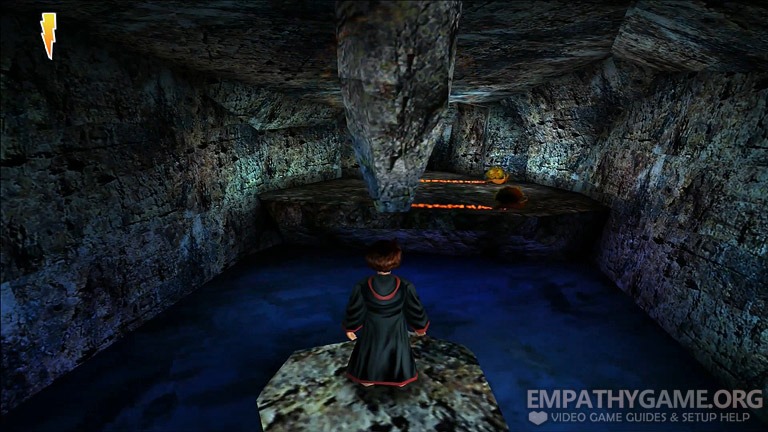
Harry Potter and the Philosopher’s Stone is most successful when it makes Hogwarts feel like a place where even small school exercises can lead to adventure. Spell lessons establish a clear connection between what Harry learns and how he explores; hidden portraits and suspicious objects reward curiosity; and excursions on a broomstick or beneath an invisibility cloak provide welcome changes of pace. The castle’s visual character and Jeremy Soule’s music give these modest systems an identity that survives their age.
The weaknesses are substantial but specific. Spell tracing can turn a gentle lesson into a stubborn obstacle, the camera and limited save points make simple platforming harsher than intended, and Quidditch is a guided pursuit rather than a convincing sport. Combat rarely develops beyond basic Flipendo exchanges, while the story races through characters and events that deserved more room. Collecting wizard cards offers motivation, but neither house points nor repeat play opens up radically different possibilities.
Anyone expecting a challenging action game, elaborate spell combinations or the freedom to wander Hogwarts on their own schedule will run against those limitations quickly. For fans of compact, secret-filled 3D platformers—and for readers of the books who want an affectionate interpretation of Harry’s earliest lessons—the charm lies elsewhere. This is a small, imperfect school adventure whose best moments come from finding that one more ordinary-looking corner of Hogwarts is hiding something magical.
Harry Potter and the Philosopher’s Stone Pros & Cons
Harry Potter and the Philosopher’s Stone PC System Requirements
The following specifications describe the original 2001 Windows PC release, not a modern remaster or an emulated console version. They are based on the historical Electronic Arts installation documentation and should not be interpreted as an official Windows 10/11 compatibility guarantee.
ORIGINAL WINDOWS PC REQUIREMENTS:
MINIMUM:
OS: Windows 95, Windows 98, Windows ME, Windows 2000, or Windows XP (historical supported systems)
CPU: Intel Pentium II 266 MHz or equivalent
RAM: 32 MB; 64 MB for Windows 2000 or 128 MB for Windows XP
GPU: 4 MB PCI/AGP graphics card with a DirectX 8.0-compatible driver
DirectX: DirectX 8.0
Storage: 500 MB free hard disk space, plus additional space for saved games and DirectX installation
Optical Drive: 4x CD-ROM/DVD-ROM drive
Input: Keyboard and mouse
RECOMMENDED:
OS: Windows 98, Windows ME, Windows 2000, or Windows XP
CPU: Intel Pentium II / AMD Athlon 400 MHz or faster
RAM: 128 MB; 256 MB for Windows XP
GPU: 32 MB or greater 3D graphics accelerator with full Direct3D driver support
DirectX: DirectX 8.0 or later compatible runtime
Storage: 500 MB plus saved-game space
Optical Drive: 8x or faster CD-ROM/DVD-ROM drive
Input: Keyboard and mouse
Historical requirements note: Electronic Arts’ original documentation does not list Windows 10, Windows 11, 64-bit support, or modern graphics cards. Meeting these old hardware figures on a modern computer does not guarantee that the original installer, disc authentication, rendering, or sound will function correctly.
Additional PC Performance and Setup Notes
Windows 10/11 compatibility: The principal obstacles are legacy SafeDisc protection, 32-bit-era installation assumptions, and old Direct3D rendering rather than insufficient modern hardware performance. If installation succeeds but the game does not start, distinguish a disc-authentication failure from a graphics startup failure before changing any settings. For detailed compatibility notes, consult PCGamingWiki’s Harry Potter and the Philosopher’s Stone page. Do not disable Windows security services or execute untrusted replacement game files in an attempt to solve the problem.
Widescreen Resolution Fix (16:9)
The original Windows game was designed around a 4:3 display. Selecting a widescreen resolution without appropriate modifications can crop the visible scene or misalign interface elements. A community modification based on the widescreen work by djbff and a-hurst, with compatibility adjustments by AdamJD, is available for the original PC game.
Recommended community patch: Harry Potter 1 Widescreen Mod — Stock Movement (GitHub).
Installation and configuration:
- First confirm that your legally owned PC installation can launch successfully. The widescreen modification does not solve original CD-authentication or SafeDisc problems.
- Open the community project’s Stock Movement widescreen patch folder. It contains the modified
HPBase.uandHPMenu.upackages. Download both files from their individual GitHub file pages. - Find the
Systemfolder inside your existing Harry Potter PC installation. Make backup copies of the original files with those names, then place the two downloaded replacement packages in the sameSystemfolder. - Open the game’s configuration file, normally found at
Documents\Harry Potter\HP.ini. Back it up and locateFullscreenViewportXandFullscreenViewportY. For a 1920×1080 display, set the values to1920and1080, respectively. Use your own display resolution when different. - Save the configuration and launch the game. Check the gameplay view, spell-targeting interface, menus, and cinematics. Some resolutions may require additional rendering compatibility work because the original Direct3D renderer has limitations beyond simple aspect-ratio configuration.
- If the picture is vertically cropped, adjust the field of view using a compatible configuration tool. If menus display incorrectly, the game does not launch, or your edition behaves differently, restore the original
.ufiles and backed-up configuration before trying another version-specific solution.
Widescreen limitation: The community patch addresses widescreen rendering and interface behavior, but wider aspect ratios can still reduce the visible vertical field of view unless FOV settings are adjusted. A stretched 4:3 image is not the same as correctly configured widescreen rendering. Original menus, cinematics, or certain effects may retain layout limitations.
Harry Potter Settings Utility
The separate Harry Potter Settings utility by r57zone (GitHub Releases) supports the first three classic Harry Potter PC games and provides a graphical interface for changing supported game and display settings.
Download the utility from the project’s official GitHub Releases page, extract the release package, and use it to select the original Philosopher’s Stone PC game and configure available resolution or field-of-view settings. The utility documentation identifies Windows 7, 8, 10, and 11 as supported host systems. It does not grant a modern license or fix incompatible disc protection.
Use the utility alongside a compatible widescreen modification when necessary; changing resolution numbers alone does not guarantee correct widescreen rendering with the stock game files.
Camera, Movement, and Frame-Rate Guidance
Camera and movement: AdamJD’s Harry Potter 1 Movement and Camera Improvement is an unofficial modification intended to improve how Harry moves and how the camera behaves. Follow its author-provided instructions and back up the files it replaces. This is a separate gameplay modification, not a required Windows compatibility patch.
Mod compatibility: The movement improvement can require a different widescreen package from the stock-movement version above. If using both, refer to the Widescreen Mod — Improved Movement packages instead of mixing both widescreen variants.
Frame-rate behavior: Older gameplay and animation systems may behave unexpectedly when rendered at extremely high frame rates. Test default behavior first, avoid forcing uncapped performance, and consider an appropriate frame-rate limit if animation, movement, or physics anomalies appear. The original publisher did not document modern high-refresh-rate support.
Save files and backups: The game saves progression through designated in-world save books. Before replacing any game packages, modifying configuration files, or experimenting with utilities, preserve existing game saves and original installation files. Keep a record of every change so it can be reversed.
Official Trailer
Note: This archival upload preserves promotional footage for the original PC/Mac-era Harry Potter and the Sorcerer’s Stone game. It is not an upload from Electronic Arts’ official channel. The written guide adds the original PC version distinctions, ownership status, system requirements, and modern compatibility information not covered in the promotional video.
Frequently Asked Questions
Is Harry Potter and the Philosopher’s Stone worth playing in 2026?
Yes, particularly if you enjoy classic 3D platformers, Hogwarts exploration, spell-based puzzles, and the atmosphere of the early Harry Potter games. Its relatively short campaign, dated controls, and modern Windows compatibility problems are the main limitations, but the original PC adventure still has considerable charm.
Is the PC version of Harry Potter and the Philosopher’s Stone the same as the PS1 or PS2 version?
No. KnowWonder’s original PC game has its own Hogwarts environments, spell lessons, level layouts, challenges, and gameplay systems. The PS1 version was developed by Argonaut Games, while the later PS2, Xbox, and GameCube adaptations were developed separately by Warthog Games, so walkthroughs and collectible locations often differ significantly between versions.
Are Harry Potter and the Philosopher’s Stone and Sorcerer’s Stone different PC games?
They are regional editions of the same original KnowWonder PC adventure. Philosopher’s Stone is the European title, while Sorcerer’s Stone is the North American title; some regional builds contain minor differences, so version-specific community patches may not be interchangeable.
Can you freely explore Hogwarts in Harry Potter and the Philosopher’s Stone?
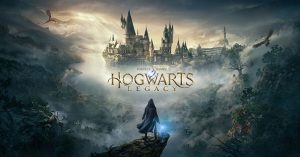
Hogwarts contains explorable corridors, courtyards, classrooms, hidden passages, and outdoor locations, but the PC game is not a fully open-world adventure like Hogwarts Legacy. Story progression determines which areas Harry can visit, and many locations become inaccessible after their associated challenges have been completed.
Which spells can Harry learn in the original PC game?
Harry learns five spells: Flipendo for pushing objects and stunning enemies, Alohomora for unlocking passages and chests, Wingardium Leviosa for moving objects, Incendio for dealing with dangerous plants, and Lumos for revealing hidden platforms or passages. Each becomes available through story progression and has specific environmental uses.
How do spell lessons and wand tracing work?
During lessons, hold the left mouse button and trace the displayed spell shape before the timer expires. Accuracy determines whether Harry passes and how many Gryffindor house points he earns; adjusting mouse sensitivity in Options can make the more demanding tracing attempts easier.
Why won’t Harry cast a spell at an object?
The object may require a spell Harry has not learned, or the targeting cursor may not be positioned correctly. Hold the casting button while aiming at a valid target, wait for the spell symbol to appear, and release to cast; not every object or surface is interactive.
How do Challenge Stars and house points work?
Challenge Stars appear in the obstacle courses associated with Hogwarts lessons. Collecting more stars improves Harry’s performance and earns additional Gryffindor house points, while accurate spell tracing, flying lessons, and certain story tasks also contribute toward the House Cup.
What are Bertie Bott’s Every Flavour Beans used for?
Beans act as a collectible currency rather than a source of health. Fred and George Weasley offer Famous Witches and Wizards Cards in exchange for 25 beans at certain encounters, so collecting beans from cauldrons, chests, and hidden areas is worthwhile.
How many Famous Witches and Wizards Cards are in the PC game?
There are 25 cards in total: 24 regular collectibles and one special bonus card. To receive the final Harry Potter card, collect the other 24 cards and have at least 250 Bertie Bott’s Every Flavour Beans when completing the story.
Can you return for Wizard Cards missed in earlier levels?
Not always. Several cards appear in areas visited only once during normal story progression, and the game does not provide unrestricted chapter replay through its standard campaign menus. Collectibles are best checked before leaving each level; recovering a missed card may require an earlier save or another playthrough.
How do you find secret rooms and hidden passages in Hogwarts?
Look for unusual portraits, mirrors, bookshelves, armor, spell symbols, and objects that react to Flipendo or Alohomora. Some secrets become accessible only after learning additional spells, while others require moving statues onto pressure plates or discovering an overlooked platforming route.
How does Harry recover health, and what happens when he faints?
Collect jumping Chocolate Frogs to restore Harry’s stamina, represented by the lightning-bolt indicator. If his stamina runs out or he falls into a dangerous area, he faints and must continue from the last Save Game Book he activated.
How do you save the game and back up progress on PC?
Walk into a glowing magical Save Game Book to save automatically; the original game does not use a normal manual save-anywhere command. Save files are generally stored under Documents\Harry Potter\Save in the Windows user profile, and copying that folder to a safe location preserves progress before experimenting with unofficial modifications.
Can you enable automatic jumping?
Yes. The original PC game’s Options menu includes an Auto Jump setting that makes Harry jump automatically when approaching suitable gaps. Manual jumping remains available with Ctrl or the right mouse button, and Auto Jump does not prevent every fall.
How do you unlock Quidditch League and additional broomstick practice?
Broomstick Practice becomes accessible from the main menu after completing Madam Hooch’s flying lesson. Quidditch League unlocks after Harry completes his first story Quidditch match, allowing additional matches against increasingly challenging Hogwarts teams.
How do you catch the Golden Snitch during Quidditch?
Follow the Golden Snitch’s trail through the hoops while avoiding Bludgers, other players, and collisions that reduce stamina. Once the pursuit meter fills and Harry gets close enough, press Ctrl or the right mouse button to catch the Snitch and win the match.
Can you change the broomstick controls if flying feels difficult?
Yes. The original controls use the arrow keys for steering, A to accelerate, and Z to slow down. The Options menu also allows key remapping and inverted broom controls, which can make flying lessons and Snitch pursuits more comfortable.
How do you defeat Peeves in the PC version?
During the second-floor landing encounter, Peeves alternates between vulnerable and transparent states. Keep moving to avoid his attacks, then target him with Flipendo when he becomes solid; spells cast while he is transparent will not damage him.
How long does Harry Potter and the Philosopher’s Stone take to complete?
A straightforward playthrough generally takes around 6–10 hours, although unfamiliar puzzles, difficult flying sections, and exploration can extend it. Finding all 25 Wizard Cards, collecting enough beans for the bonus card, and completing additional Quidditch activities can add several more hours.
Can you continue exploring Hogwarts after finishing the story?
The original PC game does not provide a conventional post-story free-roam mode or New Game Plus. Unlocked Broomstick Practice and Quidditch League activities can still be accessed separately, but revisiting earlier story locations and obtaining missed collectibles generally requires an earlier save or a new playthrough.
Does Harry Potter and the Philosopher’s Stone support modern PC controllers?
The original Windows game was designed around keyboard and mouse controls rather than modern plug-and-play Xbox controller support. Community joystick configurations and controller-mapping tools can provide gamepad input, but movement, spell aiming, menus, and broomstick controls may need individual configuration.
Why won’t the original Harry Potter PC CD launch on Windows 10 or Windows 11?
One major cause is the game’s old SafeDisc disc-authentication system, whose original driver is unsupported by modern Windows. Separate problems may involve the installer or legacy Direct3D renderer. Compatibility and graphics modifications can address some issues, but they do not guarantee a working installation or restore the original disc protection’s compatibility.
Still have questions? Check the PCGamingWiki compatibility and fixes guide, GameFAQs PC walkthroughs and collectible guides, or Harry Potter Games Reddit community for technical help, gameplay questions, and discussion.
Sources & References
Key factual and technical information in this guide was checked against historical publisher documentation, established game databases, and community compatibility resources, including:
- Original Electronic Arts Game Manual — historical PC gameplay controls, spell learning, Quidditch, save points, house points, collectibles, and CD installation instructions.
- Electronic Arts EAsy Install Guide — preserved original publisher installation documentation with minimum/recommended Windows specifications, DirectX requirements, and optical-drive information.
- GameFAQs — Original PC Release Information — release date, publisher, developer, regional title variations, and differences between the Windows and other platform versions.
- PCGamingWiki — Harry Potter and the Philosopher’s Stone — documented modern Windows compatibility concerns, legacy disc protection, configuration locations, widescreen limitations, and technical fixes.
- Harry Potter Unreal Wiki — HP1 Widescreen Mod — original community-maintained widescreen modification files for the stock-movement PC game.
- r57zone — Harry Potter Settings — original developer repository, supported game versions, utility documentation, and Windows host compatibility information.
- MobyGames — Harry Potter and the Sorcerer’s Stone — historical PC release credits, original Windows technical details, and version-specific professional review records.
Similar Games Like Harry Potter and the Philosopher’s Stone
- Harry Potter and the Chamber of Secrets
- Harry Potter and the Prisoner of Azkaban
- Hogwarts Legacy
- The Simpsons Game
- Kingdom Hearts 3
- Tomb Raider I-III Remastered




Found something worth playing through DecideGame?
DecideGame.com is an independent gaming project run by Editor Zero. If this guide helped you discover a game, solve a problem, or find useful information, you can support DecideGame.com and help keep new and updated game guides coming.
DecideGame — PC Game Guides, Reviews & Setup Help